The network for creativity
Join 1.25M professional creatives like you
Connect with clients, get discovered, and run your business 100% commission-free
Creatives on Contra have earned over $150M and we are just getting started
Back to feedPost

This video shows the mobile app of the Housekeeping & Inspection Reporting system I built for the Tourism Development Corporation of Punjab (TDCP), a Government of Punjab organization. Resort staff can do full inspections right from their phones.
The home screen greets staff by name and shows their weekly stats and approval rate, along with quick buttons to start an inspection. When staff pick an area, the resort, inspector and GPS location fill in automatically. They mark each checklist item Pass, Fail or N/A, take before and after photos, and record before and after videos with the phone camera. A progress bar shows each file uploading before the inspection goes to the supervisor. In History, staff can see all their submissions and results, view photos and videos, and download a PDF report.
Key features: mobile-first design, auto-filled inspection details, GPS location check, in-app photo and video capture, upload progress tracking, submission history, and PDF reports.


The network for creativity
Join 1.25M professional creatives like you
Connect with clients, get discovered, and run your business 100% commission-free
Creatives on Contra have earned over $150M and we are just getting started





Related posts

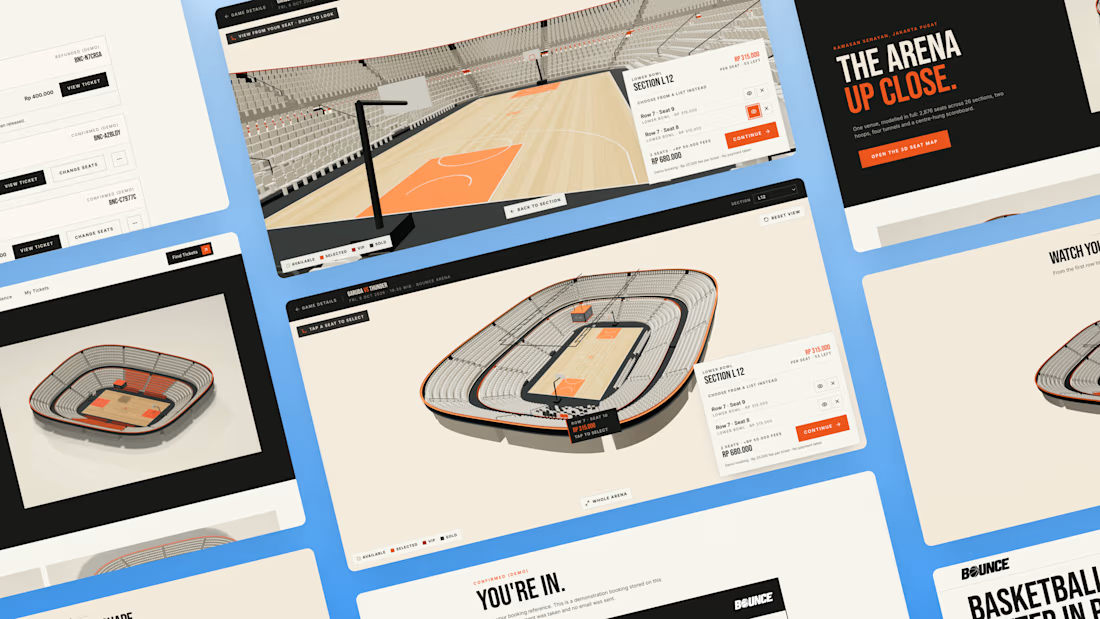
What if you could explore a basketball arena in 3D before booking your seat?
You found the game. But before you pay, how do you know which seat is worth it? A flat seating chart gives you a section and a number, but it can be hard to picture your position relative to the court.
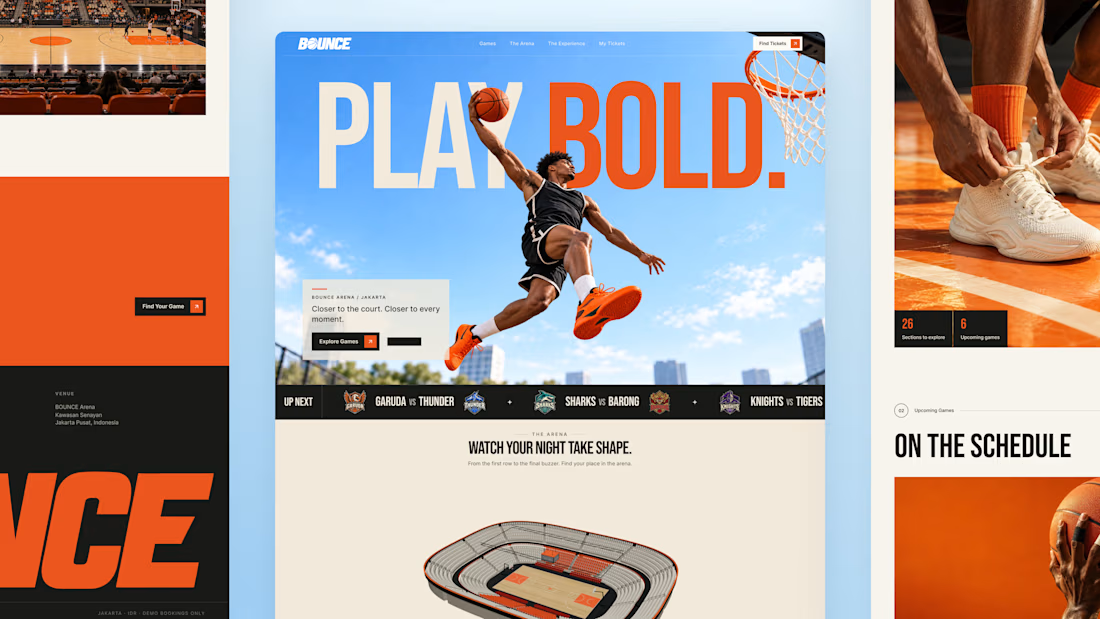
So I built BOUNCE with Lovable, a basketball ticketing concept centered around interactive 3D seat selection.
Rotate the stadium, zoom into the stands, explore different sections, and compare prices before choosing your seats directly inside the 3D arena. The goal is simple: help fans feel more confident about where they’re sitting before they book.
From there, complete checkout and get a ticket you can view, save, or print. My Tickets brings bookings together, with a one-time seat change for the same game and refund requests for eligible bookings.
Bold orange, oversized typography, and scroll driven motion bring the energy of basketball into the experience.
Try the demo: https://bouncebasketball.lovable.app/
Fictional teams. Simulated payments. No real charges.
Less guesswork. More game. BOUNCE. Your game. Your view.



The 3D elements, especially seat pov idea is very interesting🔥

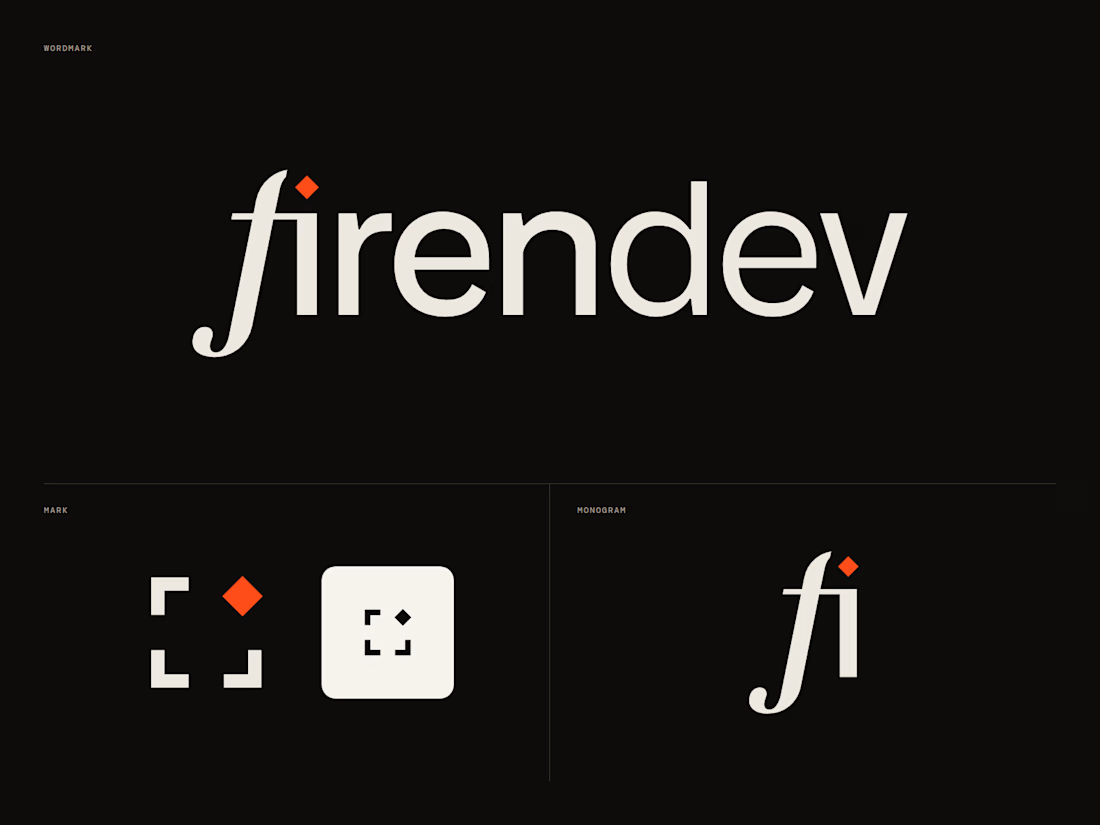
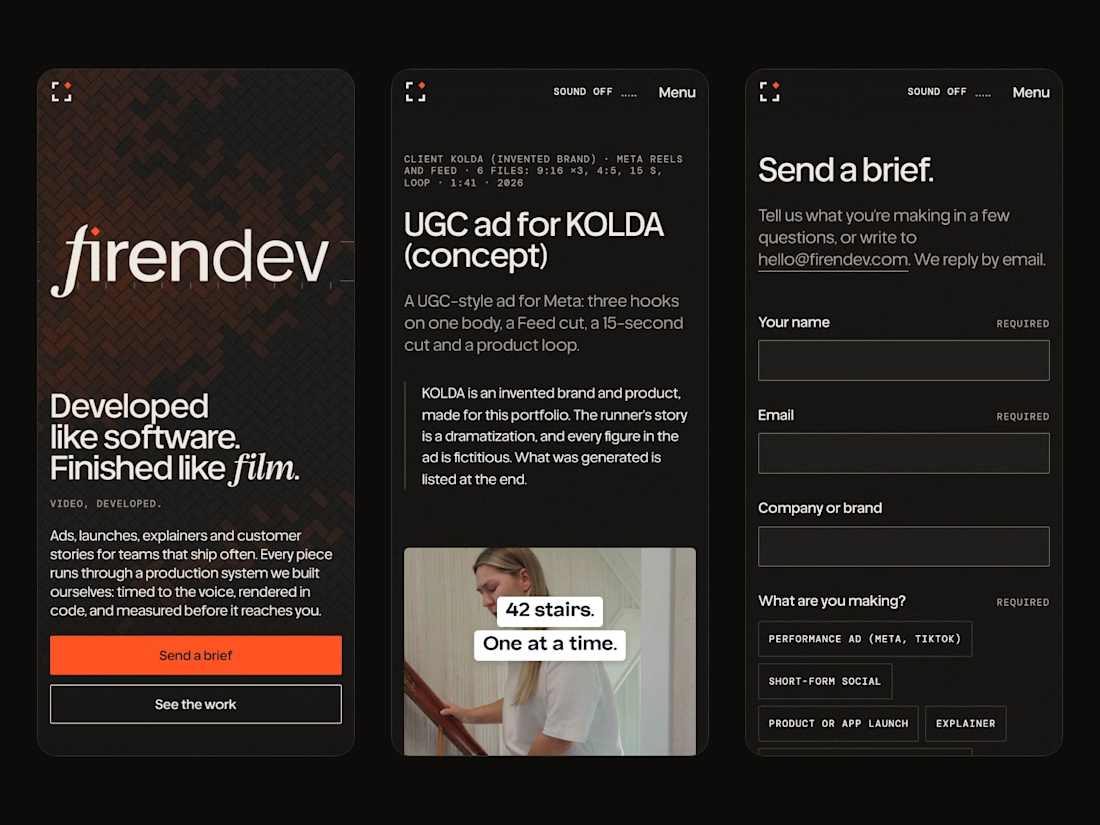
firendev: brand identity and website.
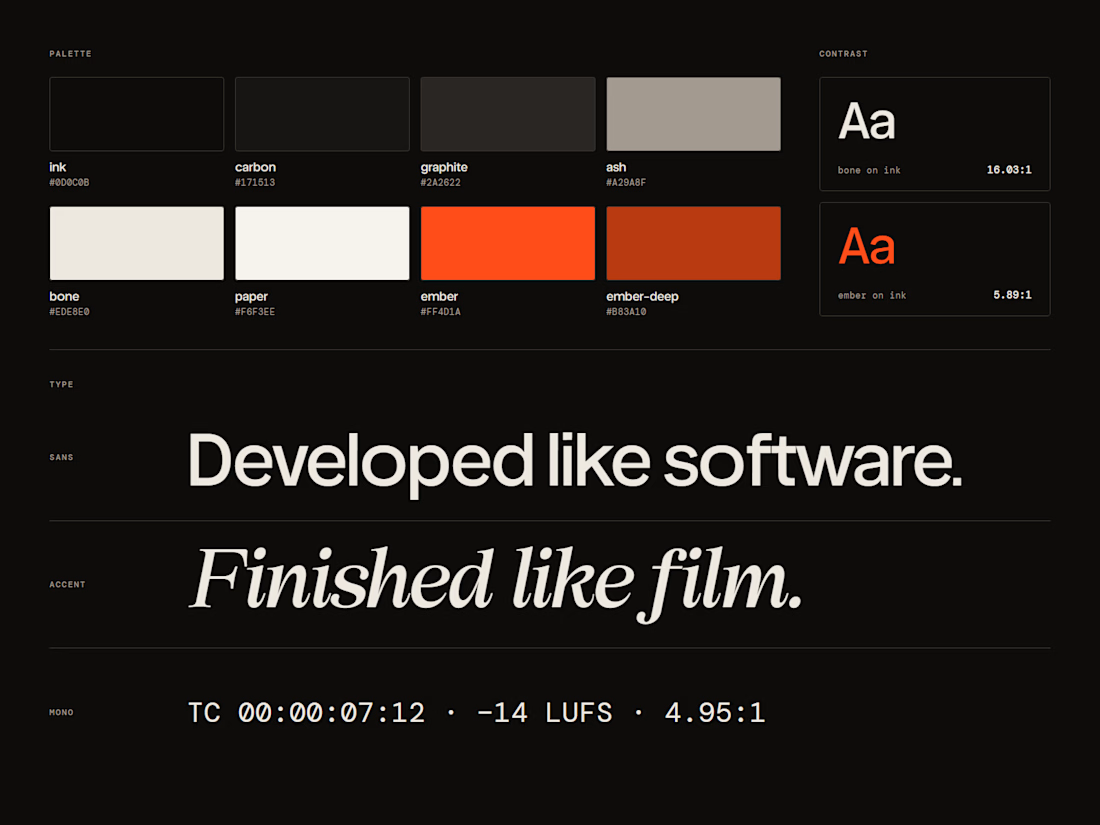
firendev is a video studio, and the name carries the whole brand. Fire, for the spark that starts every piece. Firenze, for a craft measured with proportion and geometry. Develop, in its two senses: developing film and developing software. One line holds it together: developed like software, finished like film.
Everything else grows from that. The spark is the dot of the i. The floor is the herringbone brick of Florence's Duomo. The mark is a camera frame waiting for its spark.
I'd love your honest take on the mark and the hero.
Full case study: https://contra.com/p/bWEMrvZW-firendev-brand-identity-and-website




It's a great design 🔥
I liked the animation in Hero; I'm curious which library you used.

🏢 The Business & The "Greasy Hands" Dilemma:
We built DockFlow (Biscayne Marine OS) for Elena "Rico" Rossi, a solo mobile boat engine mechanic operating "Biscayne Mobile Marine" in Miami, Florida.
Elena drives a mobile workshop van to marinas and canal slips to repair high-performance boat engines (Yamaha, Mercury). But she faced a brutal daily dilemma:
The Greasy Hands Barrier: When working, both of her hands are covered in black engine grease inside noisy boat engine compartments. She physically cannot pick up her phone to answer customer calls.
The Traffic & No-Show Trap: Over 35% of boat owners would cancel after Elena had already driven 45 minutes across Miami bridge traffic in her work van.
Logistics Chaos: Between texting back and forth for marina security gate PINs, boat parking slip numbers, and checking if ocean tides were too shallow to run boat engines, Elena was losing 14+ hours every week just playing phone tag.
⚡ What We Built in Lovable:
We completely rebuilt the moment an inbound customer inquiry turns into a confirmed, paid booking without Elena ever touching her phone:
Marketing Landing Page (/): An executive business homepage with an interactive 3-slide hero carousel explaining the service, problems eliminated, and dockside repair guarantees.
Customer Fast-Track Booking (/book):
Real Microphone Voice Intake: Boaters stranded at a dock don't type long forms. They speak into their phone or record their engine's warning sound using HTML5 microphone capture, and the system extracts their boat specs and symptoms automatically.
Water Depth Safety Check: Verifies Biscayne Bay ocean tide levels (+1.8 ft flood tide) to ensure the water is deep enough to safely lower and test the boat engine without hitting mud.
Smart Neighborhood Routing: Groups appointments by marina cluster (Coconut Grove, Miami Beach) so Elena doesn't crisscross the city.
$175 Deposit Lock: Collects an upfront card deposit to eliminate no-shows.
Self-Service Reschedule & Cancel: Customers can reschedule or cancel in one tap without calling Elena.
Elena's Mission Control (/owner):
Sequential 1-2-3-4 Biscayne Bay route map.
Van Pre-Flight Inventory Matcher: Automatically checks Elena's van shelves (Bin 3B) for replacement cooling parts to guarantee 100% first-time fixes before she drives out.
One-tap status updates ("On the way", "Arrived", "Job Done") that send automated SMS updates to the customer.
Automatically archives completed repairs into a dedicated History & Invoices log.
Realtime Auto-Healing Waitlist Waterfall:
When a boater cancels last minute, a Supabase Realtime broadcast triggers an instant 5-minute countdown alert to the next standby boater in line (Capt. Marcus Vance), auto-filling the vacant spot with zero manual texting!
Miami Localization & Enterprise Polish:
Fully bilingual in English and Spanish (over 60% of South Florida boaters speak Spanish).
Light and Dark mode themes.
Powered by a scalable Supabase database backend.
📈 Measurable ROI:
⏱️ 14 Hours Saved Weekly in manual scheduling and phone tag.
🛡️ Zero No-Shows thanks to upfront card deposits.
🚗 2+ Hours Saved Daily in Miami bridge traffic via neighborhood clustering.
🔧 No Wasted Parts Runs with van inventory pre-flight matching.
Live App: https://dockflow-biscayne.lovable.app/
lovablechallengeFull Stack DevelopmentLow-Code/No-Code DevelopmentWeb DevelopmentLovableNext.jsSupabase


Amazing! Love the backstory and a female boat mechanic with greasy hands. Well done.