The network for creativity
Join 1.25M professional creatives like you
Connect with clients, get discovered, and run your business 100% commission-free
Creatives on Contra have earned over $150M and we are just getting started
Back to feedPost

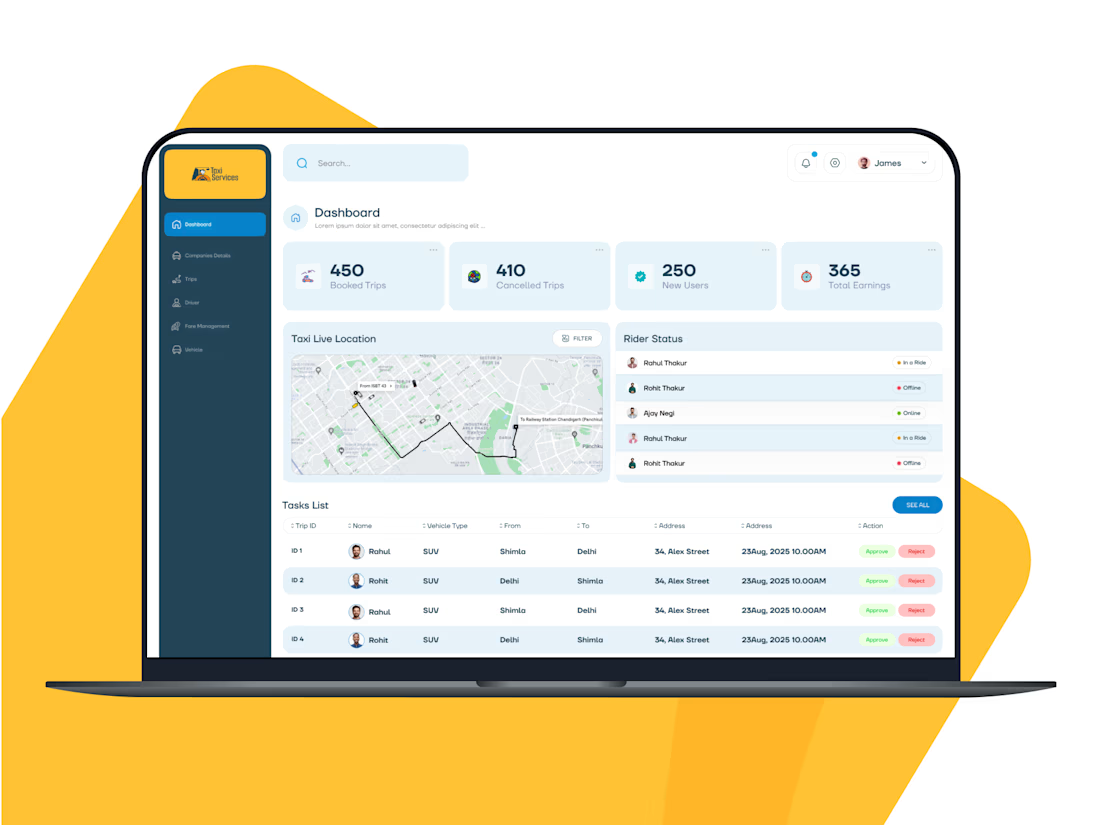
iDispatch is a taxi booking and fleet management platform developed for transport companies, hotels and independent drivers. It helps businesses receive ride bookings, assign drivers, track trips in real time, and manage their transportation operations through mobile apps and web dashboards.
Unlike a typical ride-hailing app designed primarily for individual passengers, iDispatch focuses on helping taxi companies and hotel chains operate their own transportation services.
Key features of iDispatch
1. Taxi booking and ride scheduling
Companies and hotels can create ride bookings for their customers, including on-demand, scheduled, and long-distance trips. Bookings can be managed from a central dashboard.
2. Driver and fleet management
Transport companies can manage their drivers, assign rides, view driver availability, and coordinate daily operations from one place.
3. Live GPS tracking and navigation
Integrated Google Maps and GPS tracking help companies monitor active trips and driver locations. Drivers can use navigation to reach pickup and drop-off points, while managers can view trip progress and estimated arrival times.
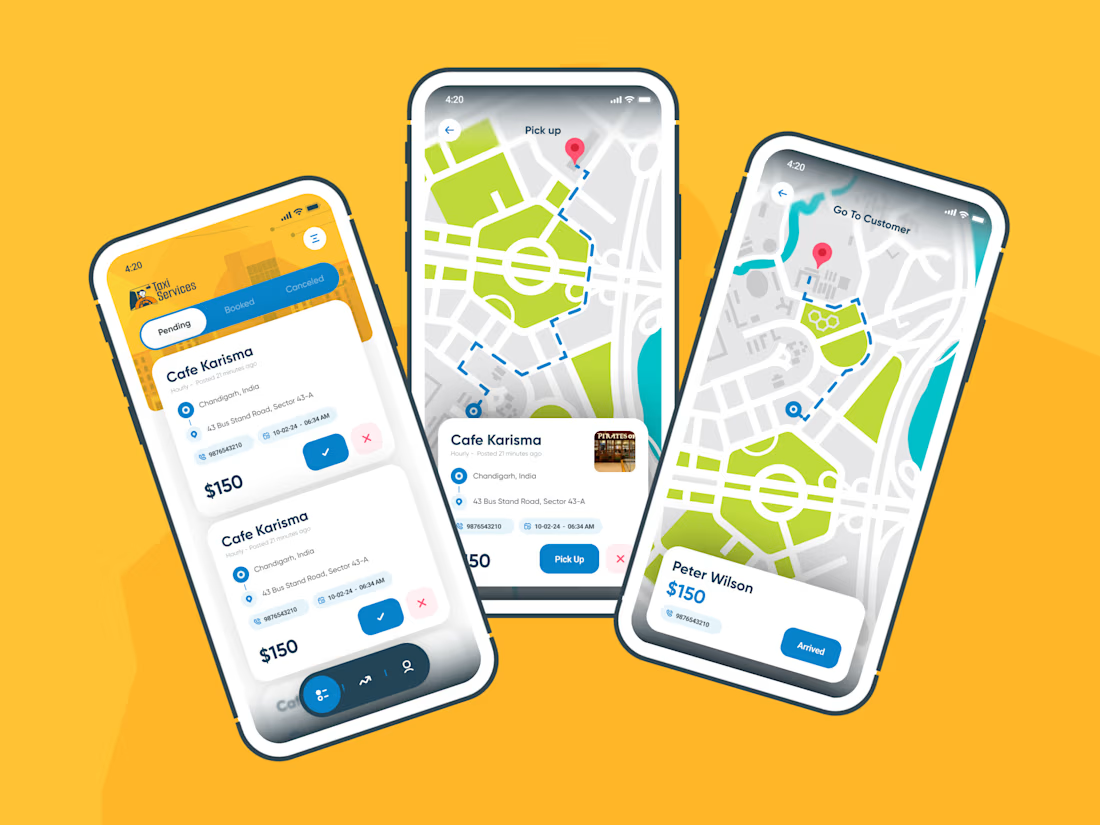
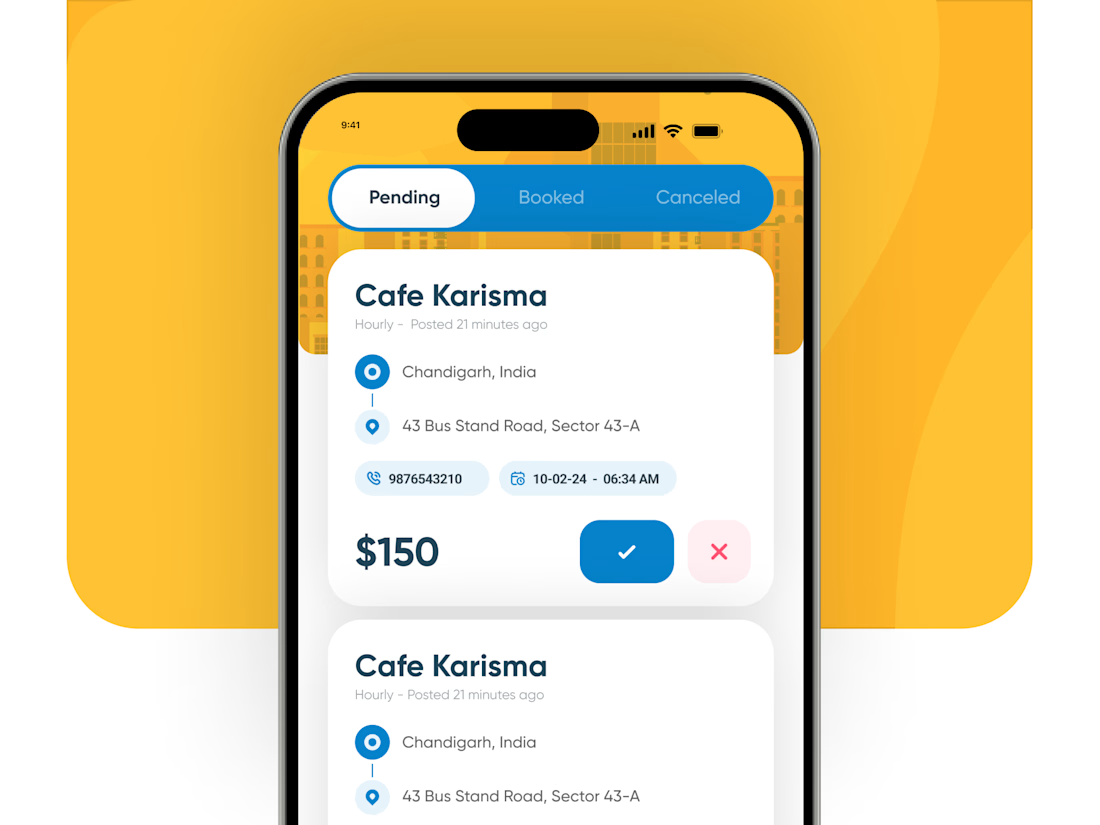
4. Dedicated driver mobile app
Drivers can receive ride requests, accept assigned jobs, access customer and trip information, navigate routes, and update ride status through their mobile devices.
5. Secure payments and fare management
Supports fare configuration, payment processing, automated fare calculations, and financial reporting to help businesses manage ride charges and transactions.
6. Multiple web dashboards
Separate dashboards allow administrators, transport companies, and hotel managers to manage bookings, drivers, trips, permissions, and operational reports according to their roles.
The network for creativity
Join 1.25M professional creatives like you
Connect with clients, get discovered, and run your business 100% commission-free
Creatives on Contra have earned over $150M and we are just getting started



Related posts

Onboarding feels fast when every step hands off to the next.
Slide the screen, fill the progress, roll the number. No spinners, no dead frames.

AI Automation Platform — SaaS Dashboard & Mobile App UI Design
✨ Smarter Workflows, Powered by AI
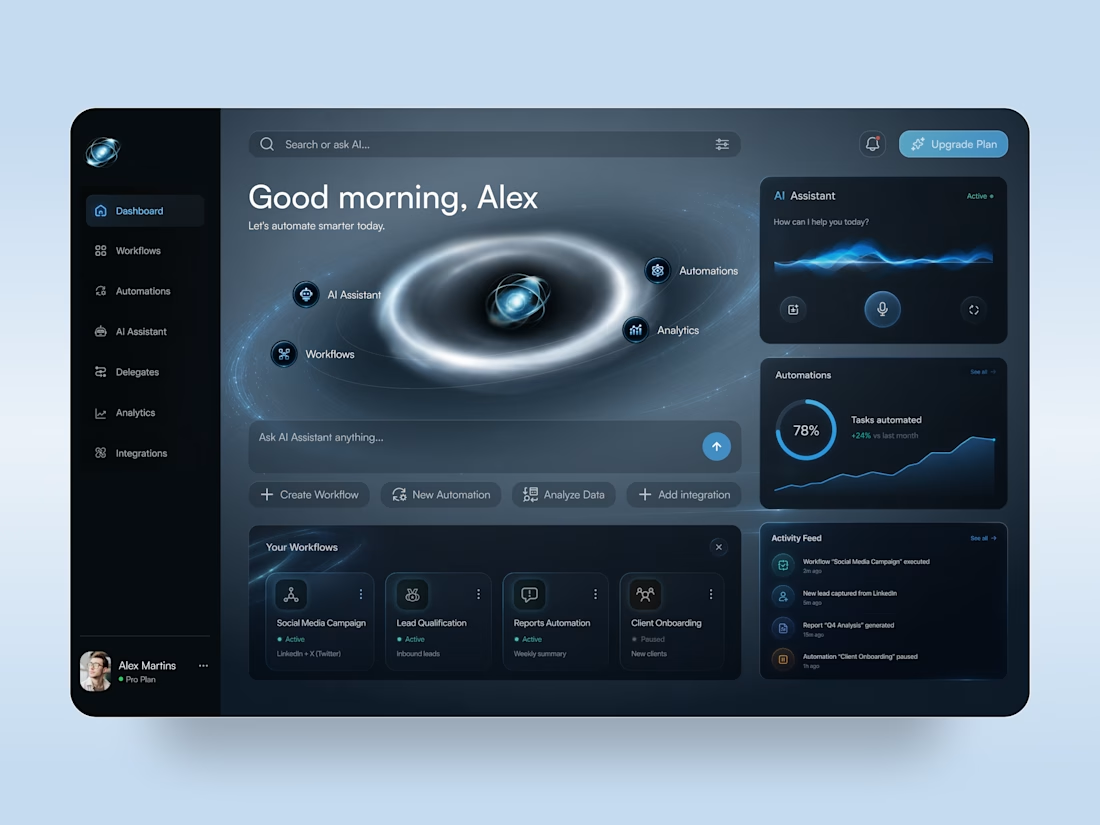
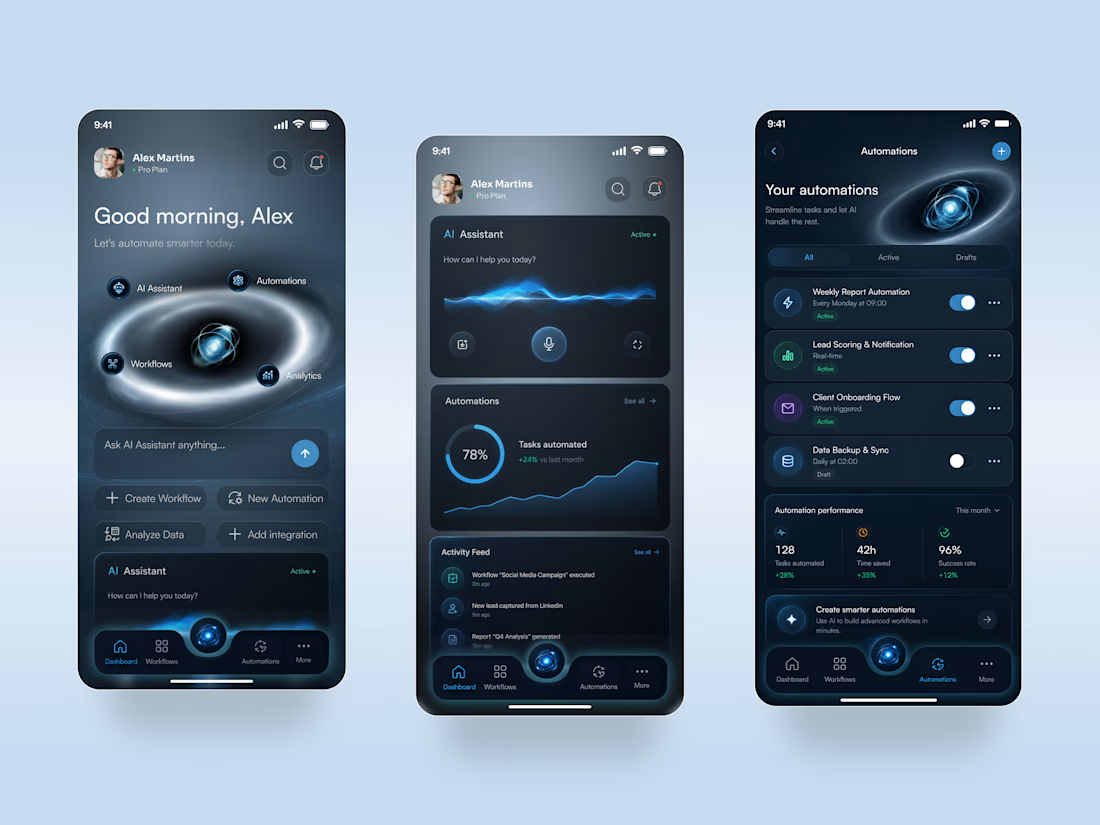
A futuristic AI automation platform concept that brings workflows, intelligent assistance, and performance analytics into one digital workspace. The design combines a deep navy interface, electric blue accents, and immersive orbital visuals to make complex automation tools feel intuitive and accessible.
Special attention was given to:
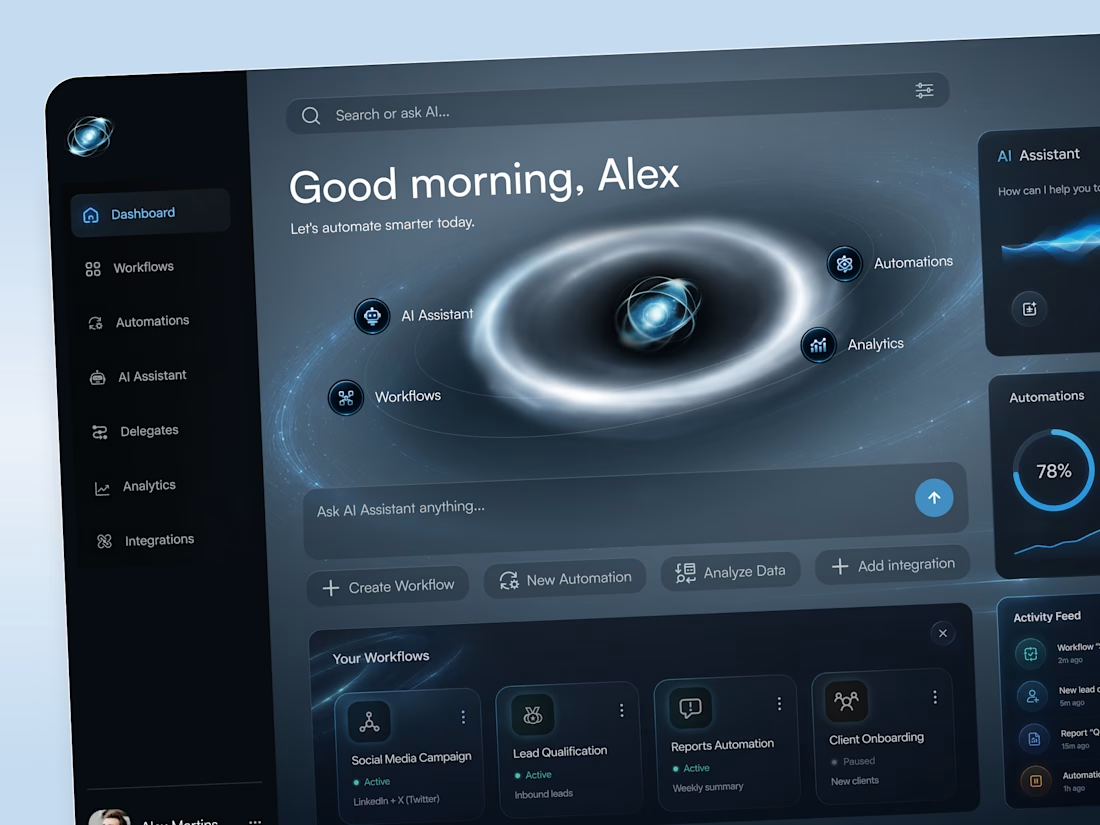
• Immersive dashboard composition with glowing orbital graphics and futuristic visual elements
• AI assistant interface featuring voice interaction controls, animated-inspired waveforms, and quick actions
• Organized workflow cards, automation management, and real-time activity feeds
• Clear analytics widgets with progress indicators, performance charts, and automation status controls
• Responsive desktop and mobile layouts with consistent dark-mode styling and streamlined navigation
The result is a modern SaaS experience that balances futuristic aesthetics with practical usability, giving users a clear view of their workflows, AI tools, and automation performance.



DESKO – Smart Workplace & Desk Booking Platform
Project Type: Enterprise Web Application
Industry: Workplace Management / Enterprise Technology
My Role: UX/UI Designer
Tools: Figma
Platforms: Web & Mobile
1. Project Overview
DESKO is a smart workplace management platform designed to simplify office seat reservations and workspace navigation for employees.
The platform allows employees to search for available workspaces, reserve desks, manage bookings and explore office floor layouts. It also provides features such as panoramic workspace viewing, wearable integration and mobile-based navigation to help employees locate their reserved seats within large office campuses.
The primary objective was to create a seamless workplace booking experience that connects desk reservations with real-world office navigation.
2. Problem Statement
Managing office seating in large corporate campuses can be challenging, particularly when employees need to find available desks, reserve workspaces and navigate between different blocks and floors.
Employees also need better visibility into reservation details, workspace availability and booking requests.
The challenge was to create a unified platform that simplifies desk booking while helping employees physically locate their reserved workspaces.
Key challenges included:
Making desk discovery and reservation simple.
Helping employees identify available seats across office floors.
Providing clear visibility into upcoming and previous reservations.
Simplifying booking requests and ticket management.
Helping employees understand workspace locations through panoramic views.
Enabling convenient navigation to reserved desks using mobile devices.
3. Goals & Objectives
Create an intuitive office desk booking experience.
Enable employees to search and reserve available workspaces.
Provide interactive floor maps and seating information.
Simplify reservation management and booking history.
Introduce panoramic workspace previews.
Support wearable-based workspace access.
Enable mobile navigation to reserved seats and office blocks.
Improve the overall employee workplace experience.
4. My Role & Responsibilities
As the UX/UI Designer, I was responsible for translating workplace management requirements into a simple and accessible digital experience.
My responsibilities included:
Understanding employee booking workflows and business requirements.
Defining information architecture and application navigation.
Designing desk reservation and booking management experiences.
Creating interactive floor-map interfaces.
Designing workspace availability and reservation details.
Exploring panoramic workspace viewing experiences.
Designing mobile navigation flows for locating reserved seats.
Establishing reusable UI components and visual consistency.
Creating wireframes, high-fidelity designs and interactive prototypes in Figma.
5. Design Process
01. Discovery & Requirement Analysis
Understood employee workplace requirements, desk reservation processes and the challenges of navigating large office campuses.
02. Information Architecture
Structured the platform around essential modules, including Book Seat, Reservations, My Requests, Floor Map and Help & Support.
03. Wireframing & User Flows
Created user journeys for searching available desks, making reservations, managing booking requests and navigating to reserved workspaces.
04. Visual Design
Developed a clean enterprise interface using a structured layout, intuitive navigation, clear reservation cards, interactive floor maps and consistent UI components.
05. Prototyping & Refinement
Created interactive Figma prototypes to demonstrate booking interactions, reservation management, workspace selection and navigation experiences.
6. Wireframes & User Flows
The platform was designed around four primary user journeys.
01. Seat Booking
Open Book Seat → Select Office Location → Choose Block & Floor → Explore Available Desks → Select Seat → Confirm Reservation.
02. Reservation Management
Open Reservations → View Upcoming Bookings → Check Reservation Details → Check In → Access Booking History.
03. Workspace Discovery
Open Floor Map → Explore Office Layout → Select Workspace → View Nearby Facilities → Explore Panoramic Workspace View.
04. Mobile Navigation
Access Reservation → View Booked Seat Details → Open Mobile Navigation → Identify Office Block & Floor → Navigate to Reserved Workspace.
7. Final UI Screens
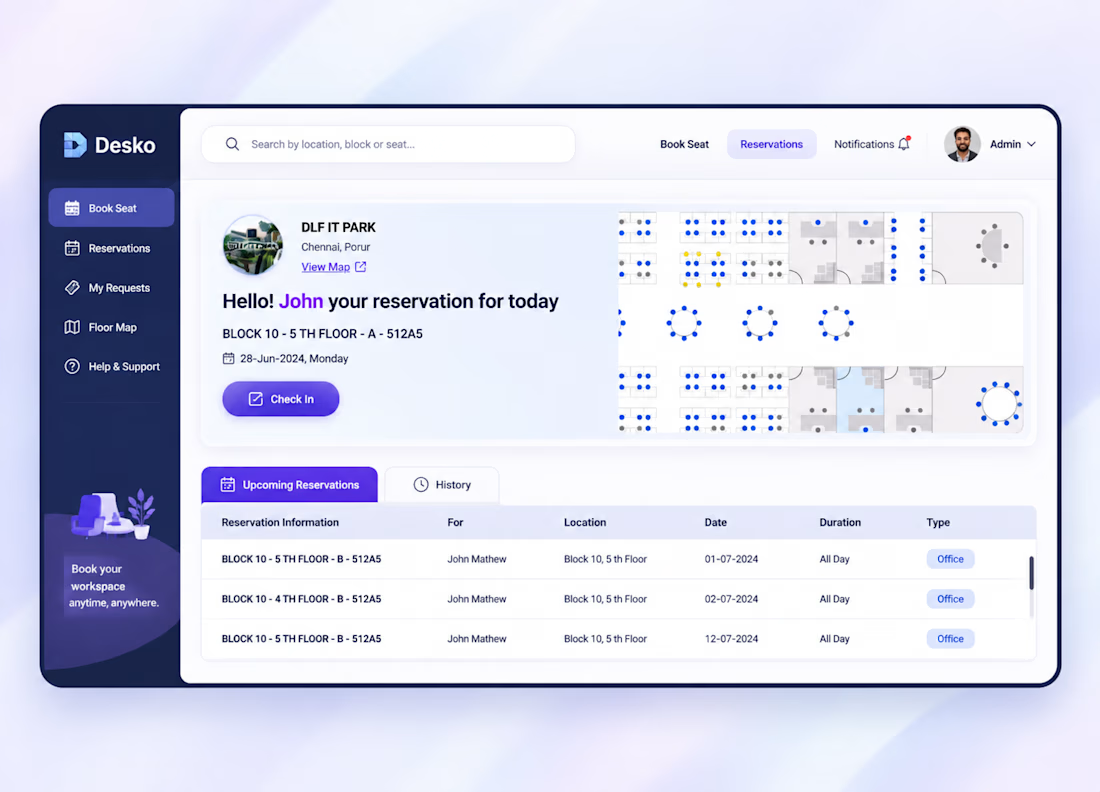
01. Reservation Dashboard
Employee reservation overview.
Current booking information.
Office location and floor details.
Visual floor-plan preview.
Check-in functionality.
Upcoming reservations and booking history.
02. Seat Booking Experience
Office location selection.
Block and floor navigation.
Interactive seating layouts.
Available and reserved seat identification.
Workspace selection and booking confirmation.
03. Floor Map & Panoramic View
Interactive office floor maps.
Workspace location identification.
Nearby seating and facilities.
Panoramic workspace preview.
Visual exploration of office surroundings.
04. Booking Requests & Management
Raise workspace-related requests.
Manage booking requests.
View reservation notifications.
Access booking history and support information.
05. Mobile & Wearable Experience
Access reservation information on mobile.
Navigate to the assigned office block and floor.
Locate reserved seats within the campus.
Support wearable-based workspace access.
8. Outcome & Impact
The design brought desk reservations, workspace discovery and office navigation into one connected workplace experience.
The proposed solution focused on:
Simplifying employee desk reservations.
Improving visibility into workspace availability.
Making office floor navigation easier.
Connecting digital reservations with physical workspaces.
Providing a consistent experience across web and mobile.
Establishing a scalable foundation for smart workplace management.
The result: A unified workplace booking platform concept that connects seat reservations, interactive floor maps and location-based navigation to create a more convenient employee experience.


Nice idea for desk booking.