The network for creativity
Join 1.25M professional creatives like you
Connect with clients, get discovered, and run your business 100% commission-free
Creatives on Contra have earned over $150M and we are just getting started
Back to feedPost

The "Popular" badge on a pricing card shouldn't push the plan name down.
In Figma, the fix is one toggle: Absolute position on the badge layer.
• The card is a vertical auto layout frame: gap 16, padding 24
• The badge is set to Absolute position, so it leaves the flow
• Constraints pin it top right, so it stays there when the card resizes
• Plan name, price and button keep the same spacing with or without it
That last point is why it matters. You can turn the badge on for one plan and off for the others, and the three cards still line up.
I use the same move for close buttons on modals and notification dots on icons: things that sit on top of a layout, not inside it.
It also maps cleanly to the build: position absolute inside a relative card.
Where do you still reach for absolute position in your files?
More builds, more breakdowns, no fluff. Follow for more.
Follow for more videos: instagram.com/sellwrightstudio · youtube.com/@sellwrightstudio


Smart use of auto layout and constraints. Love the practical explanation!
Thanks Ahsan! It's a small Figma habit that saves a lot of cleanup at build time, because the card's spacing never has to change. Do you use absolute position mostly for badges, or for overlays too?
The network for creativity
Join 1.25M professional creatives like you
Connect with clients, get discovered, and run your business 100% commission-free
Creatives on Contra have earned over $150M and we are just getting started
Related posts


The soft blue and lilac gradient against the plain black type feels calm and a bit techy. Nice pacing in the motion too.

Currently, I'm working on the onboarding screens for Dandelion, a nightly journalling app 🌙
Which one would you tap “Start reflecting” on after a long day?

2 voted
25%
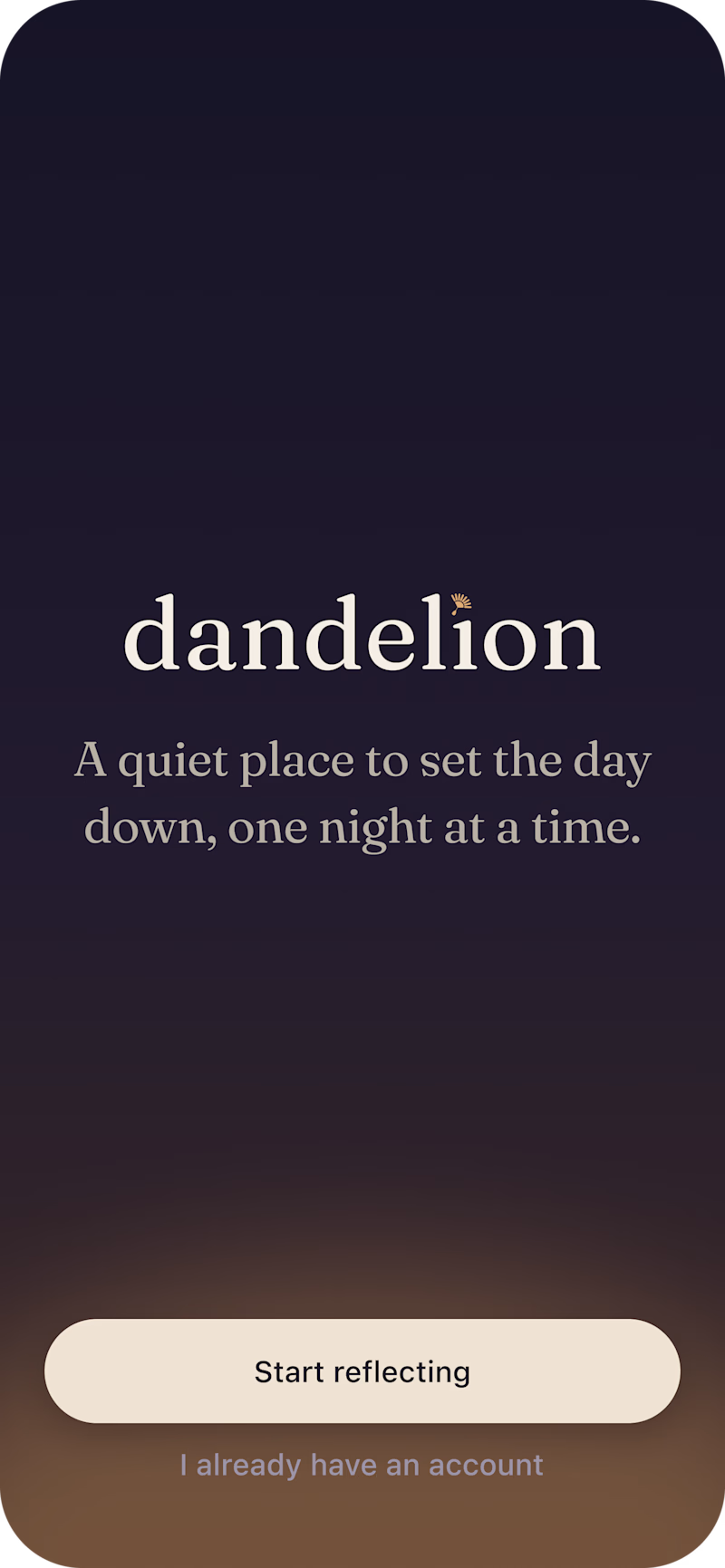
6 voted
75%

8 votes
Closed

This is nothing but impressive. only love this


The motion is so cool! Great idea to reveal each line of text and transform it into an image.