The network for creativity
Join 1.25M professional creatives like you
Connect with clients, get discovered, and run your business 100% commission-free
Creatives on Contra have earned over $150M and we are just getting started
Back to feedPost

Batch Processing: how I reduced CPU overhead by 99.5% in Unity
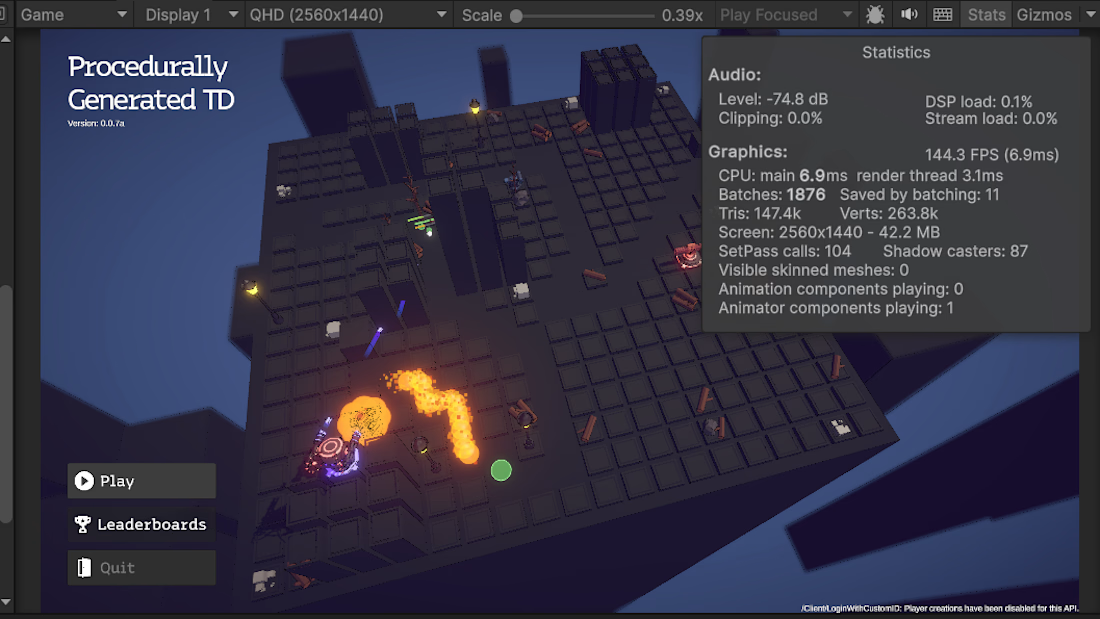
Working on tower defense optimization. Initial state: 64 FPS, game lags at wave 7.
Opened Profiler - found the problem: 11,900 Update() calls per second.
Every Enemy, Tower, Projectile, StatusEffect had its own Update() method.
The Problem: 500 enemies × Update() = 3,000 calls/sec 600 towers × Update() = 3,600 calls/sec
1,800 effects × Update() = 10,800 calls/sec Total: 11,900 calls/frame
The Solution: System-based architecture
Instead of 500 individual Update() → one MovementSystem.Tick() processing all entities in a single pass.
Results:
Update() calls: 11,900/sec → 50/sec (-99.5%)
CPU time: 15.6ms → 6.9ms (-56%)
FPS: 63.9 → 144.1 (+125%)
Key takeaway: Batch processing beats individual updates 20× in performance.
#Unity3D #SystemArchitecture
Game DesignGame DevelopmentVisual Studio CodeperformanceimprovementsystemsarchitectureUnitySystems AuditC#


The network for creativity
Join 1.25M professional creatives like you
Connect with clients, get discovered, and run your business 100% commission-free
Creatives on Contra have earned over $150M and we are just getting started







Related posts


Haunted Hall
Is a found-tape, first-person Halloween shooter built in Rive. You enter a haunted house through a camcorder viewfinder and fight your way through four stages (The Entry, The Deep Hall, The Dark. Hall and the Exit) with a double-barrel shotgun. Ghosts drift out of the dark, bats swarm from the rafters, and a zombie shuffles toward the camera, getting angrier every time you hit it.
Features used: Rive CLI and GPU Canvas.
Rive CLI: the whole game was built by describing it to my coding agent (Claude Code), which wrote the RML (scenes, state machines, view models and data binding) and the Luau scripts (stages, enemy waves, zombie, bat swarm, shotgun and reload logic), checked live in the rive . preview.
GPU Canvas: a WGSL atmosphere pass gives the cursed camcorder look: chromatic split, room-dependent light flicker, vignette, animated film grain, and glitch bands with a red wash when you get hit.
Rive Editor: final polish done by hand in the editor.
BUCKSHOT MANOR 🎃
A haunted house. Two barrels. One long night.
Buckshot Manor is a first-person haunted-house shooter built entirely in Rive. You fight through six rooms of ghosts, zombies, wraiths and exploding pumpkins, then face The Watcher, a giant eye waiting in the foyer, and survive until dawn breaks.
How it's made
Rive CLI + Claude Code: the whole game was built by prompting an agent that writes RML markup, Luau scripts and shaders, with rive . live-reloading every change. In the video, one prompt ("make the candlelight ghostly green”). retints the whole house in seconds.
GPU Canvas: the 3D world is a custom WGSL renderer with real-time lights, shadows, fog, bloom and volumetric light, all running inside a Rive file.
Rive Editor, by hand: the HUD, title, death and win cards are real artboards with state machines and data binding. I refined them by hand in the Editor, including recoloring and reframing the haunted portrait that hangs on the walls.
Play it: https://haunted-fps-nms8do.rive.to
Controls: WASD to move, mouse to look, click to fire, F to fire both barrels, R to reload, Q to swap to the axe.

🕯️ THE MIDNIGHT APOTHECARY
The dead can't speak. Read them.
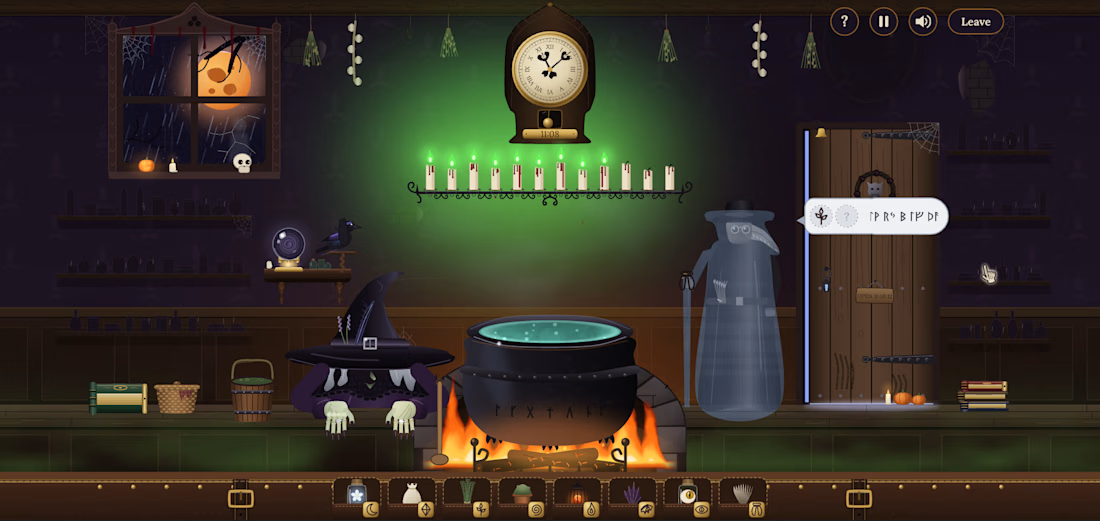
One night a year, the dead visit Mother Ashgrove's apothecary. They can't speak, so you read the signs they carry, brew the right potion and send them home before midnight. Each soul you help comes back to life for a moment, leaves you a last line and lights a candle.
Some places feel like memories even if you've never been there. For me, an old apothecary at midnight is one of them: candlelight on glass jars, rain against the window, something strange simmering on the fire. This game is that feeling, and a quiet place where the dead can finally be heard.
▶ PLAY
https://midnight-apothecary.vercel.app
Best in Chrome or Edge on a laptop, with sound on.
─────────────
⚗️ FEATURES USED: RIVE CLI + GPU CANVAS
Rive CLI + Rive Markup: the whole scene written from the command line by my coding agent and refined live in the preview
GPU Canvas: 10 WGSL shaders, including the ghost static and resolve, a real fire, the swirling brew, candlelight, fog, rain, the crystal ball and the room effects
Scripting: 48 Luau scripts run the nights, visitors, stirring and bottles
Data Binding: 1,160 bindings, with data-bound lists for the Ledger and the Gathering
State Machines, events, audio, nested artboards, constraints, bones, blend states and feathering
─────────────
🖋️ HUMAN TOUCH
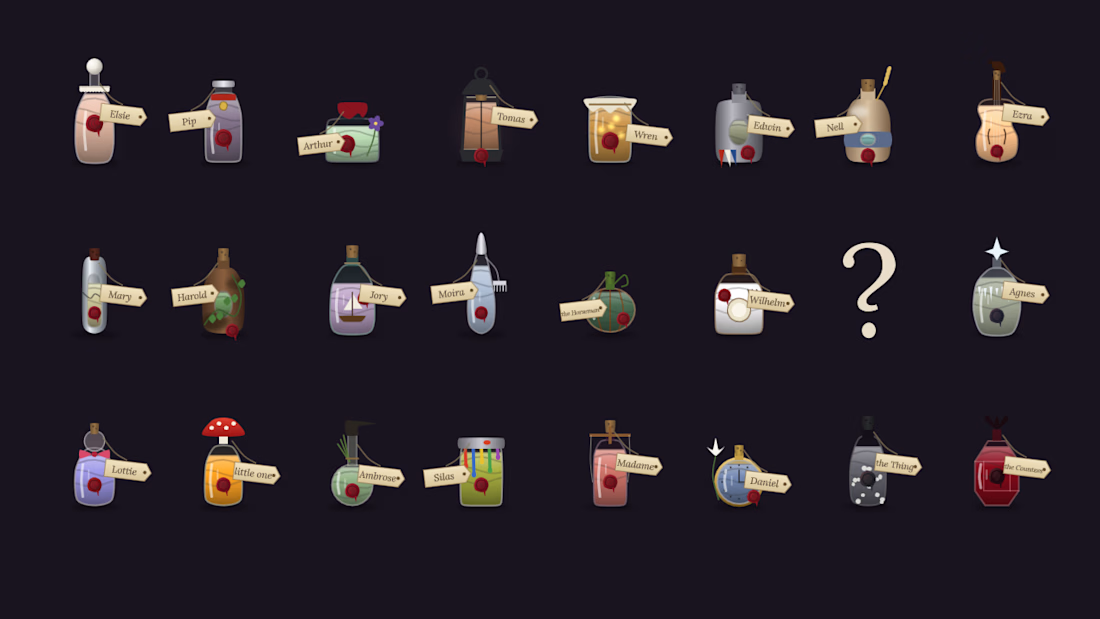
This is my first project in Rive. I designed and directed it over 21 build steps, playing every version and art-directing every prop and character: the haunted shop with its real fire, a candelabra that lights one blood-dripping candle for every soul you send home, a sober velvet witch whose face stays hidden, and 24 visitors who each have their own story and their own bottle.
─────────────
🎮 HOW TO PLAY
Find the two signs each visitor carries
Drag the matching ingredients into the cauldron
Grab the ladle and stir three circles
Watch the clock: hints and wrong brews cost time
─────────────
🌙 WHAT'S INSIDE
3 nights and 24 visitors, each with their own story, bottle and last line
Visitors who change the room: a flood, frost, a room drained to sepia, a Horseman who can't drink
A grimoire, a ledger of the dead, a raven that follows your cursor, a cat in the basket
Something that knocks instead of drifting… and one last visitor you won't expect
- The video shows the game in action and a glimpse of my agent workflow and code.
#rivehalloweenchallenge @rive_app


So beautiful, you have done such a great work Aditi. The detailing is next level.