The network for creativity
Join 1.25M professional creatives like you
Connect with clients, get discovered, and run your business 100% commission-free
Creatives on Contra have earned over $150M and we are just getting started
Back to feedPost

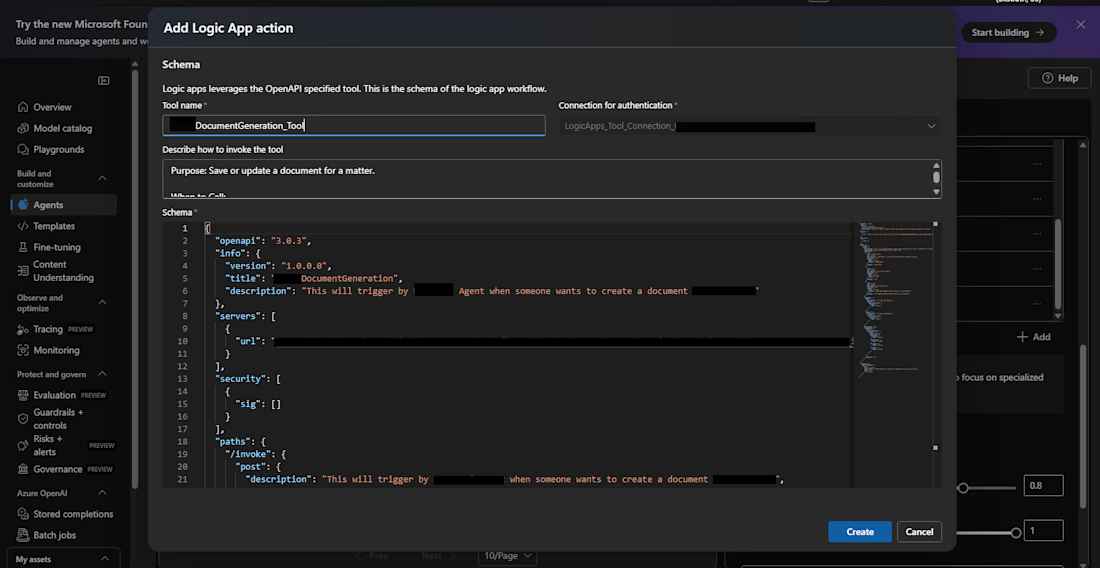
Recently I was working with AI agents in Azure AI Foundry and built a workflow where an agent can generate documents and store them automatically.
When a user requests a document, the agent generates the file name and content, then triggers an Azure Logic App (registered as an agent action). The Logic App then stores the document in Azure Blob Storage inside a folder specified by a folderId.
While implementing this, I ran into an interesting issue.
You cannot simply create a blob with a .docx extension and expect it to behave like a real Word document. Doing so results in a corrupted file that Word cannot open.
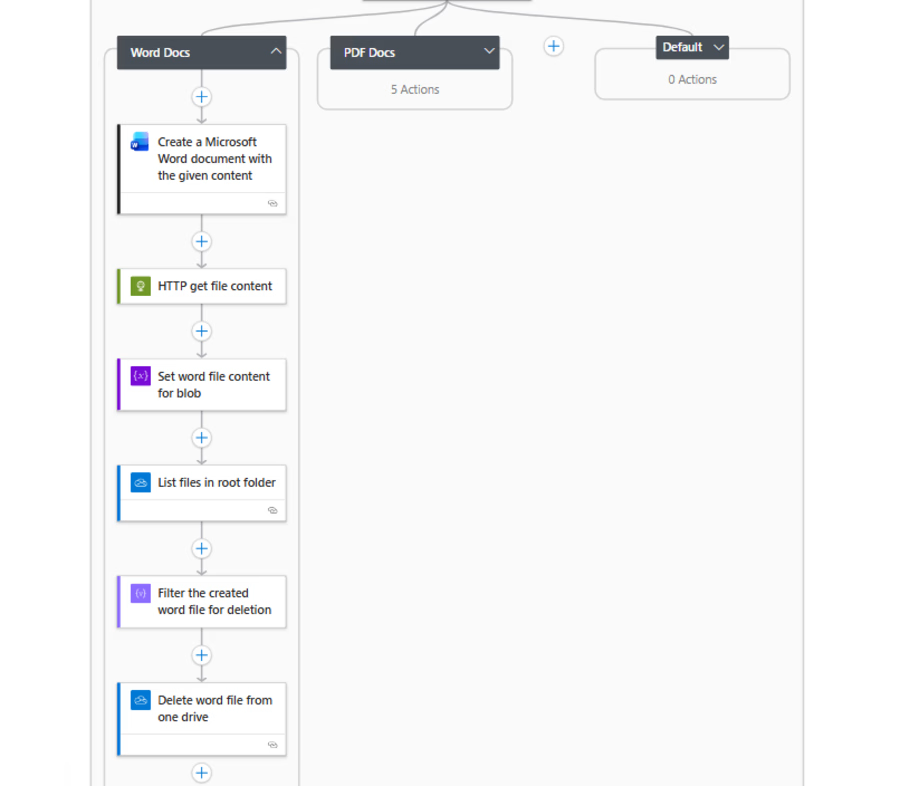
The workaround was to first generate a temporary Word file using the “Create a Microsoft Word document with the given content” action in OneDrive.
But that introduced two additional challenges:
• The action returns a download URL instead of the file content, so an HTTP GET request was needed to retrieve the actual file data.
• The file ID required for deletion wasn’t directly returned, so the flow had to list files in OneDrive and filter by file name to obtain the ID before deleting the temporary file.
After retrieving the file content, it’s converted from Base64 to binary and stored in Azure Blob Storage.
Final flow:
AI Agent → Logic App → Word generation → Blob Storage
A small but practical pattern for integrating AI-generated content with document storage workflows.
The network for creativity
Join 1.25M professional creatives like you
Connect with clients, get discovered, and run your business 100% commission-free
Creatives on Contra have earned over $150M and we are just getting started











Related posts

AI Automation SaaS Website Design
AUTONIX is a modern AI automation SaaS website concept designed to help businesses streamline workflows, automate repetitive tasks, and manage AI agents more efficiently.
The design combines a clean, minimal interface with bold typography, futuristic visuals, interactive UI elements, and a seamless user experience. From AI-powered task automation to real-time productivity insights, every section is designed to communicate the value of intelligent automation in a clear and engaging way.
This project explores how thoughtful UI/UX design can make complex AI technology feel intuitive, accessible, and easy to use for modern businesses.
Services: SaaS Website Design, UI/UX Design, Landing Page Design, AI Product Design.


Muse AI on the free plan is INSANE. 🤯
I asked Muse AI to review my portfolio website, and what happened next genuinely surprised me.
It visited my website, explored the pages, checked the details, and provided a complete website audit.
And honestly? I was shocked by how accurately it identified and evaluated everything.
The funny part? These are exactly the kinds of productivity workflows I've always wanted to explore with Claude and ChatGPT. But getting this level of hands-on website analysis can be difficult with free-tier limitations.
With Muse AI, I got to experience this kind of workflow without paying for a premium plan.
This is what excites me most about AI—not just generating text or answering questions, but actually doing the work, inspecting real things, and helping us get things done.
We're moving beyond AI that simply tells us what to do toward AI that can help us do it.
And if this is what Muse AI can do on its free plan, I'm genuinely curious to see what comes next.
Have you tried Muse AI yet? What's your experience been like?
#MuseAI #ArtificialIntelligence #AITools #Productivity #Automation


To answer your question — yes, and the audit is exactly where the shift shows. An AI working from a screenshot gives opinions. One that actually visits the site, explores the pages and checks the details is doing a real first pass of QA. Your line is the right one: from telling...

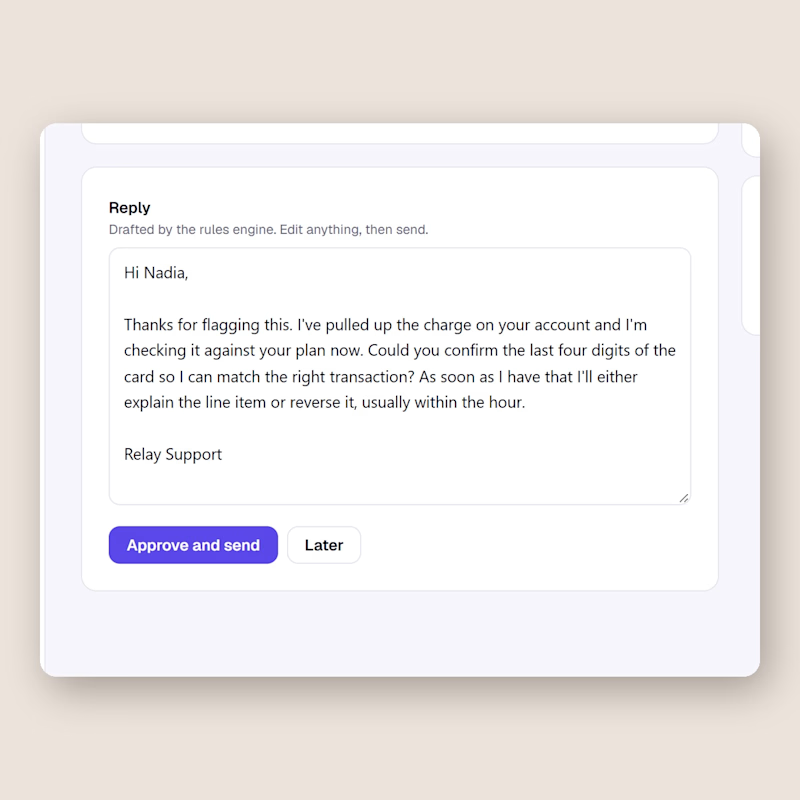
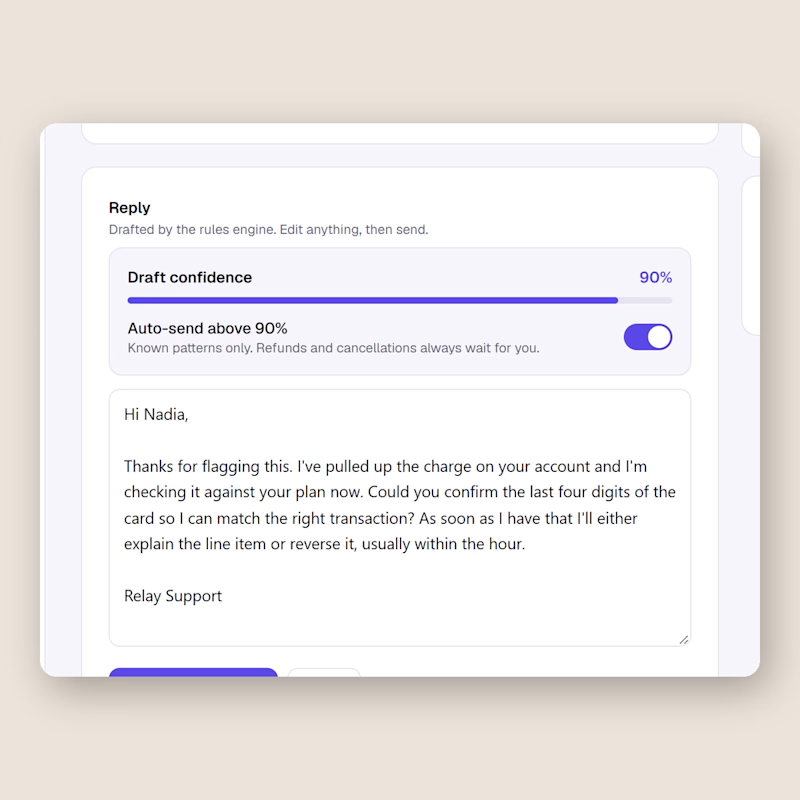
Same support inbox, one difference. Left keeps a human on every send. Right lets the AI send on its own once the draft confidence passes 90, refunds and cancellations excluded.
I built both in Relay this week and I still cannot decide.
Would you flip that switch for your own customers, and at what number?
0 voted
0%
2 voted
100%
2 votes
Closed

I'd flip it per topic, not per score. A 90 on a question the AI has answered hundreds of times is safe. A 90 on a question it has never seen is still a guess. Can Relay set a different threshold per topic?