The network for creativity
Join 1.25M professional creatives like you
Connect with clients, get discovered, and run your business 100% commission-free
Creatives on Contra have earned over $150M and we are just getting started
Back to feedPost

Tracking Validation & Testing
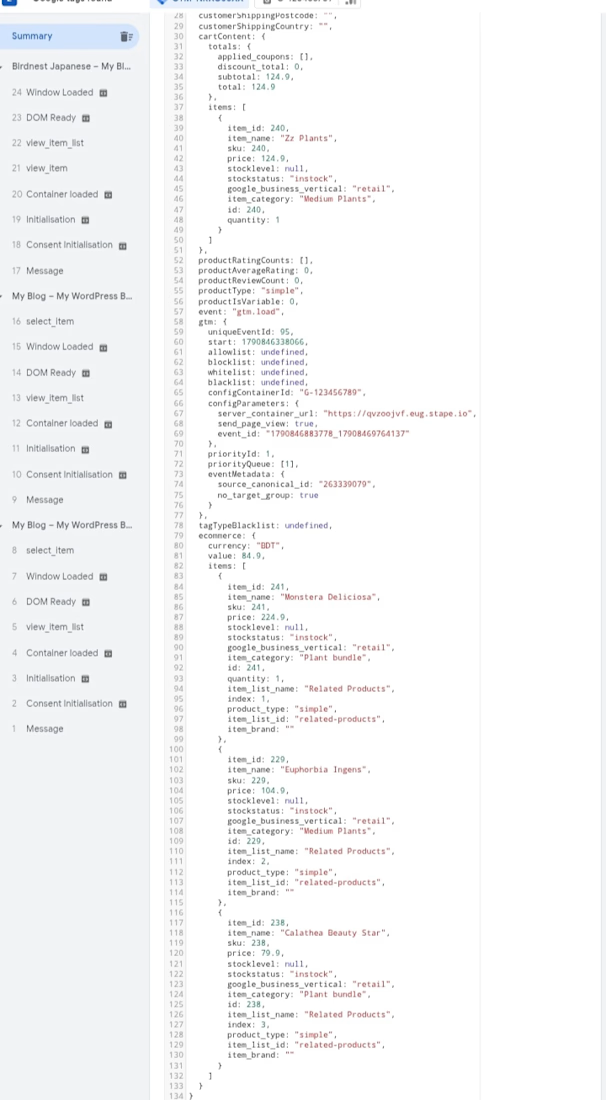
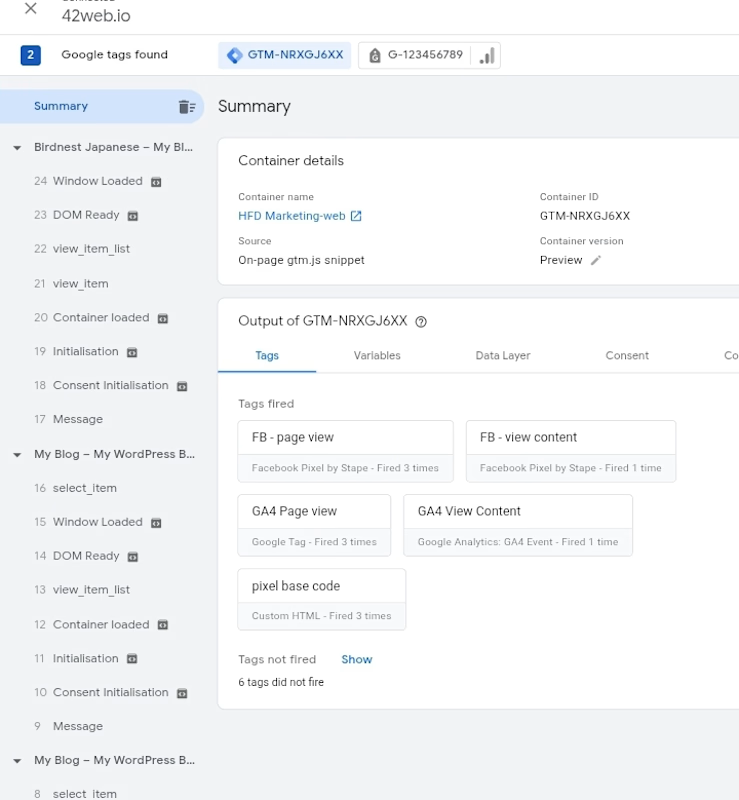
Successfully tested and validated all configured GTM tags using GTM Preview/Debug Mode. Verified that the required events fire correctly based on their respective triggers, including Page View, View Content, Add to Cart, Begin Checkout, and Purchase. This confirms that the tracking setup is functioning as intended.
The network for creativity
Join 1.25M professional creatives like you
Connect with clients, get discovered, and run your business 100% commission-free
Creatives on Contra have earned over $150M and we are just getting started





Related posts

A tracking update went out with the wrong carrier link.
A mapping mix-up between two courier integrations sent a customer to the wrong tracking page. Small, but confusing fixed by validating the carrier ID before every update sends.
→ A tiny mapping bug can undo an otherwise great automation.


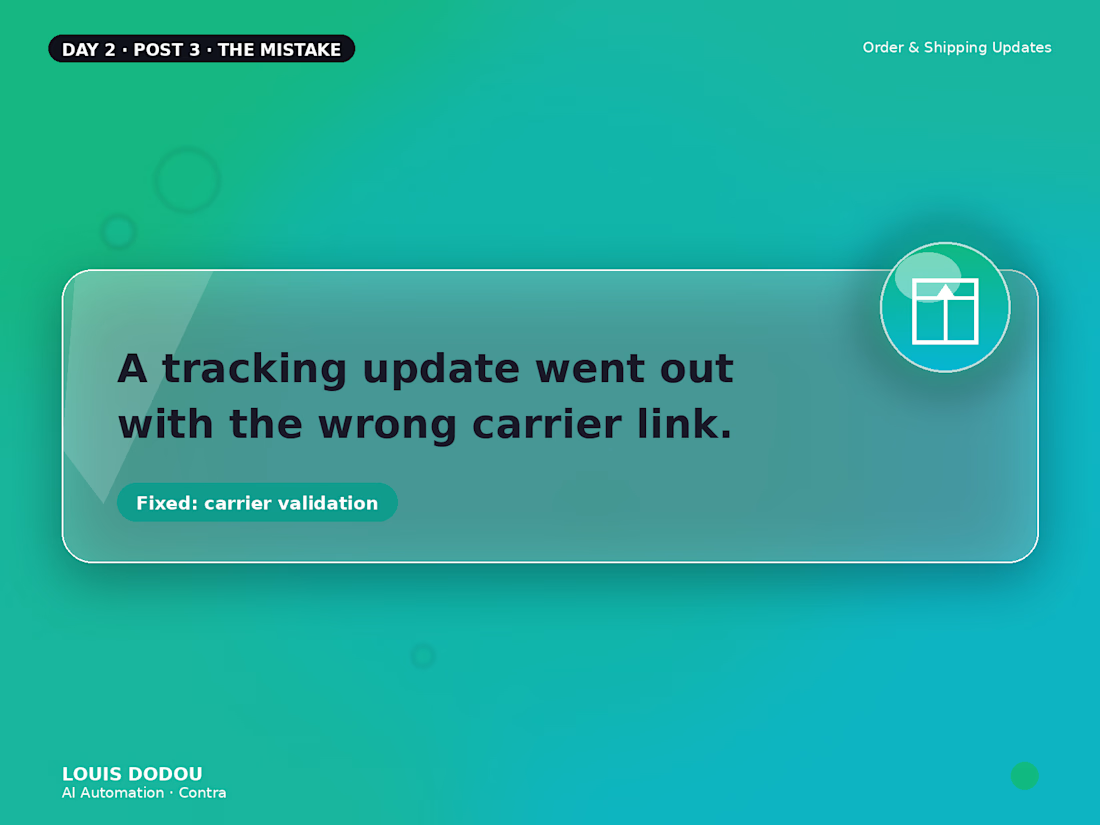

That carrier ID check before each update stops the wrong link from slipping through.

Performance Testing Framework
A lot of ad accounts waste budget because testing starts before the strategy is ready.
Our standard testing cycle usually begins with the first month. During the first 5–10 working days, we set up the account, research the product, market and competitors, and build the testing strategy.
From there, we prepare hypotheses around audiences, customer journey, funnel, offers and creatives. When needed, we validate them with the client — because nobody knows the product better than the person building the business.
The minimum working budget we usually accept is from $600.
The active testing period normally takes around 2–3 weeks. That gives us enough data to compare hypotheses, identify the strongest campaign combinations and decide what deserves more budget. After that, the logic is simple: scale what works, stop what doesn’t, and improve what shows potential.
From the second month, if the budget allows, we usually keep around 20% of spend for new tests, while the remaining budget goes toward scaling proven campaigns and combinations.That balance matters. If you spend 100% of the budget on scaling, growth eventually stops. If you spend 100% on testing, you never really scale anything.
For me, performance marketing works best when testing is continuous, but controlled.
#PerformanceMarketing #GoogleAds #MetaAds #PPC #PaidMedia

Automated Event Registration & Reminder System | Zapier
Built an automated event registration system using Zapier to streamline attendee registration, confirmations, and event reminders with minimal manual work.
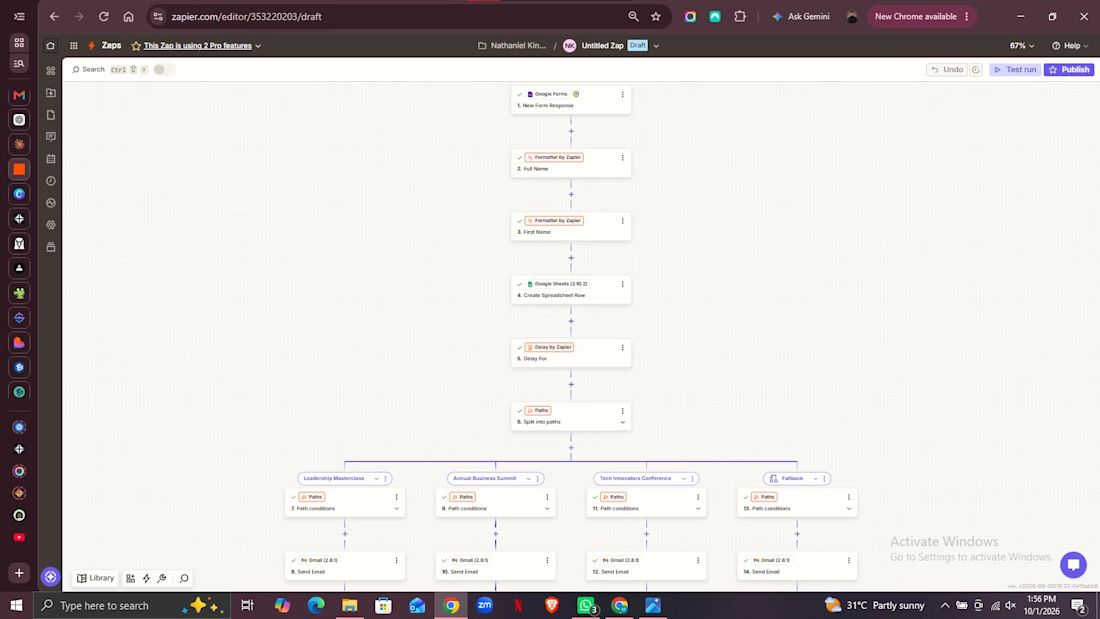
The workflow starts when an attendee submits a Google Form with their full name, email, phone number, company role, preferred event, session, ticket quantity, and referral source.
The submitted information is automatically formatted, added to a Google Sheets attendee database, and processed through Zapier Paths to determine the appropriate event. Based on the selected event, the workflow automatically sends a personalized confirmation email and handles the appropriate follow-up communication.
The system also includes scheduled delays for reminder emails, helping ensure attendees receive timely updates as the event date approaches without requiring manual follow-ups.
What it does:
Collects attendee information through a clean registration form
Automatically formats submitted data
Adds new registrations to the attendee database
Routes attendees based on their selected event
Sends automated confirmation emails
Schedules reminder emails before the event
Eliminates repetitive manual follow-ups
Result:
A streamlined registration system that keeps attendee information organized and ensures confirmations and reminders are sent automatically, allowing the event team to focus on the event rather than administrative follow-ups.