The network for creativity
Join 1.25M professional creatives like you
Connect with clients, get discovered, and run your business 100% commission-free
Creatives on Contra have earned over $150M and we are just getting started
Back to feedPost

Over the past few weeks, I’ve been bombarded by AI recruitment systems that must have pulled my details from LinkedIn. LinkedIn scraping ain't easy so I tried to work out what's going on.
The answer is Exa’s AI Powered People Search. They’ve scraped LinkedIn to create a database of around a billion profiles and released tools for it on their MCP.
Setting this up was simple. I already use Exa’s MCP for my local models.
Now, I can extract full staff lists, analyse work histories, or search for people by job title and location, all through a chat interface.
Exa is taking a risk though. LinkedIn won’t be happy, and while the data is current now, maintaining a dataset this large seems like a challenge.
Still, it’s a clear example of how quickly things move with MCP. Exa releases a tool and within days, recruiters are using it.


The network for creativity
Join 1.25M professional creatives like you
Connect with clients, get discovered, and run your business 100% commission-free
Creatives on Contra have earned over $150M and we are just getting started








Related posts

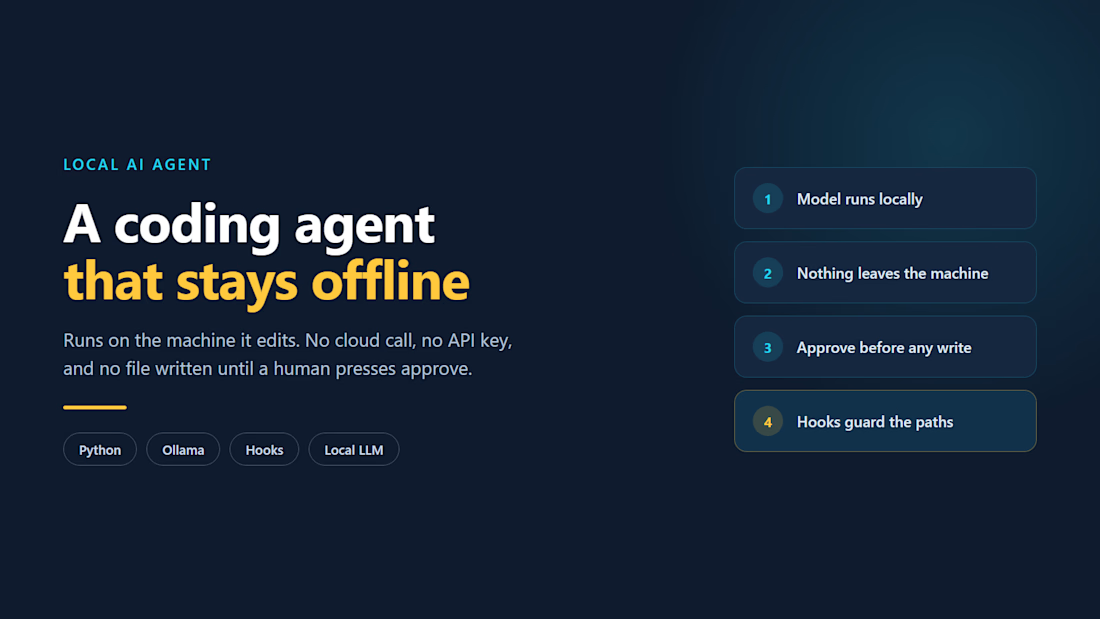
Most AI builds break at the wiring, not the model: no retries, no log of what the model actually did, and no clear line for what the agent may do without a human.
I build that layer. My own products run on it -- an ordering platform where an AI agent handles real orders, and a coding agent that writes no file until someone approves the change.
The question worth answering first is what your agent should never decide on its own.


This is wild to me!
I have worked so hard to build this profile and it just goes to show that you really do get out what you put in. Work has really picked up since I worked on my discovery score and the right clients seem to be finding their way to me. Couldn't be happier.

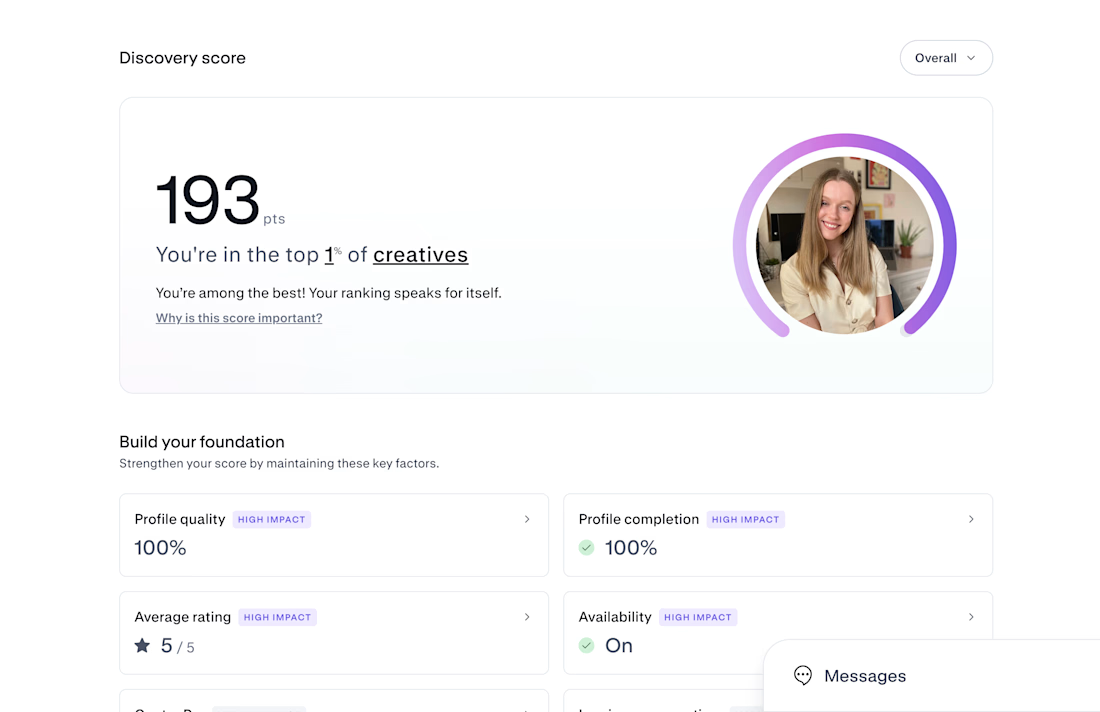

Congrats on Top 1% — that's huge! 193 is wild. If you don't mind sharing, what moved the needle most for your discovery score? Was it profile completion, case studies, or just consistent posting? Trying to build mine from scratch right now.

🚨 A dental clinic was losing patients every single day.
Not because of bad service. Not because of high prices.
Because nobody was replying to messages.
Patients messaged on WhatsApp, Messenger, SMS… And waited. And waited. And left.
The clinic owner contacted me with one simple ask:
“I can’t hire someone to reply 24/7. Can you help?”
So, I built them an AI receptionist that never sleeps. 👇
Here’s exactly what it does:
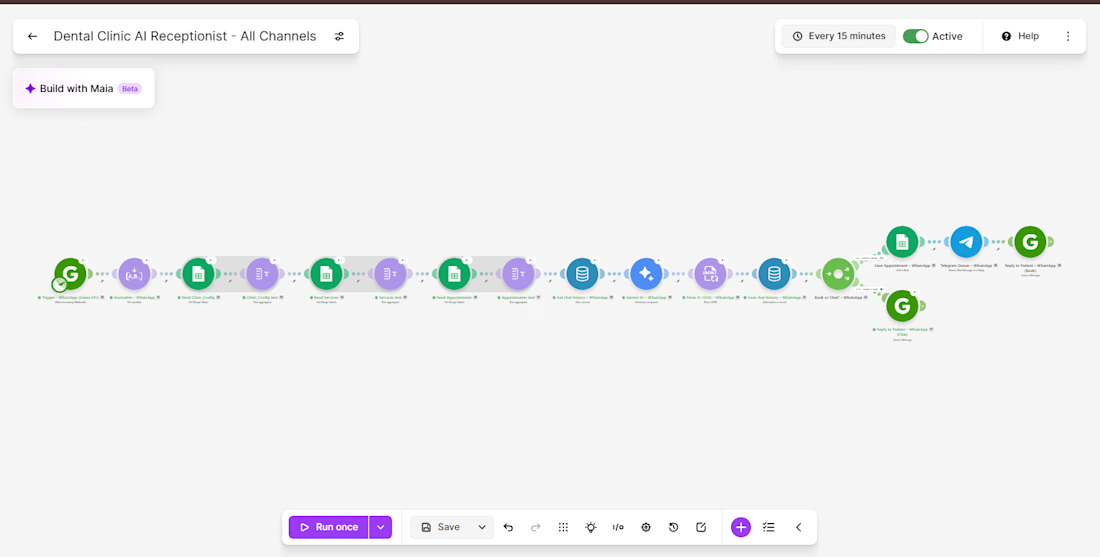
✅ Omnichannel Support: Instantly replies to patients on WhatsApp, Facebook Messenger & SMS — all from one system.
✅ Human-like AI: Google Gemini AI understands the message, detects intent, and replies naturally.
✅ Smart FAQ Handler: Answers questions about services, pricing & clinic hours by pulling live data from Google Sheets.
✅ Automated Booking: Checks availability, blocks double-bookings, and confirms only after saving to the sheet.
✅ Instant Alerts: Notifies the clinic owner instantly via Gmail + Telegram on every new booking.
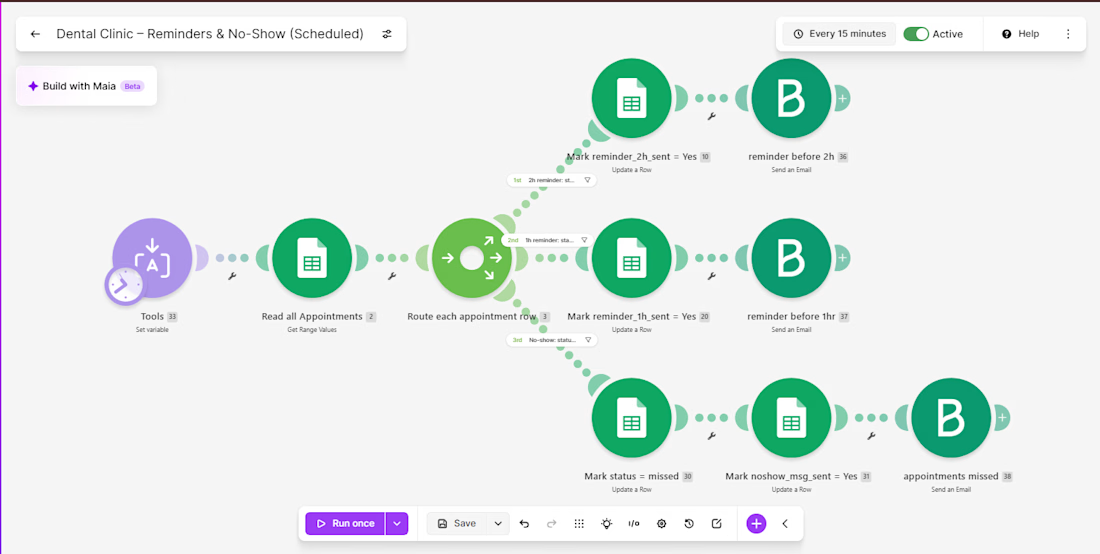
✅ Smart Reminders: Sends automated email reminders — 2 hours and 1 hour before the appointment.
✅ No-Show Recovery: Detects missed appointments and automatically sends a polite rescheduling email after 12 hours.
The Tech Stack 🛠️:
⚙️ Make.com — Automation backbone
🧠 Google Gemini 2.0 Flash — AI brain
📊 Google Sheets — Live clinic database
💬 Green API — WhatsApp integration
📱 Facebook Messenger API & Twilio — Chat & SMS
✉️ Brevo — Email reminders
📢 Telegram Bot — Owner notifications
💾 Make.com DataStore — Conversation memory per patient
The Result? 📈
Every patient gets an instant, intelligent reply — 24/7. No missed bookings. No forgotten appointments. No manual follow-ups.
The clinic owner now wakes up to confirmed appointments already in the sheet with zero manual effort.
This is what I build for businesses. If you’re still replying manually and losing leads while you sleep — DM me. Let’s fix that. 👇
#MakeAutomation #AIAutomation #NoCode #Makecom #GeminiAI #WhatsAppAutomation #BusinessAutomation #AIReceptionist #FreelanceAutomation #Upwork #Fiverr



Nice build, and very close to a WhatsApp assistant I just built for a dental-clinic use case on the WhatsApp Cloud API. Two things mattered a lot in testing: when a patient asks for a person, the bot has to go completely quiet for that chat until the owner hands it back, and the...