The network for creativity
Join 1.25M professional creatives like you
Connect with clients, get discovered, and run your business 100% commission-free
Creatives on Contra have earned over $150M and we are just getting started
Back to feedPost
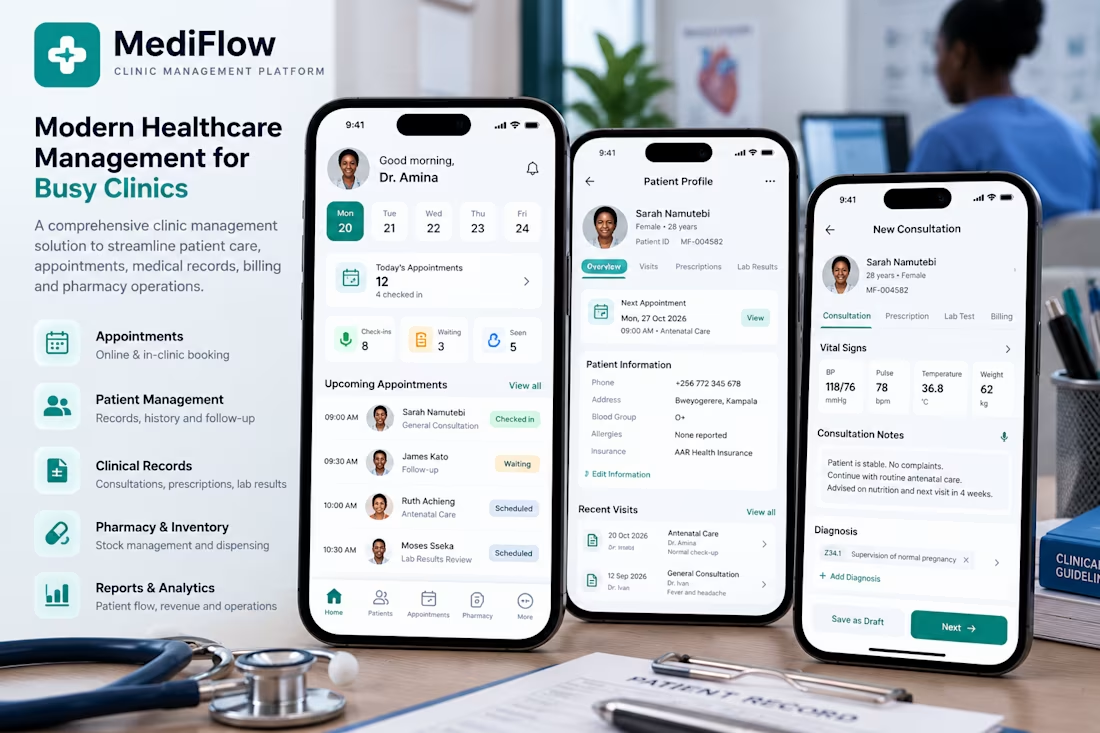
MediFlow is a modern healthcare management mobile app concept designed to simplify clinical operations and improve how healthcare professionals manage patient care.
The platform brings appointment scheduling, patient records, consultations, prescriptions, laboratory results, pharmacy inventory, and billing into one intuitive interface.
Designed with healthcare professionals in mind, MediFlow focuses on creating efficient clinical workflows, reducing administrative complexity, and making essential patient information easily accessible.
Key Features:
Appointment Management: Schedule consultations, manage patient queues, and track appointments.
Patient Records: Access patient profiles, medical histories, previous consultations, and treatment information.
Clinical Consultations: Record vital signs, diagnoses, consultation notes, and prescriptions.
Pharmacy Management: Monitor medication inventory and dispensing activities.
Billing & Payments: Manage consultation charges, invoices, and patient payments.
Reports & Analytics: Monitor patient visits, clinic performance, and operational activities.
Project Type: Mobile Application UI/UX Design Concept
Design Focus: Healthcare workflows, user experience, intuitive navigation, information architecture, and mobile-first interface design.




lab results in the same app as scheduling is underrated. do patients see prescriptions too or just the clinic side?

Both. MediFlow is designed to give patients access to their prescriptions, lab results, and appointments, while clinics manage everything from their side. The goal is to keep the whole patient journey connected in one place.
The network for creativity
Join 1.25M professional creatives like you
Connect with clients, get discovered, and run your business 100% commission-free
Creatives on Contra have earned over $150M and we are just getting started











Related posts

sentences
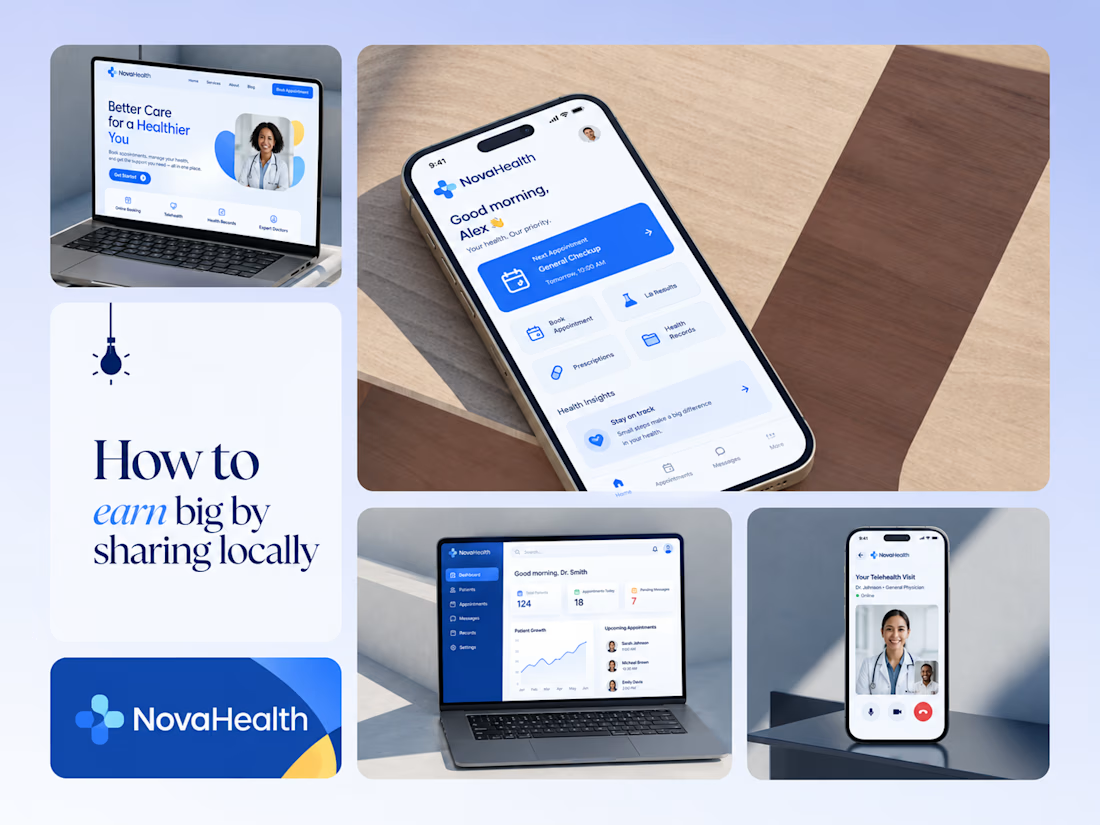
One brand, three screens: patient, doctor, and the video call between them.
NovaHealth is a healthcare brand and product system I designed from logo to apps. Healthcare software tends to feel either cold and clinical or too cluttered to open. I wanted something calm for a worried patient and quick for a doctor between appointments.
The logo breaks the classic medical cross into soft, rounded blocks in two blues, so it reads as “health” without feeling sterile.
The patient app opens with one thing: a solid blue card showing your next appointment. It’s the only fully saturated block on the screen, so nothing competes with it.
The doctor dashboard is built for a glance. Total patients, today’s appointments, and pending messages come first, in the same blue and rounded style as the patient app.
The telehealth screen has almost no UI. The doctor’s face fills the screen, with just three controls: mic, camera, and a red end-call button, the only red in the whole system.
One rule ties it together: blue means action, white space means calm, and yellow is a small spark of warmth.
Which screen should I break down next? 👇


Great medical brand design specially the phone app UI and top left laptop dashboard 🔥🔥🔥
great job Joshua ❤️🎉

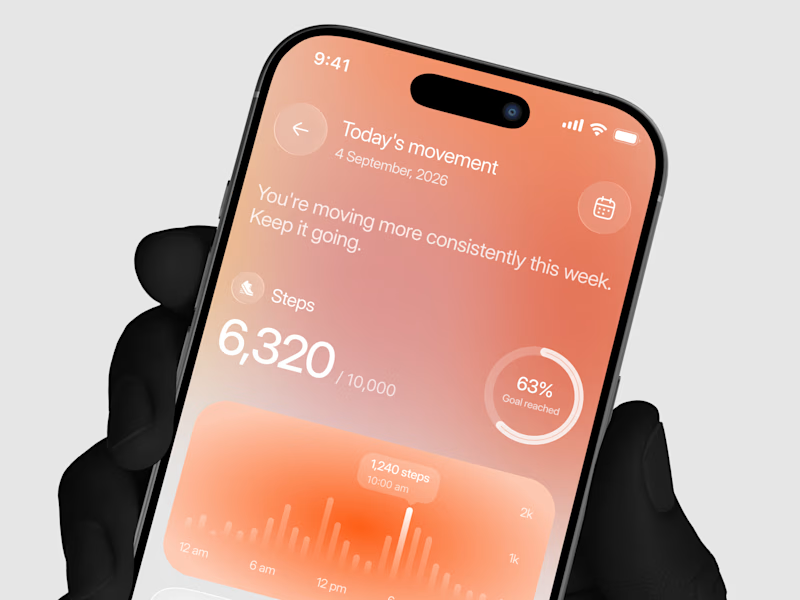
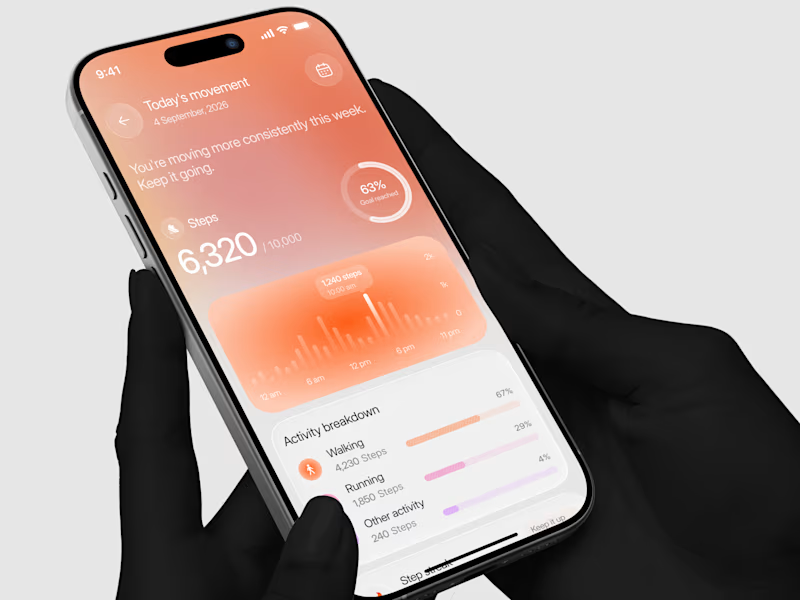
Designed a step tracking screen where you can see your daily progress and weekly trend in one glance.
Same screen, two shots. Which one would stop your scroll? 👀

11 voted
73%
4 voted
27%
15 votes
Closed


Exploring a clean, modern SaaS dashboard UI. Focused on simple layouts, smooth interactions, and a better user experience 🚀


i had to like this, it got my attention, very nice build mate.