
Anaol Megersa
Google Sheets expert building automated data workflows.
New to Contra
Anaol is ready for their next project!



Overview
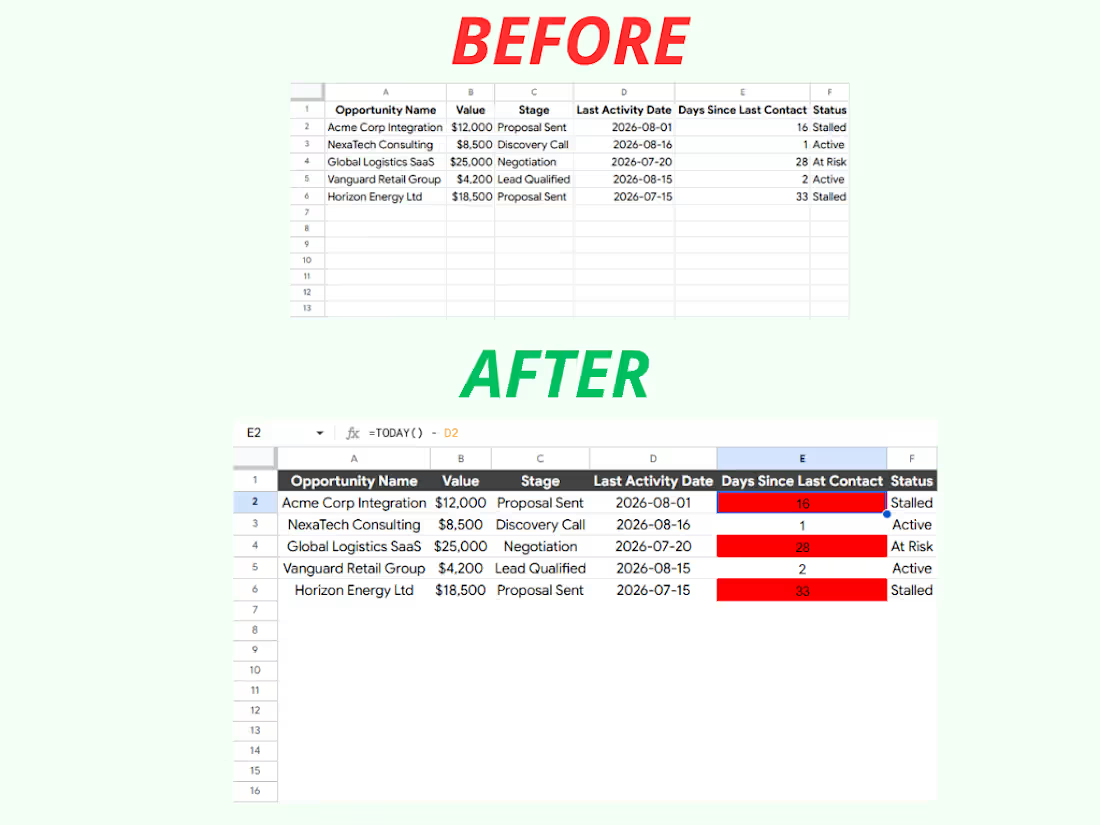
Developed a dynamic, automated sales pipeline tracking system designed to eliminate "visibility leaks" and prevent stalled accounts from slipping through the cracks.
The Problem
The client was utilizing static spreadsheet trackers where outdated deals blended into the background. Management had no immediate visibility into which accounts were neglected, leading to preventable revenue losses and manual auditing overhead.
The Solution & Features
Real-Time Timeline Automation: Implemented dynamic tracking formulas (=TODAY() - D2) that instantly calculate exact days since the last contact without requiring manual data upkeep.
Proactive Visual Triggers: Engineered conditional formatting rules that automatically flag critical accounts in red the moment contact lapses past 14 days.
Instant Management Visibility: Turned a chaotic, flat dataset into a high-signal dashboard, allowing leadership to instantly prioritize at-risk deals at a single glance.
Tools Used
Google Sheets / Excel
Conditional Formatting Logic
Workflow Automation Formula Engineering
1
93
B2B Presentation Data Dashboard Optimization Case Study
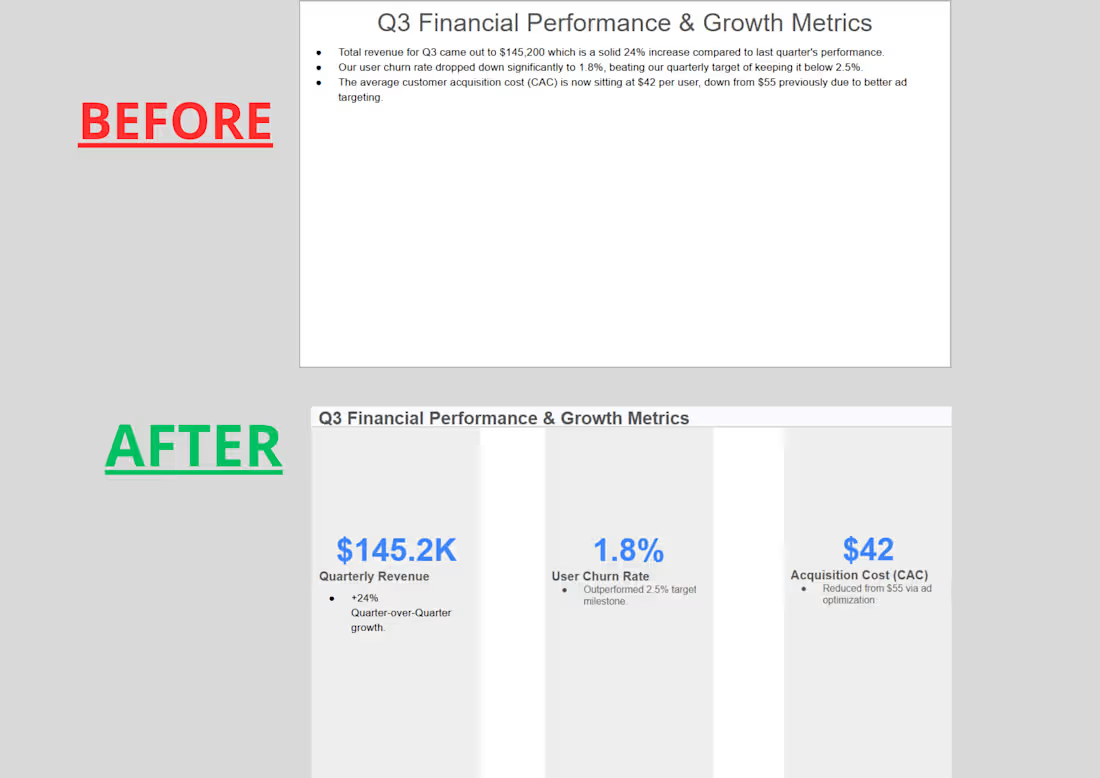
The Challenge: The client's original Q3 performance slide relied on dense, text-heavy paragraphs that buried the key financial achievements.
The Solution: I restructured the layout into a clean, executive 3-column metric grid.
The Impact: Amplified core sales and revenue metrics ($145.2K Revenue, 1.8% Churn, $42 CAC) using a bold corporate blue color accent. Stripped away conversational filler text to deliver an instantly scannable, pitch-ready dashboard.
1
120
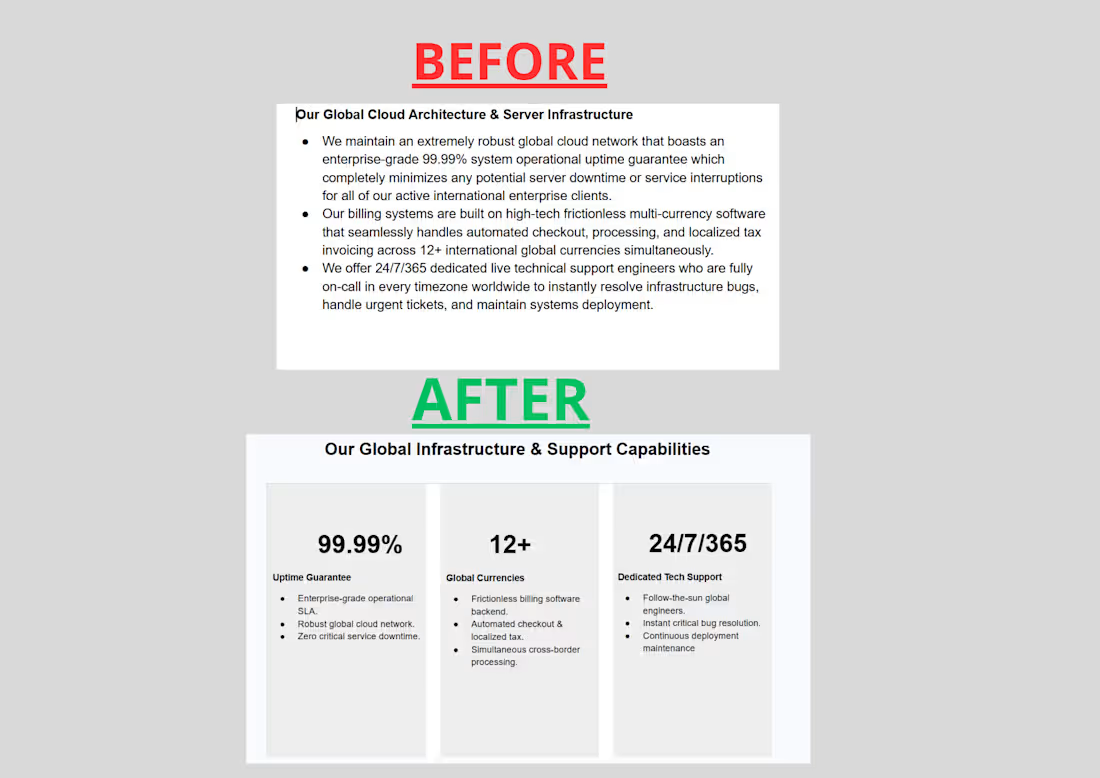
I transformed a dense, text-heavy infrastructure slide into a high-impact, premium 3-column sales deck layout. By implementing a strong typographic hierarchy, clean background cards, and prominent key metrics (99.99% Uptime, 12+ Currencies, 24/7 Support), I turned hard-to-read operational fluff into a scannable, modern asset built directly into the client's Master Sales Template System.
1
3
254
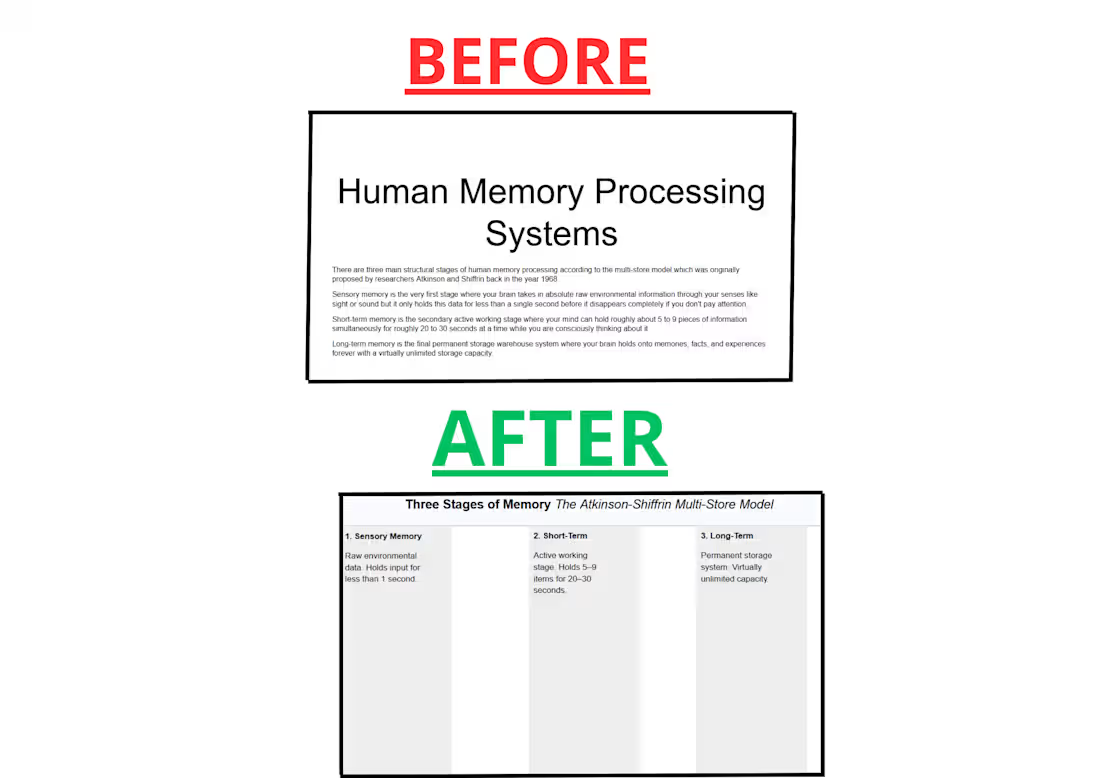
An educational slide transformation concept built for online course creators and educators. I redesigned a chaotic, text-heavy academic layout into a clean, highly readable 3-column system using premium typography (Montserrat and Inter) and balanced grid containers to maximize student information retention.
1
144