
Perlu Agency
Fueling Growth Through Media Power
New to Contra
Perlu is ready for their next project!

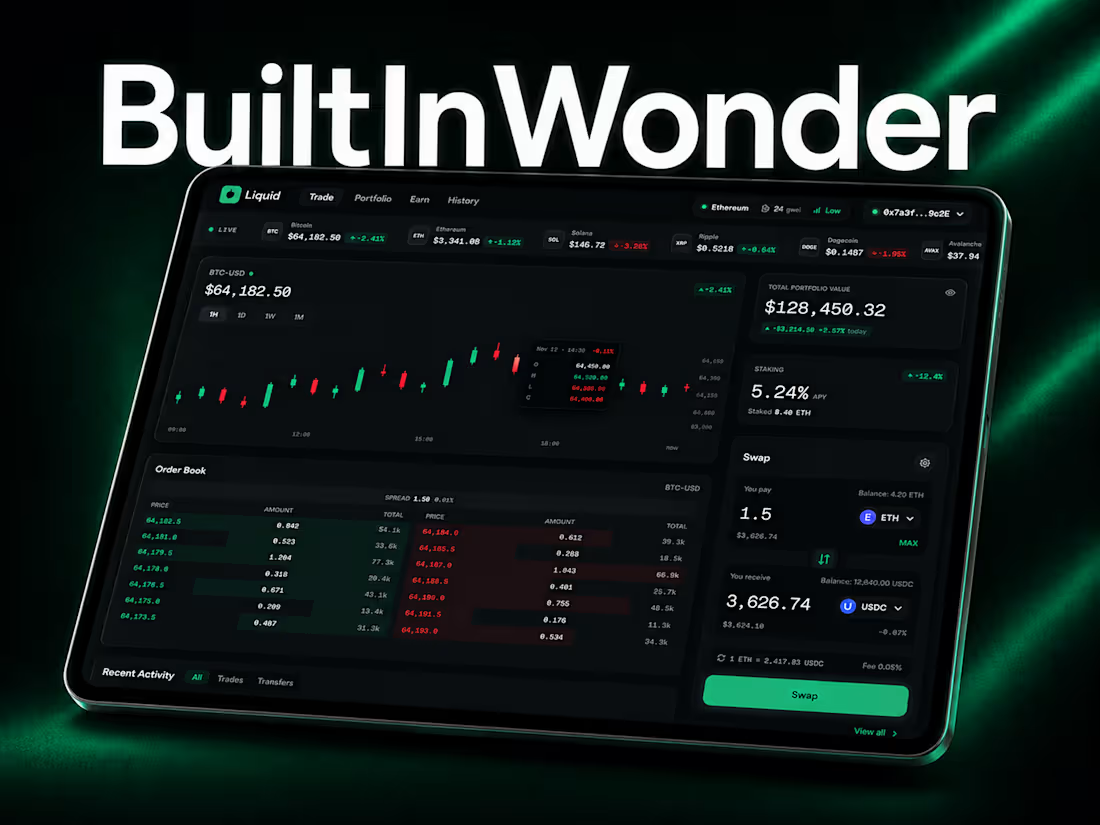
We wanted to answer a real question: does Wonder actually make design accessible to someone with zero design or engineering background — or is that just the pitch?
So instead of assigning this to our design team, we handed it to a teammate from customer service. No Figma experience. No code experience.
What they built, entirely in @wonder :
→ "Liquid" — a complete crypto exchange component library: portfolio balance cards, a live order book, candlestick charts, a token swap widget, wallet connect states, transaction history, alerts
→ A full dashboard page assembling everything into a real, live-feeling exchange view
→ A cover image and a promotional showcase gallery for each component — built as image assets directly in Wonder, ready to post
How they got there:
→ Described what they wanted in plain language through chat — no design vocabulary needed
→ Locked a design system early so every component and every showcase image stayed visually consistent
→ Used live shader controls to dial in a signature glass effect, no code required
→ Shipped straight into a real codebase via MCP — no handoff, no rebuild
The most telling moment: early prompts said things like "make it modern," and the results looked dated and generic. The moment prompts got specific — named references instead of vague adjectives — quality jumped immediately. No design training required, just better questions.
Full walkthrough video (https://perluagency.sg.larksuite.com/file/MYLMbdLmHoeMLyxlaKUliBAYgRb?from=from_copylink) , from a completely empty canvas to a finished, shippable product — components, dashboard, cover, and showcase gallery, all in one tool.
Wonder : View Projects (https://app.wonder.so/perluagency/files/019f21f5-7611-732f-a85e-7afeb9987088)
Live Demo : View Preview (https://liquid-exchange-wonder.vercel.app/)
2
598
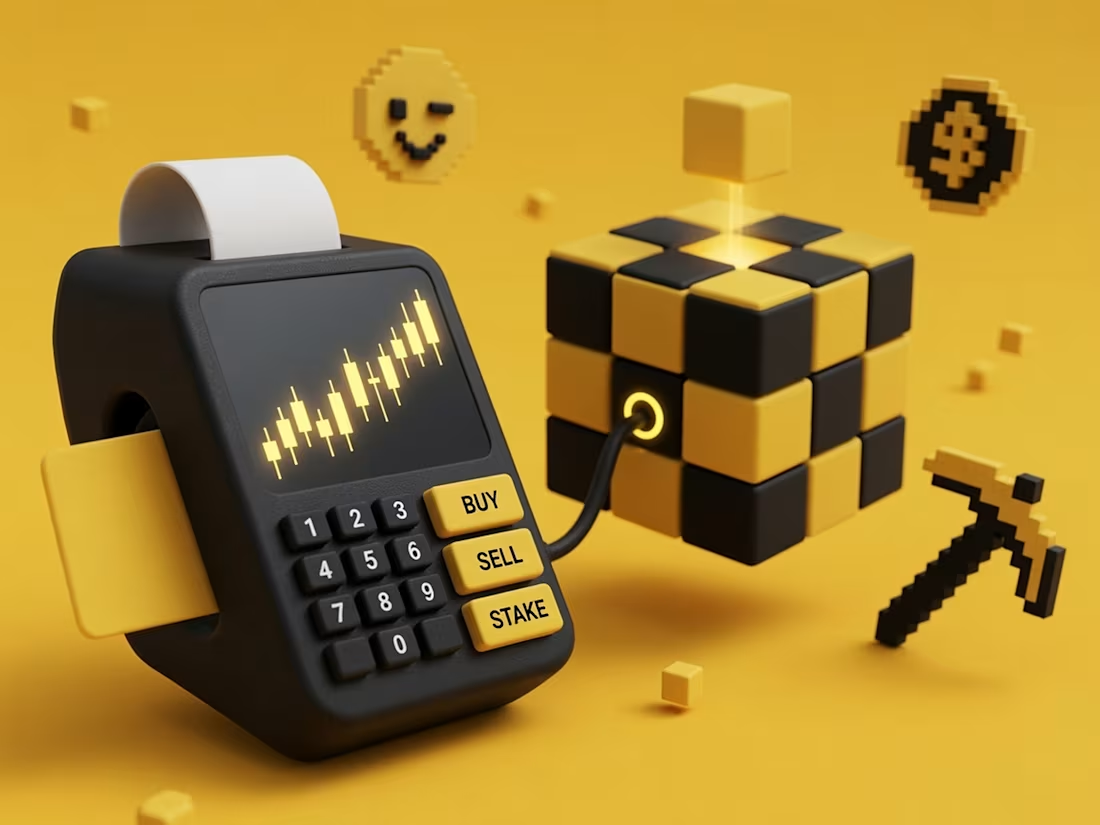
The image visualizes crypto/DeFi trading as a "plugged-in" system — a point-of-sale terminal (the everyday tool for buying, selling, and transacting) is physically wired into a Rubik's Cube, which acts as a metaphor for blockchain.
Key visual ideas at play:
POS terminal = simple, familiar interface for finance (BUY / SELL / STAKE buttons, candlestick chart on screen, credit card) → represents accessible entry into crypto.
Rubik's Cube = the blockchain itself — segmented, puzzle-like, glowing at its core (representing mining/validation/computation happening "inside")
Floating cube on top = a block about to be added to the chain, glowing beam suggesting active block creation.
Pixel-art icons (smiley face, dollar coin, pickaxe) = nod to retro crypto/gaming culture and "mining" imagery.
0
210
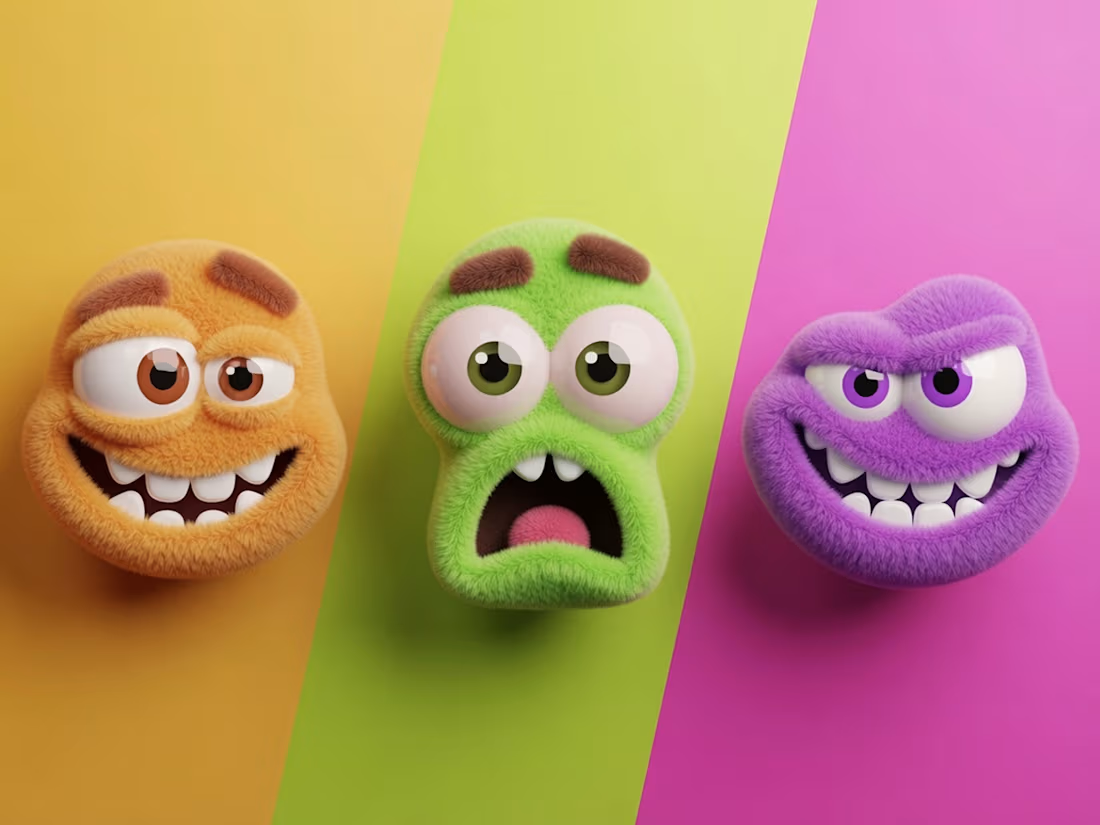
A playful 3D character design featuring three fuzzy, expressive creatures set against a bold, color-blocked backdrop of orange, chartreuse, and magenta. Each character embodies a distinct emotion through exaggerated facial expressions and complementary fur/eye coloring
0
189
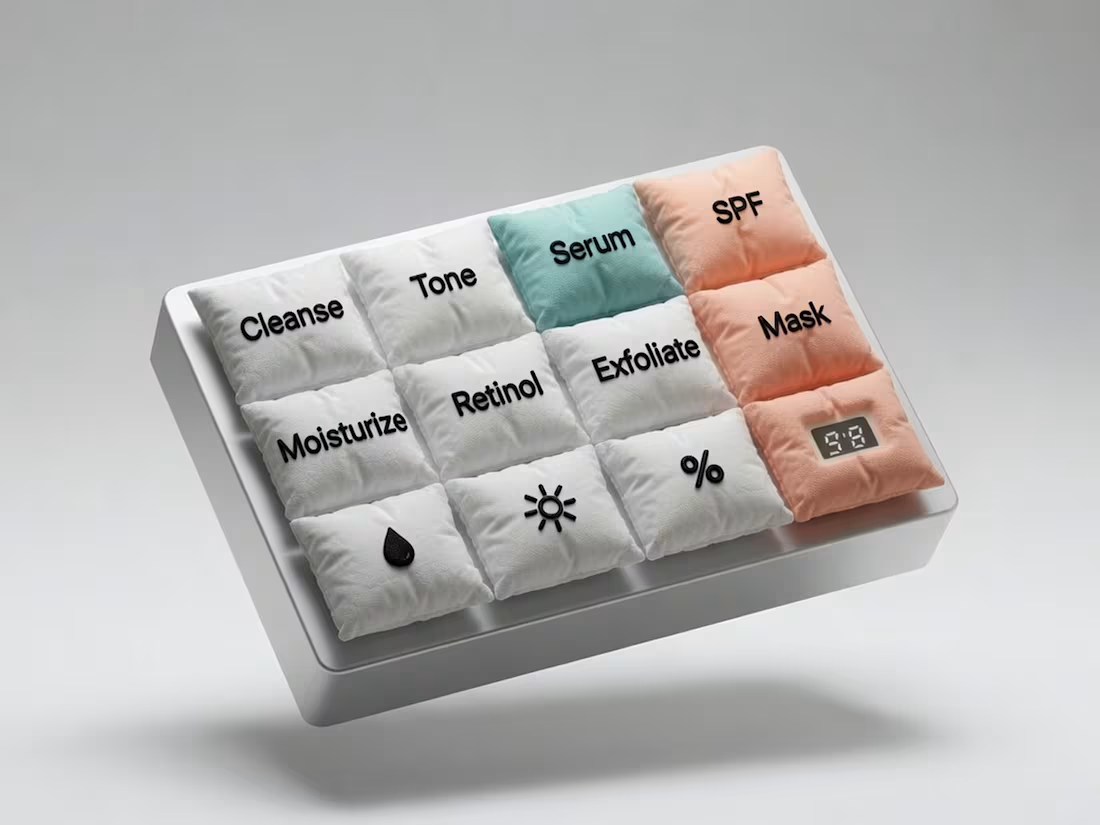
Skinput the everyday keypad as a soft, textile-based interface for skincare rituals. Each "key" is rendered as a plush, quilted fabric pad — stitched, seamed, and slightly puffed like a miniature cushion — replacing the cold precision of buttons with something closer to comfort and self-care.
Each key represents a step or ingredient in a skincare routine — Cleanse, Tone, Serum, Moisturize, SPF, Exfoliate, Mask
0
203