
Trip AA
A designer and A builder!
- 3
- Followers



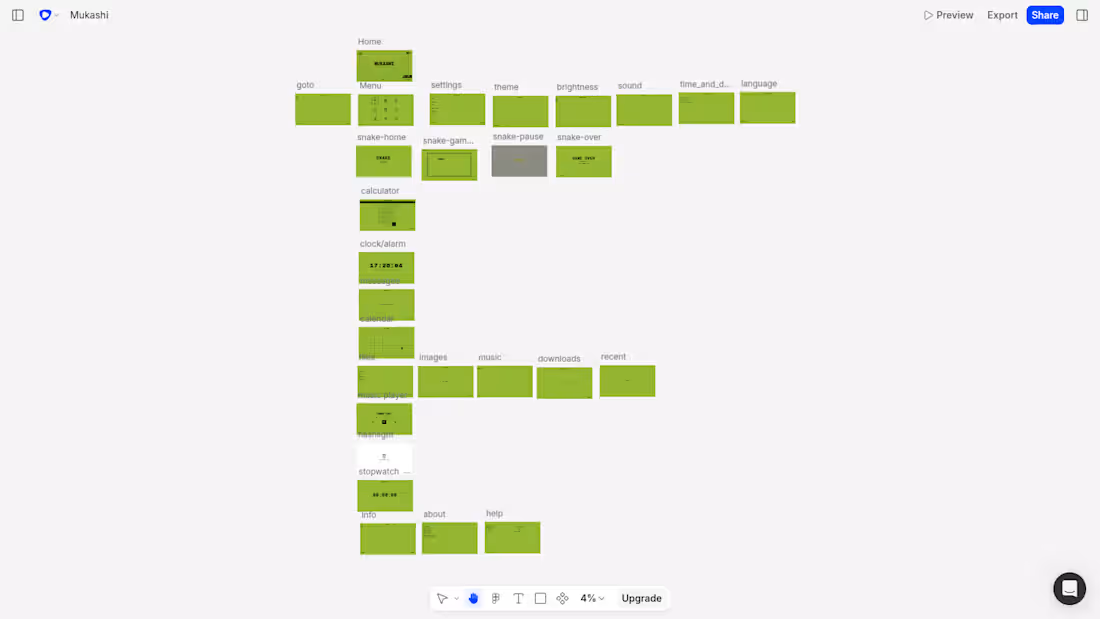
Mukashi OS: I built the retro desktop OS I always wished existed
"Bring your dream product to life as a prototype in Flowstep. Chase the idea that excites you, or solve a problem you actually have. We want to see something only you would have made."
That line hit differently for me. Because what I built doesn't solve a problem for the general public. It doesn't have a market. There's no pitch deck behind it. It's just something I genuinely wanted to exist, and now it does.
The idea
Look around at any design showcase right now. Everything is clean. Minimal. Frosted glass. Soft gradients. Dark mode with a single accent color. The entire design world has converged on the same aesthetic and honestly? I'm a little tired of it.
I grew up with the Nokia 3310. That chunky, indestructible phone with the green LCD screen and the pixel font that looked like it was built from graph paper. There was something deeply satisfying about that UI. It didn't try to be beautiful. It just worked, and it had a personality that no amount of glassmorphism has ever matched.
So I asked myself: what if Nokia had made a desktop operating system? What would that look like?
That became Mukashi OS.
Mukashi is a Japanese word. It roughly translates to "once upon a time", the feeling of something from a long time ago, looked back on fondly. It felt like exactly the right name for an OS inspired by an era of computing that most people have forgotten.
The design
Everything in Mukashi speaks the same visual language. Nokia green (
#94B532) on near-black (
#0A0F00). Pixel bitmap monospace font, all caps, no exceptions. The home screen mimics the Nokia 3310 layout exactly OS name center stage like a network name, date below it, time in a dark angled strip at the bottom right, three soft keys at the bottom. GO TO. MENU. SETTINGS.
I built three themes into the OS: the default Nokia green, an amber phosphor variant (think old calculator LCDs and ATM machines from the 90s), and a Classic mode based on the Game Boy's grey-green palette. Switching themes changes every screen, every component colour.
The entire OS is keyboard-only. Arrow keys and WASD to navigate. Enter to select. Escape to go back. No mouse. No clicks. Just keys. It makes the whole thing feel like you're actually operating a device from 2003, not browsing a website.
How I built it
I used Flowstep AI to design the bulk of the screens and there are a lot of them. The home screen, the main menu with its 9-app icon grid, the GO TO shortcuts list, the full Settings hierarchy (theme, brightness, sound, time & date, language), the Info section, and individual app screens for: Calculator, Clock, Messages, Calendar, Files (with subfolders), Music Player, Flashlight, Stopwatch.
The Flowstep prompting process was genuinely iterative. Getting the right aesthetic took precision, I had to be explicit about colors, layout hierarchy, what NOT to include (no rounded corners, no shadows, no modern iconography), and crucially, what the Nokia home screen actually looks like versus what an AI assumes it looks like. The reference image approach, attaching a real Nokia screenshot alongside the prompt was the turning point that got the design system locked in properly.
For the Snake game screens specifically, I wired Flowstep's MCP server into Cursor and generated all four Snake screens (start, gameplay, pause overlay, game over) through the agent directly. That workflow describing the screens in natural language through an IDE and watching them appear on the Flowstep canvas was genuinely exciting to use. It's also what I captured for the video walkthrough.
Final iterations, font decisions, and the code export process were handled through Claude AI via its MCP connection, helping me get the component code clean and consistent across all screens before bringing everything into the actual build.
The final app is built in React + Vite + TypeScript + Tailwind and deployed on Vercel. The Snake game is fully playable with a working high score system. The Calculator actually computes. The Clock reads real system time. The Stopwatch runs. The Calendar shows the real date with today highlighted. The Music Player plays two actual songs — Summer Vibes by Sigmamusic Art and Back in 95 by Open Mind Audio, both from Pixabay.
Why it excites me
I said this doesn't solve a problem for the general public and that's true. But it solved something for me. I've spent years building things that are useful, practical, and forgettable. Mukashi is none of those things. It's a piece of design fiction, a product from an alternate timeline where Nokia pivoted to desktop software instead of getting swallowed by the smartphone era.
And now I can actually open it in a browser, navigate it with my keyboard, play Snake on it, and feel something that most modern software doesn't make me feel.
That feeling? That's what I built this for. Thanks to Flowstep for giving me the window to actually ship it.
Flowstep file: https://app.flowstep.ai/file?activeFileId=35ed57d3-37ae-477f-9c2b-5194734f6d56
prototype hosted link: https://mukashi-os.vercel.app/
best viewed in full-screen mode :)
1
86
I’ve always wanted a portfolio that felt artistic and personal, not another scrolling grid of project cards. So I built Trip’s Atelier: a portfolio designed as a room you walk into. You knock to enter, the camera pans across the space as you move your mouse, and everything in the room, the guitar, the chair, the monitor, the corkboard, cabinet etc. is a clickable object tied to a part of me.
The problem I was solving: Most portfolios look the same. I wanted mine to feel like stepping into my actual creative space, where exploring my work is as intentional as walking around a room and noticing what’s on the walls.
How I built it, and where Wonder fit in: My original file got accidentally deleted, which is why I ended up starting this so close to the deadline. I rebuilt it in under 5 hours, and that was only possible because of Wonder. I used Wonder Chat as a design assistant throughout, it generated the room as a raster background, and each object in the scene (guitar, chair, monitor, walls, doors) as SVG vectors, so everything stayed crisp and scalable rather than pixelated. Once the visual design was locked, I exported everything as clean CSS with a single click, then brought that into VS Code to build the actual interactivity, click events, hover states, and navigation, as a React project.
Wonder handled the entire visual design layer conversationally, which meant I could focus my limited time on making the interactions feel intentional rather than fighting with design tools.
Links: https://app.wonder.so/trippleyay/files/019f37f8-3679-73cd-ab56-c5f1a257ca4f
Project: trip-roomfolio.netlify.app (http://trip-roomfolio.netlify.app)
3
109
Animated Book Page: Bring Any Picture Book to Life
If you've ever written or illustrated a children's book, you know the problem. The story is done, the art is beautiful, but when you share it online, it's just static images. No movement, no sound, no life.
Parents scroll past. Kids lose interest. The magic of the story doesn't translate to a screen.
That's what this template solves.
Animated Book Page is an ElevenCreative template I created on flows, it transforms any picture book page into a fully animated, narrated scene automatically. Upload your illustration, hit generate, and get back a living version of your page complete with gentle storybook animation, a warm narrator reading the words, and ambient sound that matches the scene.
The template handles everything:
Reads and extracts the text from your page
Removes the text from the illustration before animating so nothing gets distorted
Analyzes the scene and writes its own animation prompt
Voices the narration in a soft, warm storyteller voice
Generates ambient sound that fits the scene
Delivers one finished, ready-to-share video
No animator. No voice actor. No studio. No multi-tool pipeline to manage yourself.
Perfect for children's book authors sharing their work on social media, illustrators building a portfolio, educators bringing stories into the classroom, or anyone publishing on children's book platforms and apps.
Template: https://elevenlabs.io/app/templates/KwIgughbttRfOPr9lC04
2
209
What if you could walk through a door and live your dream life?
I made a commercial for Dreamdoor, a fictional door you walk through to live your dream life, built entirely on Melius for the Melius AI Creative Challenge.
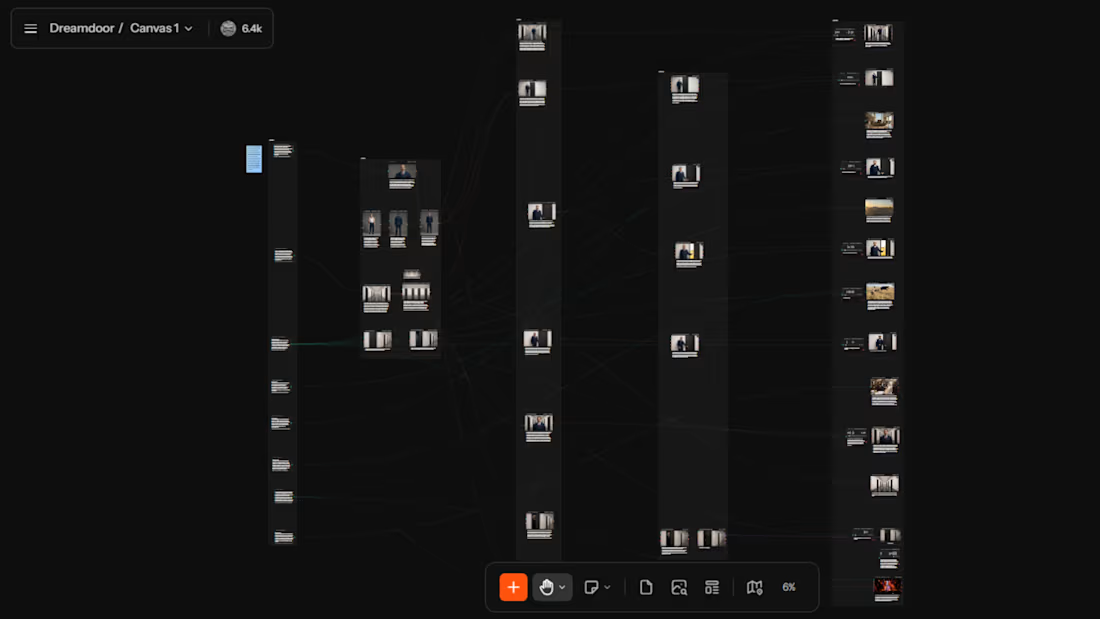
Features 13 shots. One theatrical presenter. Five dream lives. One hippo.
How I Built It:
Node types used: Text, Image, Video and Audio, with Stitch and Magic Resize for assembly and output. Melius agent Mel was involved throughout the entire production process.
Canvas flows left to right across five columns:
Scene Briefs, References, Keyframes, Working Clips, Final Outputs.
The presenter and corridor environment were locked as master reference nodes, ensuring the character and setting remained consistent across every shot.
Feedback:
Melius is genuinely a powerful platform, the full production pipeline from concept to output in one canvas is unlike anything else. One thing worth improving, when Mel requests credit approval, it doesn't always specify exactly what the credits will be used for. Knowing the specific generation before approving would make the workflow much more intentional and reduce unnecessary credit spend.
Links:
project link
(https://app.melius.com/projects/8a15df76-83fb-4d73-84d4-b3c087f4fa53/canvas/fd0b1f44-cc8a-45af-aca9-1a56da676f97)loom link (https://www.loom.com/share/a4ee33a0f0714ed99058f4d606e01010)
2
165