
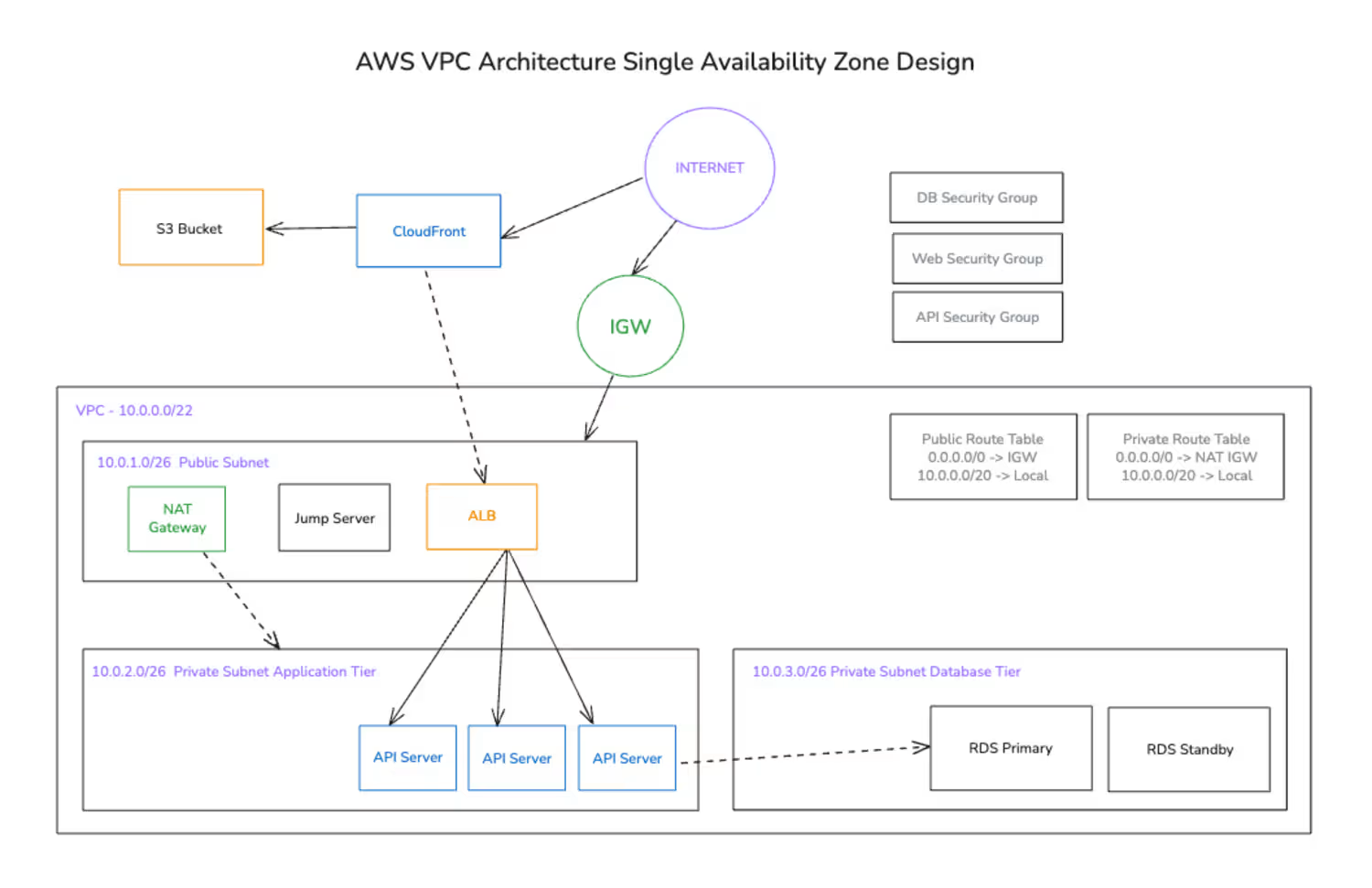
So, the following architecture is a good start to get started with AWS Infrastructure:
It has a VPC ( Virtual Private Connection ) and has 3 subnets.
Public Subnet which has NAT Gateway, a Jump Server and an Application load balancer.
1st Private Subnet has a Jenkins CI/CD Server and 3 Application Server.
2nd Private Subnet has a database with a standby database.
Jump Server (Bastian Server) is being used to access the Application Server so we could configure it, and by configure it I mean you can access your Servers only through the Jump Server that’s the purpose of it.
User can access the application through the S3 Frontend which is connected to the CDN called Cloudfront which redirects the request towards the load balancer and load balancer redirects the request towards the Application server.
1
1
114
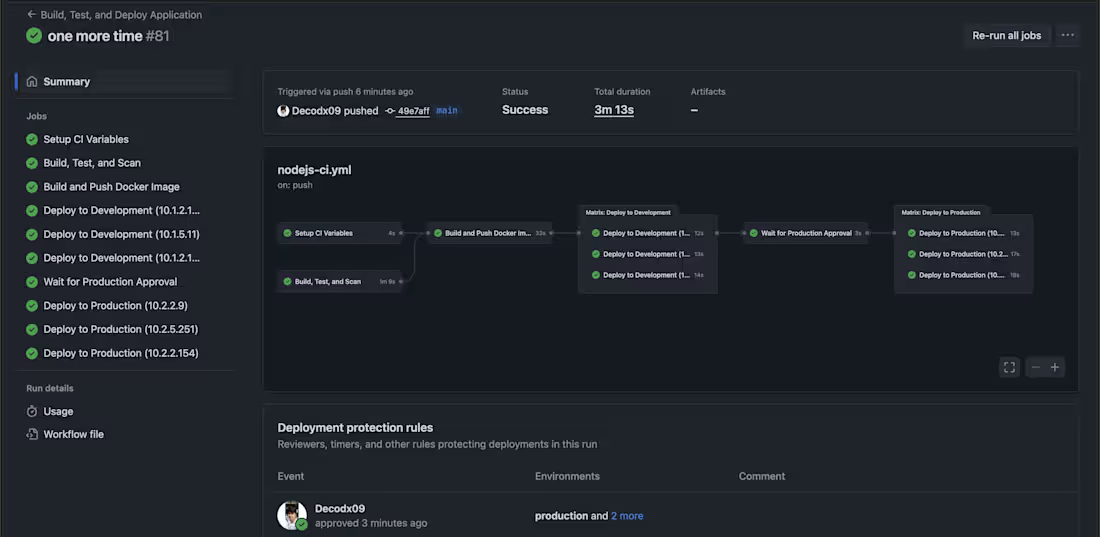
CI/CD for production grade multi environment setup
1
57
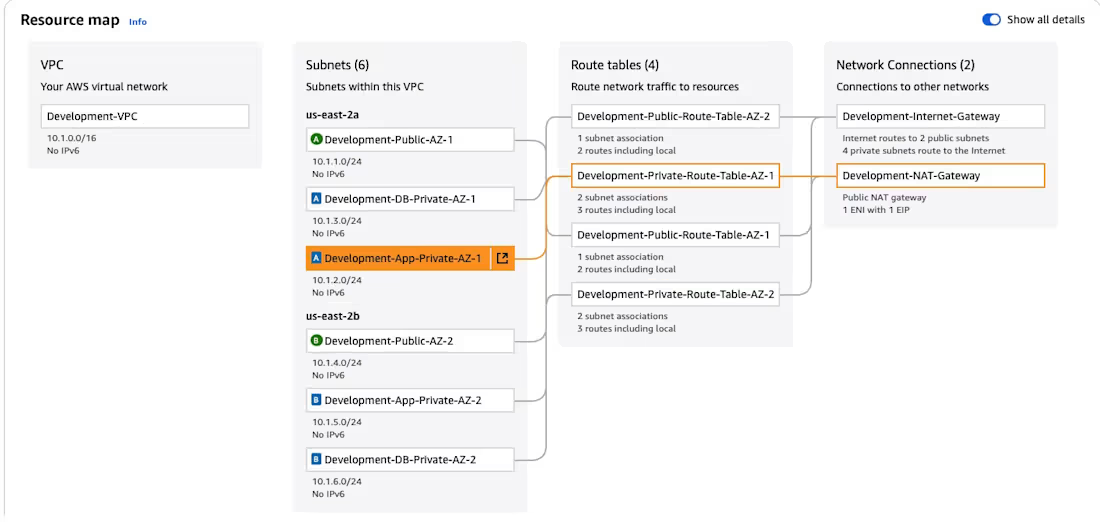
Highly Available Hub-and-Spoke Architecture for Multi-Environment AWS Deployments
Multi-Environment Isolation using separate VPCs for Development, Production, and Administration.
High Availability with all resources deployed across two Availability Zones.
A Hub-and-Spoke Network connected via AWS Transit Gateway for scalable routing.
Centralized, Secure Management through a dedicated Jump Server.
A Multi-Tier Subnet Design to protect application servers and databases in private subnets.
Using Github Actions CI/CD pipeline for deployments within the environments.
Granular Firewall Control with Security Groups configured to allow only necessary traffic between components.
1
1
85
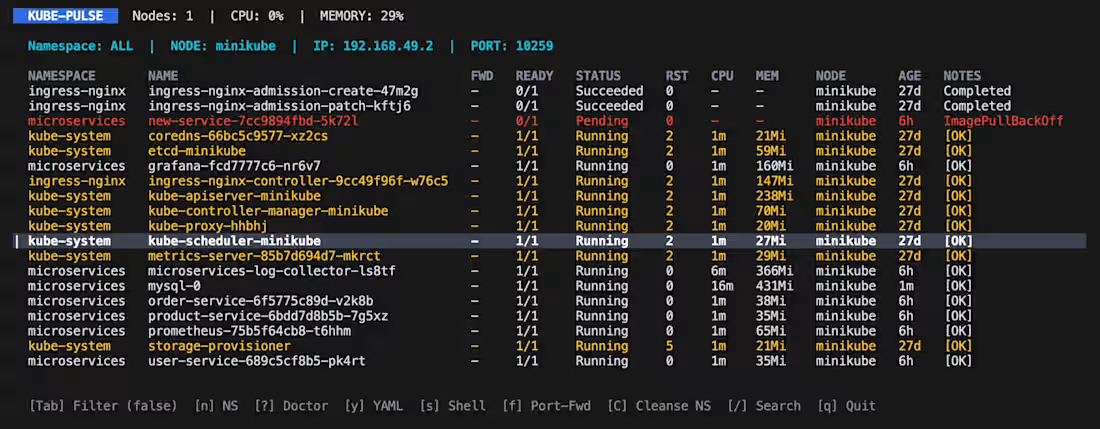
Introducing kube pulse, a real-time diagnostic dashboard for Kubernetes.
Easy navigation across namespaces.
Instant shell access.
Smart Filtering and Search.
Light and Clean interface.
One click Port Fwd.
To Install : brew tap Decodx09/tap && brew install kube-pulse
1
109