
Wordpress to Webflow Website MigrationKarina Slizova

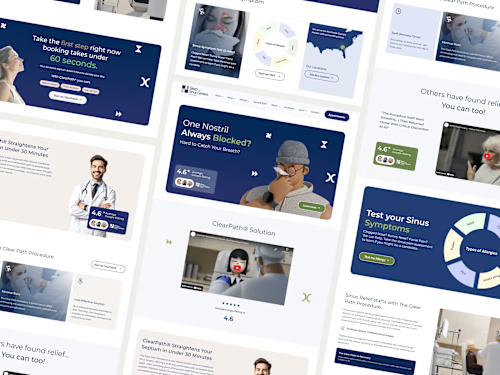
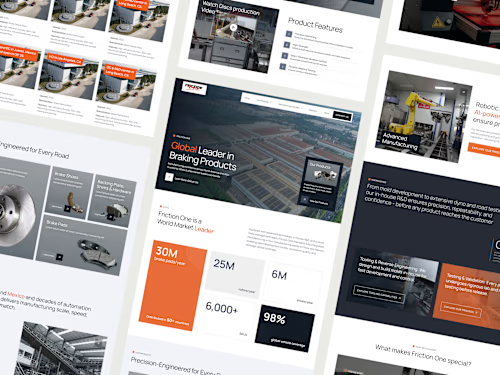
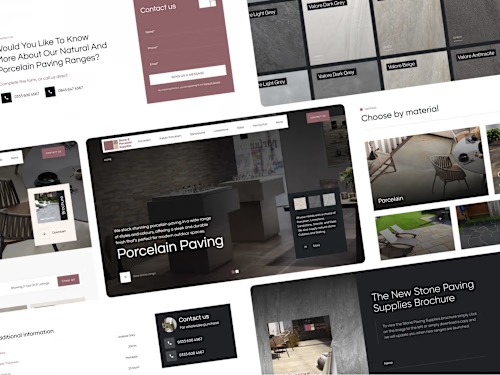
You’ll receive a fully designed and developed responsive Webflow website, including wireframes, custom UI design, Webflow build, reusable components, optional CMS setup (so you can easily edit/add content), basic SEO + performance best practices, forms/integrations, testing, launch support, and a handover (walkthrough or Loom) so you can manage updates confidently.
Typical project range: $3,000–$6,200, depending on the number of pages/sections, content volume, and whether CMS is included.
What's included
Discovery direction + Wireframes:
Quick alignment on goals, pages, content, sitemap, and visual references. Page structure and section layout for approval before design.
Custom UI design (if needed):
Modern, on-brand design for key pages (desktop-first + responsive states)
Webflow build:
Pixel-accurate development in Webflow (desktop/tablet/mobile). CMS setup (if needed): collections + templates (Blog / Services / Case Studies / Testimonials, etc.) so you can easily add and edit content. Reusable components: clean component system for consistent styling and faster future updates
Basic SEO setup:
Meta titles/descriptions, heading structure, alt text guidance, clean URLs, sitemap/robots basics
Launch support + Handover
Domain connection guidance + publishing assistance. Handover: Webflow Editor walkthrough (or Loom video) + simple documentation so your team can manage updates confidently.
FAQs
Example work

Starting at$3,000
Duration2 weeks
Tags
Figma

Webflow

WordPress

Frontend Engineer
UX Designer
Web Developer
Service provided by
Karina Slizova proSlovakia
- 8
- Paid projects
- 5.00
- Rating
- 168
- Followers
Wordpress to Webflow Website MigrationKarina Slizova
Starting at$3,000
Duration2 weeks
Tags
Figma
Webflow
WordPress
Frontend Engineer
UX Designer
Web Developer
You’ll receive a fully designed and developed responsive Webflow website, including wireframes, custom UI design, Webflow build, reusable components, optional CMS setup (so you can easily edit/add content), basic SEO + performance best practices, forms/integrations, testing, launch support, and a handover (walkthrough or Loom) so you can manage updates confidently.
Typical project range: $3,000–$6,200, depending on the number of pages/sections, content volume, and whether CMS is included.
What's included
Discovery direction + Wireframes:
Quick alignment on goals, pages, content, sitemap, and visual references. Page structure and section layout for approval before design.
Custom UI design (if needed):
Modern, on-brand design for key pages (desktop-first + responsive states)
Webflow build:
Pixel-accurate development in Webflow (desktop/tablet/mobile). CMS setup (if needed): collections + templates (Blog / Services / Case Studies / Testimonials, etc.) so you can easily add and edit content. Reusable components: clean component system for consistent styling and faster future updates
Basic SEO setup:
Meta titles/descriptions, heading structure, alt text guidance, clean URLs, sitemap/robots basics
Launch support + Handover
Domain connection guidance + publishing assistance. Handover: Webflow Editor walkthrough (or Loom video) + simple documentation so your team can manage updates confidently.
FAQs
Example work
$3,000