
Interactive Rive Animation for Your Web or App ProductKishan Jotangiya
I design and build interactive animations in Rive that react to the user: sliders, buttons, loaders, onboarding moments and feedback screens. Instead of a flat video, you get a small interactive piece that runs in the browser or in your app.
Who it's for
Product teams and founders who want a screen to feel alive: a rating slider that changes face and colour, a button that responds to touch, a playful empty state, or a loader with some personality.
What you get
The Rive file (.riv) with a clean state machine and named inputs.
Developer notes: a short document listing every input, what it does and its expected values, so your developer can connect it without guessing.
Web embed code and a hosted preview link you can try on your phone.
A short demo video (4:3) of the animation reacting to input, for your team or social posts.
One round of revisions after you try the preview.
What it can react to
Drags and taps, hover and cursor position, a number your app sends (like a rating from 1 to 5), or a state change (loading, success, error). I build the logic with a state machine and use scripting when the behaviour needs it.
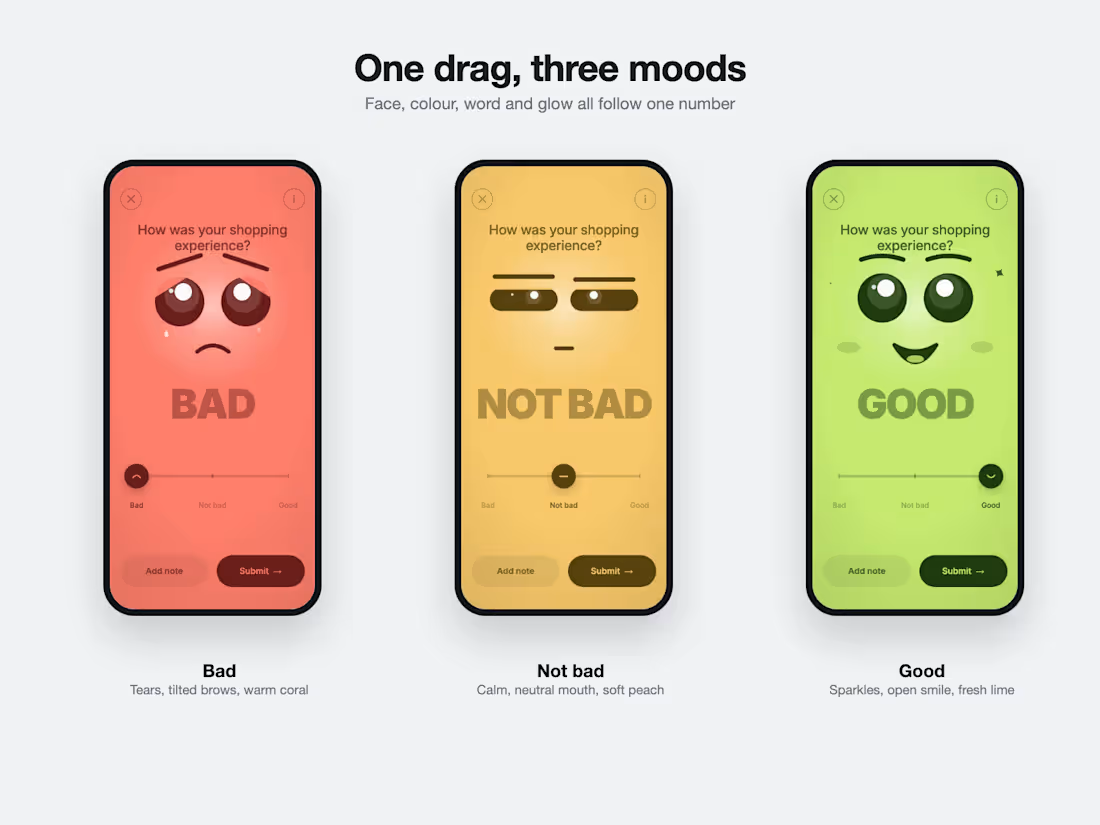
Example: one drag, three moods
A feedback slider where a single number drives the face, the colours, the word and the glow.
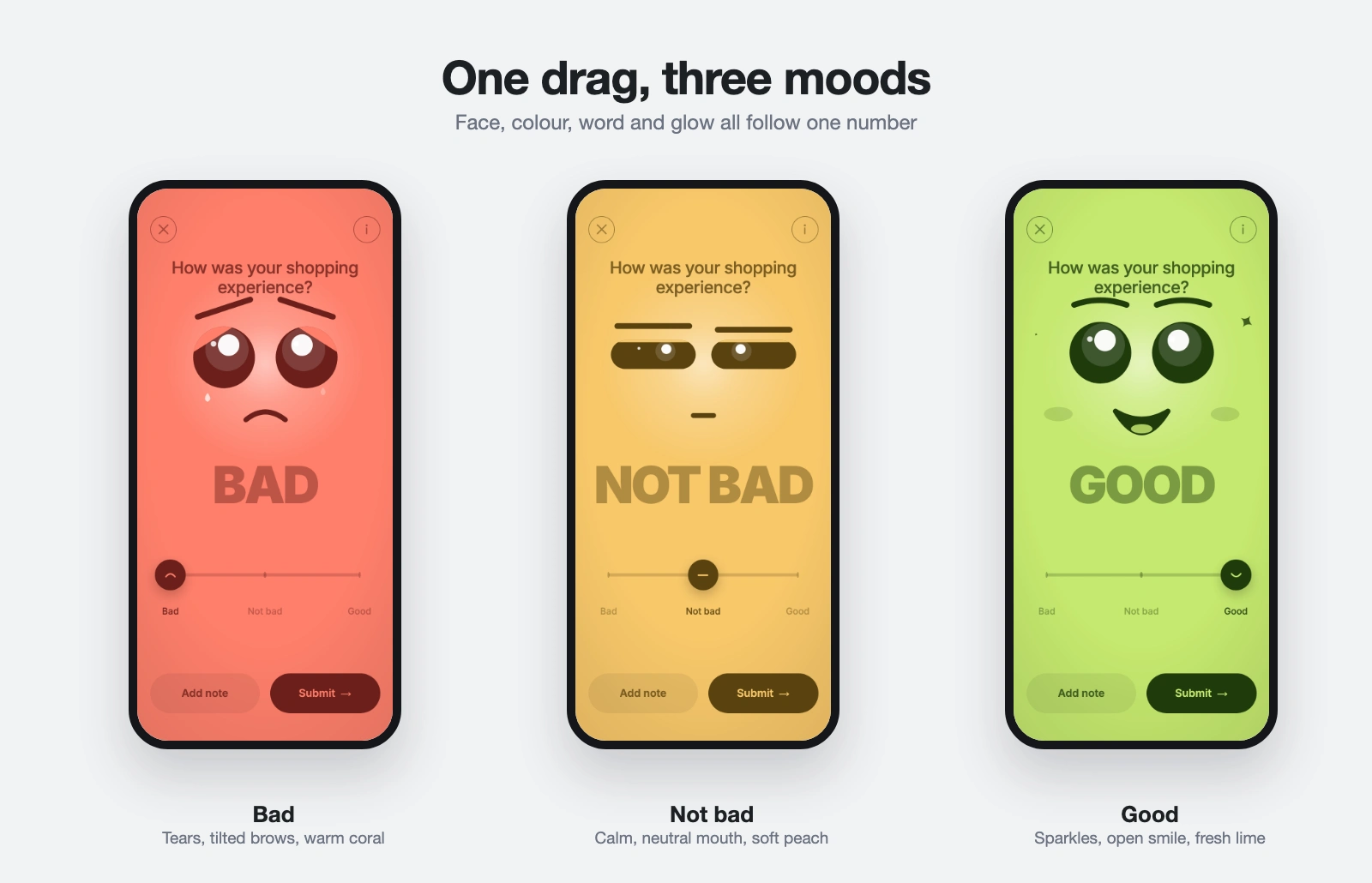
One drag, three moods: bad, not bad, good
The same animation also runs as a responsive web version on desktop and phone.
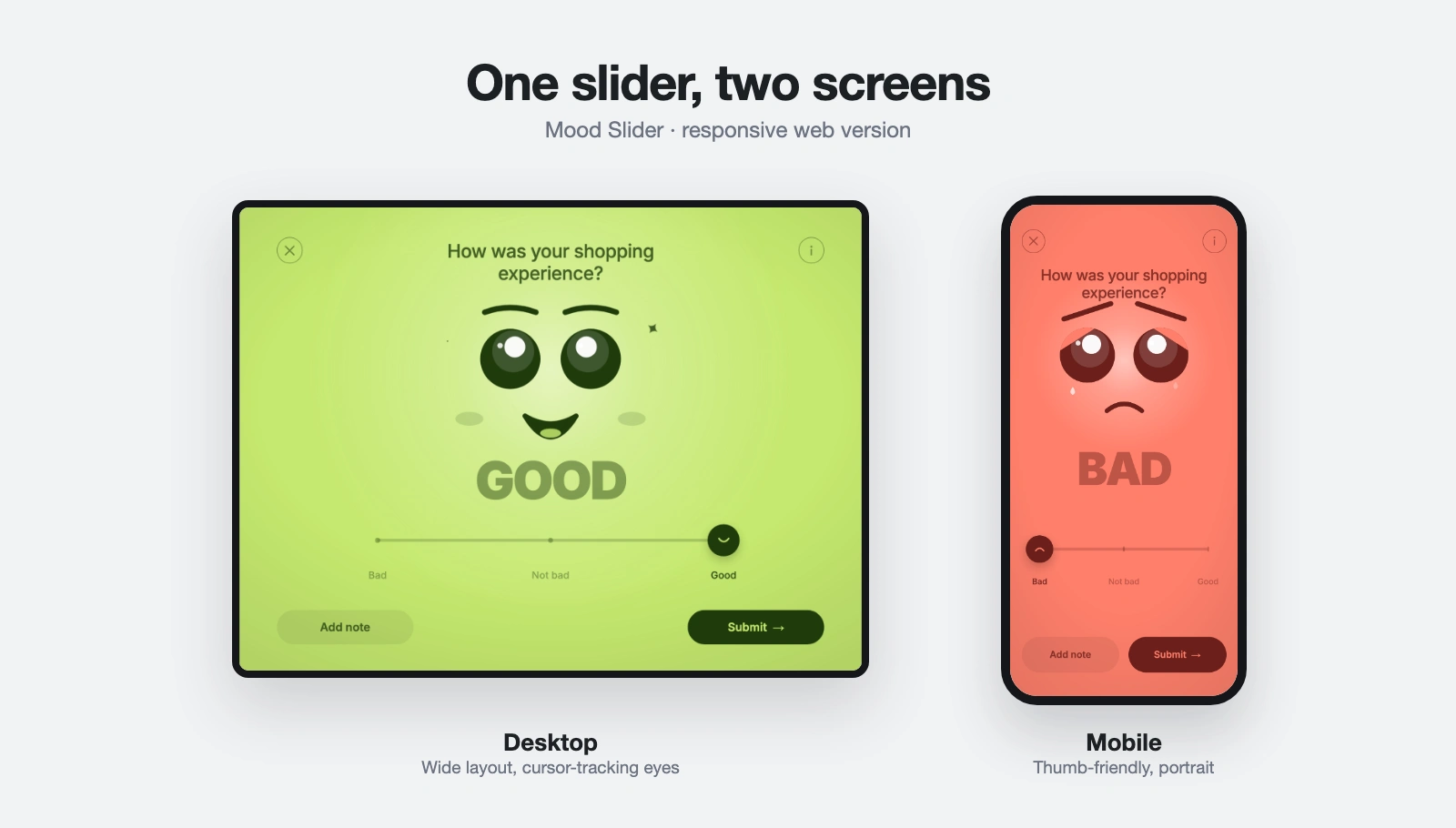
One slider, two screens: desktop and mobile
How I work
Brief (day 1): you share the idea or a reference. We agree what the animation reacts to and which platform it runs on.
Build (days 2 to 5): I build it in Rive and share a live preview link as soon as it works.
Review (days 5 to 6): you try it and send your notes. I make one round of changes.
Handover (day 7): I deliver the file, the embed code, the developer notes and the demo video.
What I need from you
Your idea or reference, your brand colours or artwork if you have them, and the platform you will use it on (web, iOS, Android or another).
Platforms
Rive runs on web, iOS, Android and other platforms. One file can be reused across them, and I set up the notes for your developer.
Message me with your idea and I will reply with a clear scope and a quote.
FAQs
Example work


Contact for pricing
Duration1 week
Tags
Rive

Web Animation
Motion Designer
UI Designer
Interactive Animation
Service provided by
Kishan Jotangiya proSurat, India
- 12
- Followers
Interactive Rive Animation for Your Web or App ProductKishan Jotangiya
Contact for pricing
Duration1 week
Tags
Rive
Web Animation
Motion Designer
UI Designer
Interactive Animation
I design and build interactive animations in Rive that react to the user: sliders, buttons, loaders, onboarding moments and feedback screens. Instead of a flat video, you get a small interactive piece that runs in the browser or in your app.
Who it's for
Product teams and founders who want a screen to feel alive: a rating slider that changes face and colour, a button that responds to touch, a playful empty state, or a loader with some personality.
What you get
The Rive file (.riv) with a clean state machine and named inputs.
Developer notes: a short document listing every input, what it does and its expected values, so your developer can connect it without guessing.
Web embed code and a hosted preview link you can try on your phone.
A short demo video (4:3) of the animation reacting to input, for your team or social posts.
One round of revisions after you try the preview.
What it can react to
Drags and taps, hover and cursor position, a number your app sends (like a rating from 1 to 5), or a state change (loading, success, error). I build the logic with a state machine and use scripting when the behaviour needs it.
Example: one drag, three moods
A feedback slider where a single number drives the face, the colours, the word and the glow.
One drag, three moods: bad, not bad, good
The same animation also runs as a responsive web version on desktop and phone.
One slider, two screens: desktop and mobile
How I work
Brief (day 1): you share the idea or a reference. We agree what the animation reacts to and which platform it runs on.
Build (days 2 to 5): I build it in Rive and share a live preview link as soon as it works.
Review (days 5 to 6): you try it and send your notes. I make one round of changes.
Handover (day 7): I deliver the file, the embed code, the developer notes and the demo video.
What I need from you
Your idea or reference, your brand colours or artwork if you have them, and the platform you will use it on (web, iOS, Android or another).
Platforms
Rive runs on web, iOS, Android and other platforms. One file can be reused across them, and I set up the notes for your developer.
Message me with your idea and I will reply with a clear scope and a quote.
FAQs
Example work
Contact for pricing