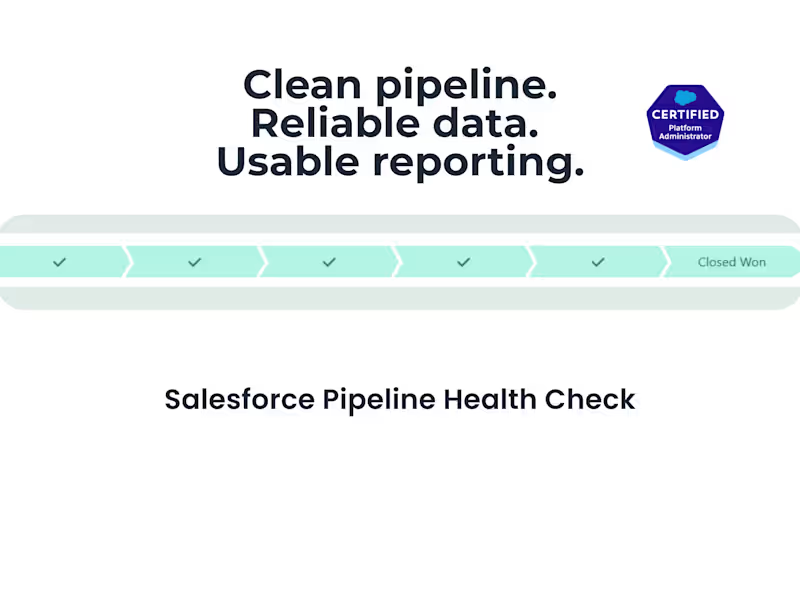
Salesforce Pipeline Cleanup & Reporting Optimization by Amy FrankSalesforce Pipeline Cleanup & Reporting Optimization by Amy Frank
Salesforce Pipeline Cleanup & Reporting OptimizationAmy Frank
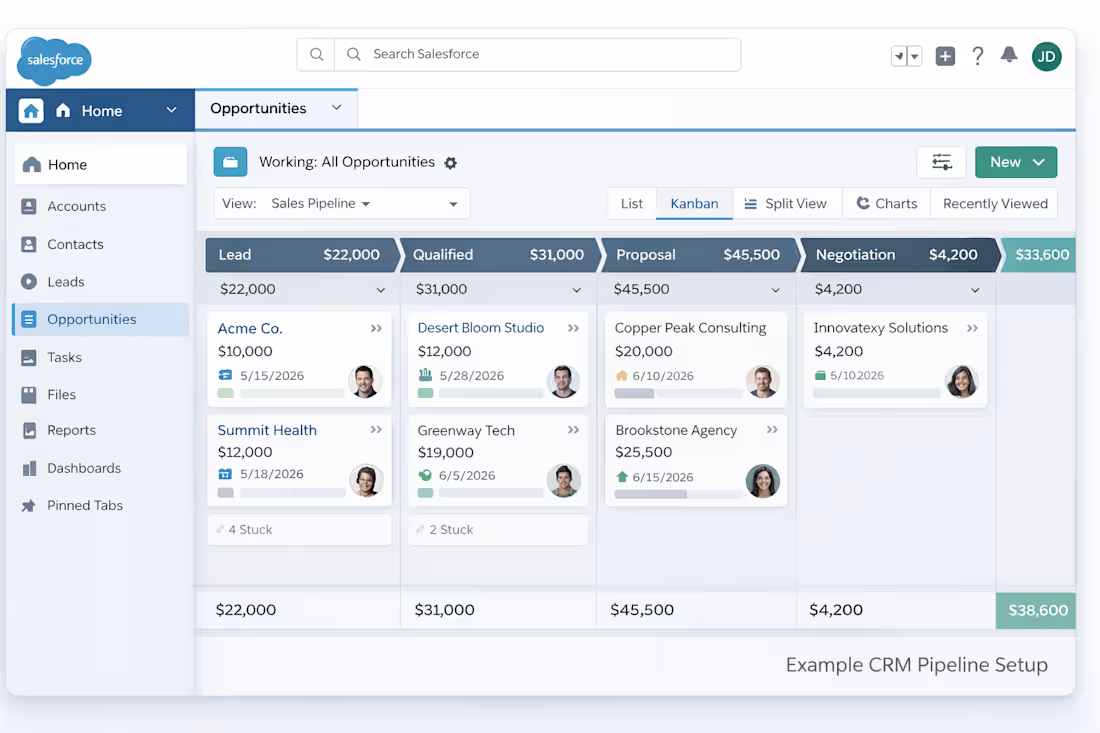
Cover image shows an example pipeline structure for illustration purposes.
Overview
Improve and structure your existing Salesforce setup so your pipeline is clear, your data is reliable, and your reports actually support decision-making.
This service is designed for growing teams that already have Salesforce in place but aren’t using it effectively. I focus on cleaning up pipeline structure, aligning key fields with your existing sales process, and building a dashboard that gives you clear, decision-ready visibility into performance.
What’s Included
To keep the setup fast and reliable, this package includes:
Cleanup and restructuring of your existing Salesforce opportunity pipeline (up to 8 stages, including stage definition and deal flow clarity)
Review and standardization of up to 10 key fields used for tracking deals and performance
Cleanup or consolidation of redundant fields (within defined scope)
Creation of up to 2 core reports aligned with your key metrics
Setup of 1 pipeline performance dashboard
Alignment of pipeline and reporting to support key performance visibility
Data import for up to 300 records (total rows across leads, contacts, accounts, or opportunities; must match agreed structure and format)
Go-live walkthrough and short usage guidance
Minor post-setup adjustments (limited to small changes such as renaming fields, adjusting stage names, or updating dashboard filters. Does not include new features, fields, reports, or structural changes)
One structured build and one round of feedback-based adjustments (no redesigns or additional iterations)
Work may include existing custom objects only if they are directly related to the opportunity pipeline and do not require structural changes.
Not included:
Full Salesforce implementation or org setup from scratch
Advanced automation (Flows, Process Builder, complex workflows)
Custom development (Apex, integrations, APIs)
Extensive data cleaning, deduplication, or restructuring
Ongoing admin support or system maintenance
Additional reports, dashboards, or fields beyond defined scope
Multi-object reporting across unrelated datasets
Complex custom objects or modifications to the underlying data model beyond the defined pipeline scope
Scope & Change Management
This is a structured setup with clearly defined limits to ensure speed and reliability. Requests outside the items listed above will be scoped as a separate project.
Project Process
A structured intake form is required before work begins to define pipeline stages, key fields, and reporting needs. This ensures alignment and prevents scope changes during the build.
Intake & Alignment: You’ll complete a structured intake form to define your pipeline stages, key fields, and reporting goals. Any custom objects or fields will be reviewed during intake to confirm they fall within scope before work begins.
Review & Planning: I review your current setup and confirm scope, priorities, and structure before making changes.
Build & Optimization: Pipeline, fields, and reports are cleaned up and structured based on agreed requirements.
Delivery & Walkthrough: You’ll receive a walkthrough of your updated system and dashboard, along with guidance on how to use it.
FAQs
Yes. This service is designed for teams that already have an active Salesforce account.
It focuses on cleaning, structuring, and optimizing your existing setup, not creating a system from scratch.
This service is best for small, growing teams that already have Salesforce but aren’t using it effectively.
It works well for founder-led teams, agencies, and service businesses that need clearer pipeline tracking and reporting.
Most Salesforce setups are completed within 1–2 weeks of active build time once system access and data are provided, depending on responsiveness and data readiness.
The standard project window is up to 3 weeks to allow time for client access, feedback, and scheduling the final walkthrough.
This service includes cleanup and structuring of up to 8 opportunity stages, which is typically enough for a clear and effective sales pipeline.
If your current pipeline has more stages, I’ll help simplify it within scope. More complex pipeline redesigns can be scoped separately if needed.
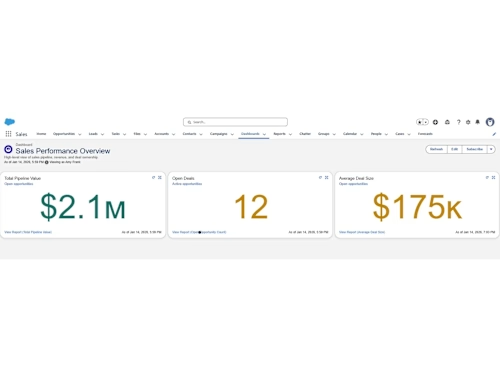
This service includes one standardized sales dashboard showing:
• total pipeline value
• deal count by stage
• lead status tracking
• recent sales activity
The dashboard is structured to help you quickly understand what is in progress, where deals are getting stuck, and what is moving toward close.
If you have a specific reporting priority, I’ll align the dashboard where possible within the standard structure. Additional or custom reports can be scoped separately.
No. This service focuses on structuring your Salesforce data, pipeline, and reporting.
Automation (flows, workflows), integrations, and advanced logic are not included but can be scoped separately.
You’ll receive a live walkthrough of your updated Salesforce setup and dashboard, along with a short guide showing how to:
• manage your pipeline
• update records
• read and use your dashboard
This ensures your system is ready to use and your team knows how to work with it confidently.
Minor adjustments are included within 5 business days after delivery, such as:
• renaming fields
• adjusting stage labels
• small dashboard formatting updates
Requests that involve structural changes, additional fields, or new reports will be scoped separately.
Yes. Additional reports, dashboards, automation, or system changes can be scoped as a follow-on project once the core system is clean and structured.
No. This is not a full implementation service. I work within your existing Salesforce setup to clean, structure, and optimize it.
A record is a single row of data in Salesforce (such as one lead, contact, account, or opportunity). The 300-record limit refers to the total number of rows imported across all data.
Light cleanup within the defined scope is included. Data should be reasonably structured before import.
Data must match the agreed structure prior to import. Data restructuring, deduplication, or transformation are not included.
If you’re unsure whether your data is ready, you can share a sample during intake and I’ll confirm.
Yes, as long as they are already set up and directly related to the opportunity pipeline. Custom objects that require structural changes or are part of a more complex data model may require a separately scoped project.
This service is designed for standard sales pipelines and reporting needs. If your setup includes extensive customization, complex automation, or highly detailed data structures, I’ll review it during intake and let you know if a separate scope is more appropriate.
This service is best suited for standard Sales Cloud setups.
If you’re using a heavily customized system or a different Salesforce product, I’ll review it during intake to confirm it’s a good fit.
Salesforce Pipeline Cleanup & Reporting OptimizationAmy Frank
Starting at$1,800
Duration2 weeks
Tags
Google Sheets

Microsoft Excel

Salesforce

Business Analyst
Business Consultant
Business Operations
Cover image shows an example pipeline structure for illustration purposes.
Overview
Improve and structure your existing Salesforce setup so your pipeline is clear, your data is reliable, and your reports actually support decision-making.
This service is designed for growing teams that already have Salesforce in place but aren’t using it effectively. I focus on cleaning up pipeline structure, aligning key fields with your existing sales process, and building a dashboard that gives you clear, decision-ready visibility into performance.
What’s Included
To keep the setup fast and reliable, this package includes:
Cleanup and restructuring of your existing Salesforce opportunity pipeline (up to 8 stages, including stage definition and deal flow clarity)
Review and standardization of up to 10 key fields used for tracking deals and performance
Cleanup or consolidation of redundant fields (within defined scope)
Creation of up to 2 core reports aligned with your key metrics
Setup of 1 pipeline performance dashboard
Alignment of pipeline and reporting to support key performance visibility
Data import for up to 300 records (total rows across leads, contacts, accounts, or opportunities; must match agreed structure and format)
Go-live walkthrough and short usage guidance
Minor post-setup adjustments (limited to small changes such as renaming fields, adjusting stage names, or updating dashboard filters. Does not include new features, fields, reports, or structural changes)
One structured build and one round of feedback-based adjustments (no redesigns or additional iterations)
Work may include existing custom objects only if they are directly related to the opportunity pipeline and do not require structural changes.
Not included:
Full Salesforce implementation or org setup from scratch
Advanced automation (Flows, Process Builder, complex workflows)
Custom development (Apex, integrations, APIs)
Extensive data cleaning, deduplication, or restructuring
Ongoing admin support or system maintenance
Additional reports, dashboards, or fields beyond defined scope
Multi-object reporting across unrelated datasets
Complex custom objects or modifications to the underlying data model beyond the defined pipeline scope
Scope & Change Management
This is a structured setup with clearly defined limits to ensure speed and reliability. Requests outside the items listed above will be scoped as a separate project.
Project Process
A structured intake form is required before work begins to define pipeline stages, key fields, and reporting needs. This ensures alignment and prevents scope changes during the build.
Intake & Alignment: You’ll complete a structured intake form to define your pipeline stages, key fields, and reporting goals. Any custom objects or fields will be reviewed during intake to confirm they fall within scope before work begins.
Review & Planning: I review your current setup and confirm scope, priorities, and structure before making changes.
Build & Optimization: Pipeline, fields, and reports are cleaned up and structured based on agreed requirements.
Delivery & Walkthrough: You’ll receive a walkthrough of your updated system and dashboard, along with guidance on how to use it.
FAQs
Yes. This service is designed for teams that already have an active Salesforce account.
It focuses on cleaning, structuring, and optimizing your existing setup, not creating a system from scratch.
This service is best for small, growing teams that already have Salesforce but aren’t using it effectively.
It works well for founder-led teams, agencies, and service businesses that need clearer pipeline tracking and reporting.
Most Salesforce setups are completed within 1–2 weeks of active build time once system access and data are provided, depending on responsiveness and data readiness.
The standard project window is up to 3 weeks to allow time for client access, feedback, and scheduling the final walkthrough.
This service includes cleanup and structuring of up to 8 opportunity stages, which is typically enough for a clear and effective sales pipeline.
If your current pipeline has more stages, I’ll help simplify it within scope. More complex pipeline redesigns can be scoped separately if needed.
This service includes one standardized sales dashboard showing:
• total pipeline value
• deal count by stage
• lead status tracking
• recent sales activity
The dashboard is structured to help you quickly understand what is in progress, where deals are getting stuck, and what is moving toward close.
If you have a specific reporting priority, I’ll align the dashboard where possible within the standard structure. Additional or custom reports can be scoped separately.
No. This service focuses on structuring your Salesforce data, pipeline, and reporting.
Automation (flows, workflows), integrations, and advanced logic are not included but can be scoped separately.
You’ll receive a live walkthrough of your updated Salesforce setup and dashboard, along with a short guide showing how to:
• manage your pipeline
• update records
• read and use your dashboard
This ensures your system is ready to use and your team knows how to work with it confidently.
Minor adjustments are included within 5 business days after delivery, such as:
• renaming fields
• adjusting stage labels
• small dashboard formatting updates
Requests that involve structural changes, additional fields, or new reports will be scoped separately.
Yes. Additional reports, dashboards, automation, or system changes can be scoped as a follow-on project once the core system is clean and structured.
No. This is not a full implementation service. I work within your existing Salesforce setup to clean, structure, and optimize it.
A record is a single row of data in Salesforce (such as one lead, contact, account, or opportunity). The 300-record limit refers to the total number of rows imported across all data.
Light cleanup within the defined scope is included. Data should be reasonably structured before import.
Data must match the agreed structure prior to import. Data restructuring, deduplication, or transformation are not included.
If you’re unsure whether your data is ready, you can share a sample during intake and I’ll confirm.
Yes, as long as they are already set up and directly related to the opportunity pipeline. Custom objects that require structural changes or are part of a more complex data model may require a separately scoped project.
This service is designed for standard sales pipelines and reporting needs. If your setup includes extensive customization, complex automation, or highly detailed data structures, I’ll review it during intake and let you know if a separate scope is more appropriate.
This service is best suited for standard Sales Cloud setups.
If you’re using a heavily customized system or a different Salesforce product, I’ll review it during intake to confirm it’s a good fit.