
Design System FoundationMichael Kulesza

Design system humans and AI can use
I build design system foundations grounded in proven open-source libraries, extended with design tokens, rules, and custom components shaped by your real user flows.
The system evolves with your product — I sync with your team's releases so nothing gets outdated mid-build. I deliver a system that cuts time-to-ship, reduces rework, and keeps your product consistent as the team scales.
Best for:
CTOs tired of rebuilding the same component, design leads who finally got DS budget, teams scaling past 15–20 devs where inconsistency is growing.
Not a fit if you need a full rebrand, a coded component library, or a one-week quick fix.
What you get:
DS audit — identifying inconsistencies, detached instances, and structural gaps that block frontend velocity
Token architecture — Primitive / Semantic / Component via Figma Variables (colors, typography, spacing, etc.)
Component refactoring and expansion
Custom components tailored to your product requirements
Atomic Design structure — organized DS file
Governance rules — naming conventions, contribution guidelines, versioning
Accessibility baseline — WCAG AA+ compliance
Dev-ready annotations linked to implementation tickets
What's not included:
Coded component library (I deliver specifications and Figma, not React code)
Full product redesign (a DS is about foundations, not a rebrand)
Ongoing maintenance (that's a Retainer engagement)
Icon library from scratch (I use existing or open-source sets)
What I need from you:
Access to Figma (even if files are messy, that's what the audit phase is for)
Access to your codebase or documentation of the tech stack (so the DS aligns with implementation)
A list of your most-used components and key user flows
Any existing brand guidelines, color palettes, or typography rules
Your team's pain points with the current design/component setup
Example work
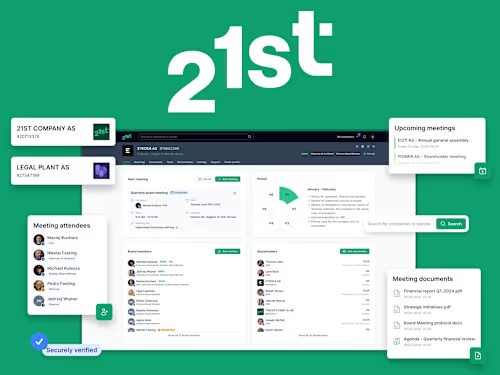
21st.ai — design system governance
Ready?
→ Book a Clarity Call or email me at michael@kulesza.io
FAQs
Example work
Michael's other services


Starting at$8,000
Duration3 weeks
Tags
Figma

Design System
Design Systems Specialist
Digital Accessibility
Product Designer
UI Designer
UX Designer
Component libraries
SaaS
Service provided by
Michael Kulesza Białystok, Poland
- 5
- Followers
Design System FoundationMichael Kulesza
Starting at$8,000
Duration3 weeks
Tags
Figma
Design System
Design Systems Specialist
Digital Accessibility
Product Designer
UI Designer
UX Designer
Component libraries
SaaS
Design system humans and AI can use
I build design system foundations grounded in proven open-source libraries, extended with design tokens, rules, and custom components shaped by your real user flows.
The system evolves with your product — I sync with your team's releases so nothing gets outdated mid-build. I deliver a system that cuts time-to-ship, reduces rework, and keeps your product consistent as the team scales.
Best for:
CTOs tired of rebuilding the same component, design leads who finally got DS budget, teams scaling past 15–20 devs where inconsistency is growing.
Not a fit if you need a full rebrand, a coded component library, or a one-week quick fix.
What you get:
DS audit — identifying inconsistencies, detached instances, and structural gaps that block frontend velocity
Token architecture — Primitive / Semantic / Component via Figma Variables (colors, typography, spacing, etc.)
Component refactoring and expansion
Custom components tailored to your product requirements
Atomic Design structure — organized DS file
Governance rules — naming conventions, contribution guidelines, versioning
Accessibility baseline — WCAG AA+ compliance
Dev-ready annotations linked to implementation tickets
What's not included:
Coded component library (I deliver specifications and Figma, not React code)
Full product redesign (a DS is about foundations, not a rebrand)
Ongoing maintenance (that's a Retainer engagement)
Icon library from scratch (I use existing or open-source sets)
What I need from you:
Access to Figma (even if files are messy, that's what the audit phase is for)
Access to your codebase or documentation of the tech stack (so the DS aligns with implementation)
A list of your most-used components and key user flows
Any existing brand guidelines, color palettes, or typography rules
Your team's pain points with the current design/component setup
Example work
21st.ai — design system governance
Ready?
→ Book a Clarity Call or email me at michael@kulesza.io
FAQs
Example work
Michael's other services
$8,000