
Rajashree .
Ops & knowledge systems | Notion Consultant | AI adoption


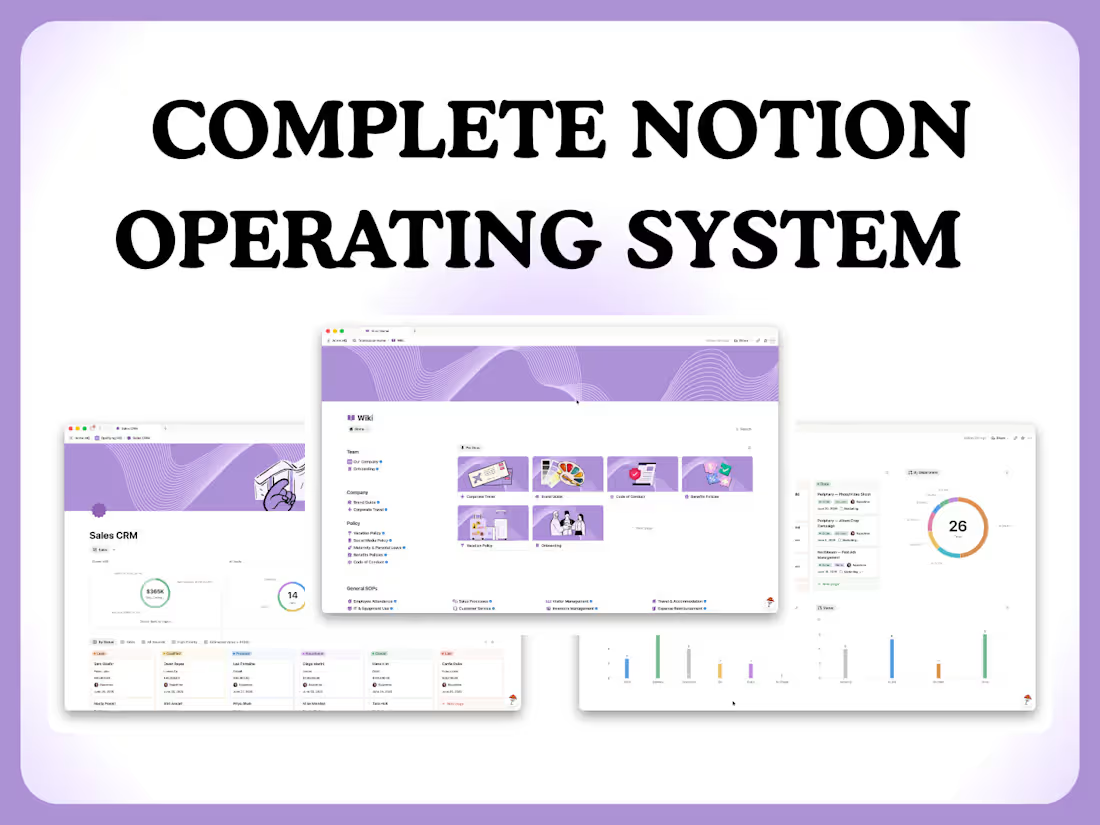
COMPLETE NOTION OPERATING SYSTEM
2
213
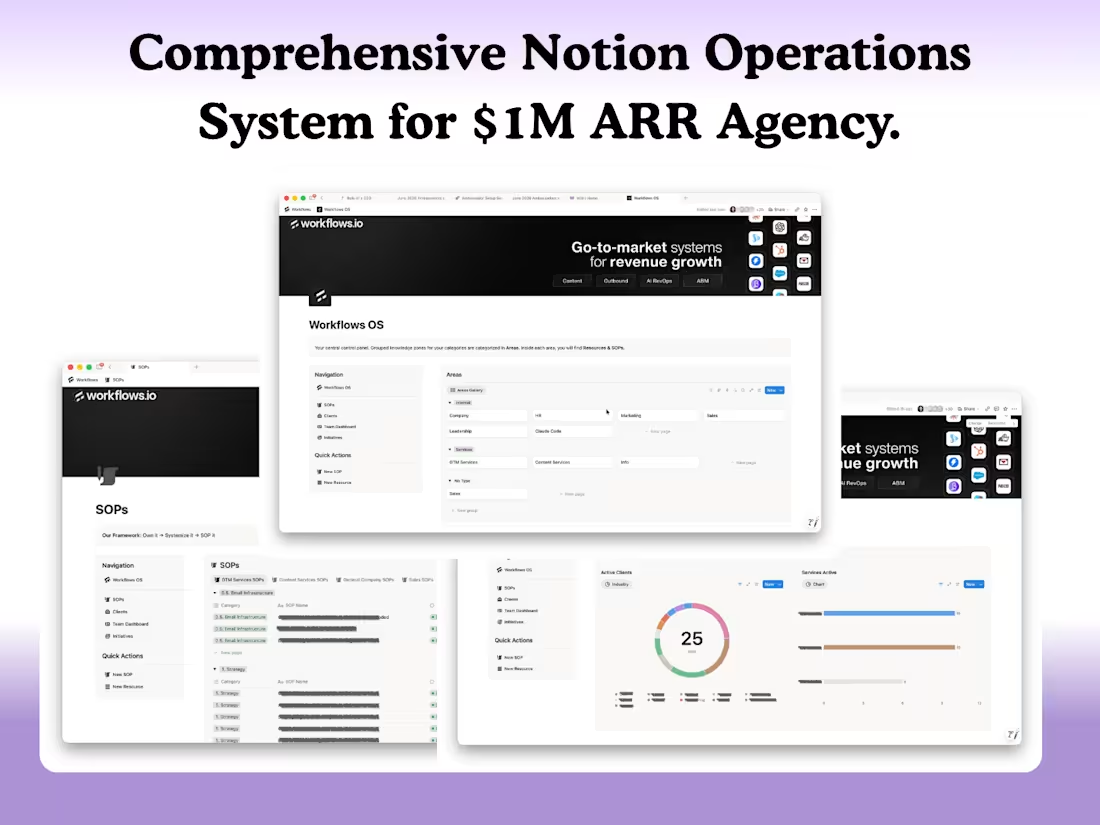
Comprehensive Notion Operations System for $1M ARR Agency.
Project Overview
Client: Workflows.io (http://Workflows.io)
Industry: Digital Agency (GTM Systems & Revenue Growth)
Challenge: Scaling team operations without centralized systems
Solution: Multi-dashboard Notion workspace with automated workflows
Timeline: August - November 2025
The Challenge
Workflows.io (http://Workflows.io) was experiencing rapid growth, but operations were fragmented:
Organizational Issues:
No centralized hub for company knowledge and resources
Team members are unclear on roles, responsibilities, and capacity
Difficult to track client relationships and service delivery
No dedicated workspace for each client's projects and communication
SOPs are scattered across different platforms
No standardized project management approach
The Risk: Growth was outpacing operational infrastructure, threatening quality and team efficiency.
How I Work:
A repeatable method, not a one-off build which is why these systems keep working long after launch.
Discover & map. I start by understanding how you actually operate — your workflows, handoffs, and where context leaks across tools, people, and conversations.
Architect the system. I design the information architecture first — how knowledge, clients, projects, and people connect — so everything has one home and one source of truth.
Build in Notion. Databases, relations, rollups, and formulas that turn the architecture into a working operating system.
Automate the busywork. Make.com (http://Make.com), n8n, and the Notion API remove manual steps and keep data flowing without anyone lifting a finger.
Drive adoption. Change management, templates, and team training so the system actually gets used — not abandoned after week one.
Evolve it. Systems aren't build-once. As the company grows, I refine and extend the system so it keeps pace — this is where ongoing Systems Stewardship comes in.
The Solution:
Built a comprehensive 4-dashboard Notion system serving as the company's operating system:
Dashboard 1: Workflows OS (Home Base)
The central control panel organizes all company knowledge
What I Built:
Areas Architecture: Grouped knowledge zones (Internal/Services)
Internal: Company, HR, Operations, Content, Sales, Leadership
Services: Client-specific resource areas
Navigation Hub: Quick access to SOPs, Clients, Projects, Team Dashboard
Quick Actions: One-click creation buttons for common tasks
Team Gallery: Visual directory of all team members
Impact:
Single source of truth for the entire organization
Reduced time searching for information across tools
Clear structure for onboarding new team members
Dashboard 2: SOPs Database
Framework-driven process documentation system
What I Built:
Category-Based Organization:
Email Infrastructure
Strategy SOPs (GTM, Content, LinkedIn, Sales)
Filterable Views: Quick access by category, status, and owner
Tracking System: Owner assignment, creator tracking, time requirements
Framework Implementation: "Own it → SOP it → Agentify it → ReSOP it"
Impact:
Standardized processes across teams
Clear ownership and accountability
Scalable knowledge base for team growth
Framework ensures continuous improvement
Dashboard 3: Team Dashboard
Individual employee workspace system
What I Built:
Team Gallery View: Card-based interface with photos
Role Identification:
Suite tags (C-Suite, GTM, Content)
Position badges (Co-Founder, Partner, Engineer, Content Writer)
Employment status (Full-Time tags)
Individual Workspaces: Each person gets a dedicated space for:
Personal goals and OKRs
Project assignments
Client relationships
Check-ins and 1-on-1s
Impact:
Clear visibility into team structure and roles
Personalized workspace for each team member
Better coordination across departments
Improved manager-employee communication
Dashboard 4: Clients Overview & Management
Comprehensive client relationship and service tracking
What I Built:
Overview Section (Analytics Hub):
Industry Distribution: Donut chart showing 25 total clients across sectors
Services Breakdown: Visual distribution of 25 service engagements
IC Chart: Horizontal bar chart tracking implementation consultant assignments (0-16 scale)
Management View: Team member client load distribution
Client Dashboard (Detailed Tracking):
Multi-View Tabs:
Active Clients
Client Status tracking
Service Types breakdown
All Clients master view
Data Fields:
Owner and Manager assignments
Status indicators (Active)
Services provided
Terms (Monthly)
POC (Point of Contact) names
Billing dates
Payment tracking
Case study eligibility
Industry classification
Individual Client Dashboards (The Game-Changer):
For each of the 25 clients, I created dedicated dashboard pages containing:
Client-Specific Workspace Features:
Projects View: All active and completed projects for that client
Service Delivery Tracking: What services they're receiving and their status
Communication Log: Meeting notes, decisions, and client interactions
Deliverables Tracker: What's been delivered, what's in progress, what's upcoming
Billing & Payment History: Financial relationship at a glance
Team Assignments: Who's working on what for this client
Documents & Resources: Client-specific files, brand guidelines, access credentials
Timeline View: Project milestones and key dates
Status Updates: Internal notes on client health and satisfaction
Templates for a consistent client workspace structure
Impact:
Account Management Excellence: Every client has a dedicated "war room."
Context Switching Eliminated: All client information in one click
Team Coordination: Everyone can see the full picture of client engagement
Client Onboarding: New team members can instantly understand client relationships
Historical Tracking: Complete record of client journey and deliverables
Scalability: Template-based approach means new clients get an instant workspace
Results & Impact
For Leadership:
Strategic Visibility: Real-time view of entire operation
Data-Driven Decisions: Visual analytics for resource allocation
Capacity Planning: Clear view of team bandwidth and client load
For Team Members:
Role Clarity: Clear understanding of responsibilities and expectations
Resource Access: All SOPs and knowledge in one searchable place
Personal Workspace: Dedicated area for goals and project tracking
Collaboration: Easy visibility into who owns what
For Operations:
Centralized System: Replaced 5+ scattered tools
Standardized Processes: Framework-based SOP system
Scalability: System designed to grow with the company
Onboarding: New team members can self-serve most information
Quantified Results:
10-15 hours/week saved on manual tracking, reporting, and information hunting
100% visibility into all client relationships and team capacity
40% faster information retrieval (estimated)
Zero information silos: All team members have appropriate access to client data
Scalable infrastructure supporting 25+ clients and 10-15 team members
Technologies & Skills
Technical Stack:
Notion (Advanced databases, relations, formulas, rollups)
Make.com (http://Make.com) (Automation workflows)
n8n (Form integrations)
Notion API (Custom data flows)
Tally (Form submissions)
Consulting Skills:
Systems thinking and information architecture
User experience design
Change management for tool adoption
Process documentation and standardization
Visual data presentation
Deliverables
Workflows OS Dashboard (Central Hub)
SOPs Database System
Team Dashboard with Individual Workspaces
Clients Overview & Portfolio Analytics
Client Management Master Database
Individual Client Dashboard Workspaces ⭐
Client Dashboard Template for Future Scaling ⭐
Process Automation Workflows
System Documentation
Team Training & Onboarding Materials
Client Testimonial
https://senja.io/p/opsifying/t/71d08399-a67c-42d6-a8c5-ea04eabfdde1
1
2
153
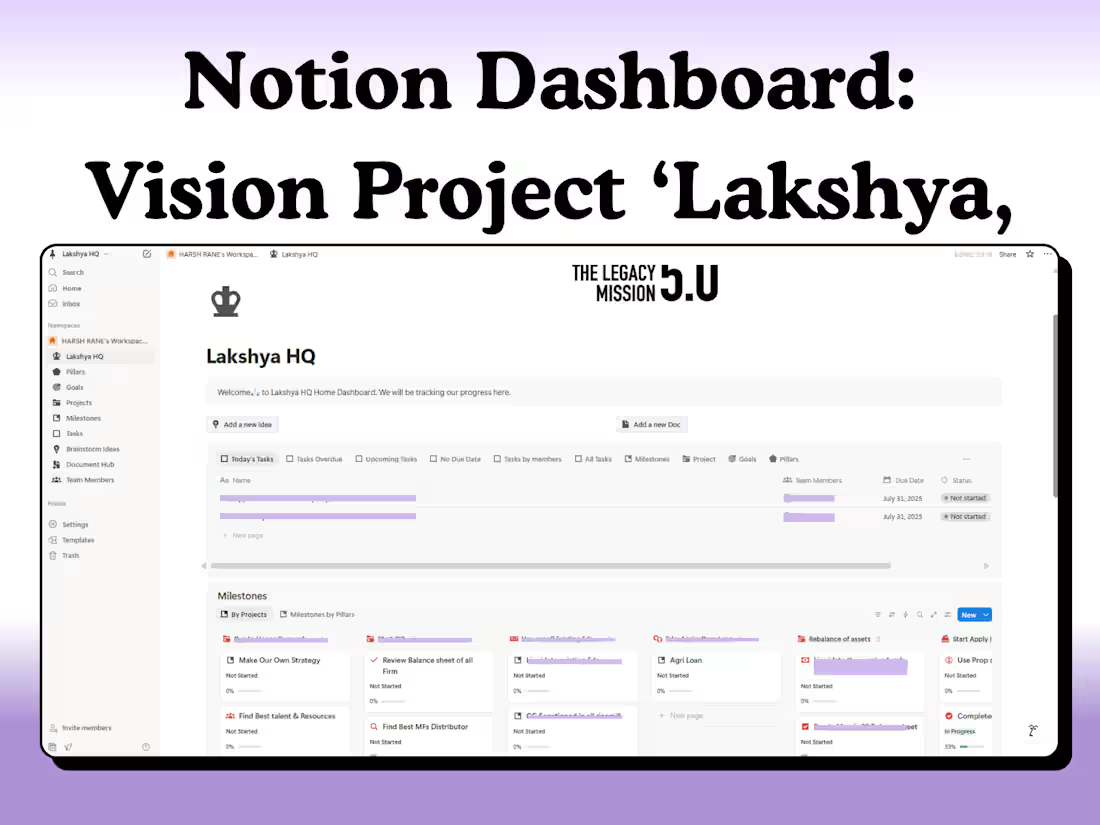
Created a Notion Dashboard for 5 year Vision Project "Lakshya" which was lead by Ashutosh Agarwal, this helped him get clarity and function better on his ideas.
0
81
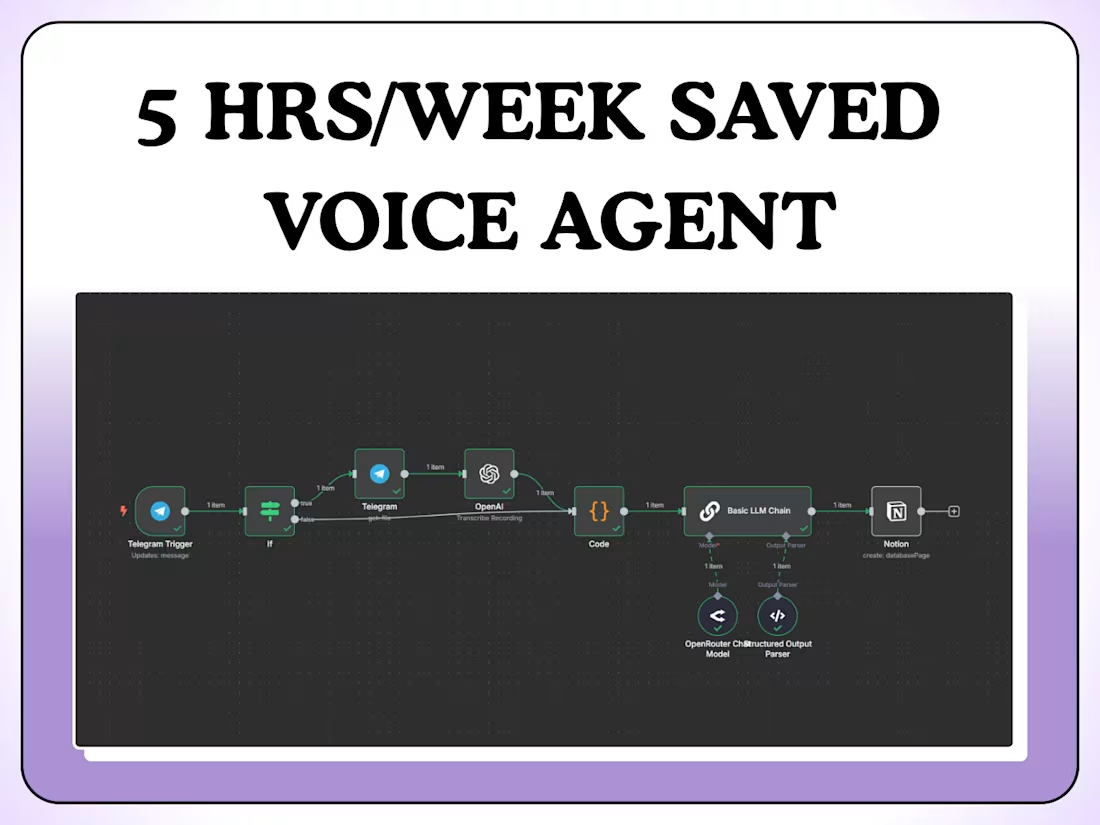
Voice-to-Notion Automation for Telegram Messages
0
12