Open Source Software Development Wizard

BytesBricks


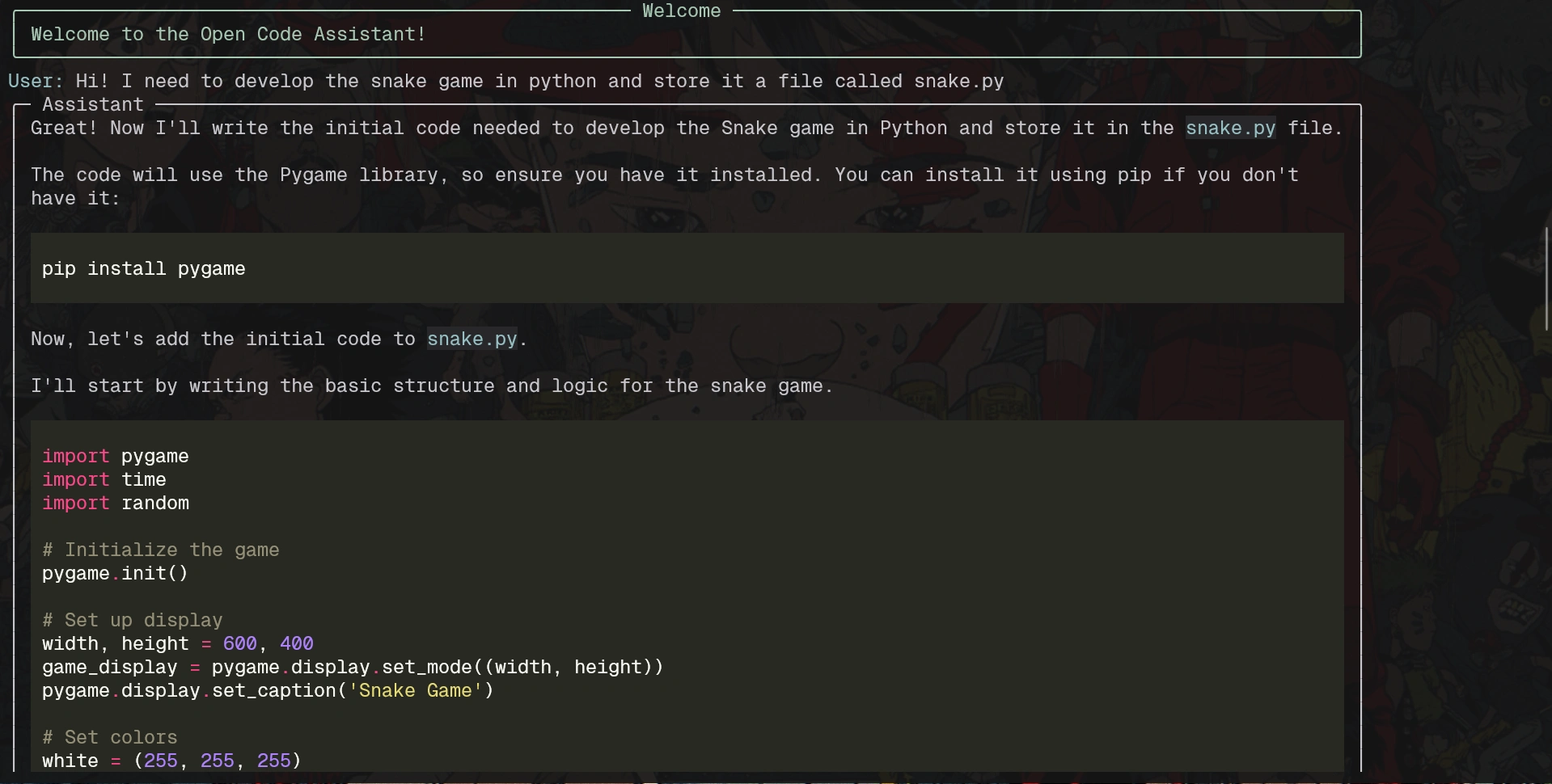
Open Code Assistant
This project is an open source wizard that uses various tools and APIs to assist in software development. The wizard can perform tasks such as creating and editing files, reading file contents, listing files in a directory, performing web searches, taking screenshots, and more.
Images
Project description
The wizard is designed to interact with the user through the console, allowing them to execute commands and receive responses in real time. It uses the OpenAI API to generate responses and the Tavily API to perform advanced internet searches. Additionally, it can process images and handle clipboard content.
Instalation
Clone this repositori:
Now create a virtual enviroment:
Install the dependecies:
Create a
.env file in the project root and add your API keys:Use
To start the assistant, simply run the
app.py file:Available Commands
exit: Exit the assistant.image: Process an image. You will be prompted to drag and drop the image into the console.take screenshot: Take a screenshot and save it in the img directory.Example of Use
Start the assistant:
Enter a command:
Follow the assistant's instructions to complete the task.
Like this project
Posted Aug 18, 2025
Developed an open source wizard for software development tasks.
Likes
0
Views
16
Timeline
Sep 3, 2024 - Sep 16, 2024