AI-Powered Reporting Automation Platform

Sophia Livanos


AI-Powered Reporting Automation Platform
I designed and built a web-based reporting automation application to replace a repetitive process that required analysts to manually transfer, validate and format data between Excel and PowerPoint.
The objective was not simply to automate one report. I wanted to create a reusable system that could analyse an existing presentation structure, map changing data sources and generate updated reporting outputs with far less manual intervention.
The Challenge
Recurring reporting involved substantial manual work. Analysts needed to locate the correct KPI data, transfer it into existing presentation structures, check calculations and formatting, and repeat the process every reporting cycle.
The main challenge was creating a flexible solution rather than hard-coding a single report. The application needed to support changing Excel inputs while preserving the structure and formatting of existing PowerPoint decks.
The Solution
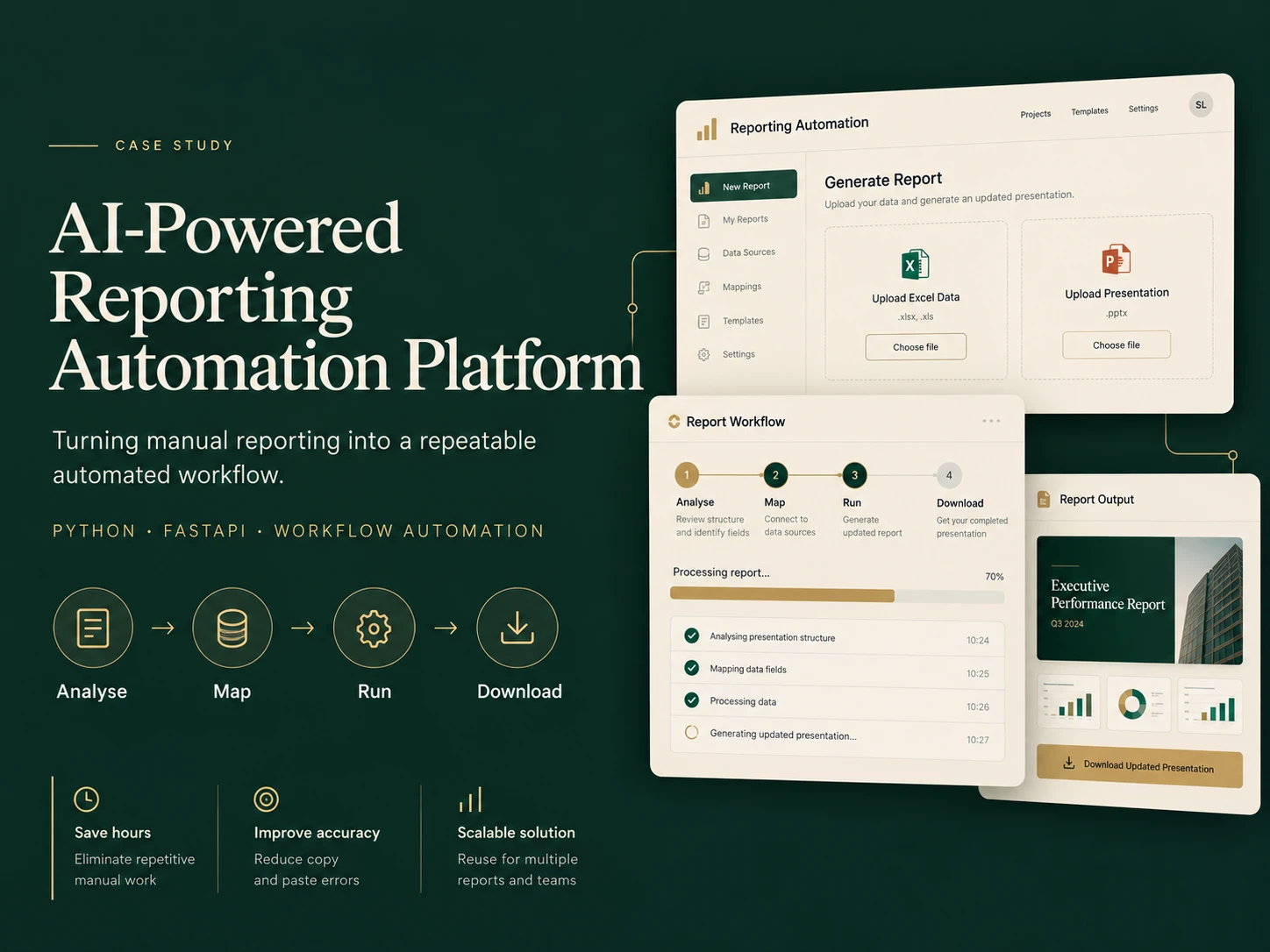
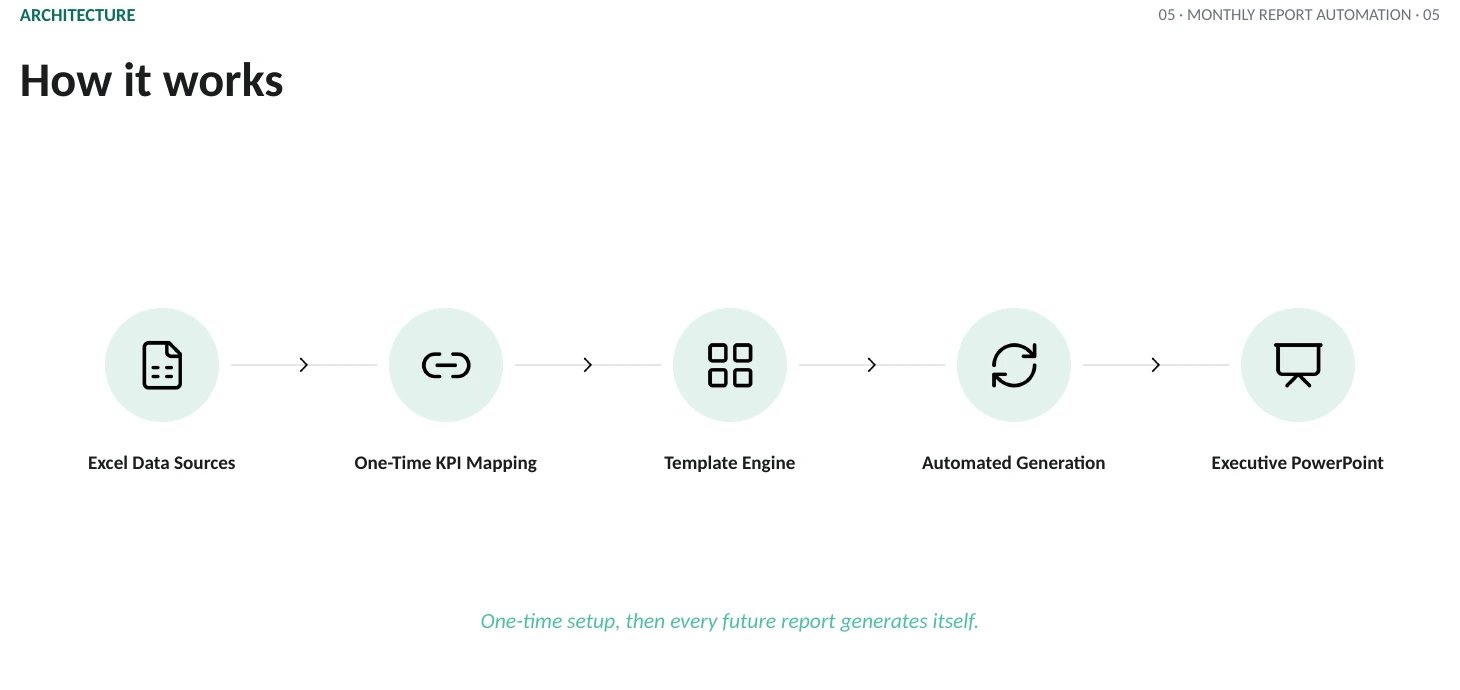
I designed and developed a Python/FastAPI application around a simple four-stage workflow:
Analyse
The application examines the uploaded report and identifies the fields and structures that need to be populated.
Map
Users connect presentation fields to the corresponding Excel data sources.
Run
The automation processes the latest dataset and applies the mappings to the report.
Download
The completed presentation is generated and made available for download.
I owned the solution design, application logic, mapping approach, user workflow, testing, debugging and iteration.
Technical Approach
Python · FastAPI · JavaScript · Excel Processing · PowerPoint Automation · GitHub
The solution was designed around reusable data mappings rather than fixed values, allowing the same approach to support additional reports and reporting cycles.
The Outcome
The platform turned a recurring, multi-hour manual reporting process into a repeatable automated workflow after initial configuration.
It reduced repetitive data handling, lowered copy-and-paste risk and created a scalable foundation that could be expanded to additional reports and users.
The project also reinforced an approach I use across automation work: solve the narrow end-to-end workflow first, validate it with real users, and then expand functionality based on operational needs.
My Role
Product concept · Workflow design · Python/FastAPI development · Automation architecture · Testing · Debugging · Deployment
Like this project
Posted Oct 26, 2026
Automated recurring executive reporting by mapping Excel KPIs to PowerPoint templates once, preserving layouts and reducing hours of manual work to minutes.
Likes
0
Views
0