Webeto Finance: Personal Finance Web App

Shubhank Agrey


Overview
Webeto Finance is a personal finance web app I designed and built from scratch: salary, expenses, mutual funds, budgets, goals and reports in one place. It started from my own Excel sheet (salary, SIPs, rent, expenses, remarks) and is being shaped into a product that can be sold. All numbers shown in this case study are sample data.
The problem
My money lived in a hand-maintained Excel sheet: monthly salary, SIP amounts, rent, one-off expenses and a remark column. It worked, but it never answered the simple questions quickly. How much have I saved this year? Where is the money going? Are my SIPs on track? Am I within budget?
The vision
One calm dashboard that shows where your money stands at a glance, built so the old spreadsheet can be imported instead of retyped. The longer-term plan is a modular platform: finance, salary and mutual funds first, then business modules such as invoices, GST, HR and attendance, with a per-workspace currency, tax rules and fiscal year so it can be sold worldwide.
What I built
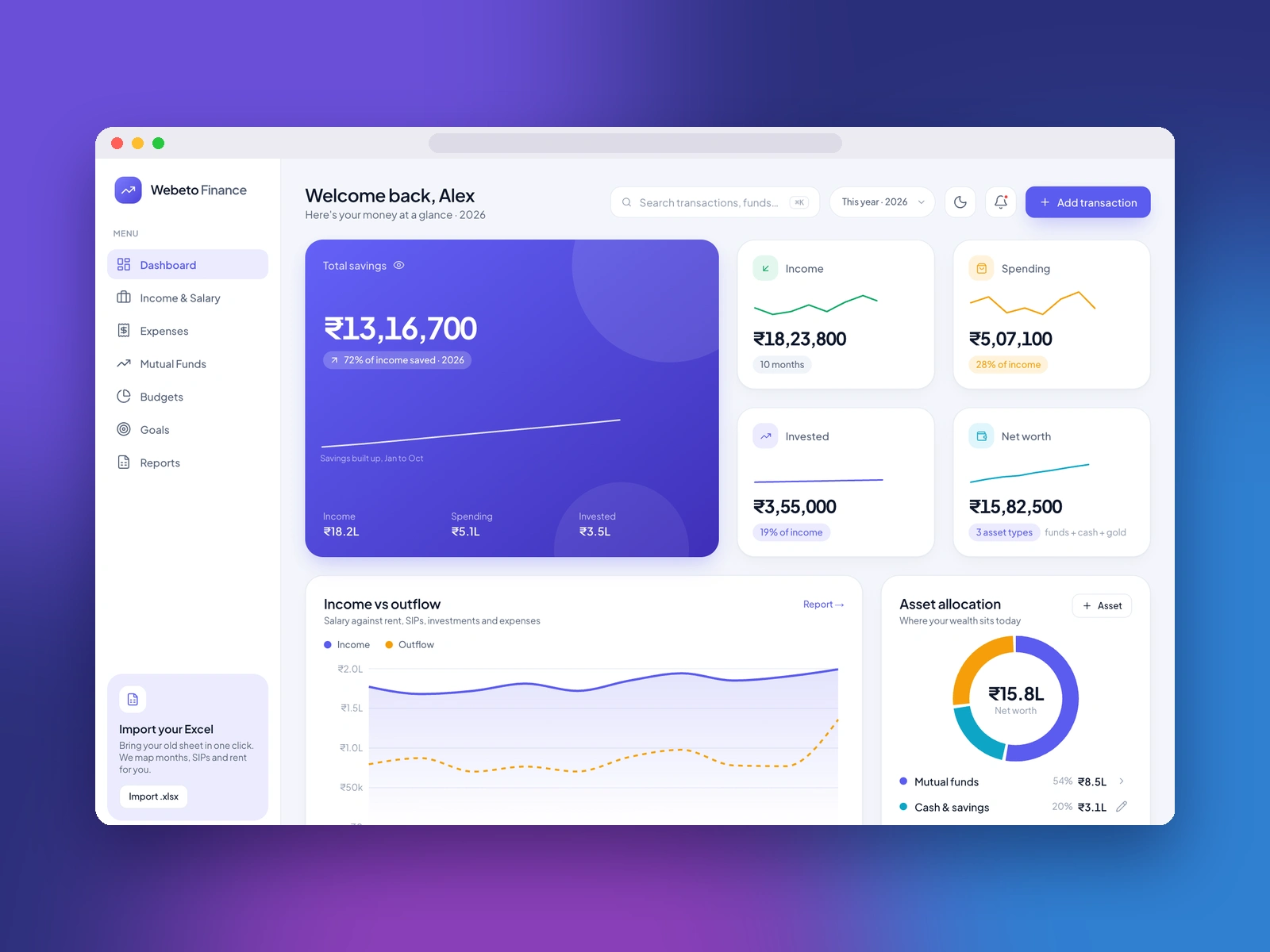
Dashboard: total savings, income, spending, invested amount and net worth, plus an income vs outflow chart and an asset allocation donut.
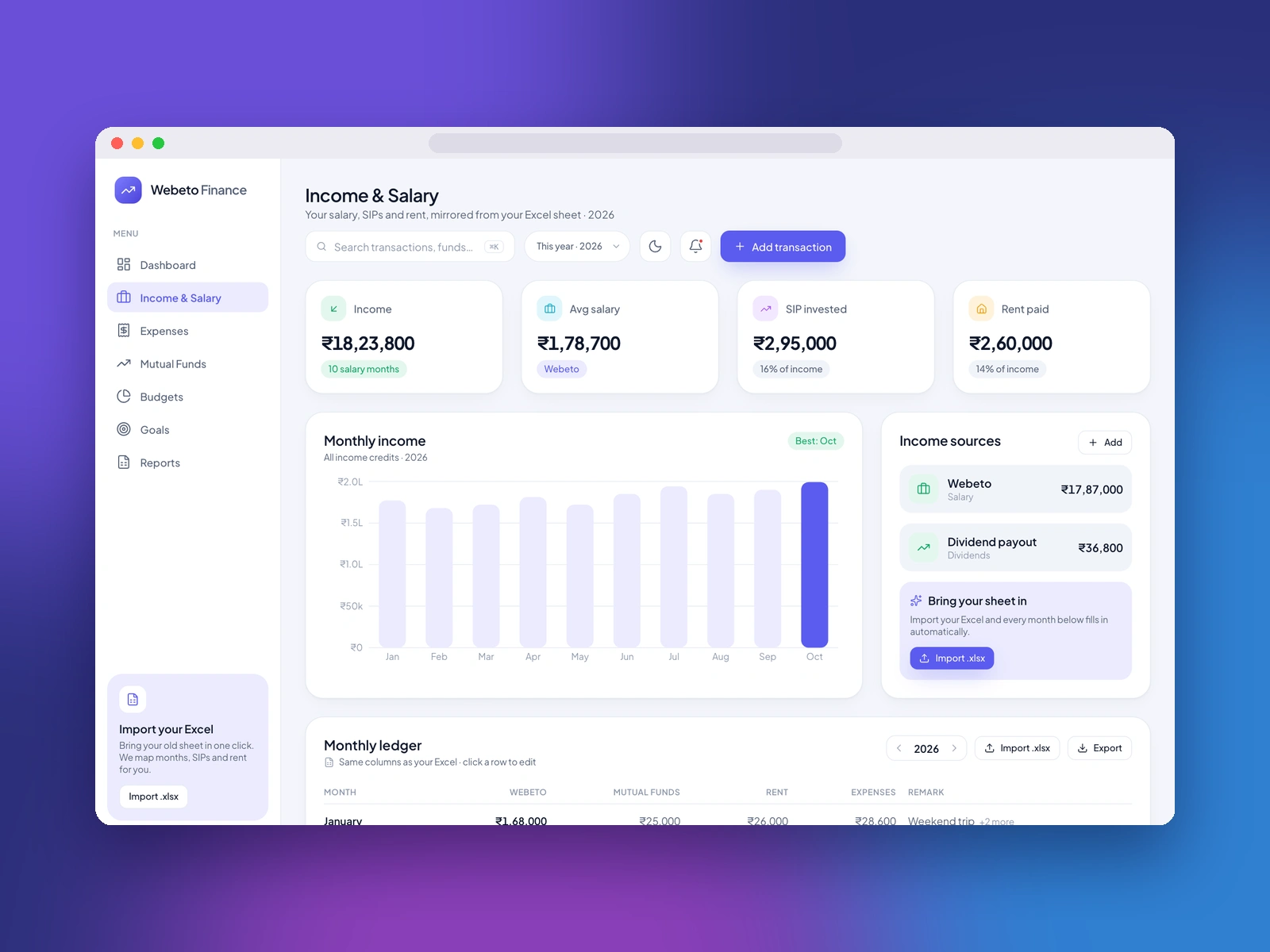
Income & Salary: monthly income, average salary, SIPs invested, rent paid, income sources and a month-by-month ledger that mirrors the Excel sheet.
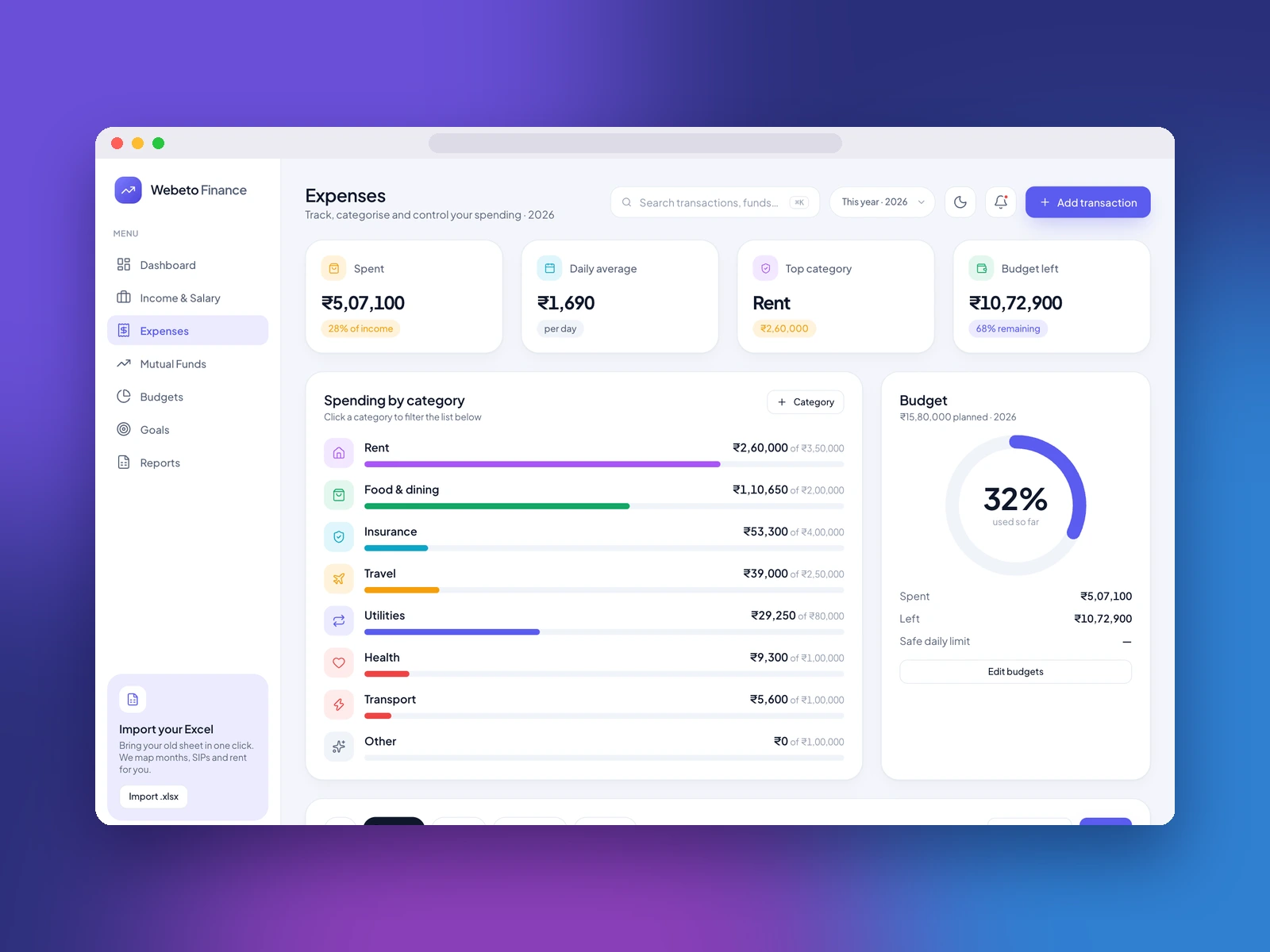
Expenses: spending by category, daily average, top category and budget left, with a filterable transaction list and CSV export.
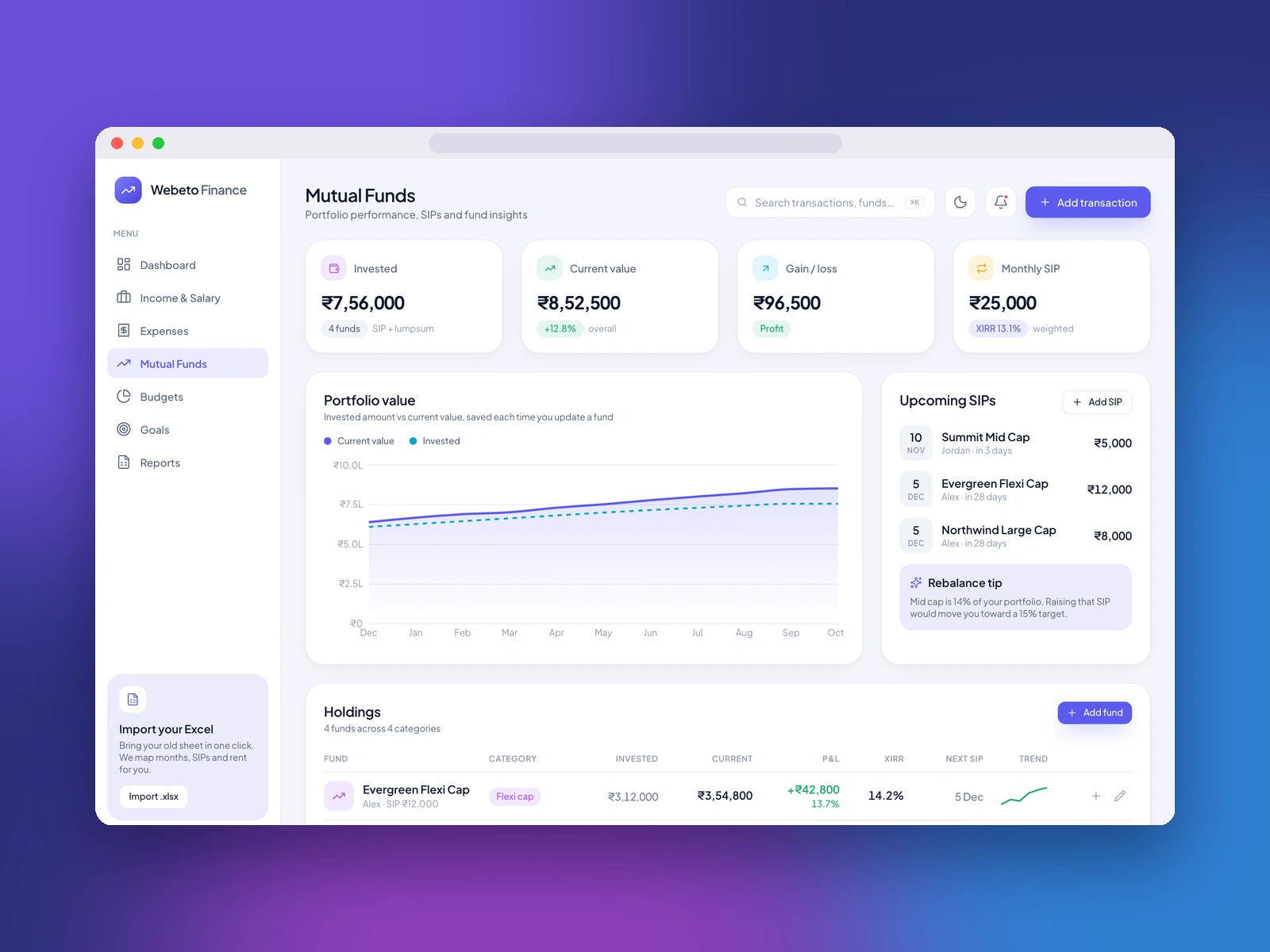
Mutual Funds: portfolio value over time, holdings with invested amount, current value, gain and XIRR, upcoming SIPs and a trend line for each fund.
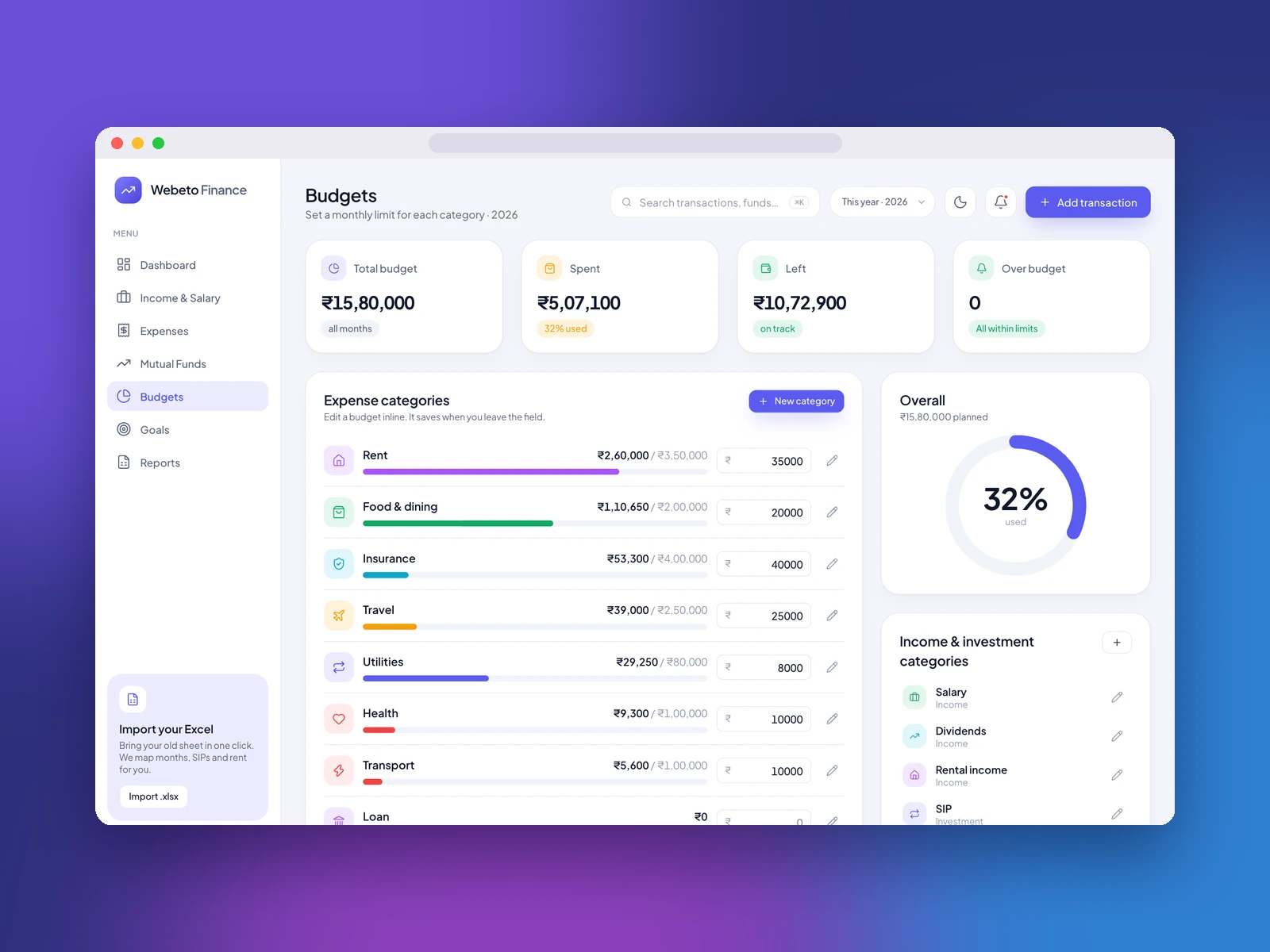
Budgets: a monthly limit for every category that you edit inline, with an overall budget ring and over-budget warnings.
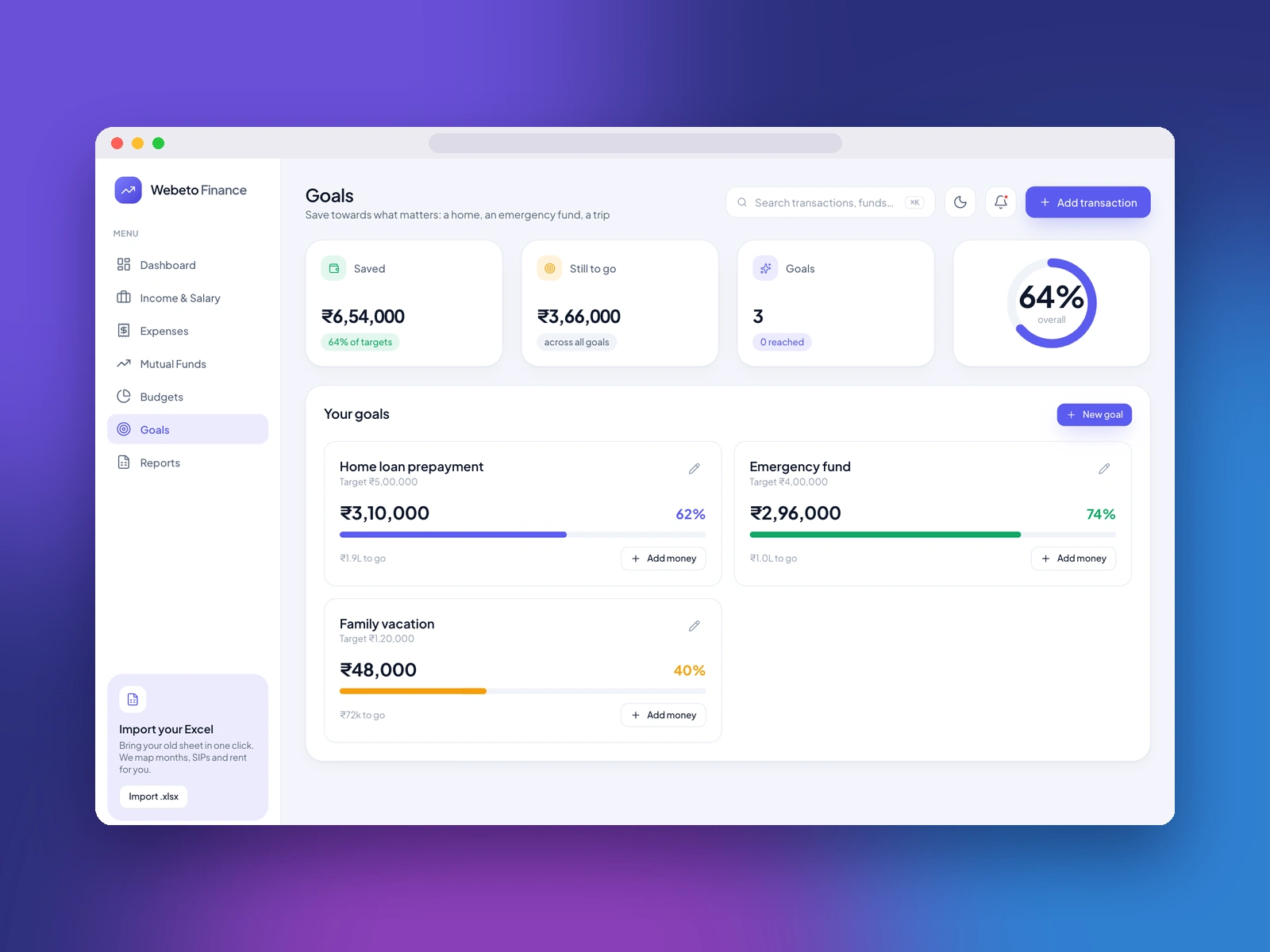
Goals: savings goals such as a home loan prepayment, an emergency fund or a trip, each with progress and an add-money action.
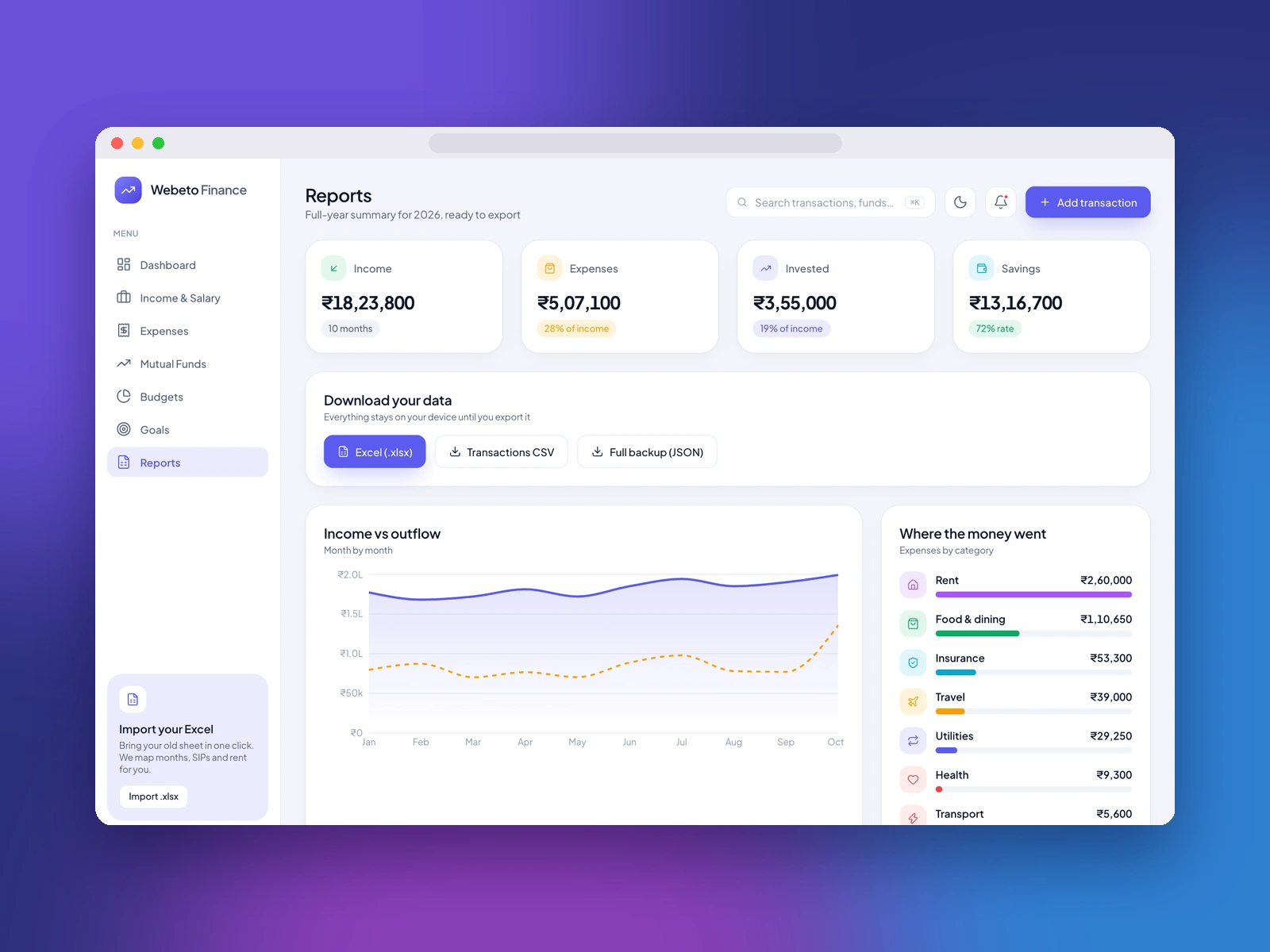
Reports: a full-year summary with export to Excel (.xlsx), transactions CSV and a full JSON backup.
Excel / CSV import wizard: it reads your file, suggests which column is the date, description, amount, debit, credit, category, type and account, lets you review the mapping, remembers it for next time, and lets you undo an import batch.
Design
The interface started from a Finvue-style dashboard design in Figma and then moved into code, which is now the source of truth. A single indigo accent, soft rounded cards, a left menu for the modules, and a hero savings card that sets the tone. Every module uses the same building blocks (stat cards, charts, lists, forms), so a new screen reads like the rest of the app.
Build details
Stack: Next.js 16 (App Router) with React 19 and TypeScript, Tailwind CSS 4, Recharts for the charts, Framer Motion for motion, Lucide icons, and read-excel-file / write-excel-file for importing and exporting spreadsheets.
Structure: one shared ledger of transactions (income, expense, investment) feeds every screen, so the dashboard, budgets, reports and funds always agree. Around 3,500 lines of TypeScript across the app, components and library code.
Data: in this version everything is stored locally in the browser, with no login or database yet. That was a deliberate first step: prove the product on real use before adding accounts.
Where it goes next
Login and a database on a self-hosted server, an API-first backend that the web app and future iOS and Android apps (Flutter) can share, per-workspace currency, tax and fiscal-year settings instead of hardcoded ones, and a more general importer for Excel, CSV and PDF files so customers can bring their own sheets.
Role: product design, UI design and full-stack development. Tools: Next.js, React, TypeScript, Tailwind CSS, Recharts, Figma.
Like this project
Posted Nov 7, 2026
A personal finance web app for salary, expenses, mutual funds, budgets and goals, with Excel import. Designed and built from scratch. Sample data shown.