Development of Quant_Model_Testbench

Joel Opoku


Quant_Model_Testbench
Quant_Model_Testbench is a lightweight experimentation framework for systematically evaluating machine learning models across feature subsets and hyperparameter combinations.
Instead of manually trying different model configurations, the testbench automates experiment generation, execution, and logging. Results are stored incrementally so experiments can be analyzed later and promising configurations can be refined through deeper searches.
The repository currently demonstrates the framework using the Titanic survival prediction dataset, but the testbench itself is dataset-agnostic and can be applied to any structured dataset.
Motivation
Machine learning experimentation often becomes disorganized:
repeated manual testing
inconsistent experiment tracking
hyperparameter tuning done ad-hoc
results scattered across notebooks
Quant_Model_Testbench addresses this by providing a simple system that:
enumerates feature combinations
tests hyperparameter grids
logs structured experiment results
supports iterative model refinement
The goal is to make model experimentation systematic, reproducible, and analyzable.
Core Idea
The testbench explores model performance along two primary axes.
Feature Subsets
Different combinations of dataset features are tested to determine which subsets contain the strongest predictive signal.
Example feature combinations:
Hyperparameter Combinations
Each model is evaluated across different hyperparameter settings.
Example:
Together these generate many experiment configurations which the testbench evaluates automatically.
Architecture Overview
The system separates dataset handling, feature exploration, model execution, and experiment logging.
Experiment Modes
The framework supports two experimentation modes.
Quick Mode
Quick mode performs a broad exploration of the search space.
Characteristics:
tests many feature subsets
uses limited hyperparameter combinations
runs relatively fast
Purpose:
Identify promising feature sets and models.
Full Mode
Full mode performs deep hyperparameter searches.
Characteristics:
selected feature subsets are locked
full hyperparameter grids are explored
focuses on optimizing promising models
Purpose:
Find the best configuration for the most promising models discovered during quick mode.
Supported Models
The current implementation supports the following scikit-learn models:
DecisionTreeClassifier
DecisionTreeRegressor
RandomForestClassifier
RandomForestRegressor
Both classification and regression approaches are supported.
Evaluation Metrics
Experiments can be ranked using several metrics:
The ranking metric can be selected interactively during result analysis.
Experiment Logging
All experiment results are written incrementally to both:
CSV files for quick inspection
JSONL files for structured experiment records
Each experiment entry includes:
model type
feature subset
hyperparameters
evaluation metrics
Example log entry:
Example Results (Quick Sweep)
A quick experiment run produced 250 model configurations.
Top configuration ranked by AUC was 86%:
Observed strong predictive features:
These features capture key demographic and socioeconomic signals associated with survival outcomes.
Output Directory Structure
Experiment results are organized into timestamped directories.
This prevents overwriting previous experiment results and allows long-term experiment tracking.
Running the Testbench
Clone the repository
Setup the environment
This script creates a virtual environment and installs required dependencies.
Run experiments
The CLI will guide you through:
starting a new experiment
selecting quick or full test modes
ranking models by evaluation metrics
running deeper hyperparameter searches
Example CLI Workflow
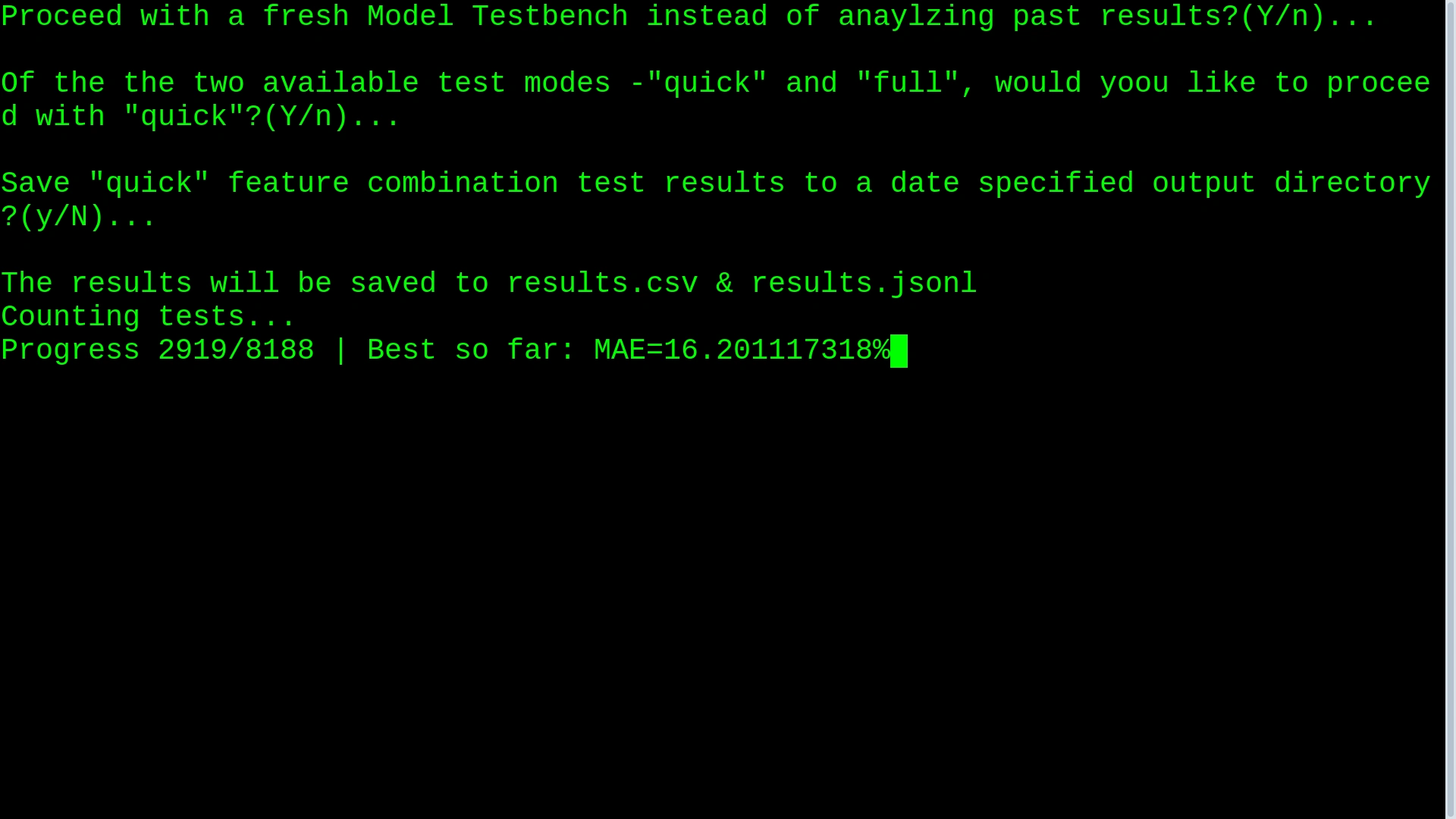
After experiments complete:
The user can then select a configuration for deeper testing.
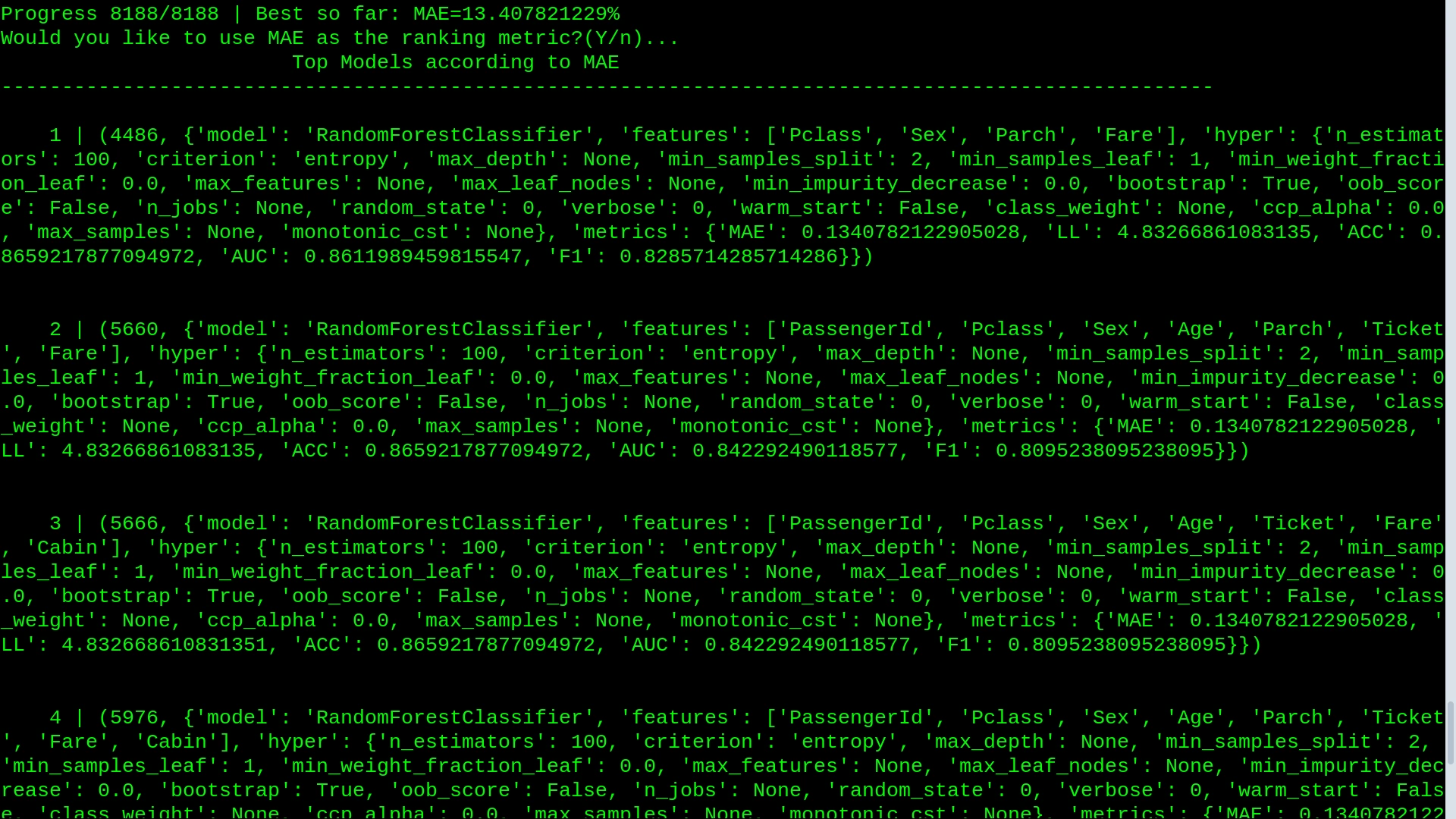
Top results after a quick run
Dataset
The repository demonstrates the testbench using the Titanic dataset from the Kaggle competition:
Titanic – Machine Learning from Disaster
Expected dataset location:
However, the framework can ingest any structured CSV dataset with a defined prediction target.
Project Structure
Research Workflow
The intended experimentation cycle:
This workflow helps prevent:
ad-hoc tuning
lost experiment configurations
unreproducible results
Design Goals
Quant_Model_Testbench focuses on:
Reproducibility
Every experiment is logged and recoverable.
Structured Exploration
Feature and hyperparameter combinations are generated systematically.
Incremental Research
Broad exploration first, followed by focused optimization.
Future Improvements
Possible extensions include:
additional models (XGBoost, LightGBM, CatBoost)
experiment parallelization
cross-validation integration
automated feature importance analysis
visualization dashboards
experiment comparison tools
License
MIT License
Like this project
Posted Mar 19, 2026
Developed Quant_Model_Testbench for systematic ML model evaluation.
Likes
1
Views
7
Timeline
Feb 2, 2026 - Mar 9, 2026