
ExaGrowth is a digital transformation agency that builds websites, apps and AI products for clients in five countries, many of them powered by Contentful. They needed a safety net for that content: a way to back up a whole Contentful space automatically, and to roll it back if something went wrong.
I designed and built the Backups app for Contentful from scratch, both the app that runs inside Contentful and the backend behind it, in two to three weeks.
Client: ExaGrowth
My role: Full-stack developer
Timeline: 2–3 weeks
Stack: React, Contentful App Framework, Forma 36, Node.js, Express, MySQL, AWS S3, cron
Results
Automatic backups every 6, 12, 18 or 24 hours of an entire space: content types, entries, assets and locales.
1-click restores to any earlier backup.
A safety backup before every restore, so a wrong restore is always reversible.
0 command-line steps: editors and project managers back up and restore content themselves.
Data stays in-house: every backup lives in the client's own AWS account, not a third-party service.
Built end to end in 2–3 weeks.
The challenge
In a CMS, one wrong click can wipe out months of content. Contentful versions single entries, but had no simple snapshot-and-restore for a whole space; its export and import tools run from the command line, and without automation a backup only existed if someone remembered to make one.
What I built
A two-minute setup inside Contentful. A configuration screen, built with Contentful's Forma 36 design system, asks for the S3 bucket details, an access token and a schedule, and checks the bucket is reachable before saving.
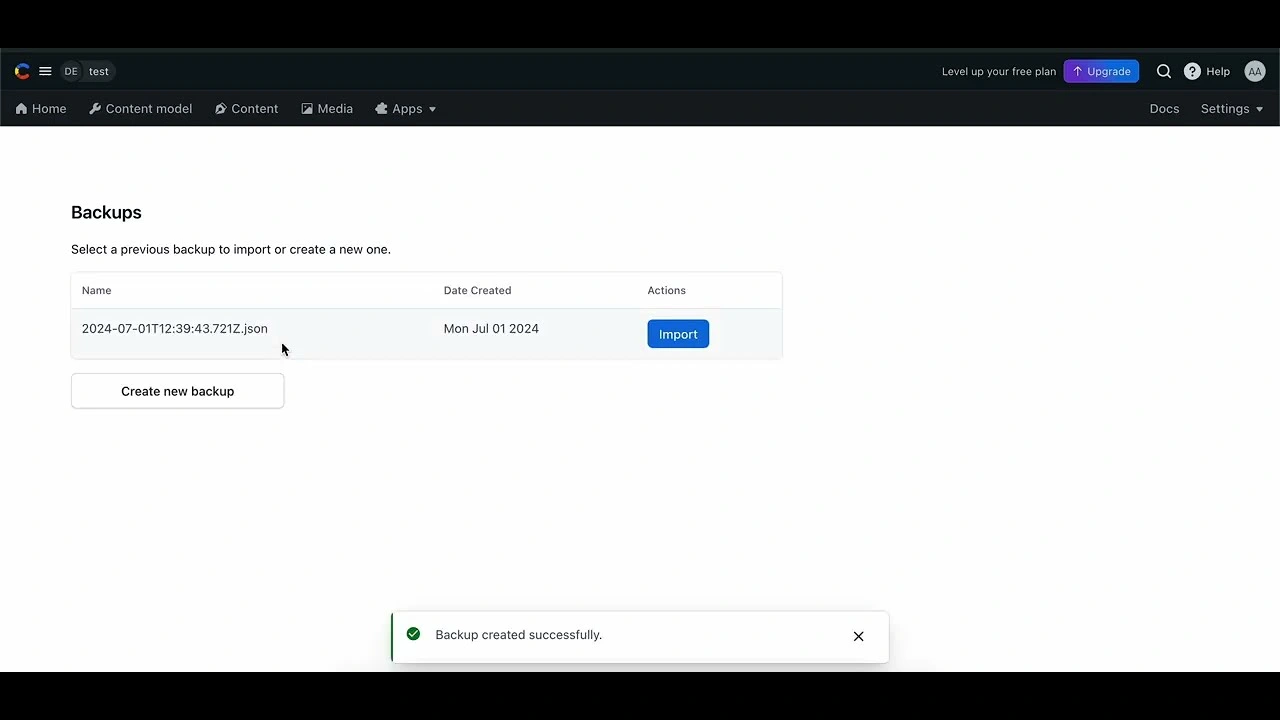
Backups and restores in one click. The Backups page lists recent backups by date, with an Import button on each and a Create new backup button below.
Automatic backups on a schedule. An hourly job finds every space that's due, exports it with Contentful's official libraries, uploads a timestamped snapshot to S3, books the next one and logs it.
A small, focused backend. An Express API with 3 actions (save settings, create a backup, restore a backup), plus the scheduled job and MySQL tables for each space's settings and backup log.
Read the full case study, with the complete architecture and more screens, on my website: akshatarora.in/work/backups-app-for-contentful
0 likes · 0 views · Nov 11, 2026
A Contentful app and Node.js backend built in under 3 weeks: automatic backups of a whole Contentful space every 6 to 24 hours into the client's own S3 bucket, and 1-click restores with a safety backup taken first.


