Tweet Purge — Bulk X (Twitter) Deletion Tool

Pedro Costa

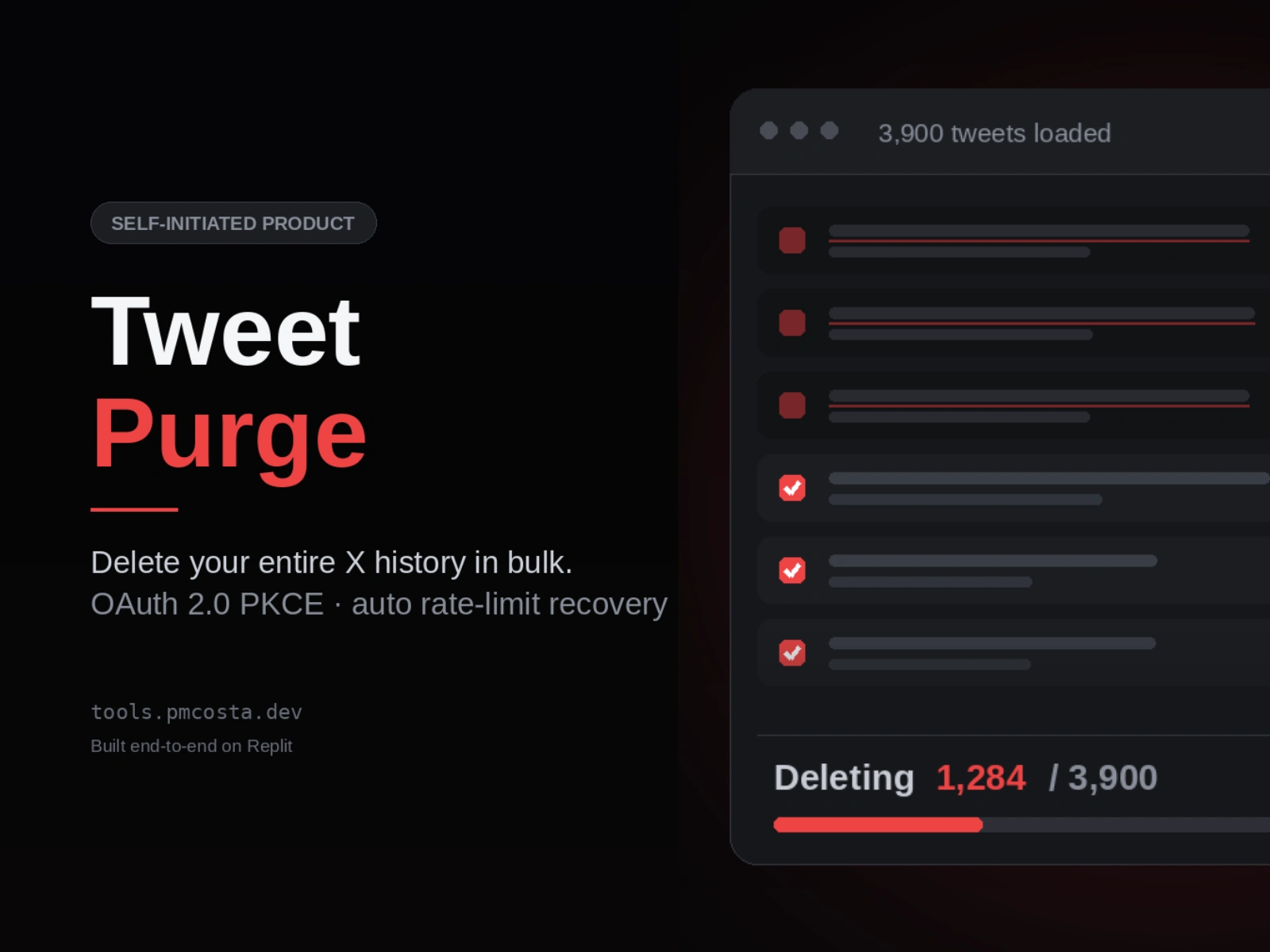
Self-initiated product · Designed, built, and shipped end-to-end on Replit
The problem
X gives you no way to delete tweets in bulk. The only official route is deleting posts one at a time through the interface — unusable if you have hundreds or thousands of them. People change careers, rebrand, or simply want old opinions gone, and the platform offers them nothing.
Tweet Purge solves that: connect your account, load your full history, select, delete.
What it does
Loads your entire tweet history automatically. No "Load More" button. The client chains fetches in the background as each page lands, so the full archive is on screen by the time you've decided what to remove.
Bulk select and delete — individually by checkbox, or Select All, with a live progress counter during deletion.
Survives rate limits without user intervention. X caps deletions per 15-minute window. When the cap is hit, the app reads the reset timestamp from X's response, shows a countdown, and resumes automatically. Wiping a large account can run unattended overnight.
CSV export — download your full archive before you erase it. Assembled server-side and delivered via a short-lived signed URL, so large exports never bog down the browser.
How it's built
Four screens, twelve API endpoints, four shared internal packages in a pnpm monorepo.
Decisions I'd defend
One spec, two generated outputs. The whole API contract lives in a single OpenAPI file. Code generation turns it into typed React Query hooks for the frontend and Zod validators for the backend. One source of truth, and TypeScript flags every place that needs updating when an endpoint changes. Most projects generate client code only, or hand-write types and let them rot.
OAuth 2.0 PKCE, not OAuth 1.0a. Nearly every X integration tutorial reaches for the older, simpler flow. This app does it properly: server-side code verifier held in session and never exposed to the browser, state validation against CSRF, confidential-client token exchange, and silent token refresh five minutes ahead of expiry.
Constant-time login. A login attempt against an unknown email still runs a bcrypt comparison against a dummy hash, so response timing can't be used to enumerate which addresses are registered.
Migrations at boot, not at deploy. Running a migration tool as a deployment step kept crashing the production container. Moving a small idempotent SQL migration into server startup made deploys reliable — the pragmatic fix over the textbook one.
The hard part: an error X refused to explain
Late in the build, "Connect X Account" broke. X returned a bare "Something went wrong" page — no error code, no description, nothing in the server logs, because the request never reached my server.
Everything obvious checked out. Credentials present. Callback URL correct to the character. Scopes valid and free-tier. Deployment confirmed current.
So I stopped guessing and read the actual authorize URL X was being sent. The
client_id is base64. Decoded, it ended in :at — X's internal marker for an access token. A genuine Client ID ends in :ci. The credential in the environment was real, valid, and completely the wrong kind: copied from the Authentication Tokens section of X's dashboard instead of OAuth 2.0 Client ID and Client Secret, which sits a few centimetres below it on the same page.X's error page will never tell you this.
So I built something that would. The app now ships a
/diagnostics page that decodes and structurally validates the Client ID, confirms the secret is present, and checks the callback URL format — returning pass/fail per item with plain-English remediation. It runs on every boot and on every connect attempt, and refuses to redirect to X at all when configuration is broken, rather than handing the user an unexplained dead end.A one-off bug became a permanent guardrail. That's the part of this project I'm most pleased with.
Honest limitations
No filtering by date or keyword. No dry-run. No undo — deletion is irreversible, guarded only by the count in the button label. No rate limiting on registration, no email verification, no 2FA. These are known and scoped, not oversights.
Why Replit
The entire thing — Postgres, object storage, deployment, custom domain, secrets — came from one platform with no infrastructure assembly. Building with Replit Agent meant the interesting work was architecture, debugging, and judgement rather than boilerplate. The OAuth bug above is a fair illustration: the tooling wrote the code, but nothing except reading the wire format was going to find that.
Like this project
Posted Jul 26, 2026
Web app that deletes your entire X history in bulk. Built end-to-end on Replit: OAuth 2.0 PKCE, automatic rate-limit recovery and CSV export.