Presto: designing and building an AI content creation hub

Godwin John


Presto: designing and building an AI content creation hub
Presto helps turn writing instructions into scheduled LinkedIn posts. I handled the product spec, UX, UI design and development.
Role: Product designer and developer
Duration: 3 months (not active work)
Tools: Figma, Claude Code
Portfolio link: https://www.godwinjohn.com/work/presto
Live product: https://presto.godwinjohn.com/
Overview
Presto is an AI content creation hub that helps people write, organise and publish posts in their own voice.
You set up your tone, topics and writing samples once. Presto uses those instructions to generate posts, place them on a calendar and publish them to LinkedIn when they’re due.
I designed and built the product myself, from the first product spec to the live app. My work covered research, user flows, the design system, every screen in Figma, development and deployment.
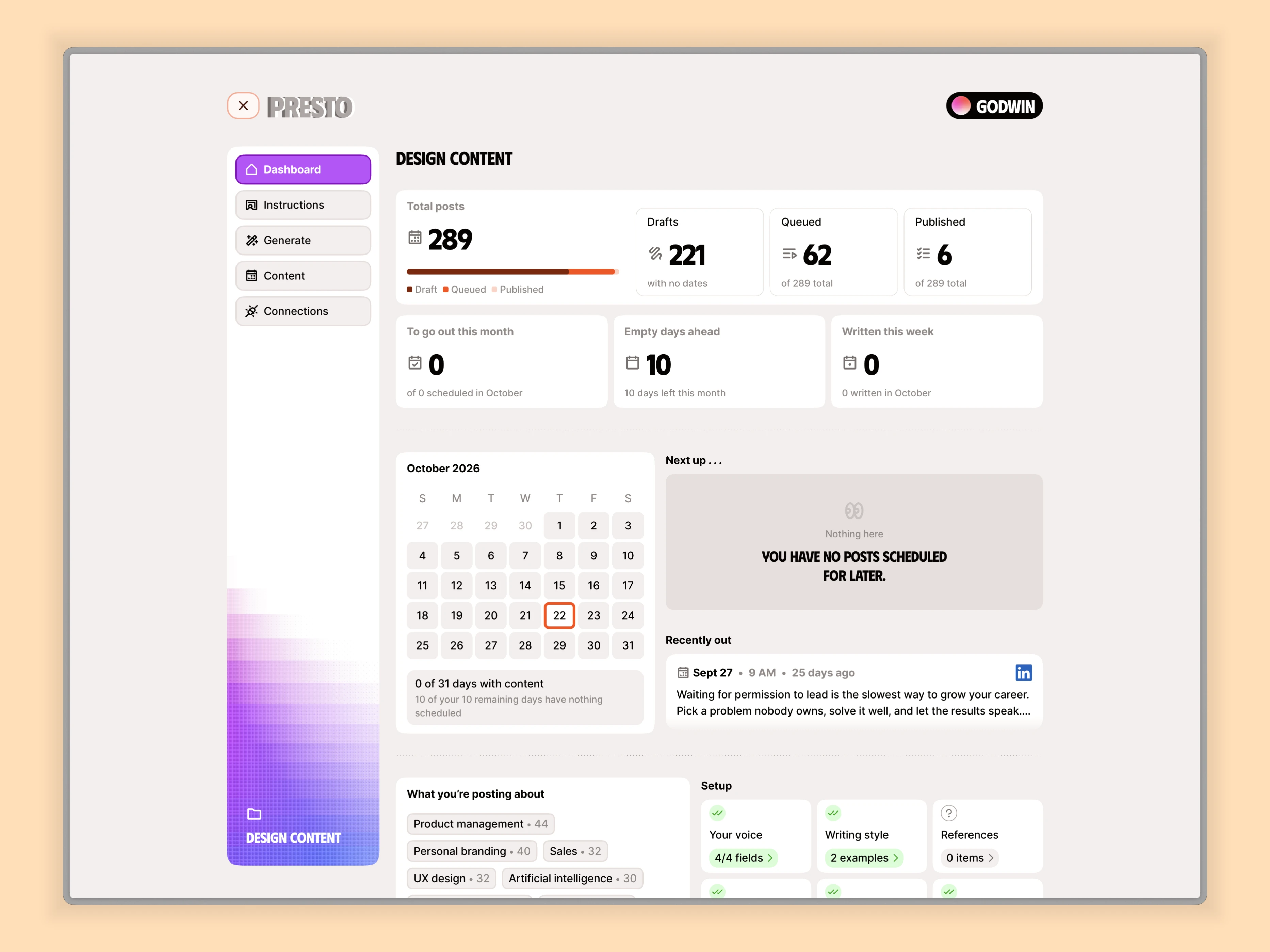
Your dashboard
The landing page
The landing page introduces Presto as a way to keep up with LinkedIn content without having to write every post from scratch. It gives visitors a quick picture of what the product does: learn their voice, generate posts, organise them on a calendar and publish them when they’re due.
I wanted the value to be clear before someone entered the app. The page connects the promise of saving time with the workflow behind it, while making the next step towards trying Presto easy to find.
Hero page
The problem
I wanted to post on LinkedIn three to five times a week while keeping up with product and client work. Writing one post was manageable. Keeping it going every week was harder.
Generic AI tools didn’t know how I wrote. Drafts, scheduled posts and published content also had no single home.
I started with myself as the first user: someone with ideas to share, limited time to write and a need to control what gets published.
The approach
I wrote a product spec around four steps: teach Presto your voice, generate posts in batches, organise them on a calendar and publish automatically.
The goal was to reduce the work needed to keep posting while making every post easy to review, edit or reschedule. Nothing publishes unless it has been scheduled.
Teaching Presto your voice
The instructions screen brings together tone, content rules, topics, writing samples and reference material. Users can fill in structured fields or switch to a single prompt.
Writing samples give the model something concrete to learn from. Each field saves automatically, so setting up a voice doesn’t become a series of forms to submit.
Each project has its own instructions, calendar and connected accounts. This keeps a personal brand separate from a product account.
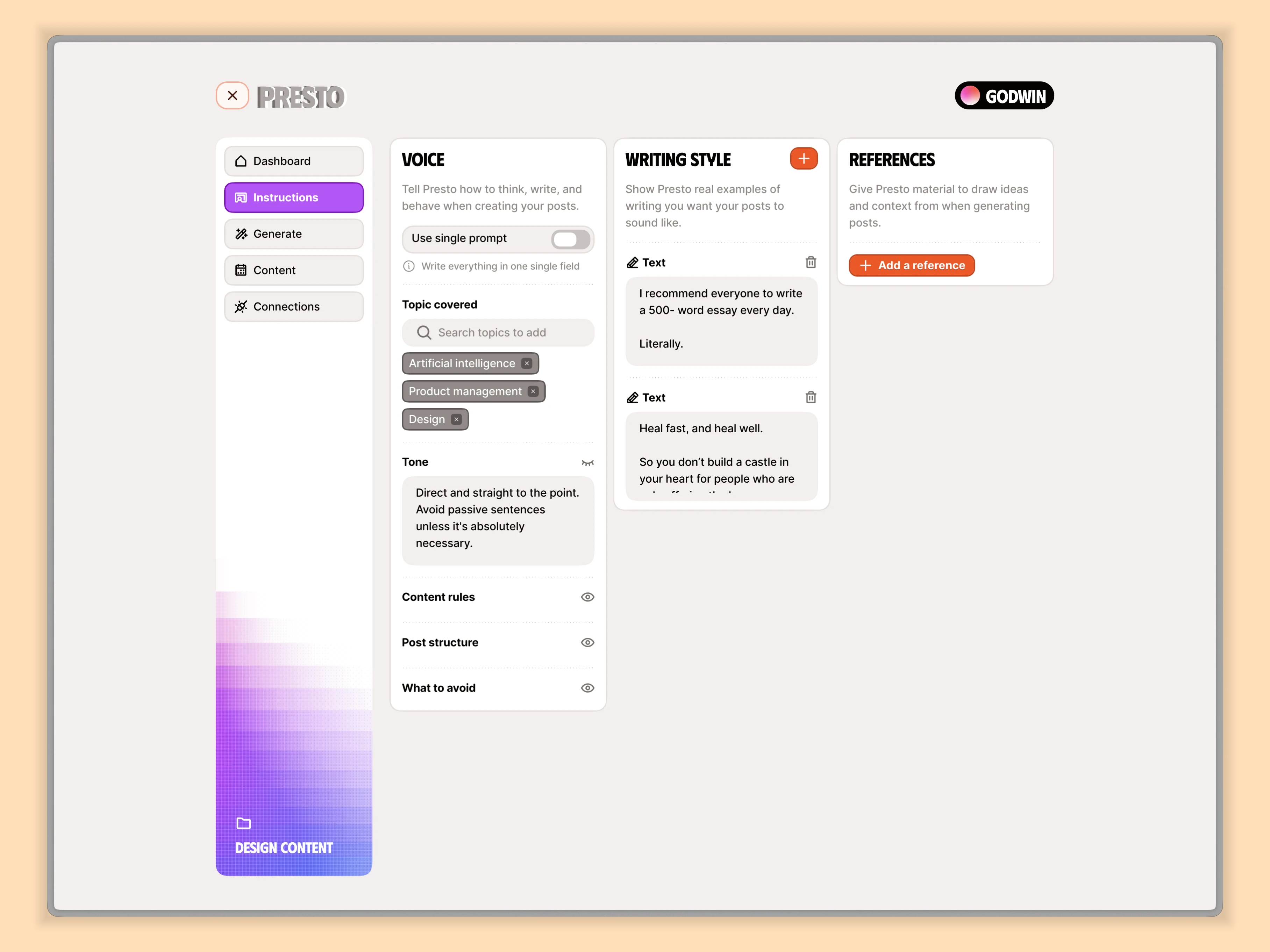
Set up your instructions
Generating and reviewing posts
Users can generate by choosing a post count or selecting dates on a calendar. For planning across several months, I designed a calendar carousel with individual dates that can be skipped.
Setting dates for your post
Posts appear one at a time as they’re generated. Each can be edited inline, regenerated, moved to another date or deleted.
Generating posts...
Users can also choose the built-in AI model or connect their own provider.
Making the schedule clear
The content screen separates posts into queued, published and draft states, with both board and calendar views.
View as Calendar or Kanban
Selecting a day in the calendar reveals its posts as a deck of cards. The motion connects each post to its date while keeping the monthly view compact.
Seeing posts in a day
The dashboard shows coverage for the month, upcoming posts and recent publishing activity. It uses data the product actually tracks, without implying that it measures likes or reach.
Designing for real publishing
One bug changed how I handled status: posts were being labelled as published because their scheduled dates had passed, even though they hadn’t gone live.
I changed the logic so a post counts as published only after confirmation from LinkedIn. Failed or overdue posts have visible markers, and published posts are read-only in Presto.
This reinforced a design lesson: a status should describe what actually happened.
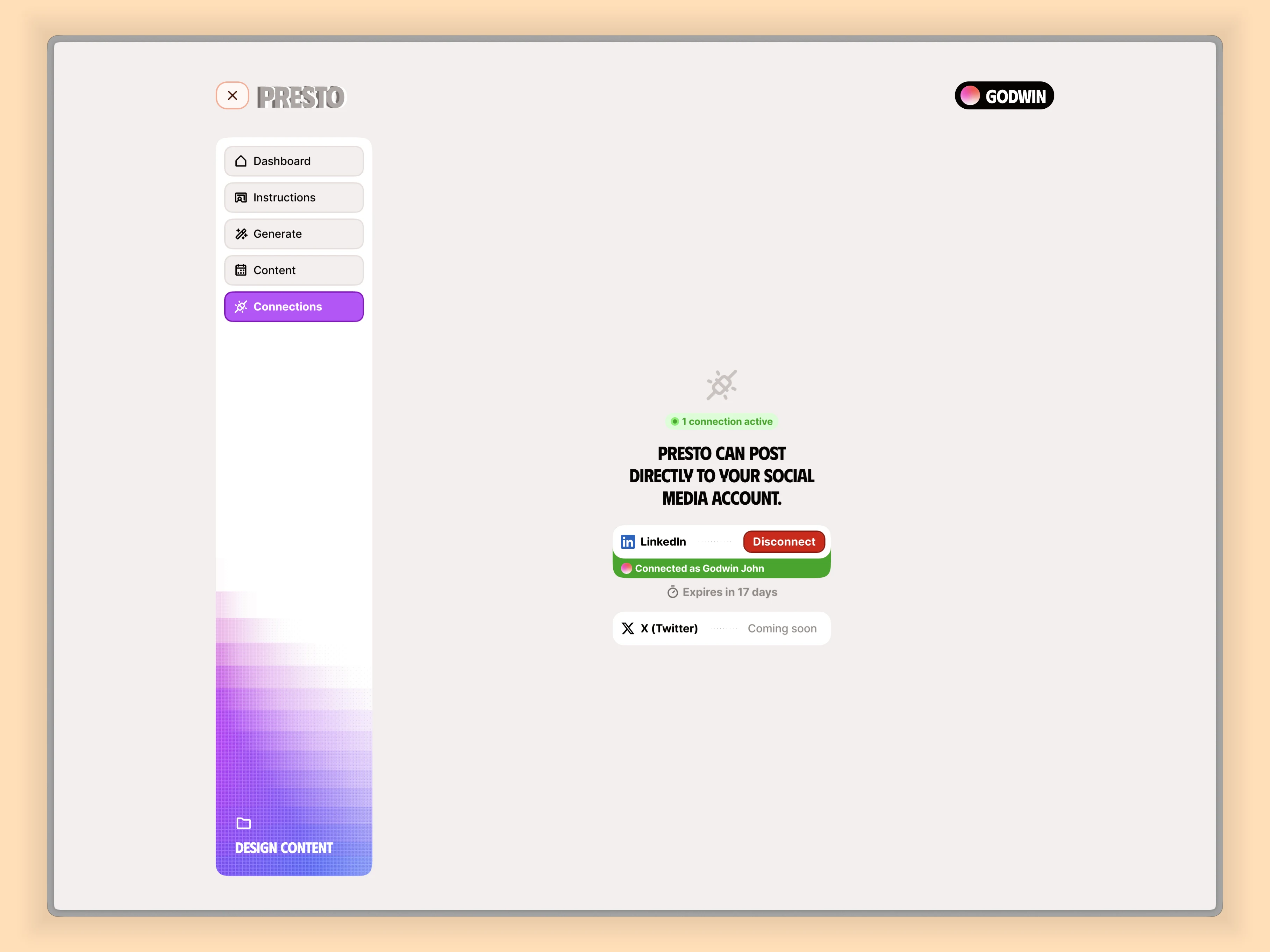
Your connections
The result
Over three months, I took Presto from a personal problem to a live product that generates, schedules and publishes LinkedIn posts.
Presto is still evolving. The next features focus on letting users begin with their own heading or rough draft, then use AI to shape it into a finished post.
Thanks for viewing.
Like this project
Posted Oct 29, 2026
Presto helps turn writing instructions into scheduled LinkedIn posts. I handled the product spec, UX, UI design and development.


