#flask #framer #gsap #webdevlopment #netwroking | Er. Rajgor Da…

Rajgor Darshan


NetworkAI — Real-Time Campus Network Monitoring Dashboard
Project Overview
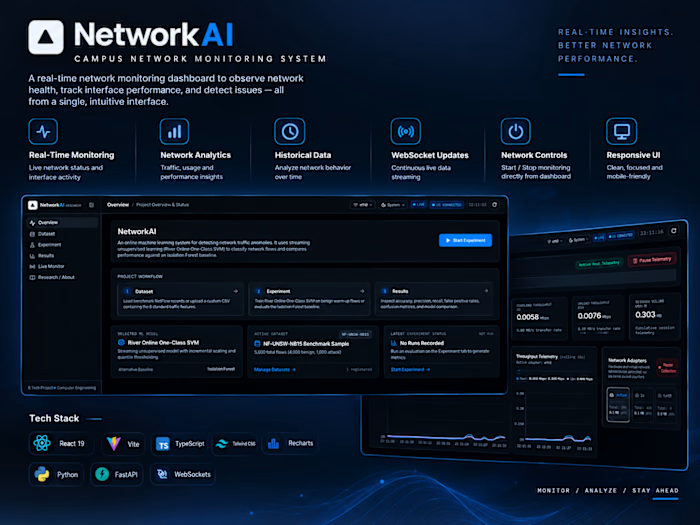
NetworkAI is a real-time network monitoring dashboard designed to help campus IT teams observe network health, inspect network interfaces, and understand traffic activity through a centralized web interface.
The project combines a modern React frontend with a FastAPI backend to demonstrate how network monitoring data can be collected, processed, and visualized in an interactive dashboard.
The Problem
Network monitoring involves observing interface activity, checking system status, and reviewing historical metrics to understand network behavior. Without a centralized interface, this information can be difficult to interpret and monitor efficiently.
I wanted to explore how a web-based dashboard could make network information easier to understand by bringing live monitoring data, historical trends, and monitoring controls into one interface.
The Solution
I built NetworkAI as a monitoring-focused web application with a React frontend and a FastAPI backend.
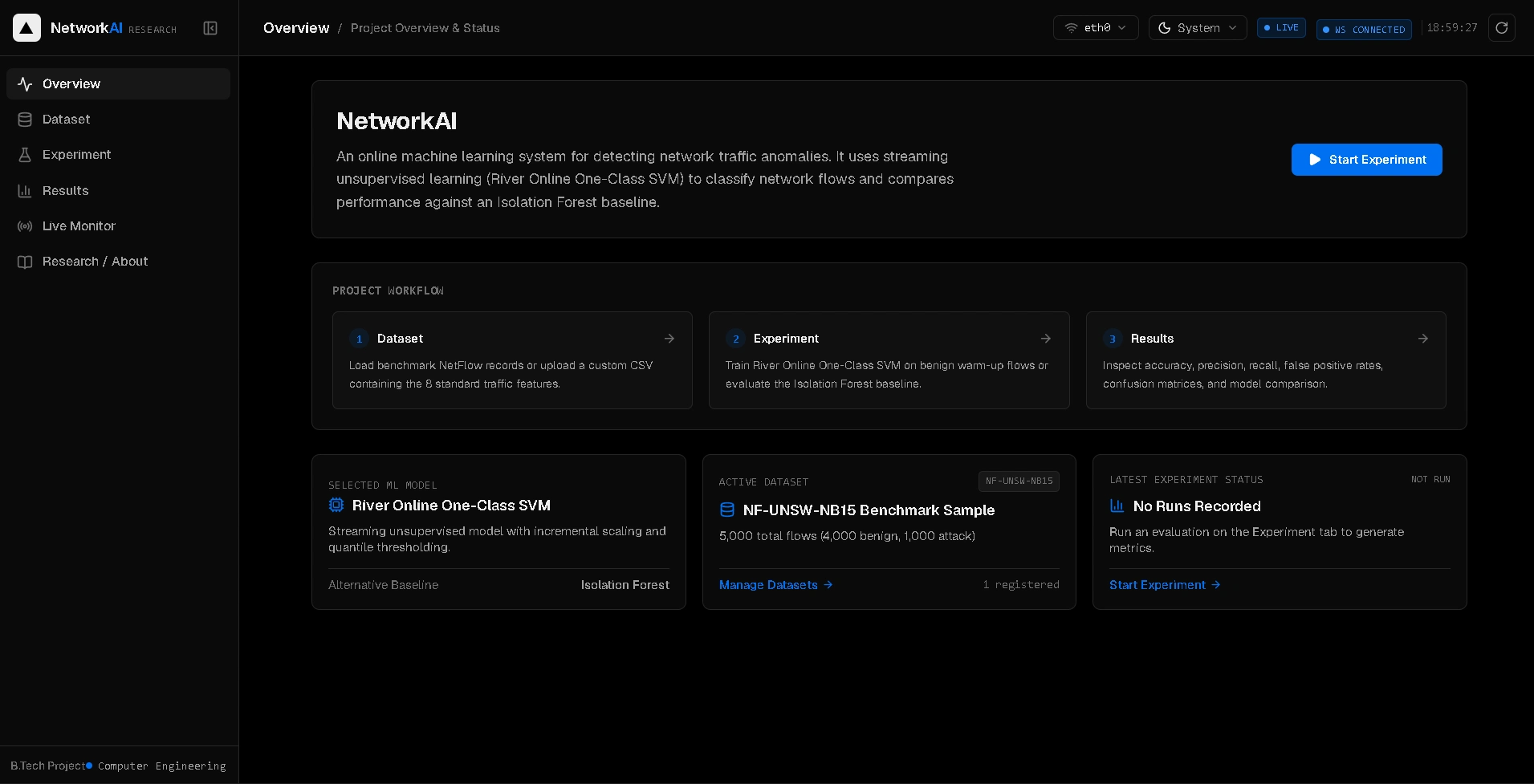
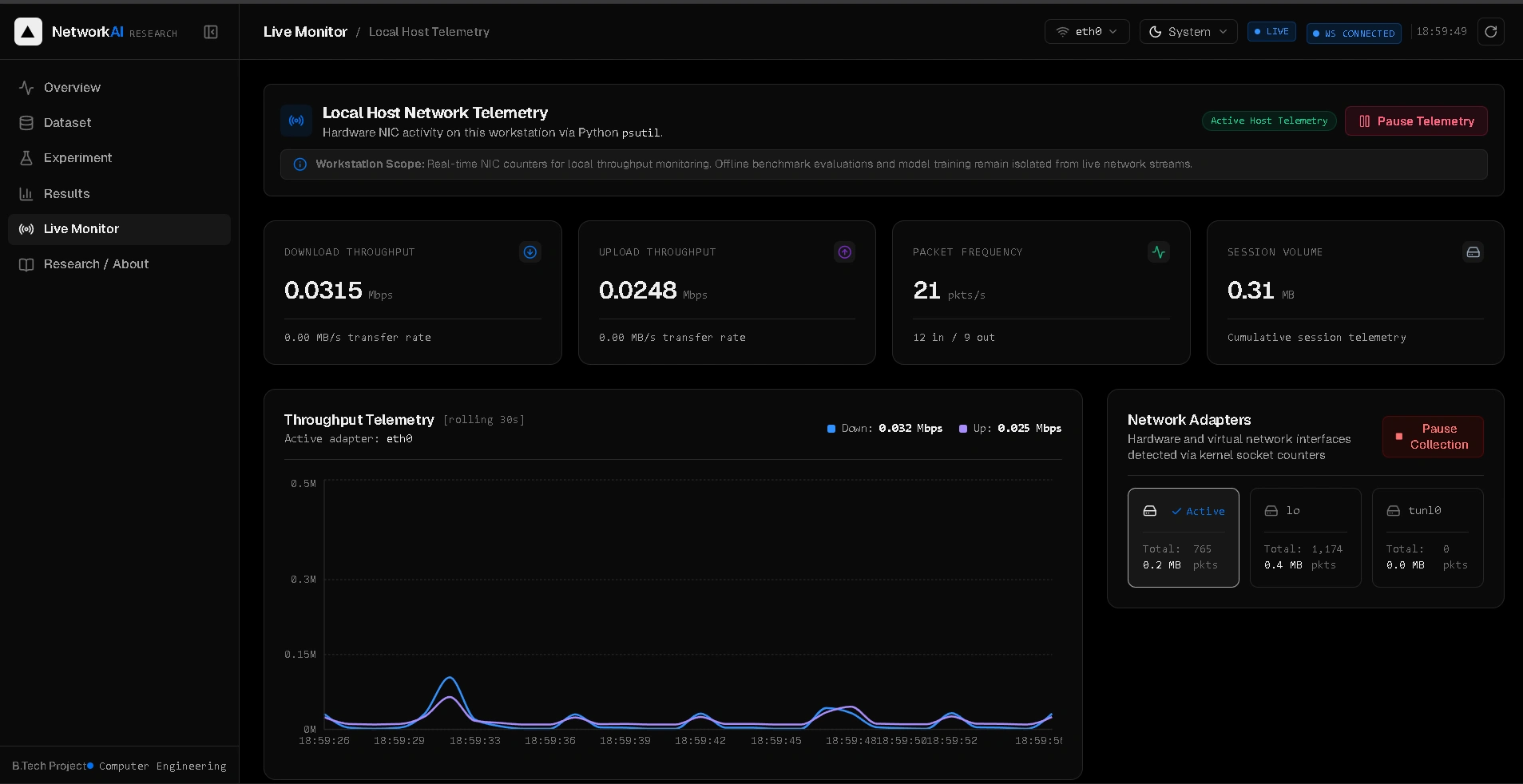
The dashboard organizes network metrics into clear visual components, allowing users to inspect interface activity, view historical data, and control monitoring without navigating between separate tools.
The focus was on combining real-time communication, backend API integration, and clear data visualization in a practical engineering project.
Key Features
Real-Time Monitoring: Displays live network interface and system status information.
Network Interface Analytics: Presents traffic and connection activity to make interface behavior easier to inspect.
Historical Data Visualization: Uses charts to help users examine network metrics over time.
WebSocket Communication: Supports continuous updates from the backend without relying solely on repeated page refreshes.
Monitoring Controls: Provides dashboard controls to start and stop monitoring.
Interactive Charts: Converts network metrics into visual representations that are easier to interpret.
Responsive Dashboard: Uses a structured interface designed around monitoring workflows and information clarity.
Technical Architecture
The project uses a frontend-backend architecture that separates the dashboard interface from monitoring logic.
Frontend — React, TypeScript, Vite and Tailwind CSS
The frontend provides the dashboard layout, reusable UI components, monitoring controls, and chart-based visualizations. It communicates with the backend to retrieve and display monitoring information.
Backend — Python and FastAPI
The backend exposes REST API endpoints for monitoring operations and data retrieval. WebSocket communication supports live updates between the backend and the frontend.
Data Visualization
Interactive charts help present network traffic and historical metrics in a format that is easier to inspect than raw numerical data.
Deployment
The frontend is deployed on Vercel, making the project accessible through a live demo.
Engineering Challenges
Handling Real-Time Data
A monitoring dashboard needs to keep its displayed information synchronized with incoming data. WebSocket communication provides a mechanism for delivering updates without requiring a full page reload.
Presenting Technical Information Clearly
Network metrics are useful only when users can interpret them. I organized the dashboard around interface activity, system status, and historical trends to make the information easier to scan.
Connecting Frontend and Backend
The project required coordination between React components, REST API requests, and WebSocket updates. Separating these responsibilities helps keep the interface and backend logic organized.
Managing Connection Reliability
Real-time interfaces must account for connection interruptions. Reconnection handling and state recovery are important areas of development so the dashboard can recover cleanly when a WebSocket connection drops.
My Role
I developed this project as a hands-on engineering exercise covering frontend development, backend API design, real-time communication, and data visualization.
My work focused on integrating the React dashboard with FastAPI, presenting network metrics through interactive visualizations, implementing monitoring controls, and creating a clear interface for observing network activity.
What I Learned
NetworkAI strengthened my understanding of full-stack application architecture and the practical challenges of real-time interfaces.
The project helped me explore how REST APIs and WebSockets serve different purposes, how monitoring data can be presented through charts, and why connection handling and state consistency matter in applications that depend on continuous updates.
It also reinforced an important engineering principle: a dashboard should not merely display data; it should organize that data in a way that helps users understand what is happening.
Project Links
Project Showcase: Available through my Contra profile.
Like this project
Posted Oct 26, 2026
NetworkAI — AI-Powered Campus Network Monitoring System A real-time network monitoring dashboard designed to help campus IT teams observe network health, moni…
Likes
2
Views
5