A few days ago I

Mumtaz Ali


A few days ago I hit a familiar wall on a project. I had the feature ideas (order tracking, request tabs, live timers, a few approval flows), but I needed to see how each one would look and work before writing any code.
Normally that means a designer, a Figma file, and a lot of back and forth. This time I tried something different and sat down with Claude.
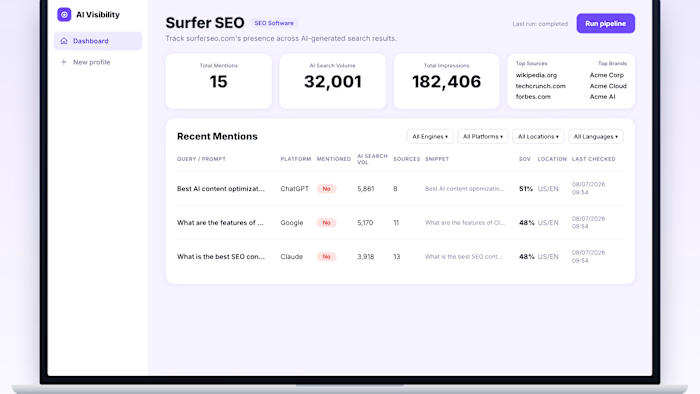
I described the feature, shared a screenshot of the current screen, and asked for the UI. In minutes I had a proper mockup. Then I asked for the other states: pending, approved, rejected, late, empty.
Then the whole flow from the first tap to the final screen.
What surprised me:
→ It follows your existing look, so new screens match what you already have
→ It thinks through the edge cases (what happens when something fails?)
→ It gives you the flow, the screens and the written requirements together
→ I can hand it to the dev side and start building straight away It doesnt replace a designers eye.
But for going from I have an idea to heres exactly what it should look like and how it works, it saved me days.
If youre a developer who gets stuck at the design stage, give it a try. Describe it, iterate on it, ship it.
What are you building right now?
#Claude #ClaudeAI #Anthropic #UIUX #UXDesign #UIDesign #Figma #ProductDesign #Prototyping #AIDesign #SoftwareDevelopment #FullStackDeveloper #WebDevelopment #BuildInPublic #AITools
Like this project
Posted Oct 13, 2026
A few days ago I hit a familiar wall on a project. I had the feature ideas (order tracking, request tabs, live timers, a few approval flows), but I needed to...