SRIMS - Smart Remote Inventory Management System

Onoja Okpe


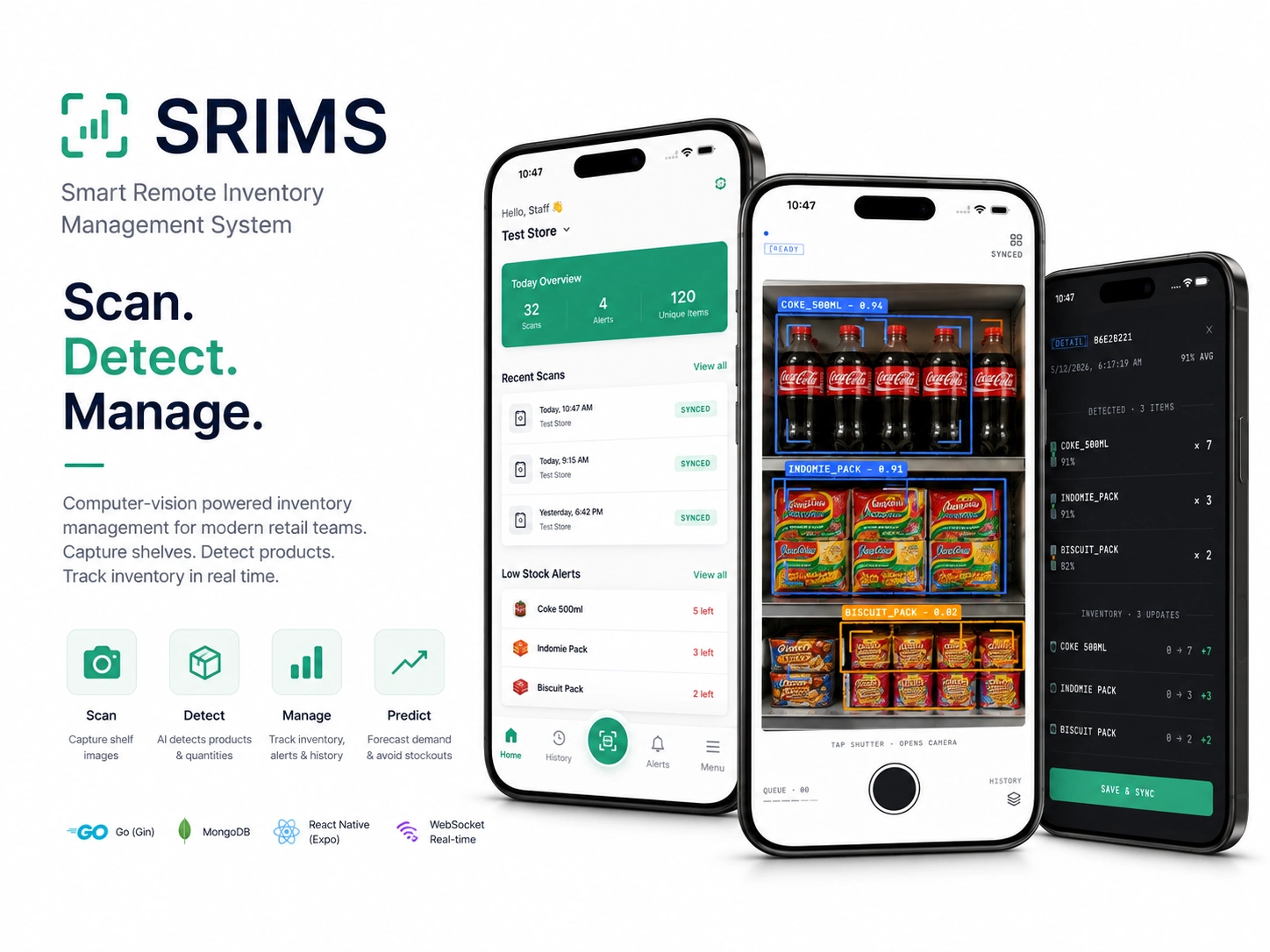
Turn a phone camera into a smarter way to manage inventory.
SRIMS — Smart Remote Inventory Management System
A computer-vision-powered mobile inventory experience built with Expo
Expo · React Native · TypeScript · Computer Vision · Offline Sync
The Challenge
Inventory counting can be a repetitive process for retail staff.
Instead of manually counting products and entering quantities one by one, I wanted to explore a simpler mobile workflow:
Point the camera at the shelf, detect what's there, review it, and move on.
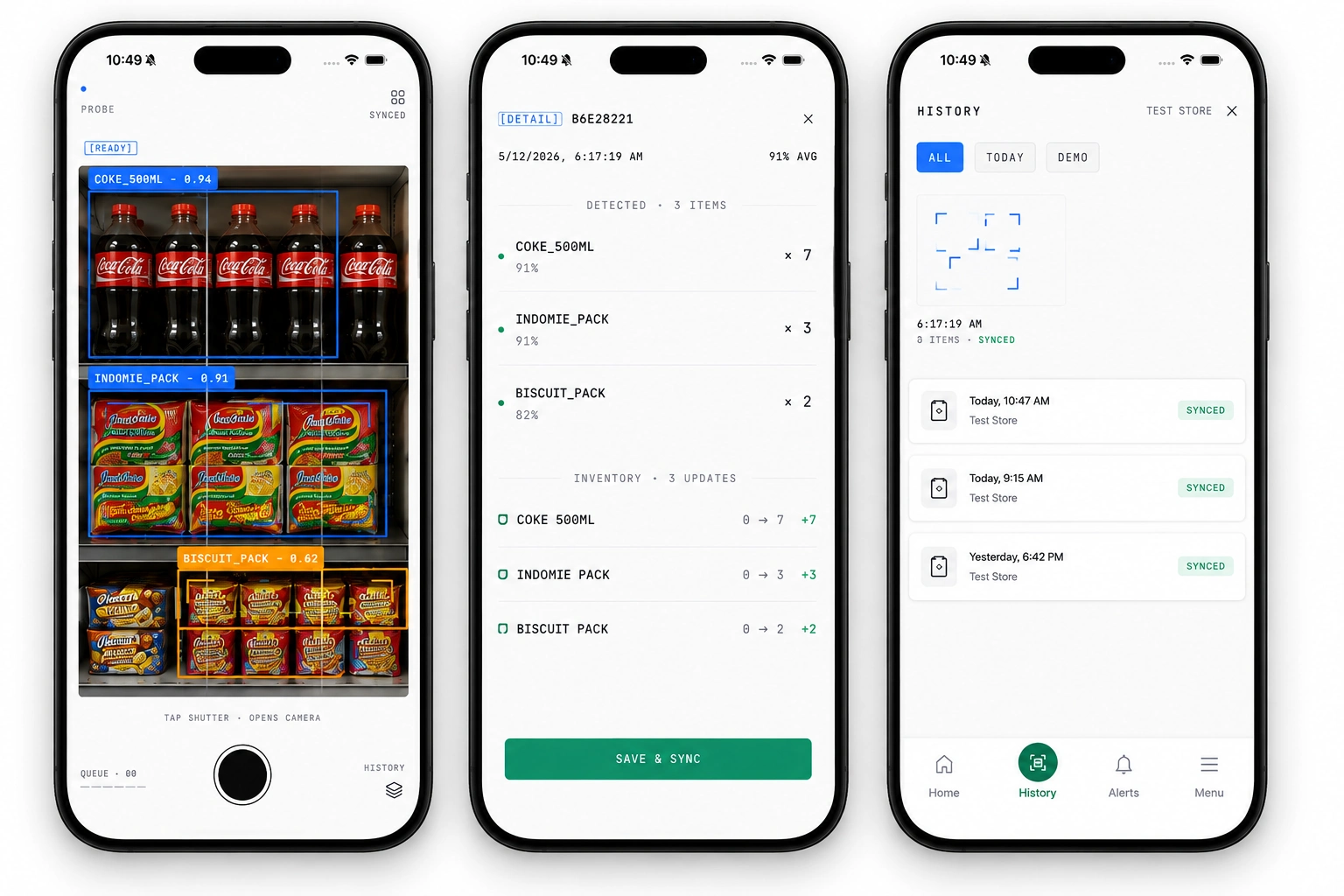
Scan products, review detections, and keep a record of every inventory update.
The Mobile Solution
I built SRIMS Mobile as the staff-facing application for inventory capture.
The experience is centered around one primary workflow:
Scan → Detect → Review → Confirm
The app handles authentication, warehouse context, computer-vision scanning, scan history, alerts, and offline queuing.
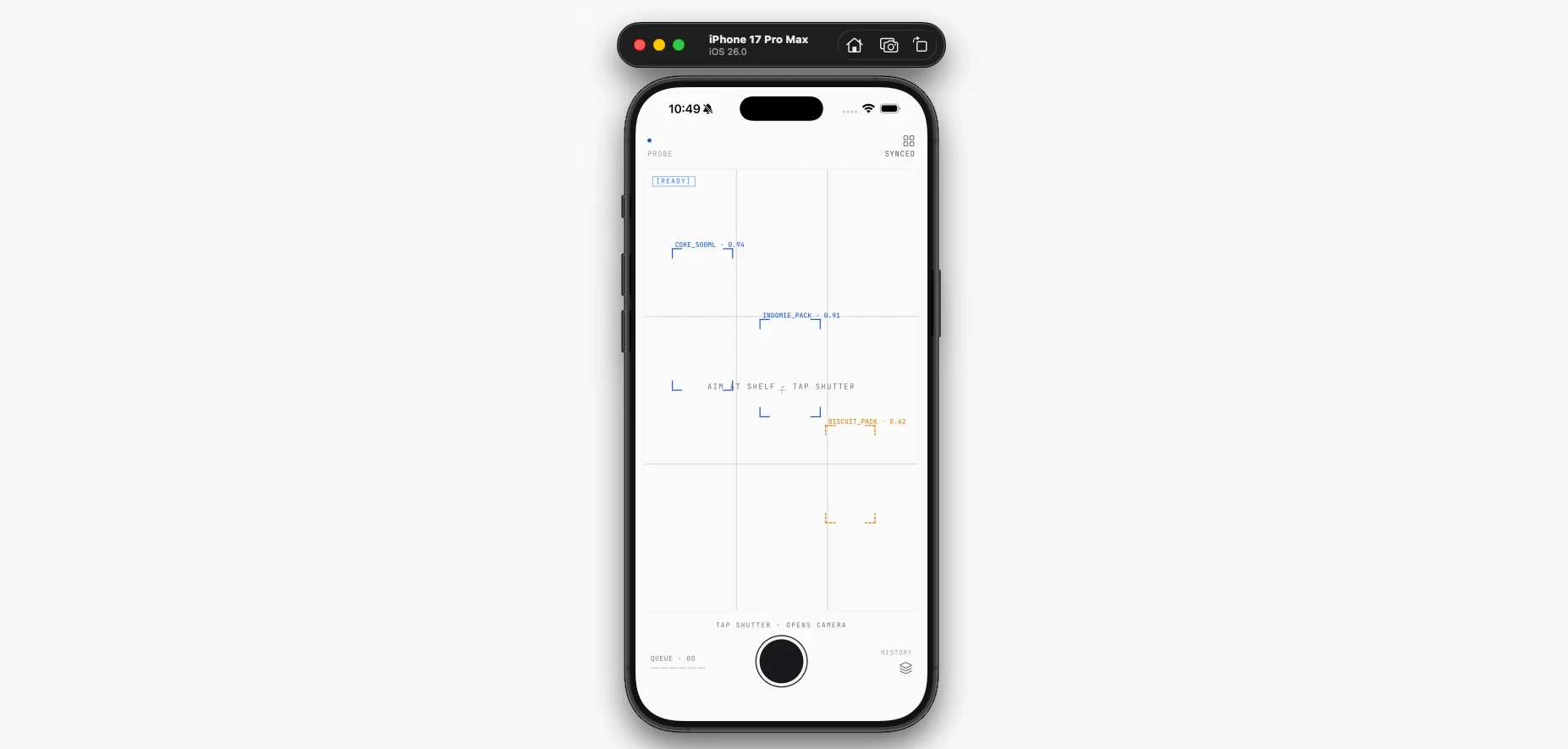
The Scanning Experience
The camera is the main interaction.
Rather than building a complicated inventory form, the interface keeps the user focused on capturing the shelf.
Detected products appear directly within the scanning experience, giving the user immediate feedback.
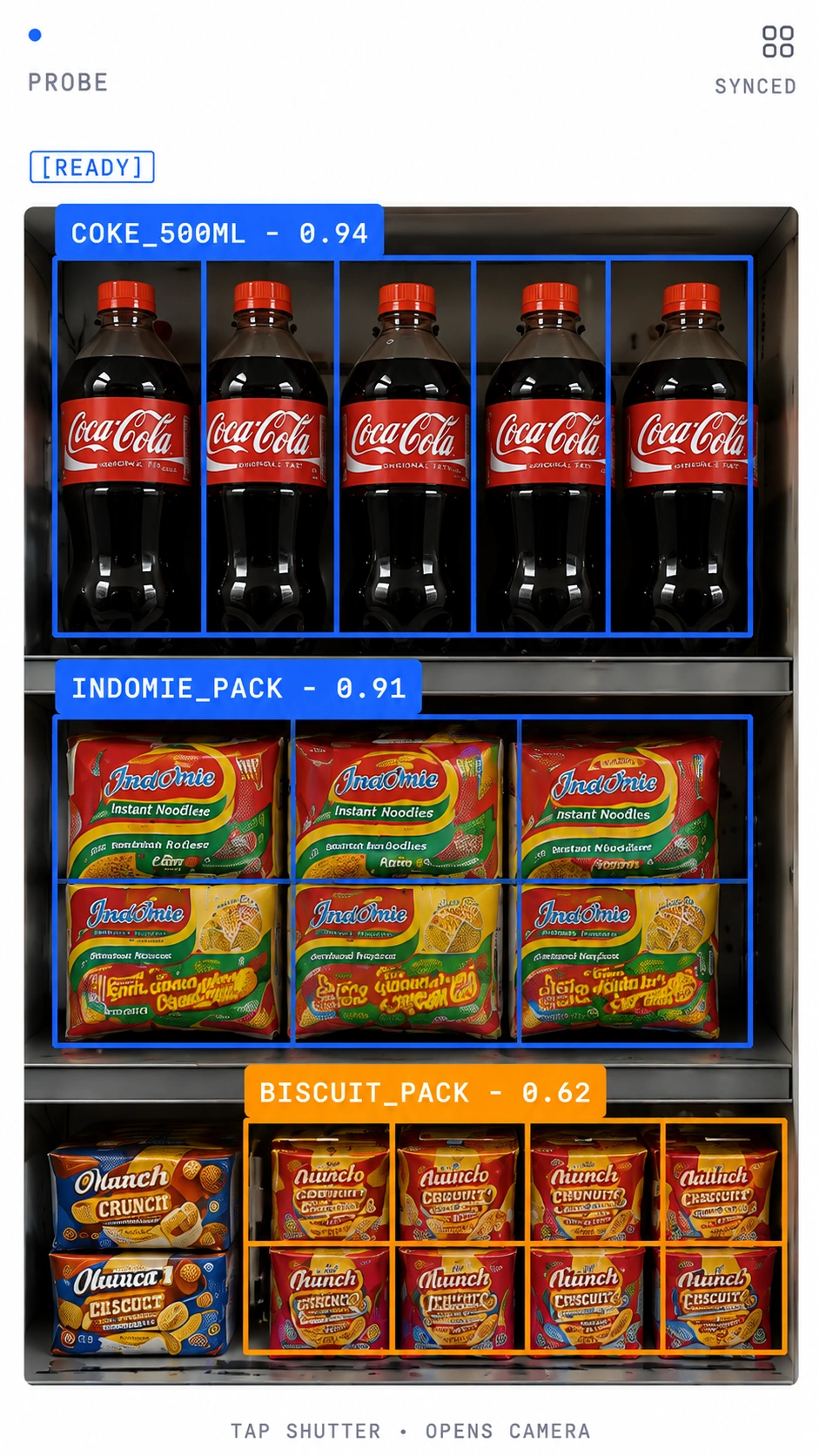
Products are identified directly within the camera experience, with confidence scores providing immediate feedback.
Reviewing the Detection
Detection shouldn't automatically mean an inventory change.
After a scan, the user can review what the system identified before the result is committed.
For example, a scan can return:
COKE_500ML — ×7 — 91% confidence
The user remains in control of the final update.
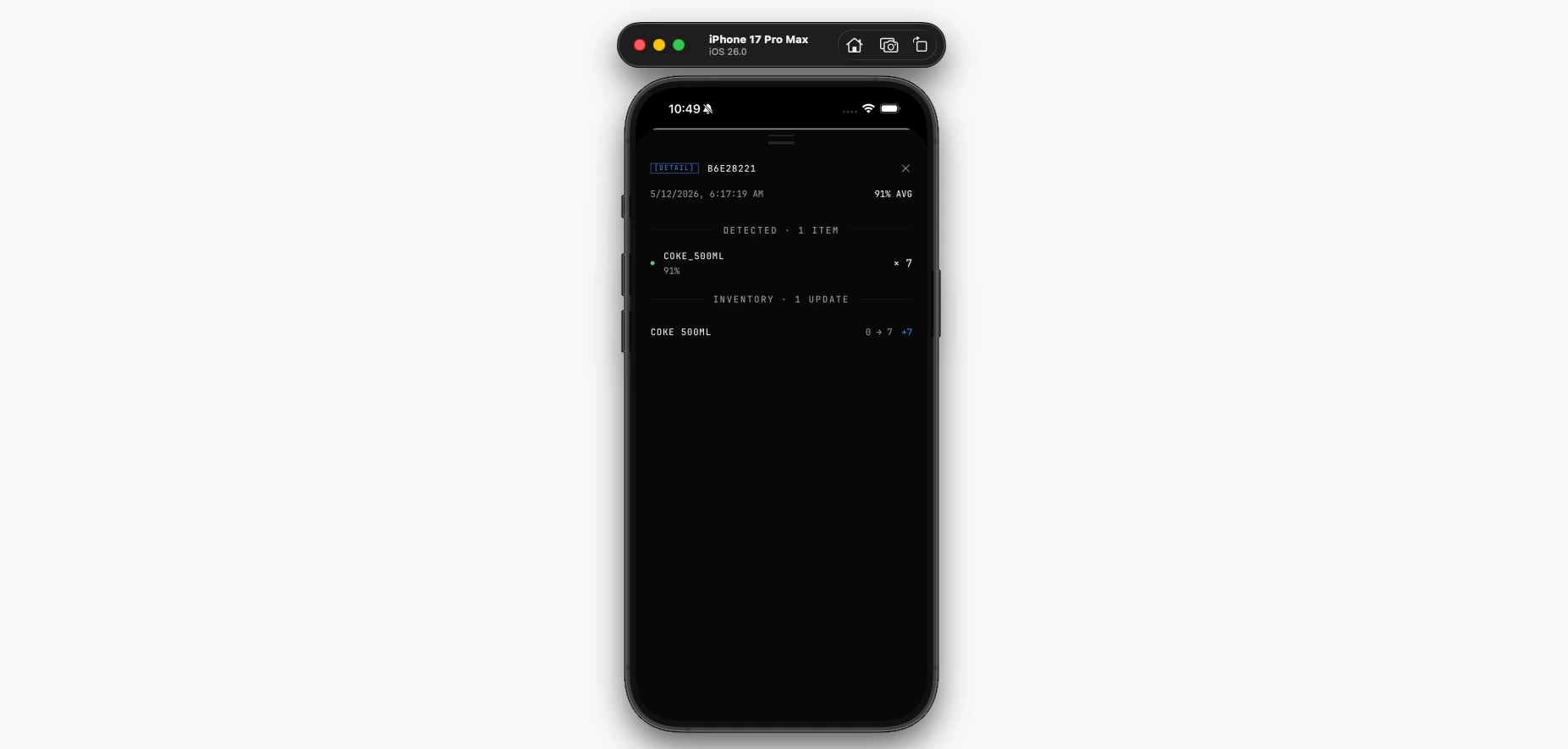
A confirmed scan moves through validation, inventory updates, history, alerts, and synchronization.
Scan History
Every scan shouldn't disappear after it's submitted.
The mobile app provides a history of previous scans so staff can quickly see what has already been captured and whether it has synchronized.
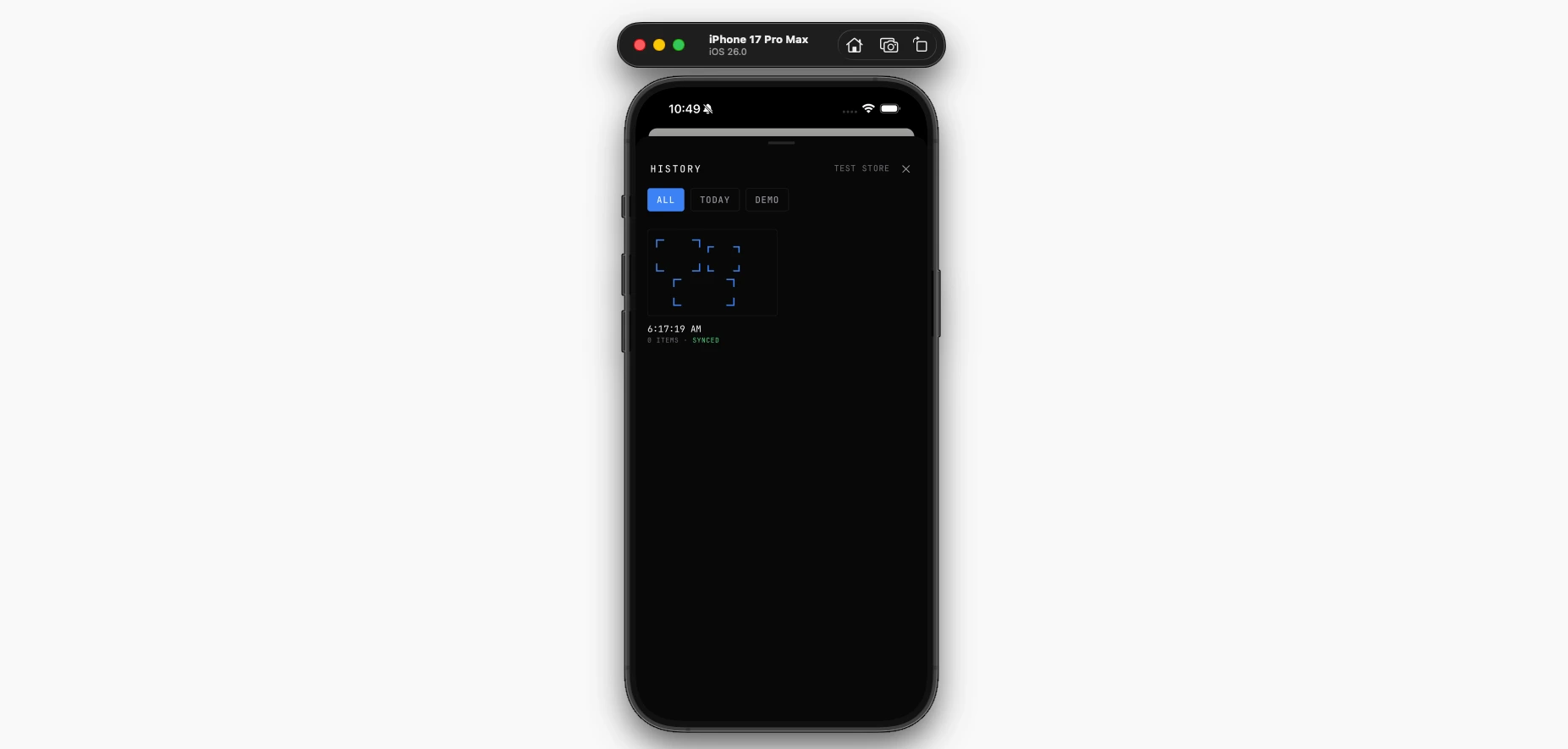
Keep a searchable record of previous inventory scans and their synchronization status.
Alerts
The mobile experience also gives staff visibility into inventory conditions that need attention.
Alerts provide a dedicated place to see active and dismissed inventory warnings.
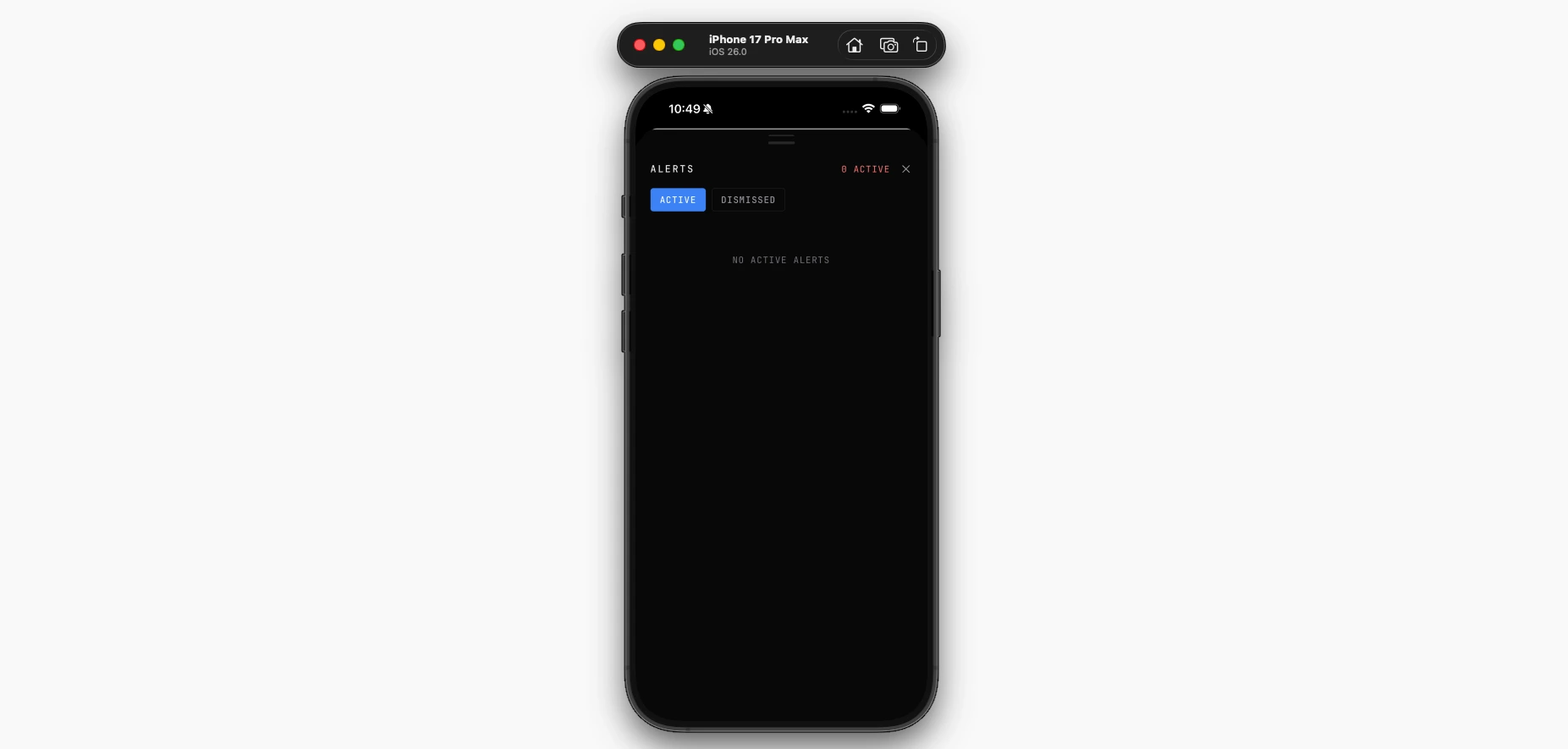
Surface inventory conditions that require action before they become bigger problems.
Built for Mobile Reality
Inventory doesn't always happen with a perfect internet connection.
I designed the mobile workflow around an offline queue so scans can be stored locally and synchronized when connectivity is restored.
The goal was simple:
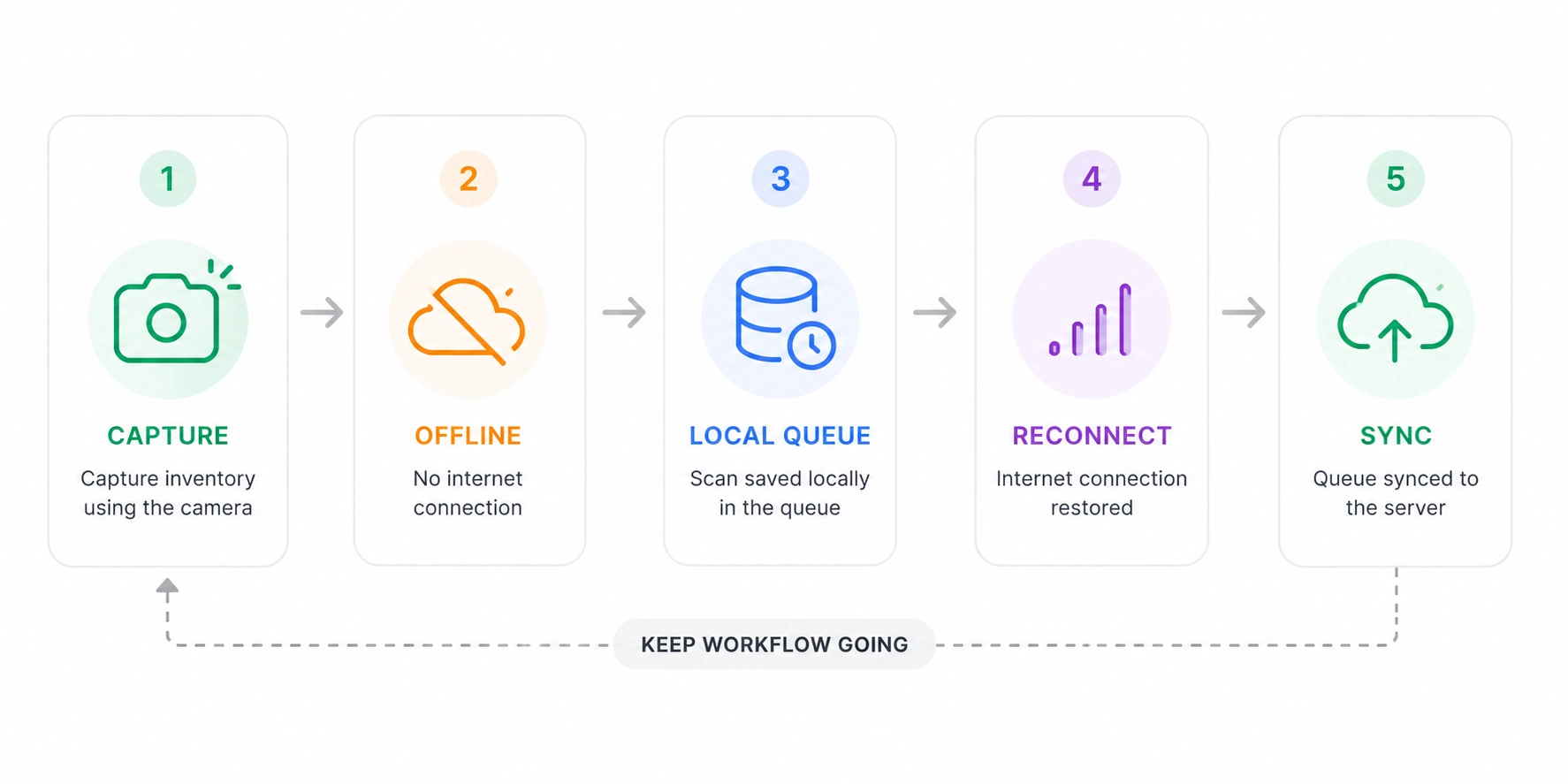
Keep scanning when offline and synchronize queued inventory updates when connectivity returns.
The Interface
Beyond the scanning flow, the app provides a lightweight operational interface for staff.
Users can access their warehouse, scan history, alerts, settings and account information without taking attention away from the primary scanning workflow.
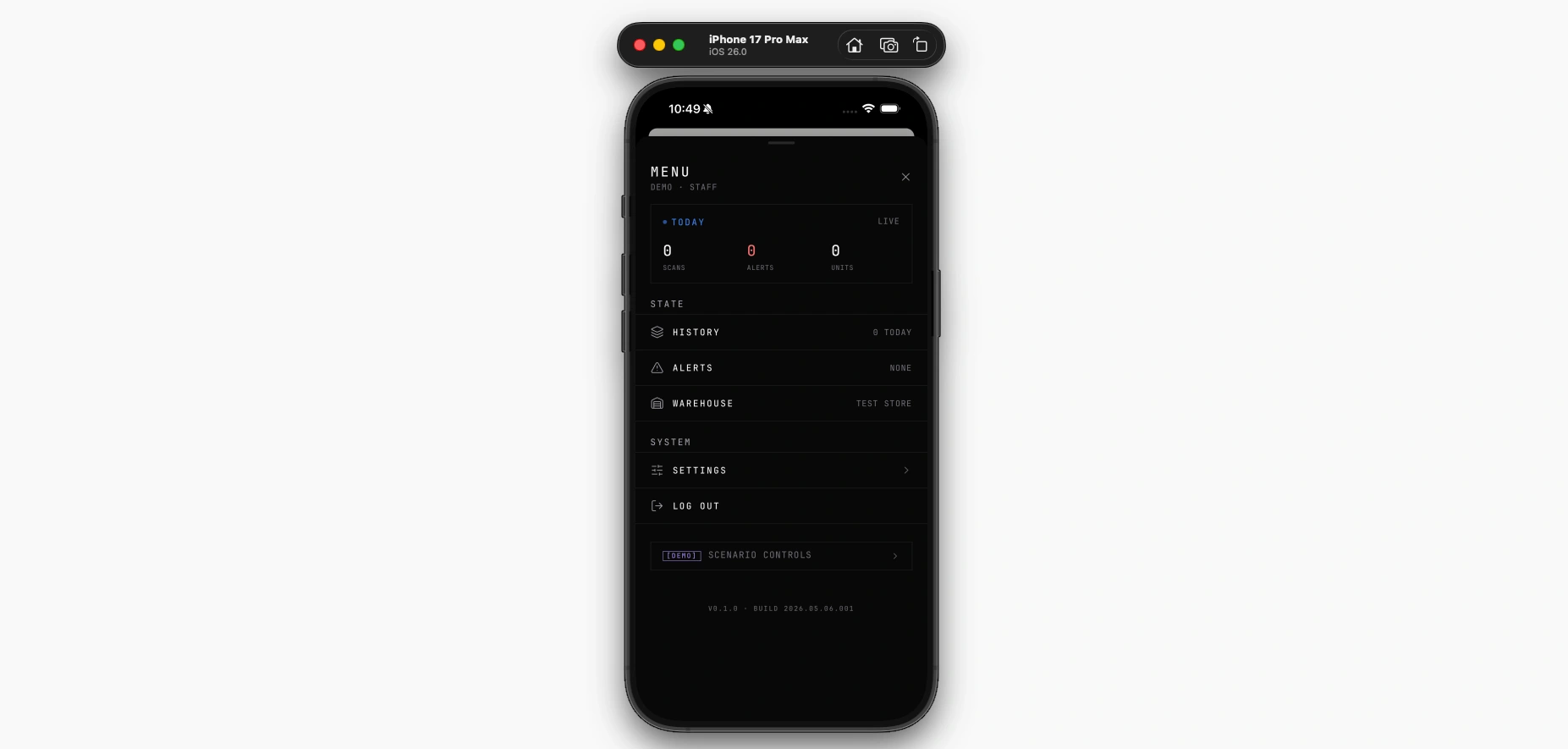
Keep the tools staff need close at hand without getting in the way of the scanning workflow.
The Final Experience
The final mobile workflow brings everything together:
Capture → Detect → Review → Confirm → Track
The result is a focused inventory tool that turns the phone into the primary interface for stock capture.
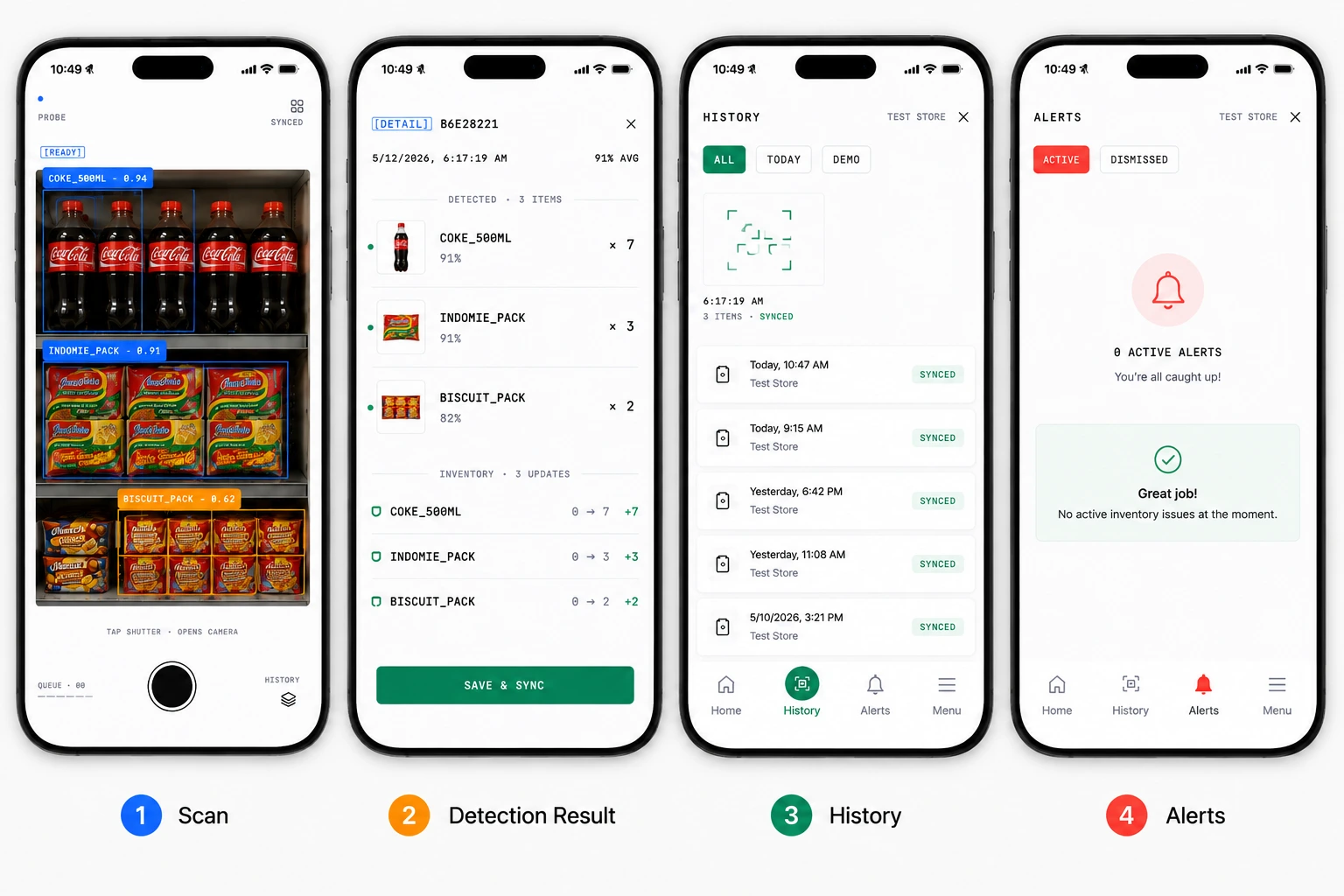
Capture, detect, review, and track inventory from one focused mobile workflow.
Technology
Framework
Expo · React Native
Language
TypeScript
State & Storage
Zustand · Secure Storage · Local Queue
Computer Vision
Product Detection · Confidence Scoring
Connectivity
REST API · Offline Queue · Synchronization
Like this project
Posted Aug 8, 2026
Built a computer-vision-powered Expo app that simplifies inventory scanning, detection, and stock tracking for retail teams.
Likes
0
Views
32