ThisDay: Planner & Reminders App

Agustin Dell Aquila


ThisDay: Planner & Reminders
Design and development of a daily planning app shipped to the App Store: from the first screen in Pencil to ten languages, iCloud sync and its own monetization model.
Role
Product design, interface design, iOS/macOS development (SwiftUI), localization and App Store release. Self-directed, end to end.
Stack
SwiftUI (single multiplatform target), SwiftData, CloudKit, EventKit, WidgetKit, App Intents, RevenueCat, XcodeGen, String Catalogs, Figma and Pencil for the design system.

Meet Foldy
Overview
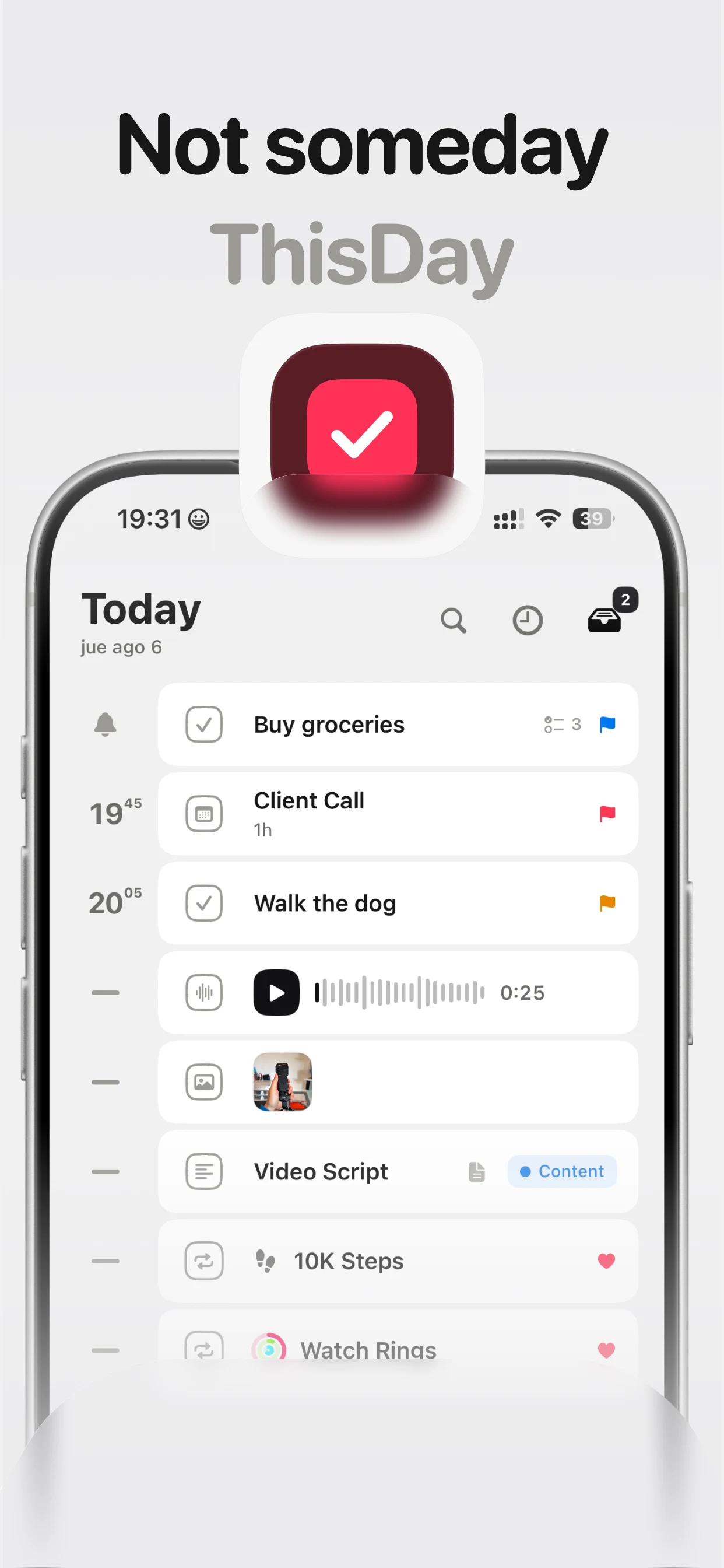
ThisDay started from a simple idea: most planning apps help you organize your day, but none of them help you keep it. The product statement is one line: plan your days, and keep the ones worth remembering.
It is a native app that brings calendar, tasks, habits, notes and a daily photo or text capture, the "Moment of the Day", into one place. It runs on iPhone, iPad and Mac from a single target, with iCloud sync and its own widgets across all three platforms.
I designed and built the whole thing: design system, data architecture, interactions, copy, translations, store listing and monetization.
The problem
Planning tools push pure productivity. They show you what is still undone, never what you actually lived. At the end of the year you have a list of closed tasks and no record of how those days went.
ThisDay starts from the opposite premise: the place where you plan should be the place where the memory of the day lives. That meant solving two things that are normally separate products, a planner and a journal, without the app feeling split in half.
Process
Design first, in a living file. Before writing any code I built 79 screens as the source of truth: 35 for iPhone, 34 for Mac, reusable components, and a separate sheet just for system states and motion. Every decision about spacing, radius, typography and color existed as a token before it existed as a view, so the code never had to interpret the design.
Built in phases. Foundation, Today and tasks, calendar, a custom interaction language, universal capture, habits, moments, library and search, onboarding and settings, and only at the end sync and release. Each phase had to be usable before the next one opened.
Custom interactions, not stock ones. The swipe gestures, multi-select, contextual menu and segmented control are all custom components. That is what makes the app feel like itself instead of a system form in a different color.
Real parity between iOS and Mac. The Mac build is not the iPhone app stretched wide: it has a ⌘K command palette, menu bar commands, native undo, and its own packing for overlapping calendar events. One target, two identities.
Onboarding built from the real components. Instead of screenshots that age badly, the onboarding shows the app's actual views running, with scale-to-fit rules so they hold up at any size.
Ten languages. English, Spanish, German, French, Italian, Brazilian Portuguese, Russian, Japanese, Korean and Simplified Chinese. 1,370 keys across four catalogs, with a length audit per language and a separate pass just for plurals.
Results
Native app shipped to the App Store for iPhone, iPad and Mac, with independent versions per platform.
Ten languages across the product and the store listing, covering the ten largest markets.
iCloud sync covering media, not just text, with status notices that only appear on devices that have not finished their first import.
Two-way write-back with Apple Reminders, plus Calendar integration.
Its own monetization: a one-time unlock per platform, plus a tip jar kept deliberately separate so the price of a coffee can never touch the price of the app.
A documented, reusable design system, and a set of process rules that outlived the launch.
What I took from it
The two things that cost the most time were not design or code: they were understanding store rules, and spotting the moment a decision that is generous to the user, like a 21-day trial, turns into a problem for the person who has to review the app. Shipping is part of the design, not paperwork that happens after it.
Like this project
Posted Sep 1, 2026
Designed and developed ThisDay, a daily planning app, with iCloud sync, custom interactions, and ten-language support.
Likes
0
Views
44