ClassSync School Management Dashboard Design - UIUX

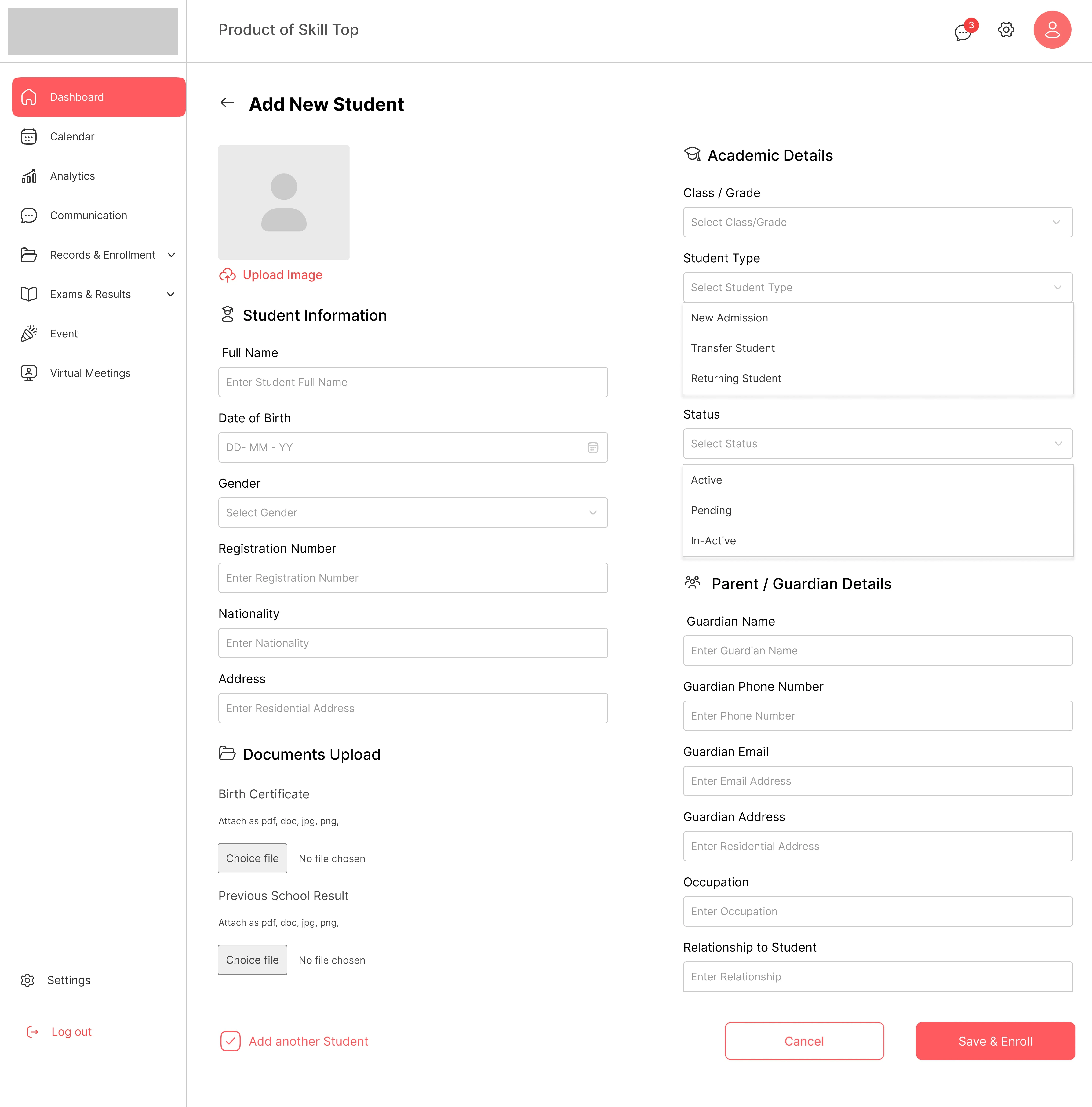
OVERVIEW OF ADD STUDENT FORM
ClassSync — Designing Clarity in a Complex School Ecosystem
The Client
ClassSync is an all-in-one school management SaaS platform designed to bring order to the chaos of school administration. The product serves as a centralized hub for students, parents, teachers, and admins—each with a personalized dashboard for tasks like attendance, grading, communication, and scheduling.
They came to me with a clear need: make school operations smarter, not harder.
The Challenge
Most schools juggle multiple disjointed tools—spreadsheets, messaging apps, outdated portals. The result? Fragmented data, poor communication, overwhelmed teachers, and disengaged parents.
ClassSync needed a product that was:
Intuitive enough for anyone to use.
Scalable for schools of all sizes.
Accessible across devices and user roles.
They weren’t just looking for a UI—they needed a thoughtfully designed experience that could unify it all.
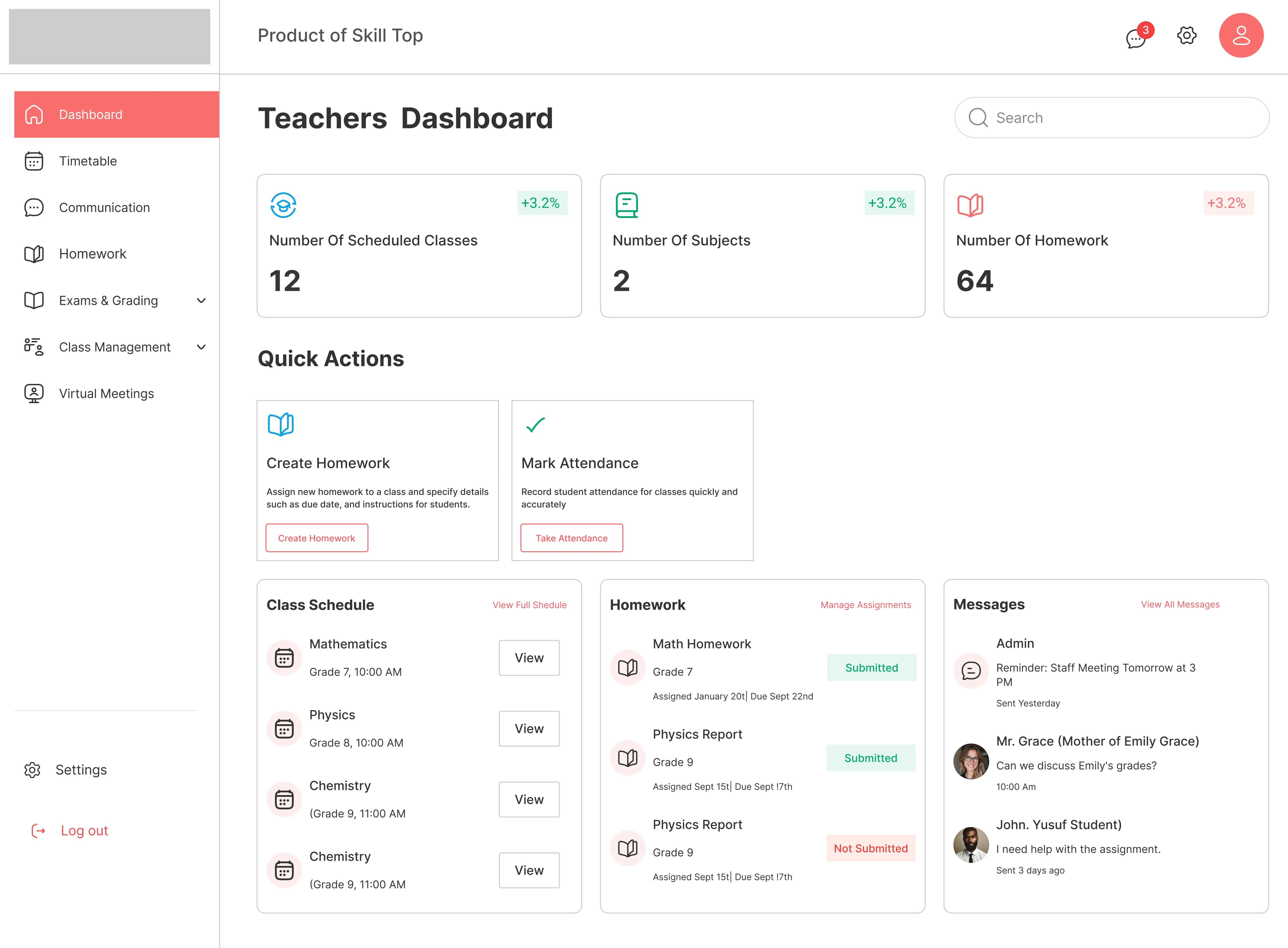
OVER VIEW OF TEACHERS DASHBOARD
The Process
Discovery & Research
Interviewed school admins, teachers, and parents to gather real-world pain points.
Audited competing tools to identify UX gaps.
Created proto-personas for each stakeholder.
Insight: Most users weren't tech-savvy. The design had to feel like a natural extension of their day—not another burden.
Mapping the Journey
Mapped unique user flows for four distinct roles (Admins, Teachers, Students, Parents).
Defined key tasks such as:
Marking attendance
Uploading assignments
Viewing grades & calendars
Messaging between roles
Simplicity was non-negotiable. The IA had to support clear, logical paths for daily tasks.
Design & Prototyping
Built low-to-high fidelity wireframes based on task flows.
Designed and maintained a component-based design system for consistency.
Prototyped major interactions like:
Dashboard switching
Event creation
Assignment management
UI Design & Visual Direction
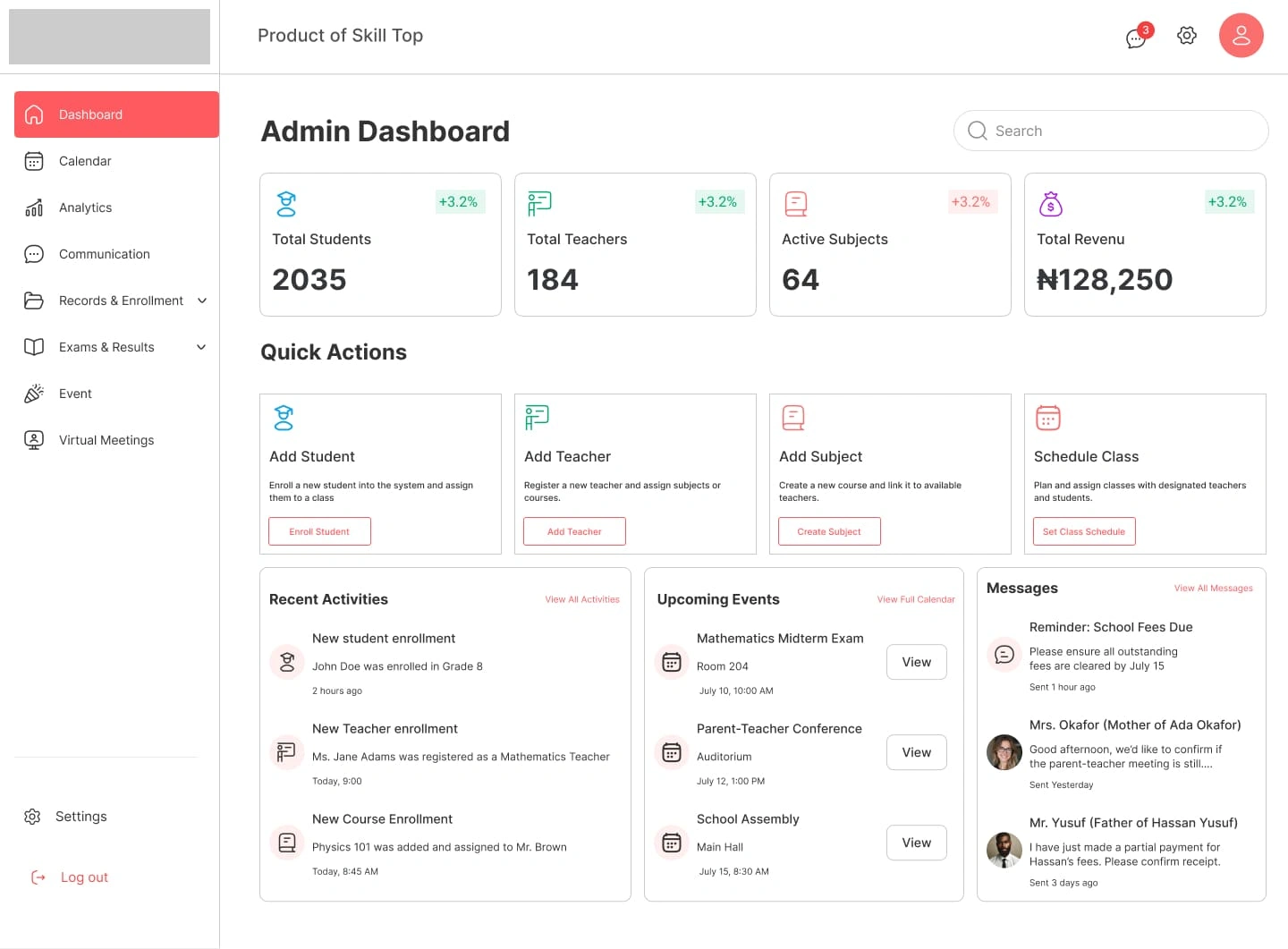
A calm, card-based layout with soft tones to reduce cognitive load.
Role-based dashboard personalization:
Admins: Quick stats, calendar, records access
Teachers: Class overview, grading, student insights
Students: Assignments, grades, upcoming meetings
Parents: Performance snapshots, messages, attendance
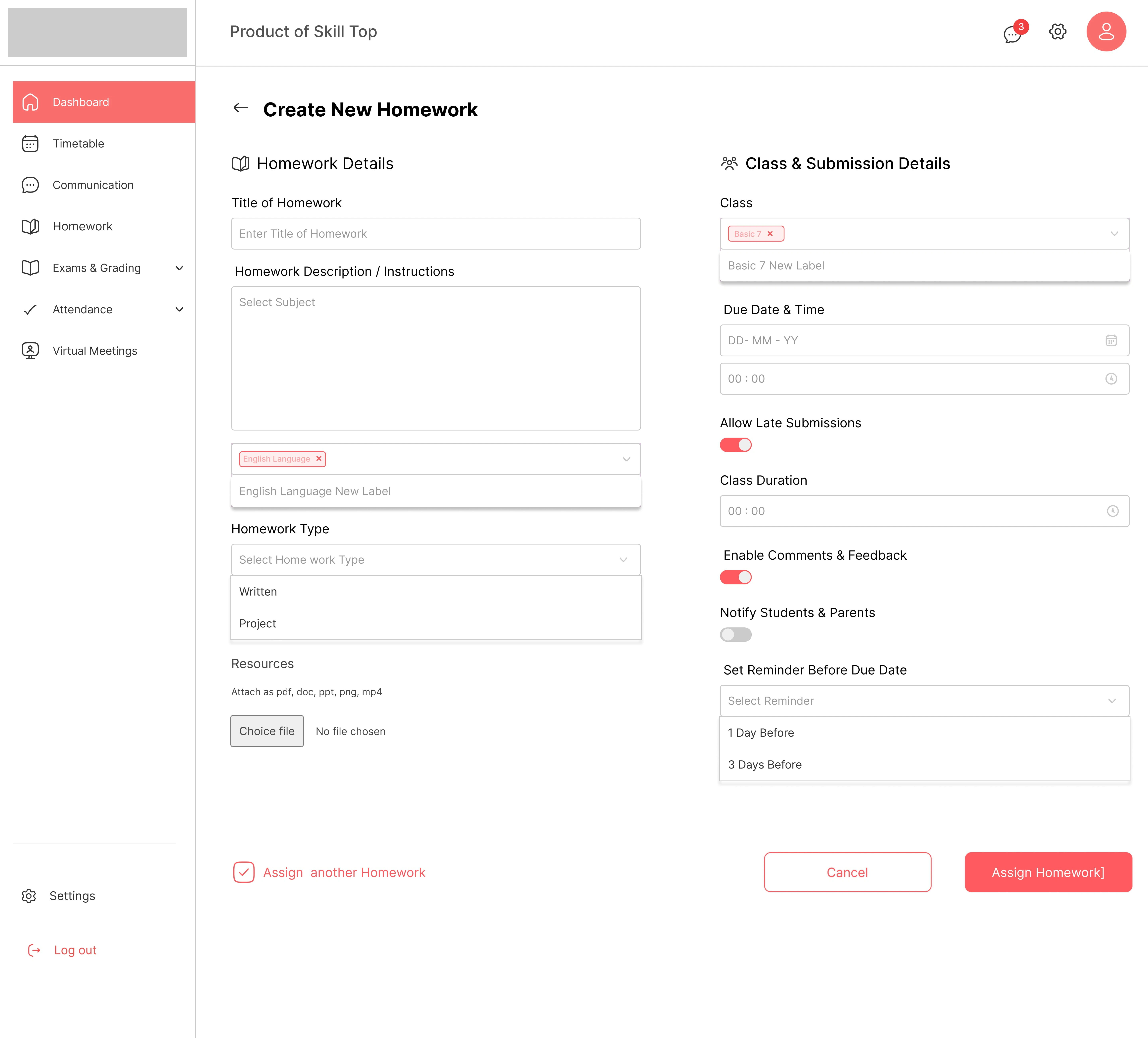
CREAT ASSIGNMENT OVERVIEW
Results
ClassSync’s redesign wasn’t just pretty—it performed:
Reduced admin workload by 40% via automation
Increased assignment submission rate by 30%
Boosted teacher efficiency with centralized task hubs
Improved parent engagement with real-time student insights
"The new dashboards changed everything. Teachers love the simplicity. Parents finally feel connected."
— School Administrator (Beta Partner)
Reflection
This project reinforced a core belief of mine:
Design isn’t just about features. It’s about designing clarity.
Empathy-driven decisions made complex flows intuitive.
Focused dashboards gave each user what they needed—no more, no less.
Stakeholder feedback shaped every stage, especially during prototyping.
Services Connected
Final Thought
ClassSync shows how intentional, role-specific UX can turn a tangled web of school operations into a system that just works. The right design doesn’t just support a product—it elevates how people interact with it every single day.
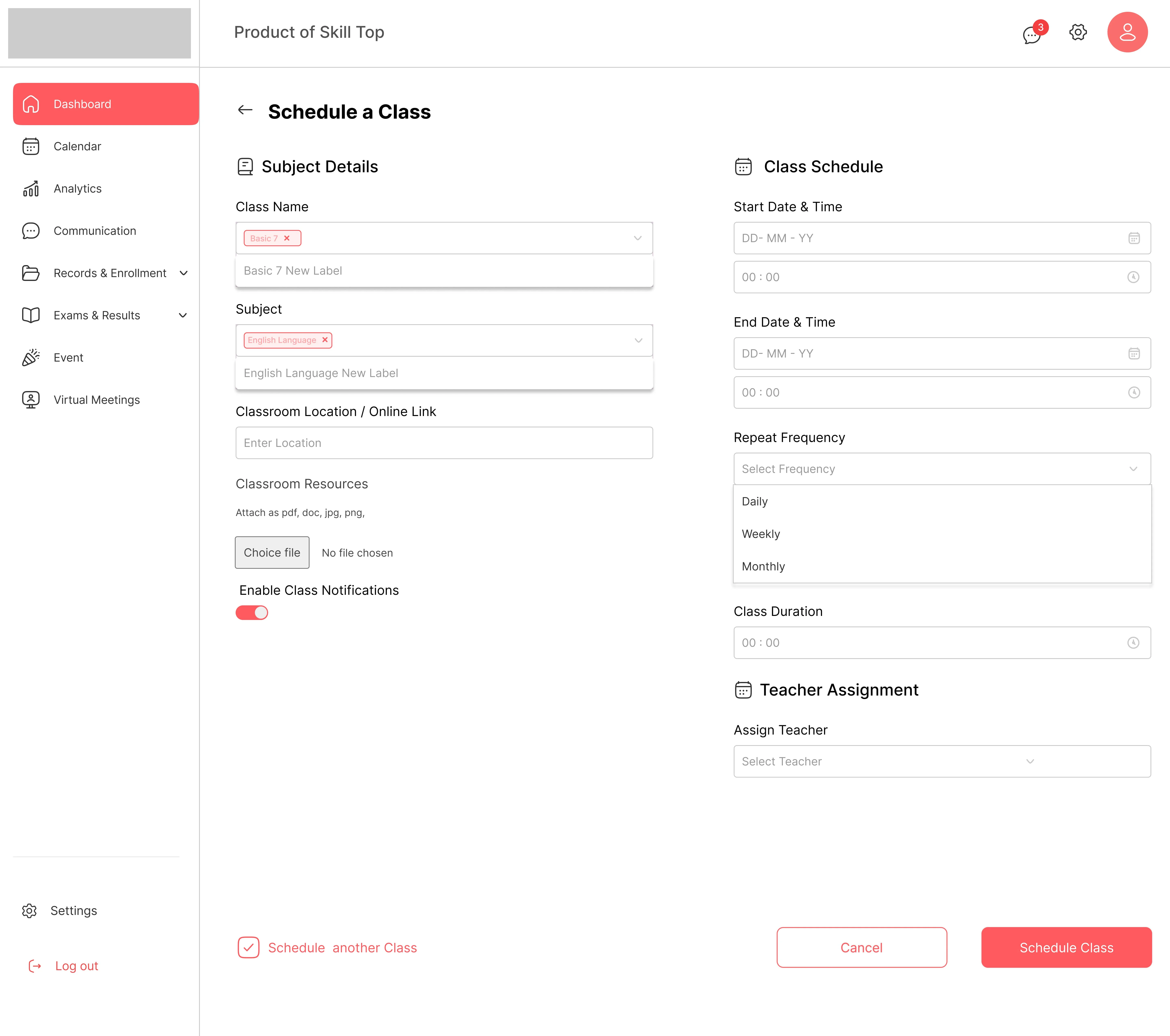
OVERVIEW OF SHEDULING CLASSES
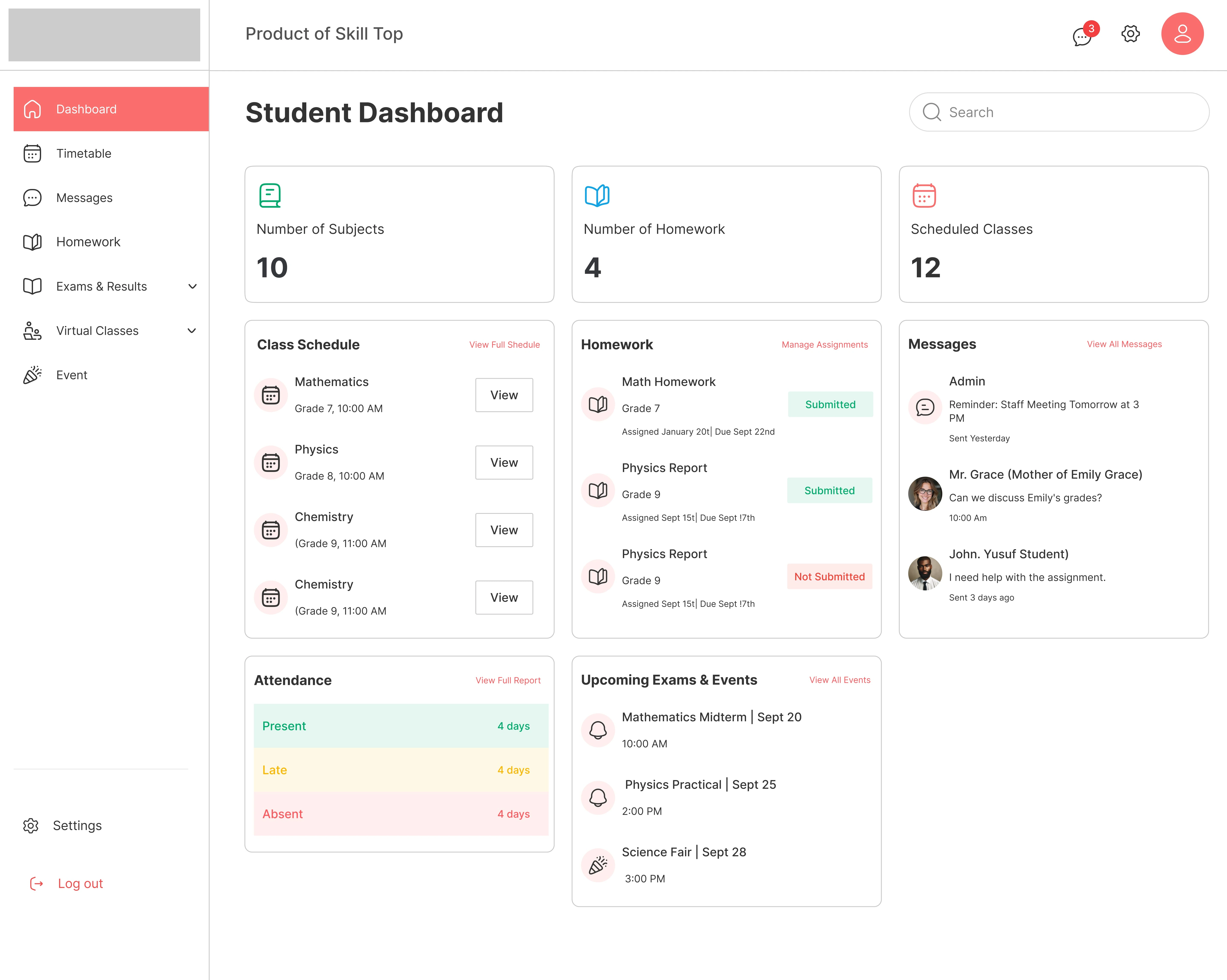
OVER VIEW OF STUDENT DASHBOARD
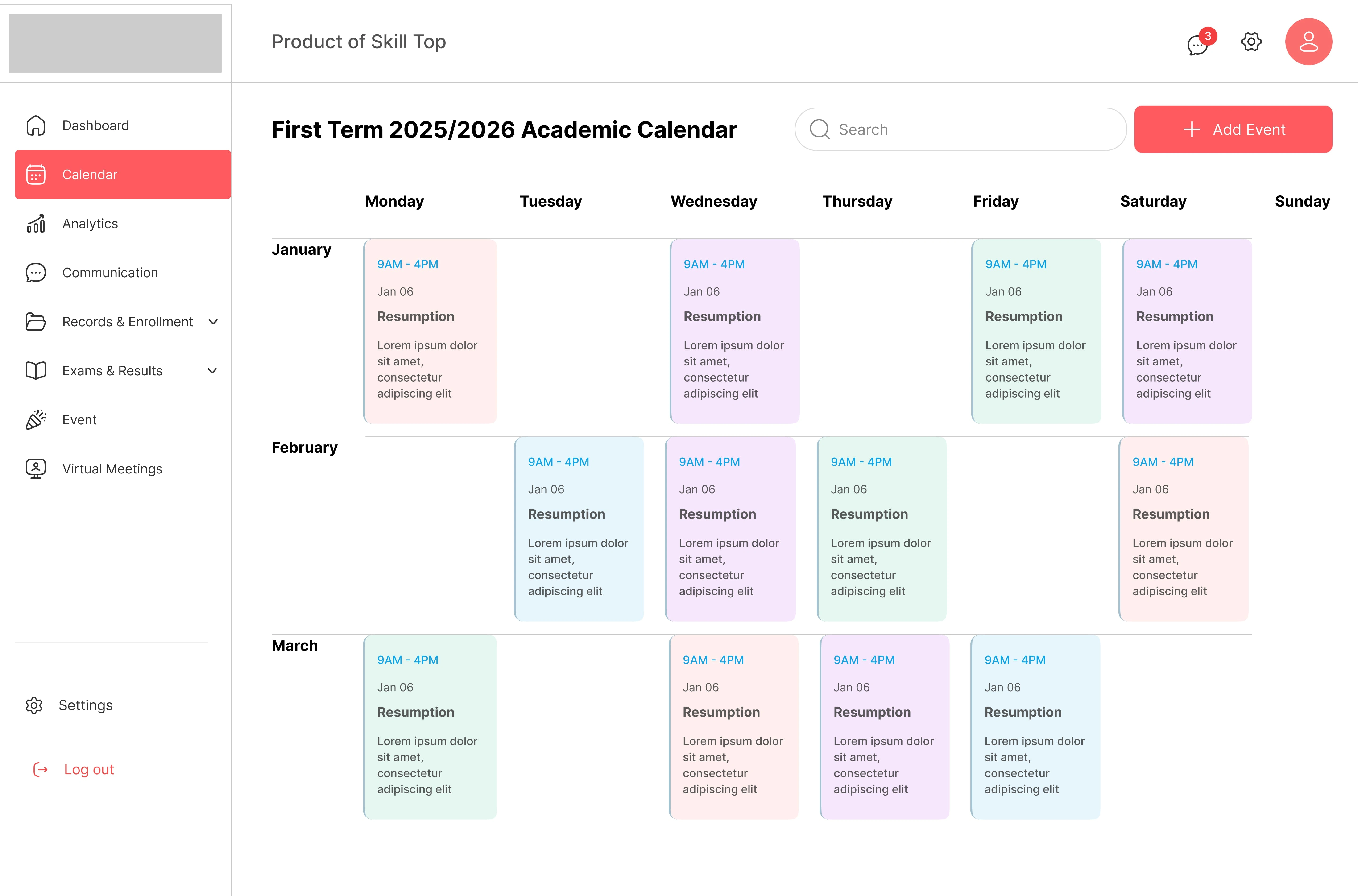
OVER VIEW OF CALENDER
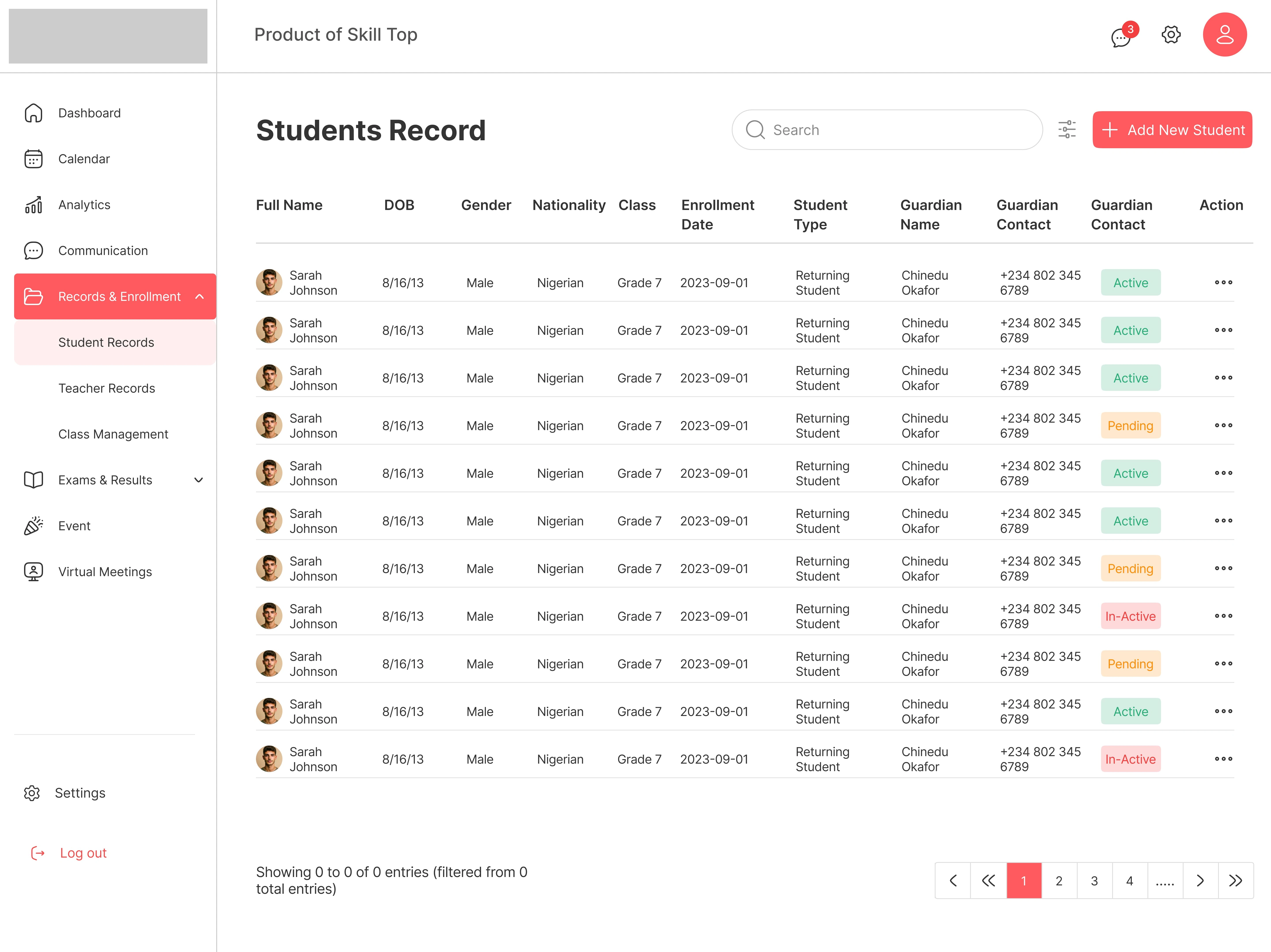
OVERVIEW OF STUDENTS RECORD
1 like · 326 views · Apr 5, 2025
ClassSync is a user-focused school management platform with tailored dashboards for all roles—streamlining tasks, tracking, and communication.
Timeline
Jan 6, 2025 - Feb 28, 2025