
Simalert



Generated by the Very Good CLI 🤖
One Shout
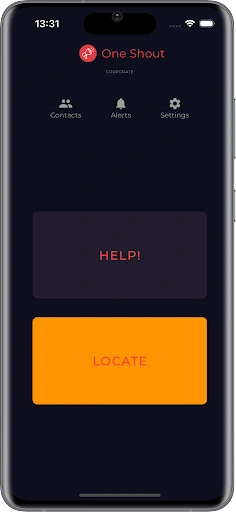
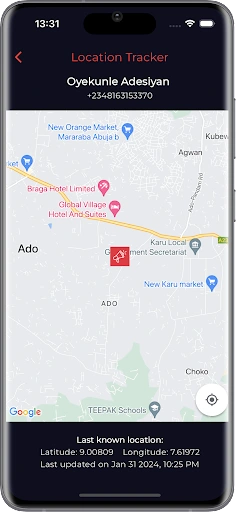
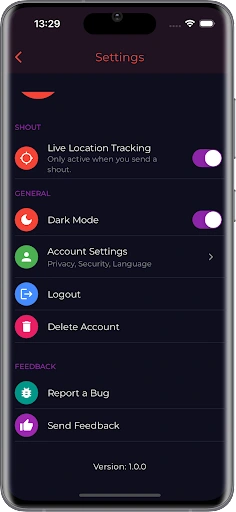
Getting Started 🚀
This project contains 3 flavors:
development
staging
production
To run the desired flavor either use the launch configuration in VSCode/Android Studio or use the following commands:
# Development
$ flutter run --flavor development --target lib/main_development.dart
# Staging
$ flutter run --flavor staging --target lib/main_staging.dart
# Production
$ flutter run --flavor production --target lib/main_production.dart
*Simalert works on iOS, Android, Web, and Windows.
Running Tests 🧪
To run all unit and widget tests use the following command:
$ flutter test --coverage --test-randomize-ordering-seed random
To view the generated coverage report you can use lcov.
# Generate Coverage Report
$ genhtml coverage/lcov.info -o coverage/
# Open Coverage Report
$ open coverage/index.html
Working with Translations 🌐
This project relies on flutter_localizations and follows the official internationalization guide for Flutter.
Adding Strings
To add a new localizable string, open the
app_en.arb file at lib/l10n/arb/app_en.arb.Then add a new key/value and description
Use the new string
import 'package:simalert/l10n/l10n.dart';
@override
Widget build(BuildContext context) {
final l10n = context.l10n;
return Text(l10n.helloWorld);
}
Adding Supported Locales
Update the
CFBundleLocalizations array in the Info.plist at ios/Runner/Info.plist to include the new locale. ...
<key>CFBundleLocalizations</key>
<array>
<string>en</string>
<string>es</string>
</array>
...
Adding Translations
For each supported locale, add a new ARB file in
lib/l10n/arb.Add the translated strings to each
.arb file:app_en.arbapp_es.arb0 likes · 14 views · Feb 25, 2024
Contributed to a small team in developing, testing and deploying the mobile application on Android and iOS platforms.

