GoVisual: HTTP Request Visualizer for Go

Arif Dogan


GoVisual
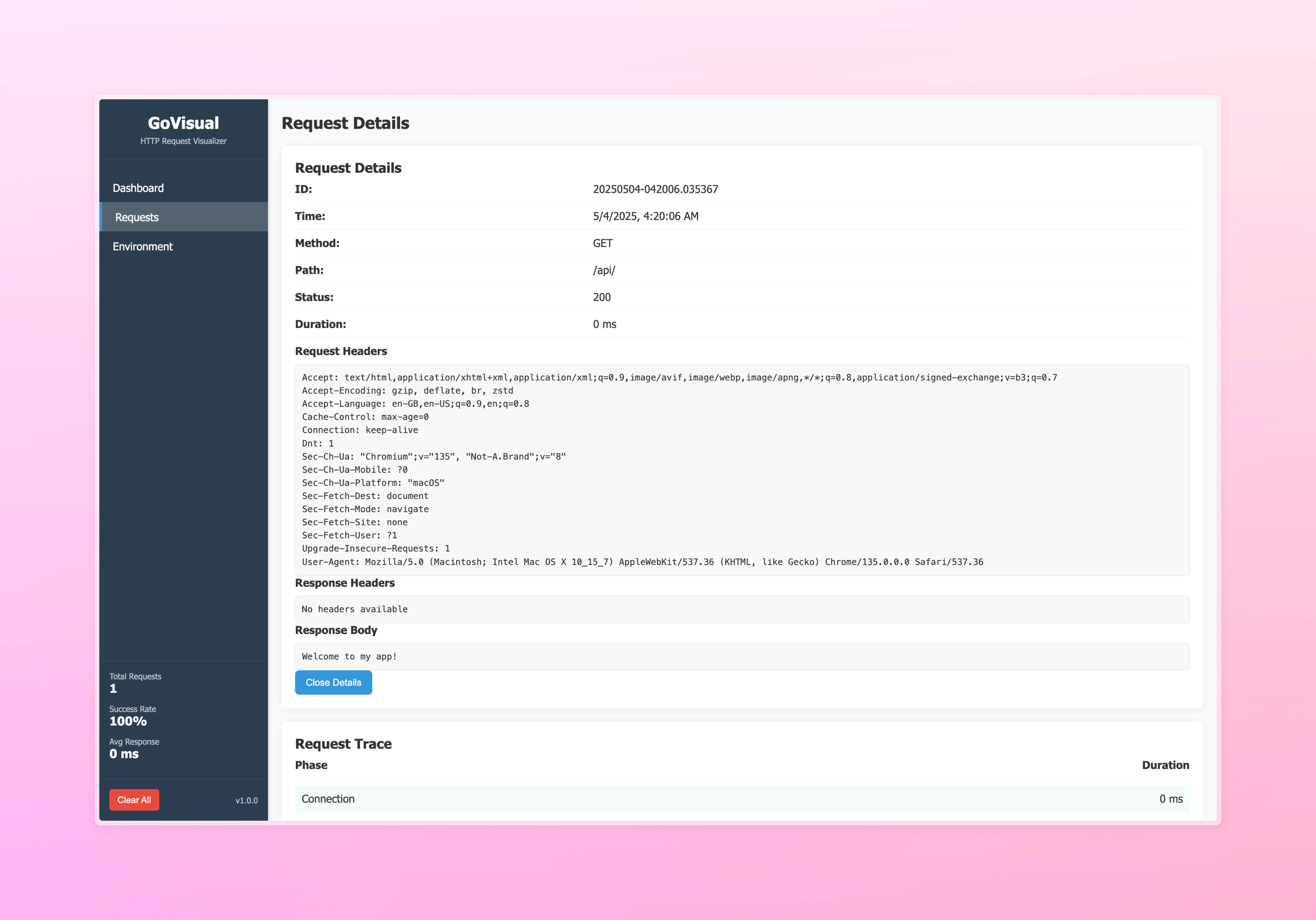
A lightweight, zero-configuration HTTP request visualizer and debugger for Go web applications during local development.
Features
Real-time Request Monitoring: Visualise HTTP requests passing through your application
Request Inspection: Deep inspection of headers, body, status codes, and timing information
Middleware Tracing: Visualise middleware execution flow and identify performance bottlenecks
Zero Configuration: Drop-in integration with standard Go HTTP handlers
OpenTelemetry Integration: Optional export of telemetry data to OpenTelemetry collectors
Installation
Quick Start
Access the dashboard at
http://localhost:8080/__vizDocumentation
For detailed documentation, please refer to the DOCS.
Configuration Options
Storage Backends
GoVisual supports multiple storage backends for storing request logs:
In-Memory Storage (Default)
The default storage keeps all request logs in memory. This is the simplest option but logs will be lost when the application restarts.
PostgreSQL Storage
For persistent storage, you can use PostgreSQL. This requires the
github.com/lib/pq package.Redis Storage
For high-performance storage with automatic expiration, you can use Redis. This requires the
github.com/go-redis/redis/v8 package.SQLite Driver Conflict
If you're already using a SQLite driver in your application (such as
github.com/mattn/go-sqlite3), you may experience a conflict when using govisual with SQLite storage:This occurs because both your application and govisual try to register the SQLite driver with the same name.
To resolve this issue, you can pass your existing database connection to govisual:
This approach allows you to:
Use your preferred SQLite driver
Avoid driver registration conflicts
Reuse your existing connection
Examples
Basic Example
Simple example showing core functionalities:
OpenTelemetry Example
Example showing integration with OpenTelemetry:
Multi-Storage Example
Example showing different storage backends:
Modify the environment variables in
docker-compose.yml to switch between storage backends.Visit Multi-Storage Example for detailed instructions.
Dashboard Features
Request Table: View all captured HTTP requests with method, path, status code, and response time
Request Details: One-click access to headers, body content, and timing information
Middleware Trace: Interactive visualization of middleware execution flow
Request Filtering: Filter by HTTP method, status code, path pattern, or duration
Real-time Updates: See new requests appear instantly as they happen
License
MIT License
Contributing
Contributions are welcome! Please feel free to submit a Pull Request.
Like this project
Posted Oct 1, 2025
Developed GoVisual, a tool for visualizing and debugging HTTP requests in Go web apps.
Likes
0
Views
16