B2B SaaS Blog: How to Choose a Client Portal for Accountants

Oscar Guardado

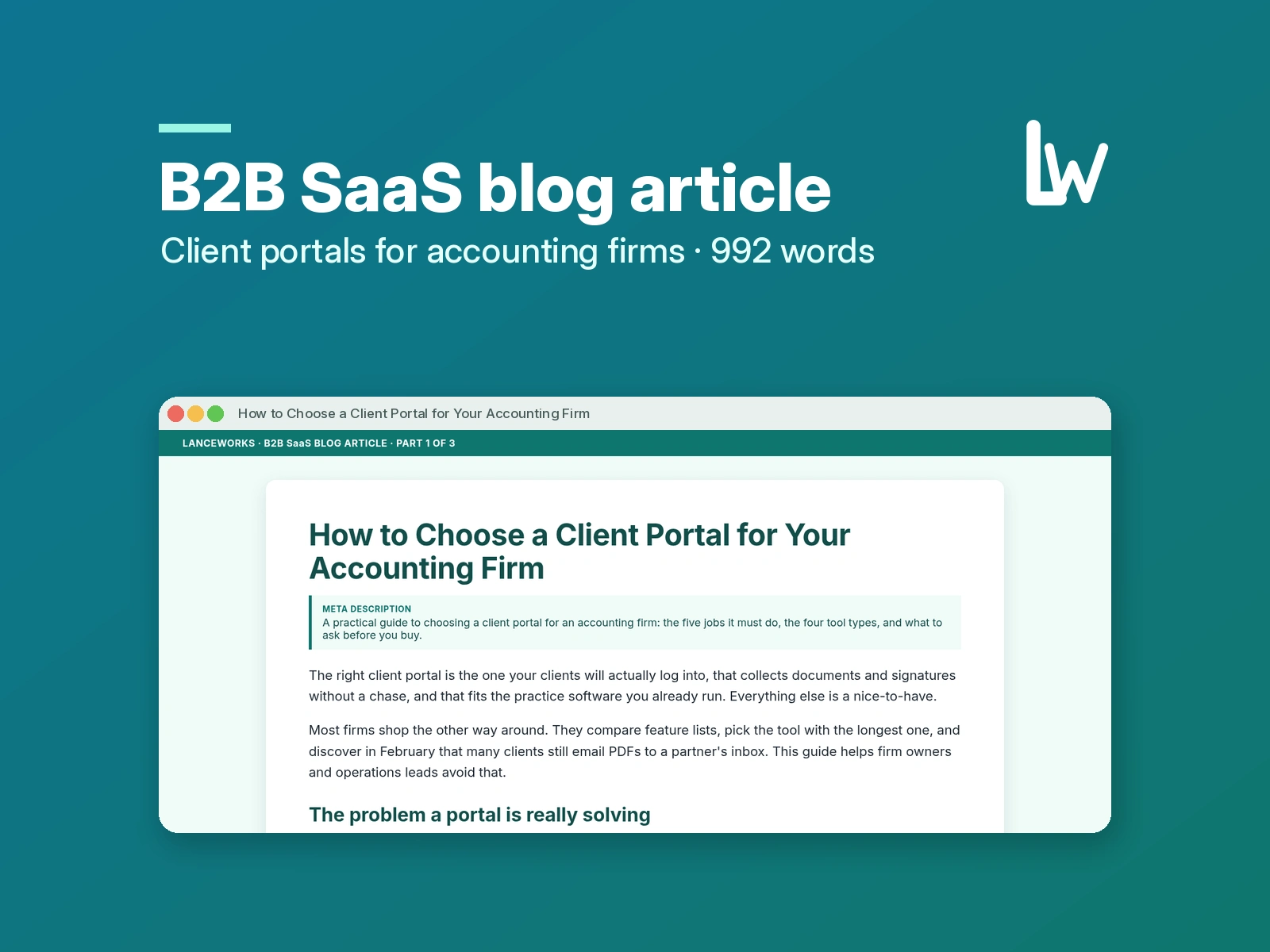
Concept piece for a fictional client-portal vendor. The vendor and its product are invented, and no results are claimed.
The brief
A software company that sells a client portal to accounting firms wanted a blog article for buyers who are already comparing tools. The readers are firm owners and operations leads who feel the pain of busy season: chasing documents, signatures and answers by email. The article had to help them choose well, position the vendor against types of tool rather than named competitors, stay between 800 and 1,200 words, and end with one clear next step.
Our approach
Search intent first: someone searching "how to choose a client portal" is close to buying, so the first line answers the question instead of warming up.
Structure built for skimmers: the problem, the five jobs a portal must do, the four tool types, the questions to ask in a demo, then rollout.
Fair positioning: each tool type gets an honest trade-off, which builds more trust with a careful buyer than a feature brag.
Voice: plain and practical, written for accountants, with one accurate compliance point (the FTC Safeguards Rule) and no invented statistics.
One CTA: a low-effort trial step that matches the article's message of testing the client side first.
The piece
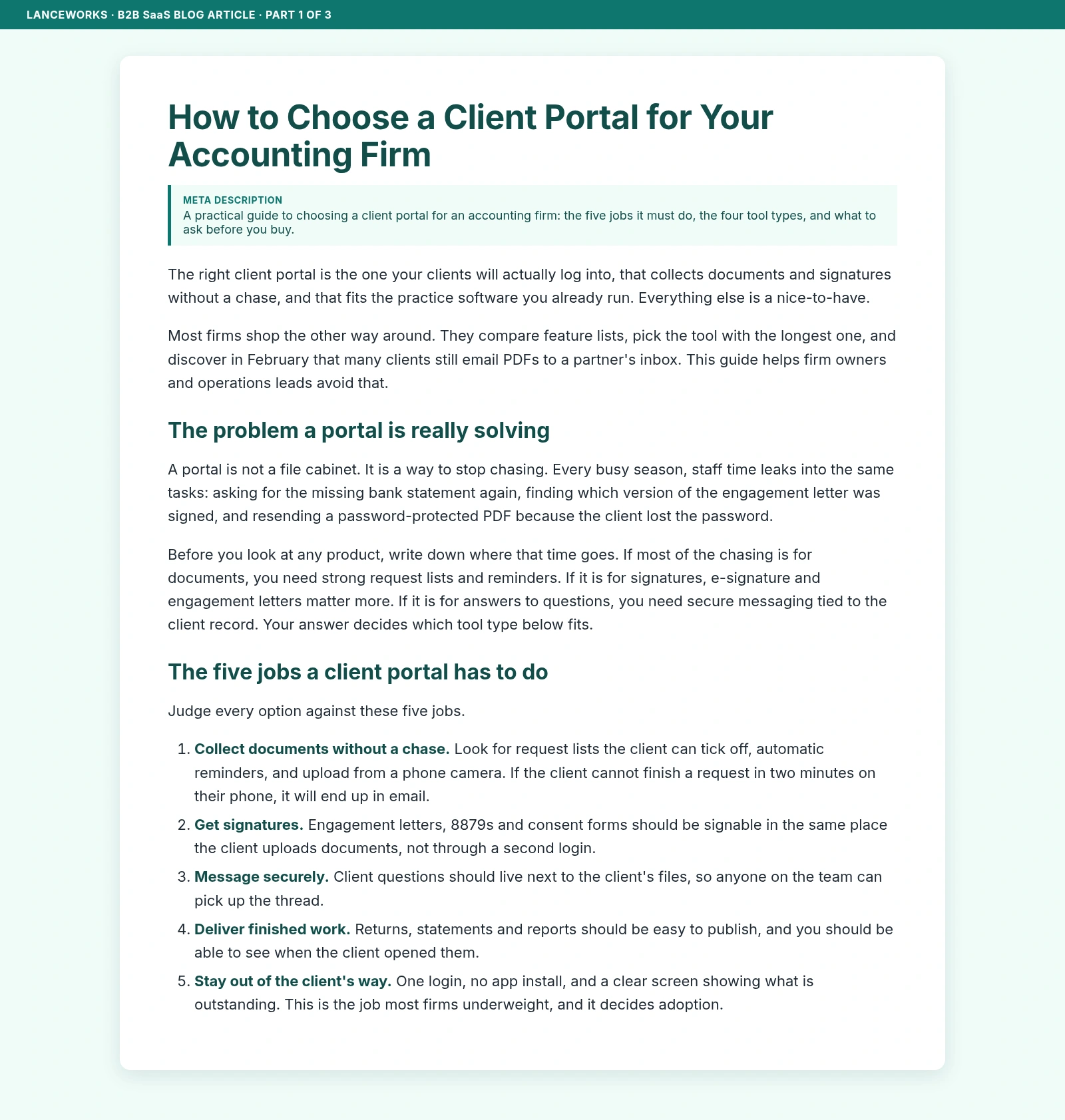
How to Choose a Client Portal for Your Accounting Firm
The right client portal is the one your clients will actually log into, that collects documents and signatures without a chase, and that fits the practice software you already run. Everything else is a nice-to-have.
Most firms shop the other way around. They compare feature lists, pick the tool with the longest one, and discover in February that many clients still email PDFs to a partner's inbox. This guide helps firm owners and operations leads avoid that.
The problem a portal is really solving
A portal is not a file cabinet. It is a way to stop chasing. Every busy season, staff time leaks into the same tasks: asking for the missing bank statement again, finding which version of the engagement letter was signed, and resending a password-protected PDF because the client lost the password.
Before you look at any product, write down where that time goes. If most of the chasing is for documents, you need strong request lists and reminders. If it is for signatures, e-signature and engagement letters matter more. If it is for answers to questions, you need secure messaging tied to the client record. Your answer decides which tool type below fits.
The five jobs a client portal has to do
Judge every option against these five jobs.
Collect documents without a chase. Look for request lists the client can tick off, automatic reminders, and upload from a phone camera. If the client cannot finish a request in two minutes on their phone, it will end up in email.
Get signatures. Engagement letters, 8879s and consent forms should be signable in the same place the client uploads documents, not through a second login.
Message securely. Client questions should live next to the client's files, so anyone on the team can pick up the thread.
Deliver finished work. Returns, statements and reports should be easy to publish, and you should be able to see when the client opened them.
Stay out of the client's way. One login, no app install, and a clear screen showing what is outstanding. This is the job most firms underweight, and it decides adoption.
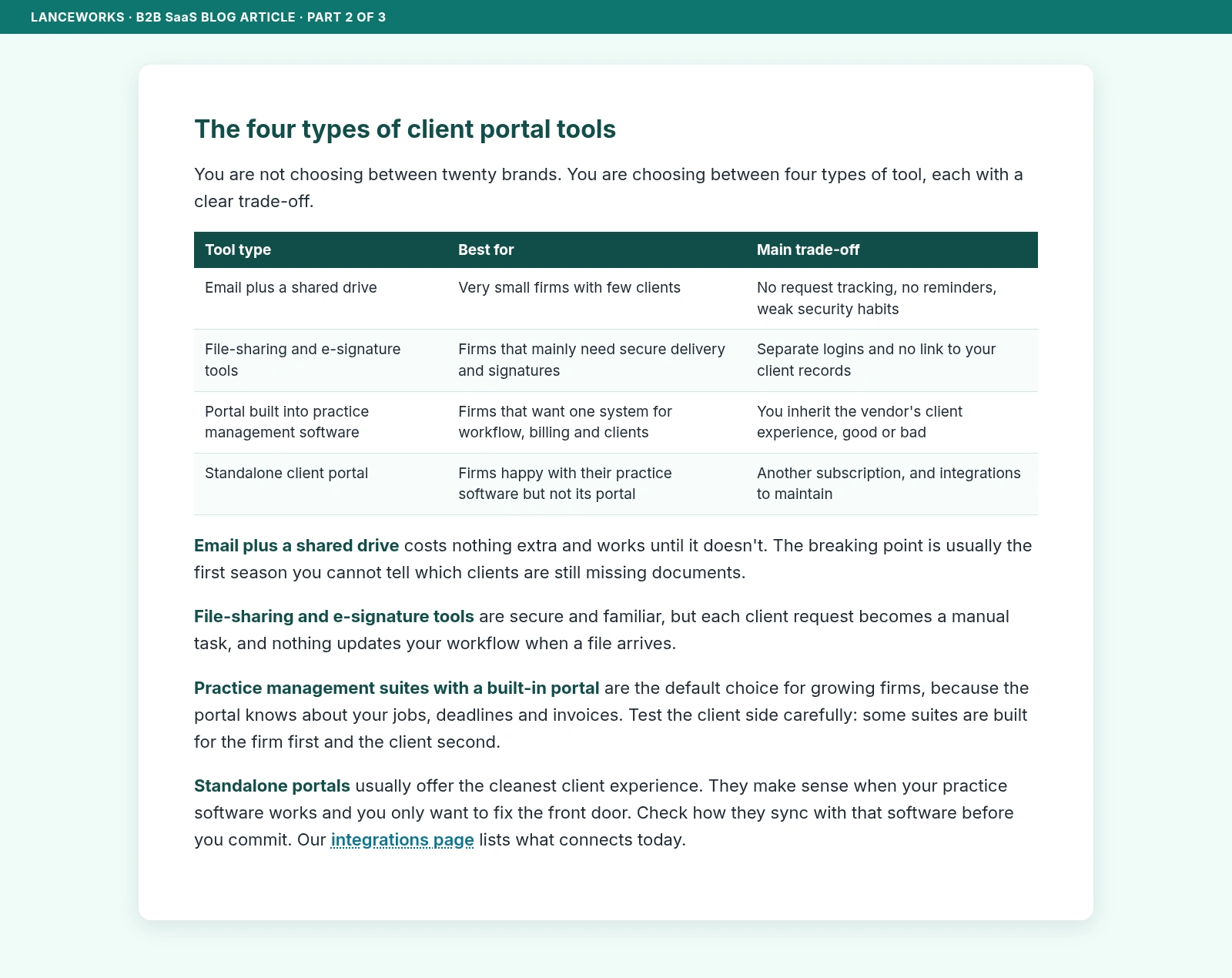
The four types of client portal tools
You are not choosing between twenty brands. You are choosing between four types of tool, each with a clear trade-off.
Email plus a shared drive. Best for very small firms with few clients. It costs nothing extra and works until it doesn't. The trade-off is no request tracking, no reminders and weak security habits. The breaking point is usually the first season you cannot tell which clients are still missing documents.
File-sharing and e-signature tools. Best for firms that mainly need secure delivery and signatures. They are secure and familiar, but they mean separate logins and no link to your client records. Each client request becomes a manual task, and nothing updates your workflow when a file arrives.
A portal built into practice management software. Best for firms that want one system for workflow, billing and clients. This is the default choice for growing firms, because the portal knows about your jobs, deadlines and invoices. The trade-off is that you inherit the vendor's client experience, good or bad, so test the client side carefully: some suites are built for the firm first and the client second.
A standalone client portal. Best for firms happy with their practice software but not its portal. These usually offer the cleanest client experience and make sense when you only want to fix the front door. The trade-off is another subscription and integrations to maintain, so check how the portal syncs with your practice software before you commit.
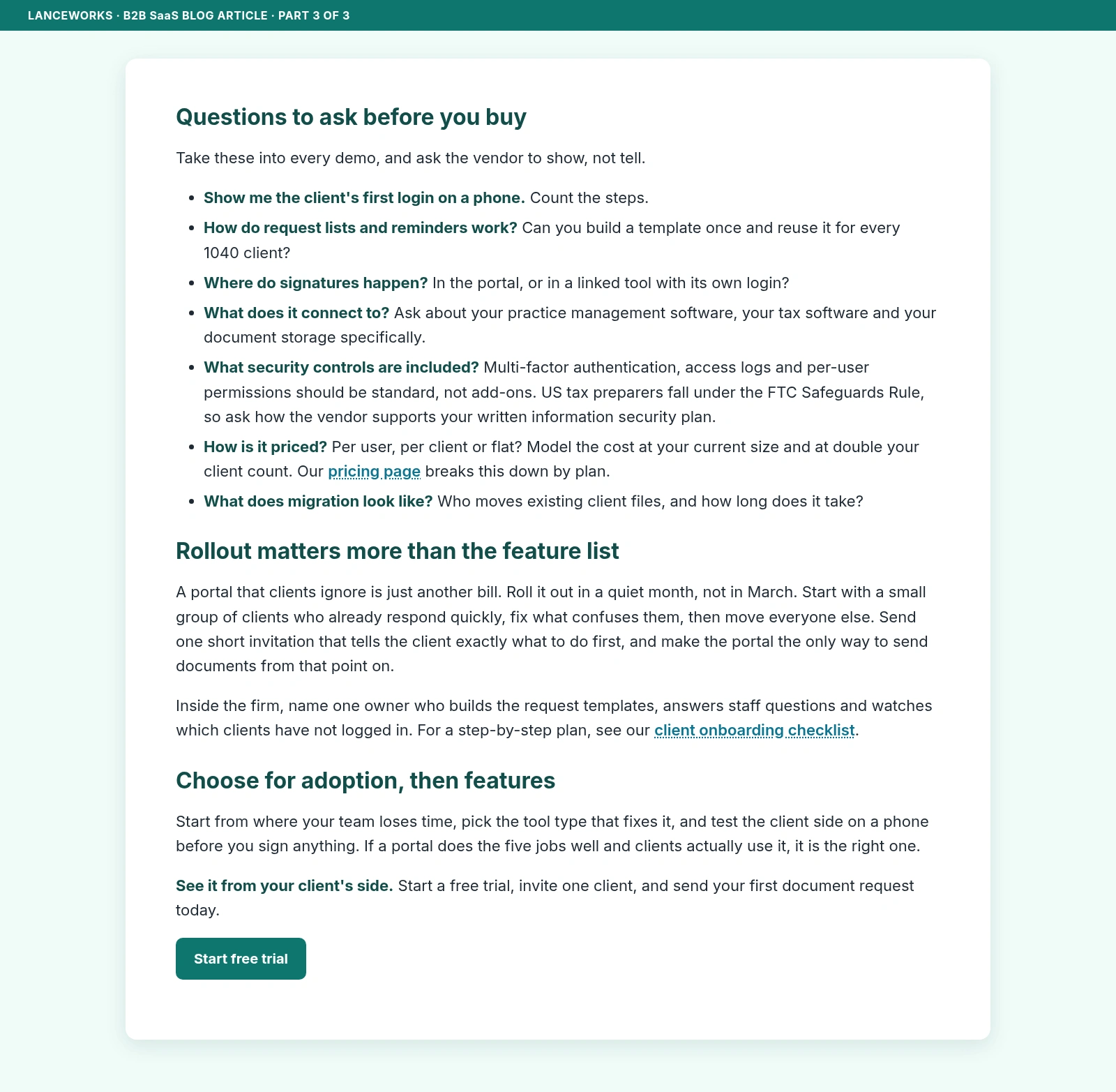
Questions to ask before you buy
Take these into every demo, and ask the vendor to show, not tell.
Show me the client's first login on a phone. Count the steps.
How do request lists and reminders work? Can you build a template once and reuse it for every 1040 client?
Where do signatures happen? In the portal, or in a linked tool with its own login?
What does it connect to? Ask about your practice management software, your tax software and your document storage specifically.
What security controls are included? Multi-factor authentication, access logs and per-user permissions should be standard, not add-ons. US tax preparers fall under the FTC Safeguards Rule, so ask how the vendor supports your written information security plan.
How is it priced? Per user, per client or flat? Model the cost at your current size and at double your client count.
What does migration look like? Who moves existing client files, and how long does it take?
Rollout matters more than the feature list
A portal that clients ignore is just another bill. Roll it out in a quiet month, not in March. Start with a small group of clients who already respond quickly, fix what confuses them, then move everyone else. Send one short invitation that tells the client exactly what to do first, and make the portal the only way to send documents from that point on.
Inside the firm, name one owner who builds the request templates, answers staff questions and watches which clients have not logged in.
Choose for adoption, then features
Start from where your team loses time, pick the tool type that fixes it, and test the client side on a phone before you sign anything. If a portal does the five jobs well and clients actually use it, it is the right one.
See it from your client's side. Start a free trial, invite one client, and send your first document request today.
What it shows and how we'd adapt it for you
This piece shows how we turn a buying-stage search into an article that answers fast, compares fairly and ends with one clear action. For your product, we would work from your brief and style guide, use your real integrations, pricing model and onboarding steps, and add internal links to pages that actually exist on your site. That is what we deliver in our SEO Blog Writing for Finance & Bookkeeping service on Contra.
Like this project
Posted Oct 20, 2026
Concept piece for a fictional client-portal vendor. A 992-word high-intent B2B SaaS article with competitor positioning, internal links and a CTA.
Likes
0
Views
0