Logistics Management Admin Panel UI/UX Design

Tarang Patel


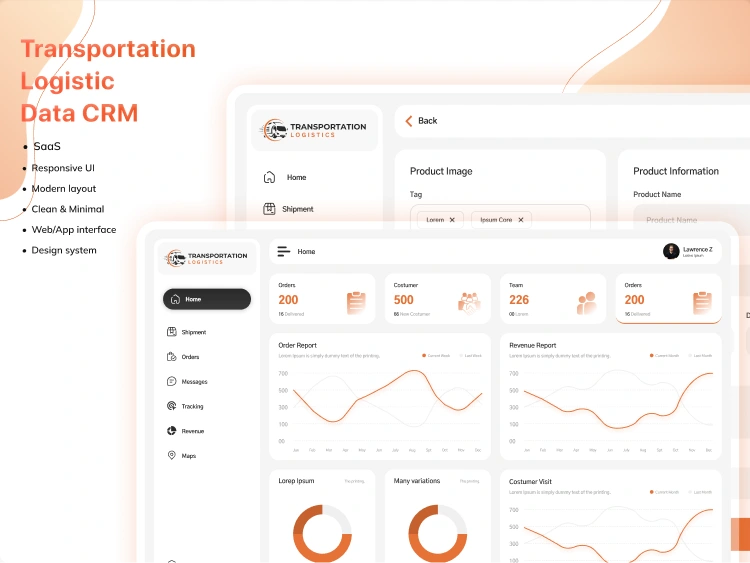
Logistics Management Admin Panel – UI/UX Case Study
🔹 Project Overview
The Logistics Management Admin Panel is a web-based dashboard designed to help logistics teams manage services, monitor operations, and handle internal workflows efficiently. The goal was to create a clean, data-driven interface that simplifies complex backend logistics operations while maintaining clarity and usability.
🔹 Objective
The objective of this project was to:
Design an intuitive admin dashboard for logistics operations
Present key metrics and service information clearly
Streamline form-based workflows for backend users
Ensure scalability for future logistics modules
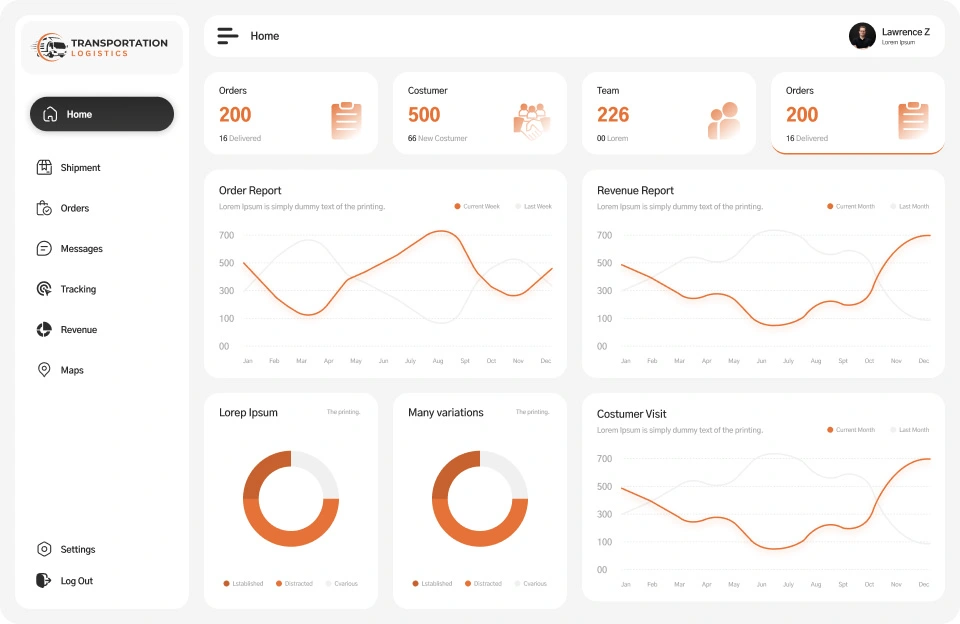
Dashboard (Home Page)
The dashboard serves as the central control panel for logistics operations. It is designed to give admins and operations managers a quick, high-level overview of system performance without digging into multiple sections.
Displays key operational metrics such as service status, activity summaries, and system updates
Uses a clear visual hierarchy so important data stands out immediately
Provides quick-access actions for commonly used tasks, reducing navigation time
Clean layout ensures readability even with data-heavy content
This screen helps users make faster decisions and monitor logistics activity efficiently.
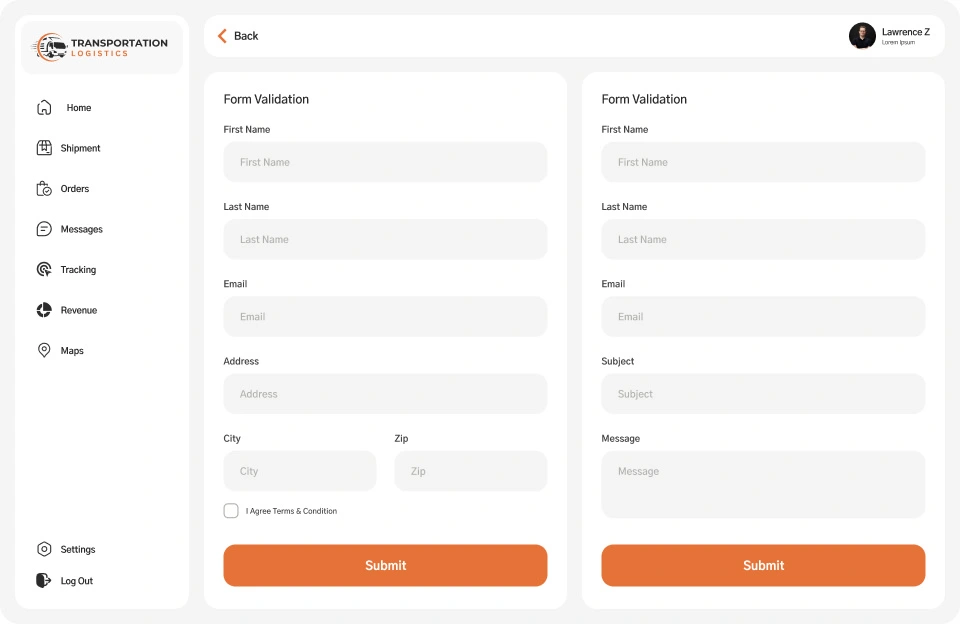
Form-Based Dashboard Page
The form-based dashboard page is built to support accurate data entry and workflow completion.
Structured form layout with clear labels and input fields
Step-by-step flow to guide users through data submission
Design optimized to reduce errors and confusion
Consistent spacing and alignment for better usability
This screen ensures backend users can complete tasks quickly and accurately, even during repetitive operations.
🔹 Conclusion
This logistics admin panel UI/UX design simplifies complex backend operations through clear dashboards, structured service management, and user-friendly workflows, improving efficiency and overall usability.
Like this project
Posted Feb 27, 2024
Designed a logistics admin dashboard with service management, operational overview, and form-based workflows for efficient backend operations.