Harness Studio — See Why Your AI Agent Failed

View completed workrolinmuuu.github.io
The problem
When an AI agent fails, you usually only see the wrong answer — not that it looped, lost the context it needed, or called a tool it shouldn't have. Without visibility into each step, fixing an agent is guesswork.
What I built
A minimal agent harness in Python, written from scratch — the layer that sits between the model and the outside world:
Agent loop that plans, calls tools and decides when it is done
Context compaction so long runs stay within the model's context window
Permissioned tools — an agent can only call the tools it has been granted
Sub-agents that take on delegated tasks and report back
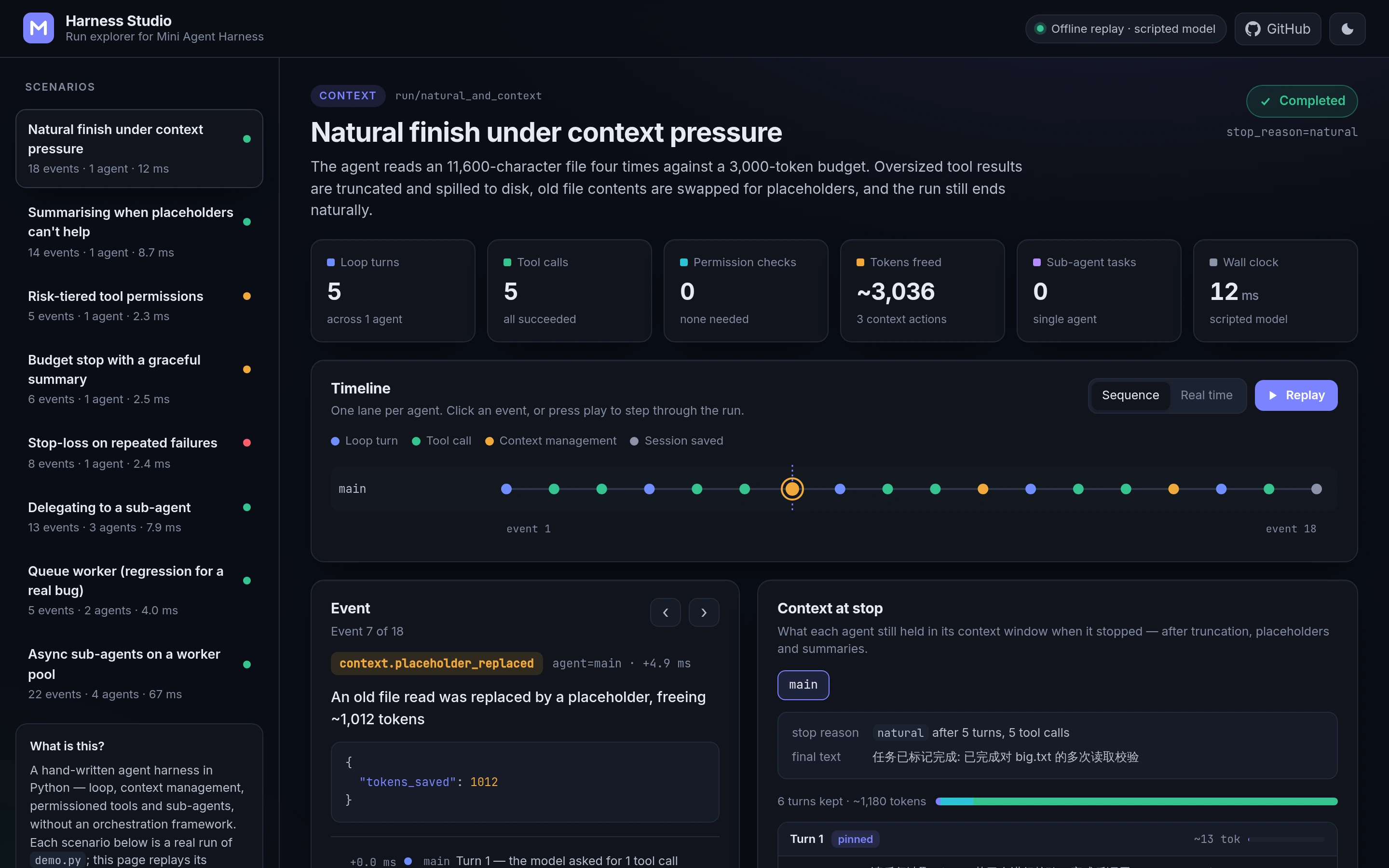
Harness Studio, a web app that replays every run:
One lane per agent, so you can follow the main agent and its sub-agents side by side
Each step explained — what the agent decided, which tool it called and what came back
Exactly what each agent still had in context when it stopped
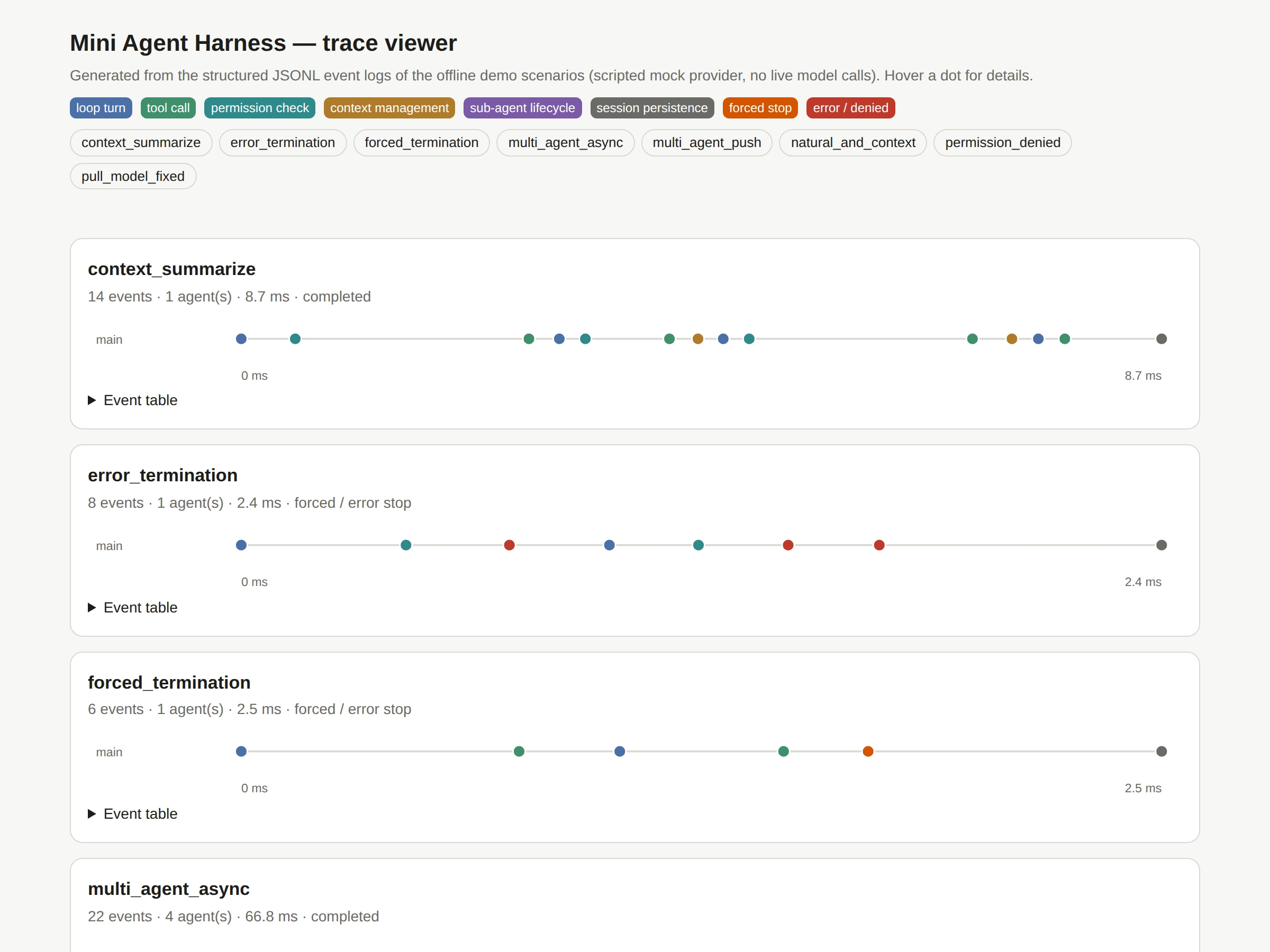
Trace viewer
Why it matters for your project
This is the same thinking I bring to client agent work: build the agent so its behaviour can be inspected, limit what it is allowed to do, and test it — so problems are found before your users find them.
Stack: Python, JavaScript, GitHub Actions (tests and Pages deployment)
Personal open-source project.
0 likes · 3 views · Sep 26, 2026
An agent harness written from scratch in Python, plus a web app that replays every agent run step by step — so you can see why an agent failed, not just that it did.