PrintableLineArt — Python Image Processing & Laravel Publishing

Niko Minadze


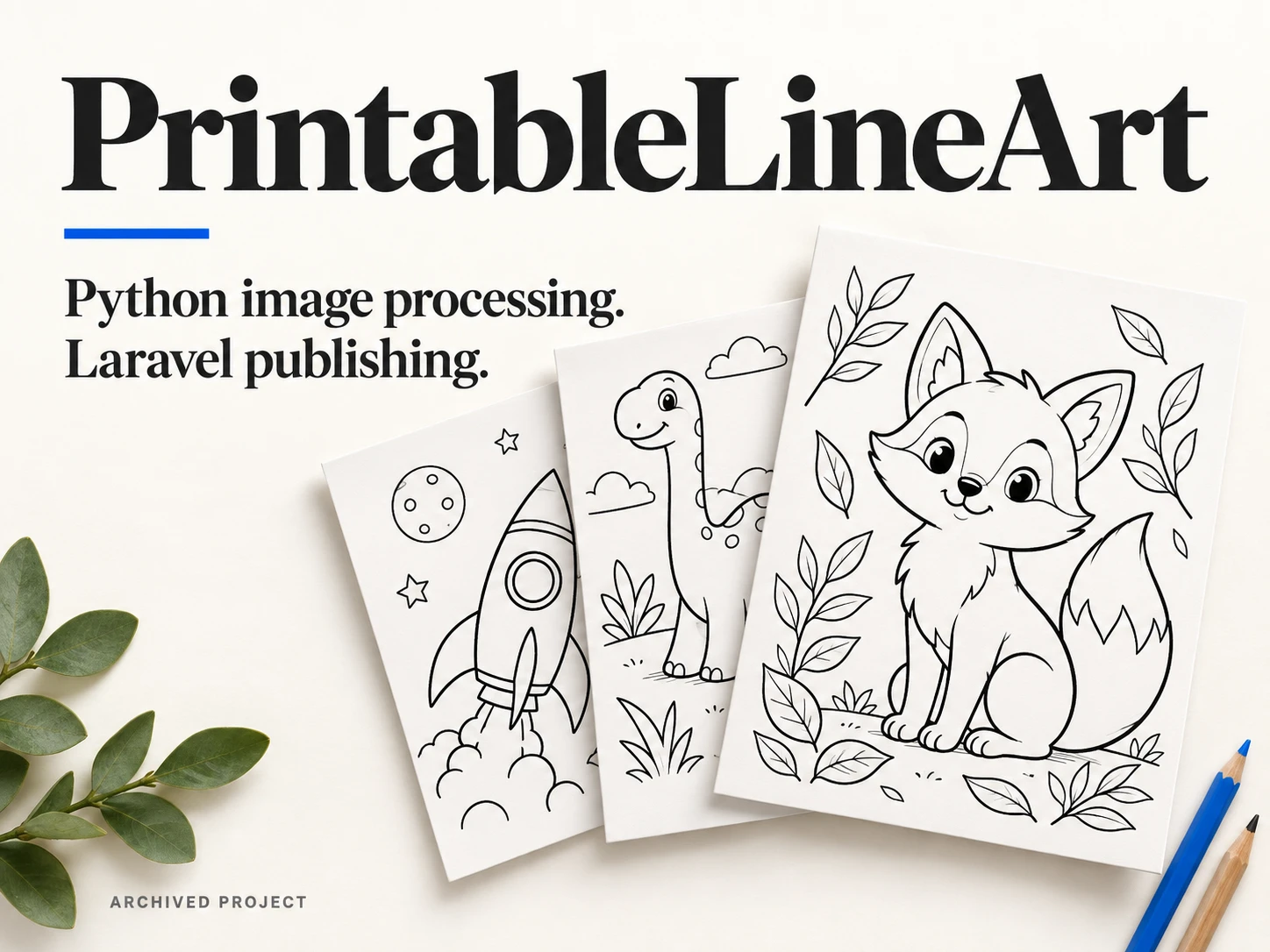
Generating a colouring page leaves several practical jobs unfinished. It needs to print at the right size, have usable outlines, come with the right files, and appear on a website with a title, category and download links.
I built PrintableLineArt to connect those steps. It was my own colouring-page website, with a Python image-generation and processing workflow feeding a Laravel publishing application.
Preparing images for print
The Python side used Stable Diffusion XL or SD 1.5 through Diffusers, with style and LCM LoRAs. It could work through structured prompt batches rather than requiring a separate manual run for every subject.
After generation, the images went through black-and-white processing and a configurable black-pixel coverage check. The script could retry with another seed when a page was too dark. It then prepared a US Letter canvas at 300 DPI and exported a PNG and raster PDF.
There were optional export paths for WebP, AVIF, SVG and vector PDF. Captions and tags were generated separately, while descriptions used templates. The outputs and a structured metadata file were kept together in a folder for each artwork.
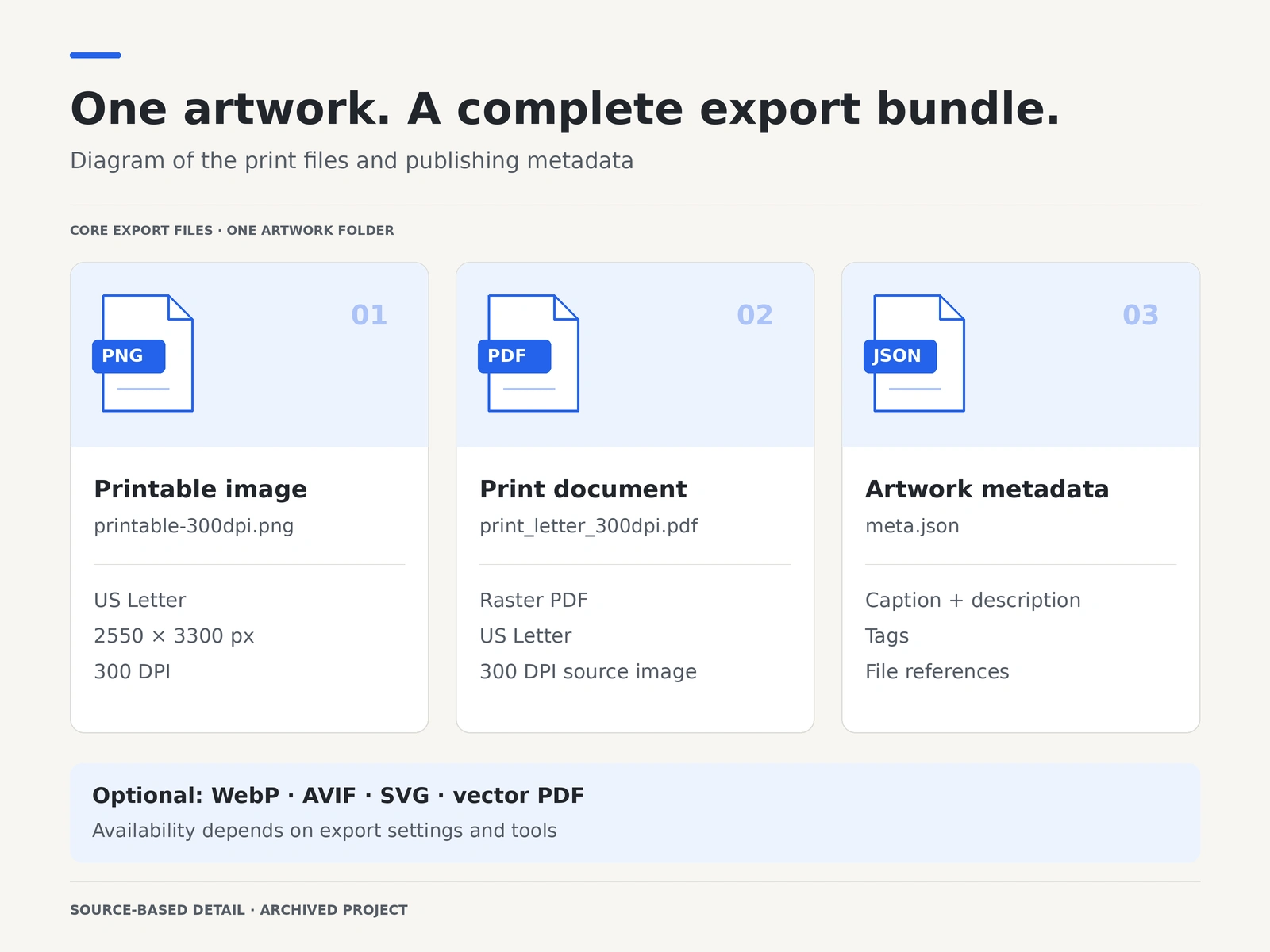
Each artwork was exported with printable files and metadata. Diagram based on the archived Python implementation; optional formats depended on the selected export settings and tools.
Turning files into a catalogue
The next stage started with the exported files in Backblaze B2. Laravel imported the assets and metadata into the catalogue, with background jobs, retries, source checks and file-hash checks to reduce repeat imports.
I also handled the details that tend to make bulk imports awkward: different asset paths, missing optional formats, repeated names and conflicting slugs. The importer connected artwork records to their categories, tags and public files.
Keeping control over publication
A lightweight admin area covered metadata editing, status changes and publication dates. A scheduling command distributed queued items over time, while the publisher picked up items when they were due. Basic flags could hold an item back for attention.
That gave the system a useful separation between generating an asset, importing it and making its page public.
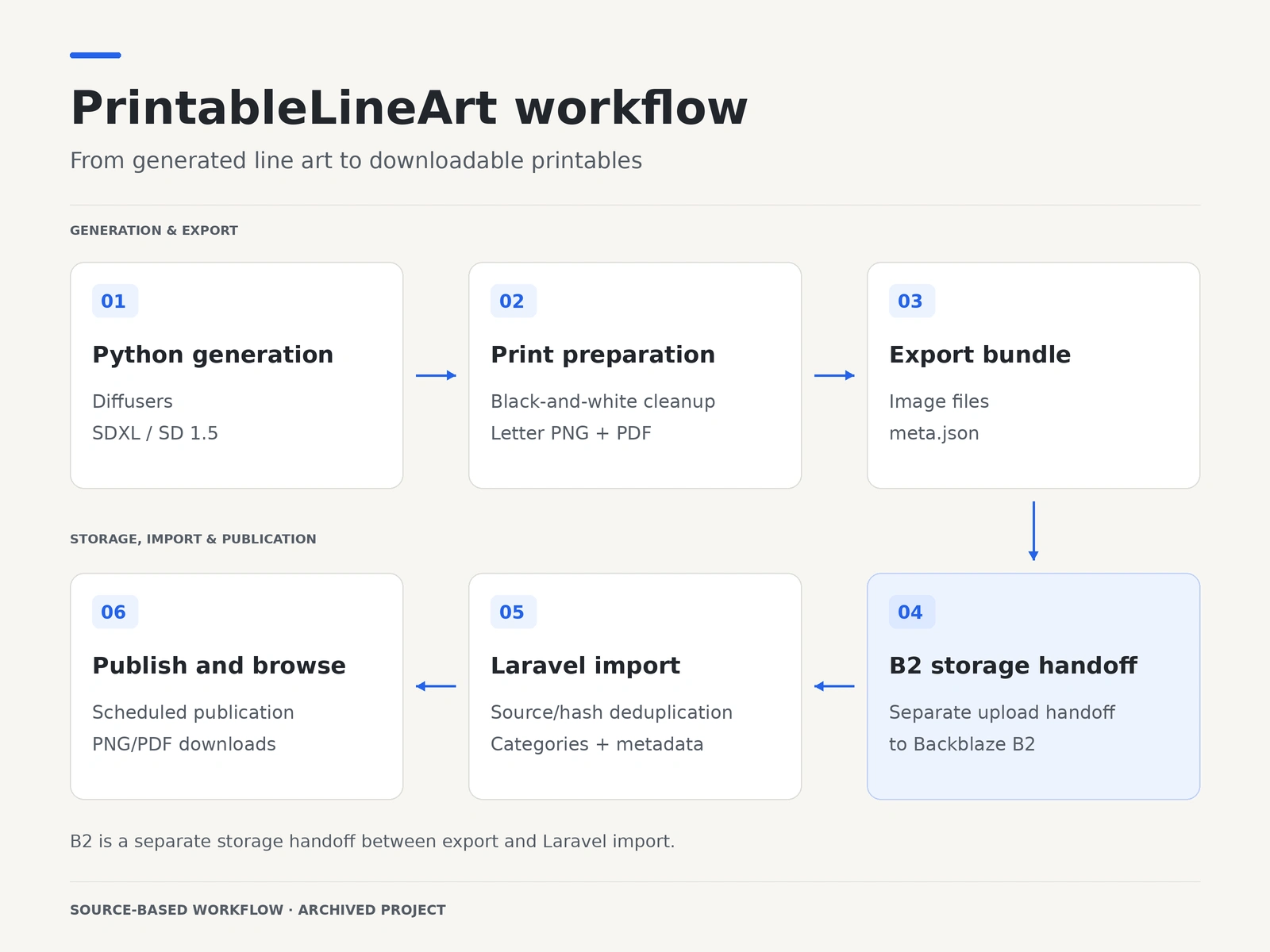
Source-based workflow diagram. Uploading the export bundle into B2 is a separate handoff between generation and import.
The visitor experience
The public application used Laravel and Blade for the gallery, category pages and individual artwork pages. Visitors could browse related artwork and open printable PNG or Letter PDF files. The browser could use WebP or AVIF previews where those assets were available.
The result was a complete application around the images: generation, print preparation, metadata, storage, import controls, publication and downloads.
The original website has since been retired. This case study preserves the engineering work rather than presenting it as an active service.
Like this project
Posted Sep 23, 2026
A Python and Laravel workflow that turns generated line art into printable PNG/PDF files, organised catalogue entries and scheduled publications.