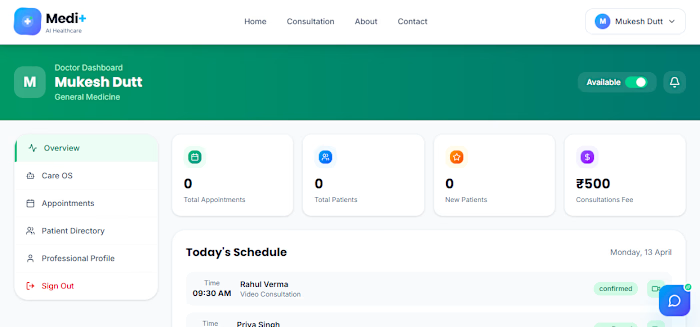
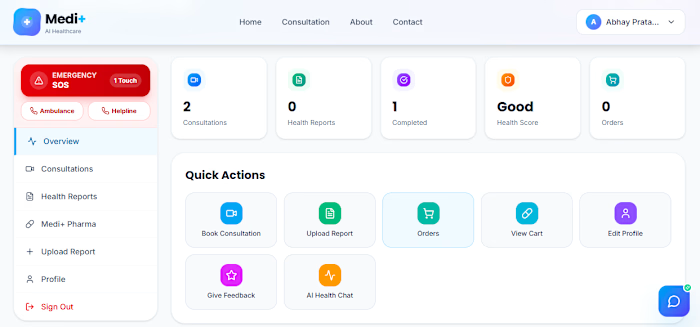
AI-Driven Telemedicine Platform Development

Abhay Pratap Singh


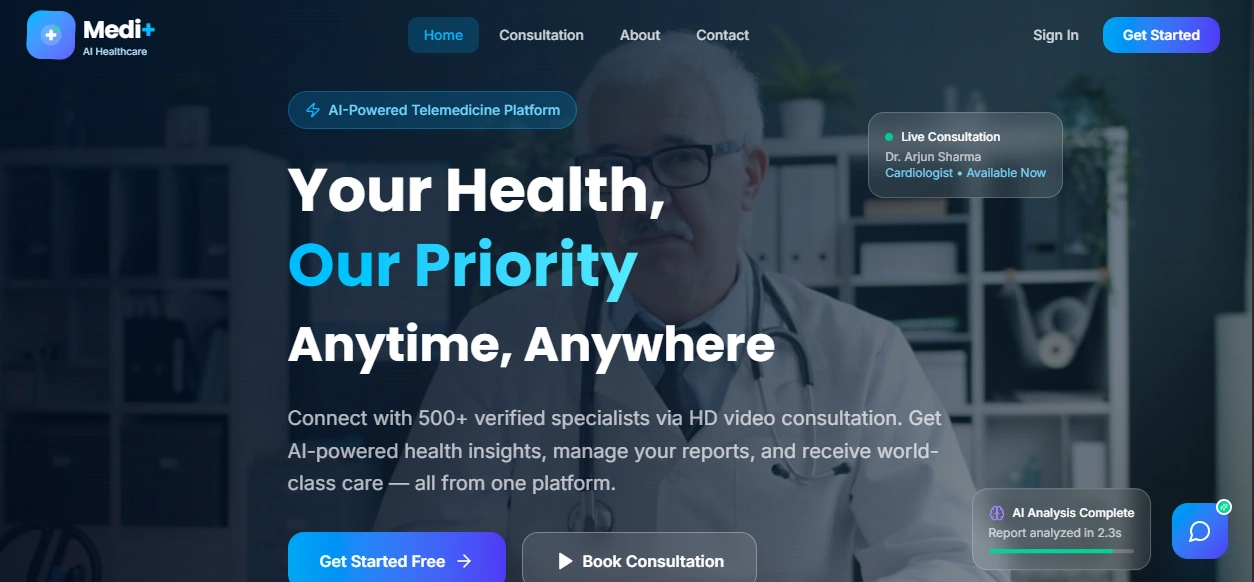
AI Telemedicine Healthcare Platform
Production-ready, full-stack telemedicine platform with AI-assisted health chat, report analysis, doctor workflows, consultation management, and secure authentication.
Table of Contents
Overview
This project provides a modern telemedicine experience across patient and doctor journeys:
AI-assisted health guidance and medical Q&A
Authentication and user profile management
Health report upload and analysis workflows
Doctor dashboard and consultation flows
Contact and admin endpoints
Firebase-backed backend services
Core Features
Intelligent medical chat via pluggable LLM provider settings
Report analysis APIs for health documents
Doctor and consultation management routes
CORS-safe API integration with configurable frontend origins
Email delivery support with Resend or SendGrid
Trusted-source search integration for medical context
Tech Stack
Frontend
React 18 + TypeScript
Vite
MUI + Radix UI
Firebase client SDK
Backend
FastAPI
Pydantic Settings
Firebase Admin SDK
LangChain integrations
Uvicorn
Tooling
npm workspaces
concurrently (parallel frontend + backend startup)
PowerShell and batch helpers for local startup/testing
Architecture
Frontend runs on Vite dev server (default: http://localhost:5173)
Frontend sends API calls to backend under /api
FastAPI backend runs on port 8000
Backend connects to Firebase for persistence/auth-related services
Optional AI and search providers are enabled through environment variables
Repository Structure
Getting Started
Prerequisites
Node.js 18+
npm 9+
Python 3.10+
A configured Firebase project
1) Clone and install dependencies
Recommended Python setup (Windows PowerShell):
2) Configure environment
Create backend environment file:
Add at least the required keys shown in the Environment Variables section below.
3) Run locally
Option A (single command from repo root):
Option B (Windows helper):
Frontend: http://localhost:5173
Backend root: http://localhost:8000
Environment Variables
The backend reads config from backend/.env.
Required:
JWT_SECRET_KEY
FIREBASE_PROJECT_ID
FIREBASE_CLIENT_EMAIL
FIREBASE_PRIVATE_KEY
EMAIL_FROM
Common optional settings:
APP_ENV, APP_HOST, APP_PORT
FRONTEND_ORIGIN or FRONTEND_ORIGINS
JWT_ALGORITHM, JWT_ACCESS_TOKEN_EXPIRE_MINUTES
FIREBASE_STORAGE_BUCKET, FIREBASE_CREDENTIALS_PATH
EMAIL_PROVIDER, RESEND_API_KEY, SENDGRID_API_KEY
OPENROUTER_API_KEY, OPENROUTER_MODEL
SEARCH_PROVIDER, TAVILY_API_KEY, SERPAPI_API_KEY
VIDEO_MEETING_PROVIDER, VIDEO_MEETING_BASE_URL, VIDEO_MEETING_ROOM_PREFIX
Important: never commit secrets. Keep backend/.env and service account files private.
Available Scripts
Root package scripts:
npm run dev: run backend and frontend concurrently
npm run backend: run FastAPI backend via backend/run.py
npm run frontend: run frontend dev server
npm run build: build frontend for production
npm run frontend-install: install frontend workspace dependencies
Frontend workspace scripts:
npm run dev -w frontend
npm run build -w frontend
API Reference
When backend is running, open:
Swagger UI: http://localhost:8000/docs
ReDoc: http://localhost:8000/redoc
Primary route groups include:
/health
/auth
/chat
/reports
/user
/doctors
/consultations
/contact
/admin
Security Notes
Keep all API keys and credentials in environment variables
Restrict CORS origins in production
Use HTTPS in deployed environments
Rotate JWT secrets and provider keys periodically
Deployment
For deployment instructions, refer to:
DEPLOYMENT-GUIDE.md
BACKEND-FIXES.md
API_KEYS_SETUP_GUIDE.md
Troubleshooting
If backend fails at startup, confirm required backend/.env values are present
If frontend cannot reach API, verify VITE_API_BASE_URL and backend CORS config
If auth or data access fails, re-check Firebase credentials and project IDs
License
Private project. Add your preferred license terms before public distribution.
Like this project
Posted Sep 29, 2026
Developed an AI-driven telemedicine platform for patient and doctor interactions.
Likes
1
Views
1
Timeline
Jan 1, 2026 - May 31, 2026
Clients
None