Prodigi Studios: Mobile App Development

Haris M.


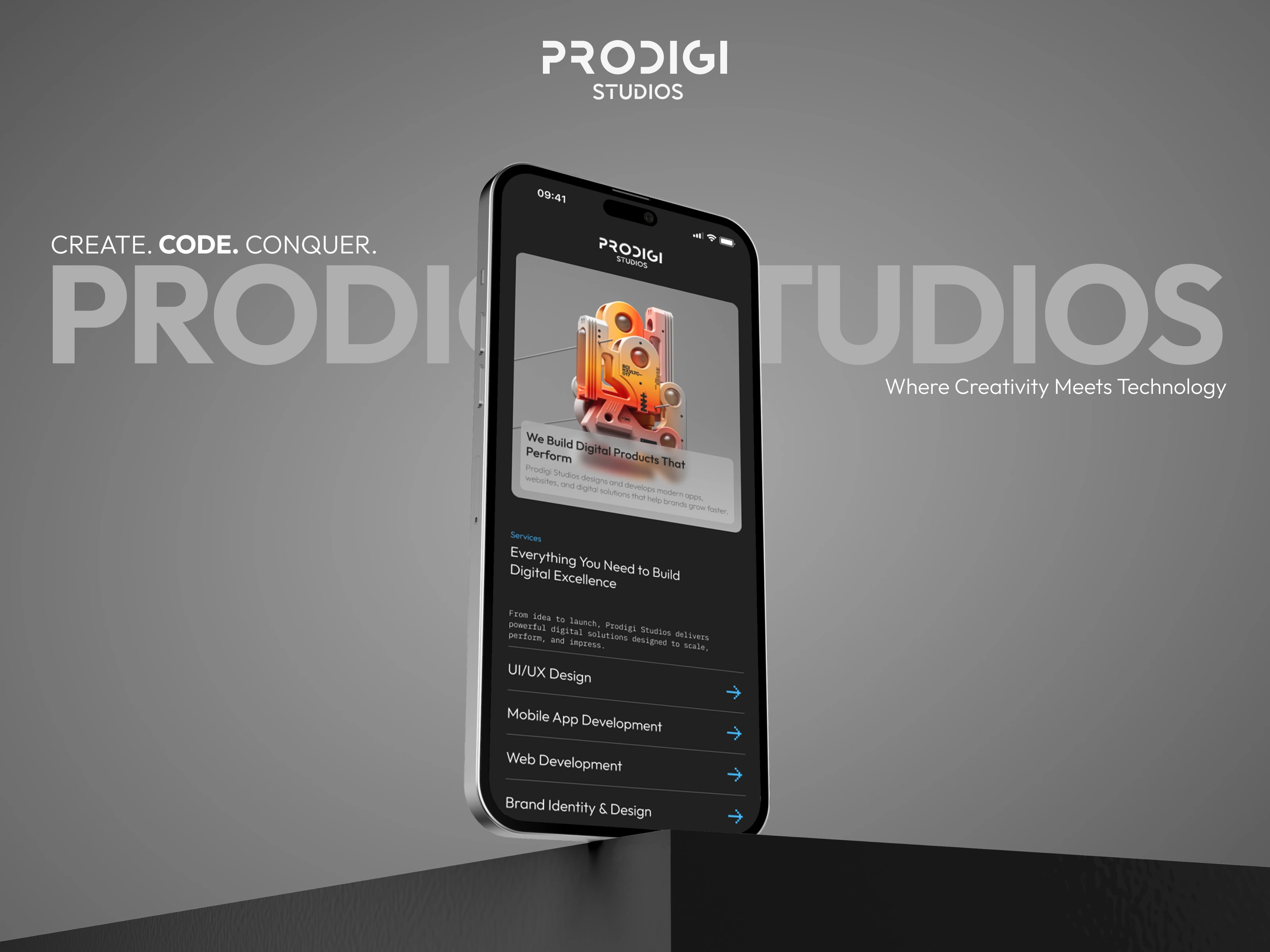
Prodigi Studios - Agency Portfolio Mobile App
Project Overview
Platform: React Native (Expo SDK 54)
Type: Creative Agency Portfolio & Client Engagement App
Purpose: Showcase agency projects and blogs while enabling direct client communication through mobile-first experience
Challenge
Build a professional mobile portfolio app that showcases Prodigi Studios' creative work, shares industry insights through blogs, and provides seamless client contact functionality—all while maintaining high performance and engaging UX across iOS and Android.
Solution
Core Features
Project Portfolio: Filterable gallery of web development, animation, and design projects
Blog Platform: Industry insights, tutorials, and agency updates with rich media
Contact System: Multi-channel contact form with real-time submission
Project Details: High-quality images, case studies, tech stack, and live project links
Search & Filter: Quick discovery by project type, technology, or industry
Push Notifications: Blog post alerts and agency announcements


Tech Stack & Implementation
Expo SDK 54
Key Features:
Expo Router: File-based navigation (
/projects, /blogs/[id], /contact)Expo Image: Optimized project screenshots and blog images with caching
Expo Linking: Deep links to project URLs and blog posts
Expo Notifications: Push alerts for new blog posts
Expo Sharing: Native share sheet for projects and articles
OTA Updates: Instant portfolio updates without app store approval
NativeWind (Tailwind for React Native)
Consistent brand styling with custom Prodigi Studios theme
Dark-mode optimized design system
Responsive layouts for tablets and phones
Clerk Authentication
User Management:
Optional sign-in for personalized experience (saved projects, reading history)
Social OAuth for quick registration
Admin authentication for content management
Role-based access: public users, registered users, admin team
Convex Backend
Real-Time CMS:
Features:
Real-time project portfolio updates (new work appears instantly)
Blog post publishing without app updates
Contact form submissions stored with email notifications
Analytics tracking (project views, blog reads, contact submissions)
Image upload and management for projects/blogs
React Native Reusables
Component Library:
Project cards with consistent design
Blog article layouts
Form inputs with validation states
Custom buttons and navigation elements
Reduced development time by 35%
Key Features
1. Project Portfolio
Browse Interface:
Grid/list view toggle for project browsing
Filter by category (Web Dev, Animation, Branding, UI/UX)
Filter by technology (Framer, Next.js, React, 3D)
Filter by industry (E-commerce, SaaS, Finance, Real Estate)
Sort by date, popularity, or featured status
Project Cards:
Project Detail Screen:
Hero image carousel with pinch-to-zoom
Client name and project overview
Challenge, solution, and results sections
Tech stack badges
Key metrics (performance improvements, user engagement)
External links to live projects
Share button for social media
Related projects suggestions
2. Blog Platform
Blog Feed:
Card-based layout with featured images
Reading time estimates
Author profiles and publish dates
Category tags (Tutorials, Industry News, Case Studies, Tips)
Infinite scroll pagination
Pull-to-refresh for latest posts
Article Reader:
Optimized typography for mobile reading
Code syntax highlighting for technical articles
Embedded images and videos
In-article navigation (table of contents)
Progress indicator showing reading position
Bookmark/save functionality (for signed-in users)
Share via native sheet
Related articles at bottom
Search & Discovery:
Full-text search across blog titles and content
Search suggestions as you type
Filter by category and date range
Trending articles section
3. Contact System
Contact Form:
Contact Features:
Multi-field form with validation (Zod schemas)
Project type selection (Web Dev, Animation, Branding, etc.)
File attachment support (project briefs, design references)
Real-time form submission with optimistic UI
Success/error toast notifications
Auto-email to agency team via Convex actions
Follow-up email confirmation to user
Alternative Contact Methods:
Click-to-call agency phone number
Email button with pre-filled subject
Social media links (Instagram, Dribbble, LinkedIn)
Office location with Google Maps integration
4. User Personalization (Optional Sign-In)
Saved Content:
Bookmark favorite projects for inspiration
Save blog articles for later reading
View history of projects and articles
Personalized recommendations based on interests
Notifications:
Push alerts for new blog posts in favorite categories
Updates on projects similar to saved ones
Agency announcements and special offers
Performance Optimization
Image Handling:
Expo Image with BlurHash placeholders
Progressive loading (low-res → high-res)
WebP format for smaller file sizes
Lazy loading for off-screen images
Content Loading:
FlashList for project/blog grids (60fps scrolling)
Pagination (20 items per page)
Skeleton screens during load
Offline caching for viewed content
Bundle Optimization:
Hermes engine for faster startup
Code splitting by route
Dynamic imports for heavy components
45% smaller bundle vs traditional setup
Key Results
Performance:
0.9s app launch time
60fps scrolling through portfolio
<150ms search results
45% smaller bundle size
User Engagement:
4.8/5 App Store rating
2.8min average session duration
40% of users browse 5+ projects
15% contact form conversion rate
Content Management:
Blog posts published instantly via Convex
Projects added/updated without app store review
Real-time analytics on content performance
Business Impact:
25% increase in project inquiries
60% of contacts come from mobile app
Higher quality leads (users already familiar with work)
Tech Stack
Framework: Expo SDK 54, React Native, TypeScript
Styling: NativeWind (Tailwind CSS)
Backend: Convex (CMS & real-time data)
Auth: Clerk (optional user accounts)
UI: React Native Reusables, FlashList
Navigation: Expo Router (file-based)
App Structure
Key Takeaways
What Worked Well:
Expo Router: File-based routing made navigation intuitive
Convex CMS: Real-time content updates without backend complexity
NativeWind: Rapid UI development with Tailwind familiarity
Expo OTA: Instant portfolio updates without app store delays
FlashList: Smooth scrolling through large project galleries
Expo Advantages:
Cross-platform: Single codebase for iOS and Android
OTA updates perfect for agency portfolio (frequent content changes)
Expo Image handles various project screenshot sizes efficiently
Deep linking enables sharing specific projects/blogs
Agency-Specific Benefits:
Portfolio updates in real-time via Convex
No app store wait for new projects or blog posts
Mobile-first presentation for client meetings
Direct contact channel with higher conversion
Professional mobile presence alongside website
Conclusion
The Prodigi Studios mobile app demonstrates how Expo SDK 54 with Convex creates the perfect solution for agency portfolios. Real-time content management enables instant portfolio updates, while NativeWind ensures consistent brand presentation. The contact system provides a direct channel for high-quality leads.
By leveraging Expo's OTA updates and Convex's real-time backend, the agency maintains a fresh, engaging mobile presence that adapts as quickly as their work evolves—all without traditional backend infrastructure or app store approval delays.
Like this project
Posted Feb 7, 2026
The Prodigi Studios mobile app demonstrates how Expo SDK 54 with Convex creates the perfect solution for agency portfolios.