
Weather Monitoring System
Overview
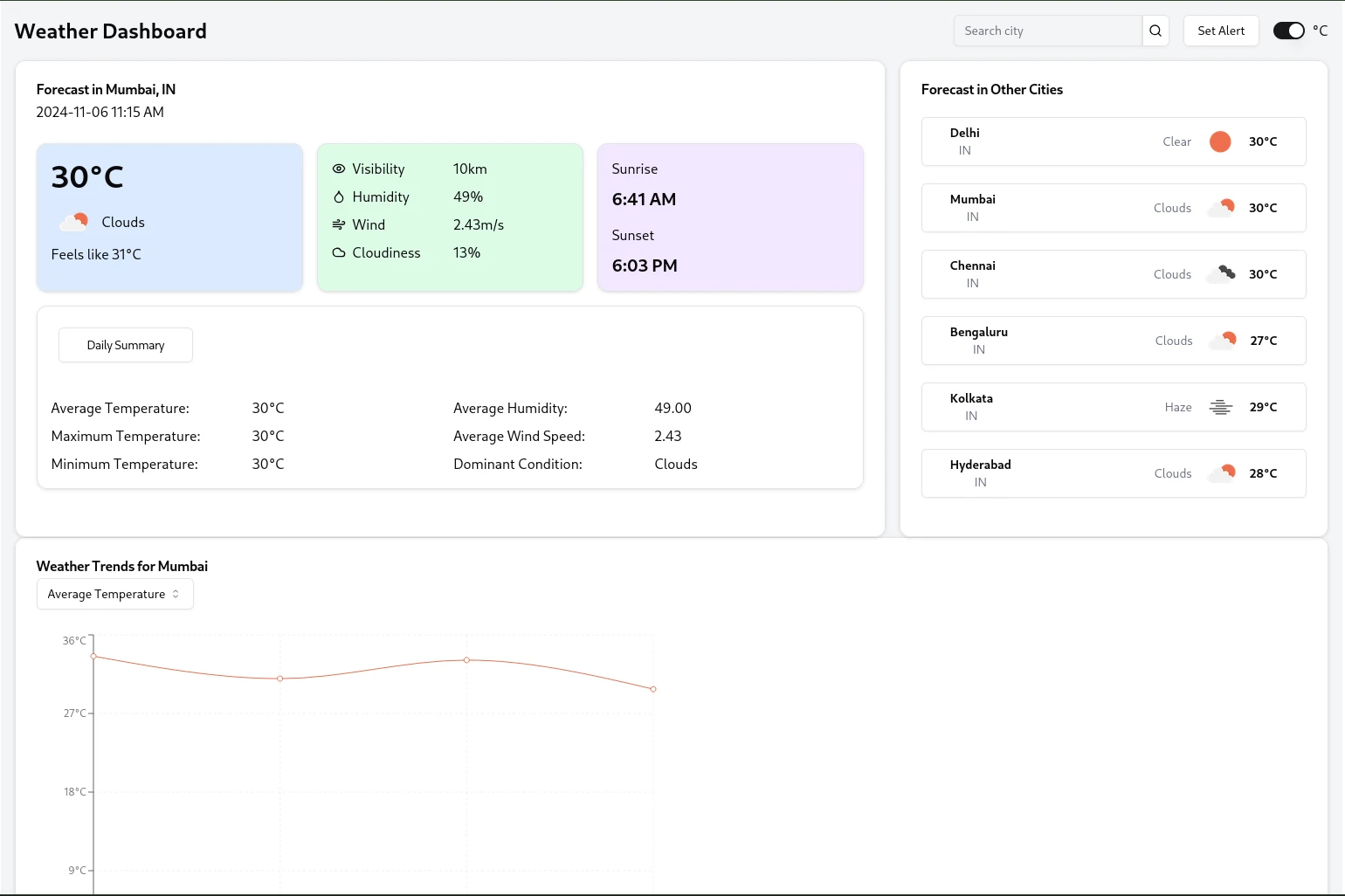
This Weather Monitoring System is a full-stack application that fetches real-time weather data for multiple cities, calculates daily summaries, and provides alerting capabilities based on user-defined thresholds.
Features
Real-time weather data fetching for multiple cities
Daily weather summaries including average, maximum, and minimum temperatures
User-configurable weather alerts
RESTful API for weather data and alerts
Frontend dashboard for data visualization
Tech Stack
Backend: Node.js with Express.js
Frontend: React.js
Database: MongoDB
Prerequisites
Before you begin, ensure you have met the following requirements:
Node.js (v14 or later)
npm (v6 or later)
MongoDB (v4 or later)
An OpenWeatherMap API key
Installation
Clone the repository:
Install backend dependencies:
Install frontend dependencies:
Create a
.env file in the project directory with the following content:Create another
.env file in ./frontend directory with content:Running the Application
Start the backend server:
In a new terminal, start the frontend development server:
Open your browser and navigate to
http://localhost:3000 to view the application.API Endpoints
GET
/api/weather/:city - Get current weather for a cityGET
/api/summary/:city - Get daily summary for a cityGET
/api/summaries/:city - Get all summaries for a cityPOST
/api/setAlert - Set a new weather alertDesign Choices
Microservice Architecture: The application is divided into backend and frontend services, allowing for independent scaling and maintenance.
RESTful API: The backend exposes a RESTful API, making it easy to integrate with various frontend frameworks or mobile applications in the future.
Cron Jobs: We use node-cron to schedule periodic weather data fetching, ensuring our database is always up-to-date without overwhelming the OpenWeatherMap API.
MongoDB: Chosen for its flexibility with document-based storage, which is ideal for storing varying weather data structures.
React Hooks: The frontend extensively uses React Hooks for state management and side effects, promoting cleaner and more maintainable code.
Error Handling: Comprehensive error handling is implemented both in the backend and frontend to provide informative feedback to users.
Email Notifications: Nodemailer is used to send email alerts when user-defined weather thresholds are breached.
UI
Dependencies
Backend Dependencies
express: Web application framework
mongoose: MongoDB object modeling tool
node-cron: Task scheduler in Node.js
axios: Promise based HTTP client
nodemailer: Send emails from Node.js
dotenv: Loads environment variables from .env file
cors: Enable CORS with various options
Frontend Dependencies
react: JavaScript library for building user interfaces
react-dom: React package for working with the DOM
axios: Promise based HTTP client
chart.js: JavaScript charting library
react-chartjs-2: React wrapper for Chart.js
0 likes · 8 views · Feb 27, 2025
This Weather Monitoring System is a full-stack application that fetches real-time weather data for multiple cities, calculates daily summaries


