CineMind Movie Exploration Platform

Timothy Chen


CineMind
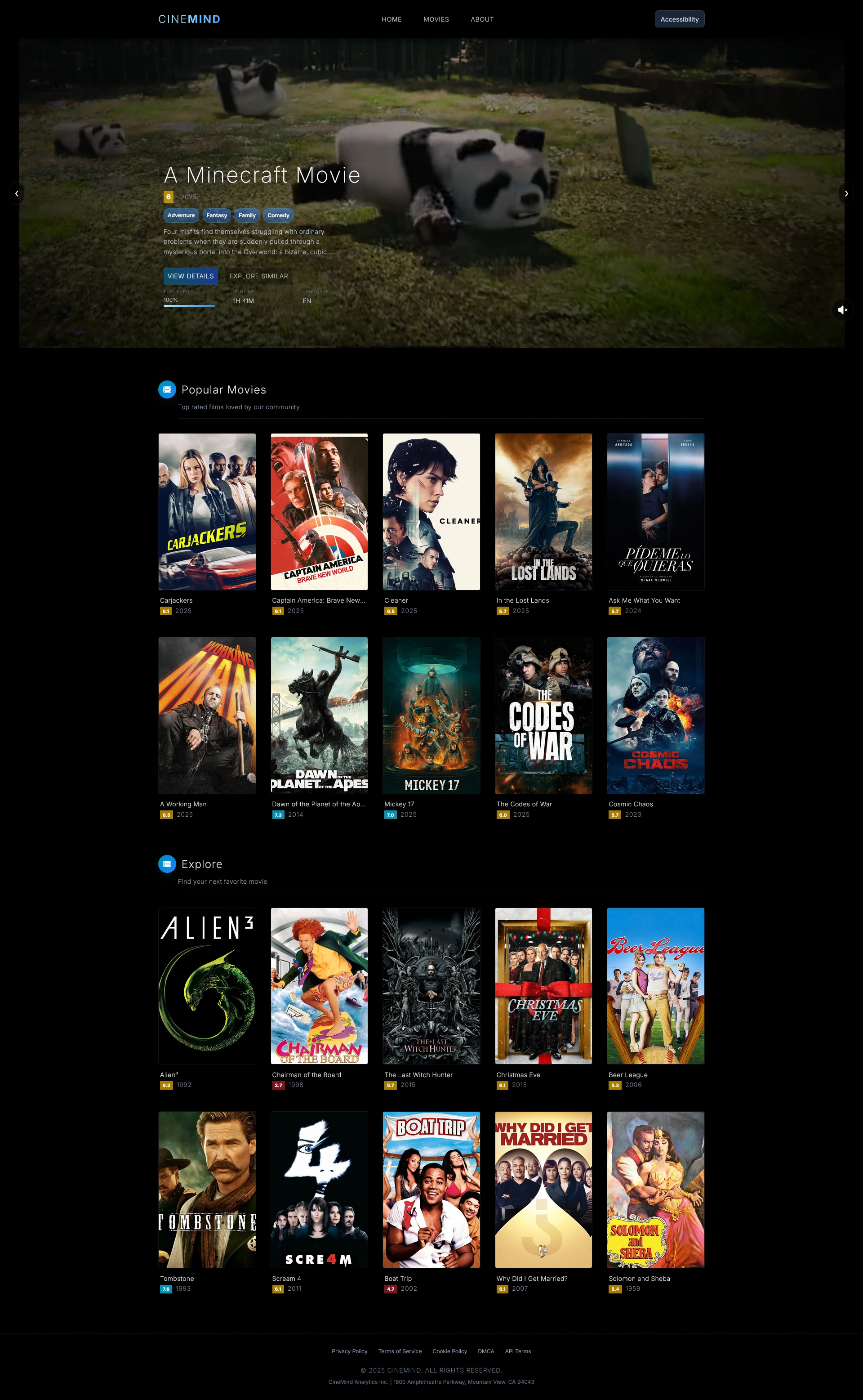
CineMind is a comprehensive movie exploration and data platform that helps users discover and explore films through rich data from The Movie Database (TMDB) API and intelligent insights. Built as a full-stack application with a custom Flask API backend, it provides detailed movie information, analytics, and features an AI-powered smart review section that uses Google's Gemini API to summarize reviews and provide intelligent commentary.
🎥 Demo
Watch CineMind in action - showcasing movie search, AI-powered reviews, and data visualizations.
✨ Features
Movie search and discovery with trailers, posters, and backdrops
Comprehensive movie metadata including cast, crew, and financial performance
User reviews integration
AI-powered review summaries (via Gemini API)
Interactive analytical charts and database visualizations
Custom Flask API for data management and processing
Movie analytics and insights
Responsive web interface built with Astro
Accessibility features including dyslexia-friendly fonts, font size slider, high contrast mode, reduced motion options, and keyboard navigation
🛠️ Tech Stack
Frontend
Astro - Modern web framework for content-focused websites
React - Interactive UI components
Tailwind CSS - Utility-first CSS framework
Backend
Python Flask - Lightweight web framework
SQLite - Local database for movie data storage
Google Gemini API - AI-powered review summarization
Data & Analytics
Pandas - Data manipulation and analysis
Chart.js - Interactive data visualizations
TMDB API - Movie metadata and information
📁 Project Directories
Frontend (/frontend)
/frontend)src/pages/ - Astro page components and routingsrc/components/ - Reusable React componentssrc/layouts/ - Page layout templatessrc/styles/ - CSS and styling filessrc/utils/ - Utility functions and helperssrc/hooks/ - Custom React hookssrc/assets/ - SVG logos and graphics used in the about sectionpublic/ - Static assets (images, icons, etc.)Backend (/backend)
/backend)app/ - Main Flask application code and development notebooksapp.py - Main Flask application entry pointapi_and_db_testing.ipynb - Initial API testing and database implementation work from the start of the projectcinemind_toolkit.ipynb - Well-formatted utilities and commands for regular database operations and API managementcinemind_ai.ipynb - Testing and experimentation with the Gemini AI API for review analysisdata/ - CSV datasets and raw data filestmdb_5000_movies.csv - Core movie dataset with metadata, budget, revenue, and ratingstmdb_5000_credits.csv - Cast and crew information for moviesmodels/ - Original SQLite database files (now legacy - replaced by migration system)tests/ - Unit testing files and test notebookstest_database.ipynb - Comprehensive unit tests for database functionality and data integrityrequirements.txt - Python dependenciesOther
diagrams/ - Project documentation and diagrams, mainly showing the backend database structure with Mermaid diagramsmigration_project/ - Current active database - SQLAlchemy-based implementation with Alembic migrations (more powerful than the original cinemind.db)🛠️ Setup Instructions
Prerequisites
Node.js (v18 or higher)
npm or yarn
Git
Python 3.8 or higher
Flask
Frontend Setup
Clone the repository
Install dependencies
Start development server
The frontend will be available at
http://localhost:4321Backend Setup
[Optional] Create a virtual environment (from project root)
Install Python dependencies
Configure environment variables
Start Flask server
Full-Stack Development
Start both frontend and backend manually
Alternative: Use the convenience script (Windows only)
Note: The
start-servers.bat script only works if your virtual environment is located at cinemind/venv (created in the project root as shown in the Backend Setup instructions).🌐 Environment Variables
Create a
.env file in one of the following supported locations:Root directory:
cinemind/.env (recommended)Backend app directory:
cinemind/backend/app/.envFrontend directory:
cinemind/frontend/.envBackend directory:
cinemind/backend/.envThe Flask app will automatically detect and load the .env file from any of these locations.
Add the following variables to your .env file:
Getting API Keys:
TMDB API: Get your bearer token from TMDB API Settings
Gemini API: Get your API key from Google AI Studio
🤝 Contributing
Fork the repository
Create a feature branch (
git checkout -b feature/amazing-feature)Commit your changes (
git commit -m 'Add some amazing feature')Push to the branch (
git push origin feature/amazing-feature)Open a Pull Request
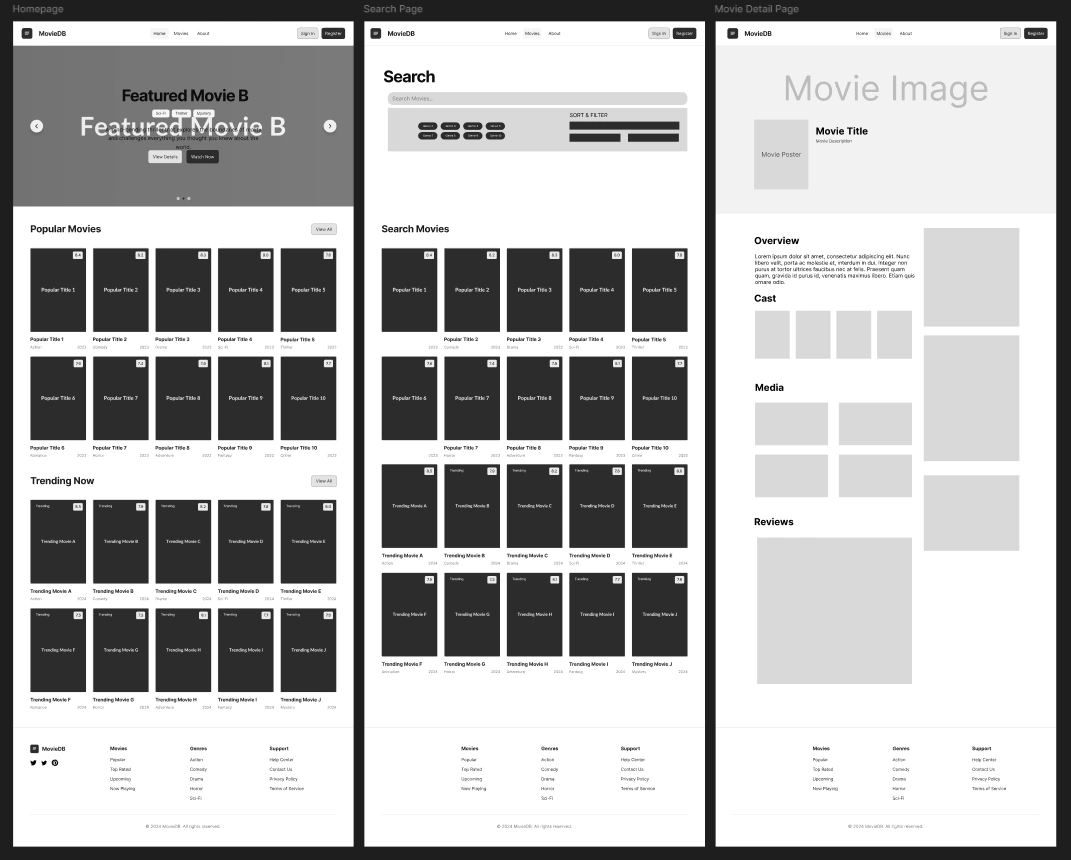
🎨 Design & Planning
📚 Learn More
👥 Credits
This project was developed by:
Timothy Chen - Lead Full-Stack Developer & AI Engineer
BSc Computer Science Student at University of the Arts London (UAL)
Full-stack development with frontend leadership, backend architecture, AI integration with Gemini API, and system design
Balmee Hunumunt - Backend Lead Developer
BSc Computer Science Student at University of the Arts London (UAL)
Backend development, API architecture, database design, and TMDB API data processing
📄 License
This project is part of the UAL Data-Driven Full Stack course.
Like this project
Posted Sep 19, 2025
a full-stack movie exploration platform with analytics, real-time search filtering and AI sentiment analysis.
Likes
0
Views
11