
Building two custom tools to solve the different workflow problems happening inside the team and across client relationships
Client: Wizardly
Softwares built: Two
Tools Used: Figma, Claude Code, Vercel, Github, Neon, Subase ...etc.
Overview:
Improving how we work has been a recurring part of my role at Wizardly. Over the years, that has ranged from introducing new tools and restructuring how we organize projects to shaping new services, improving how we work with clients, and contributing to how we present the agency itself.
A lot of those changes started with noticing something that could work better, then figuring out what I could do about it. As AI made building custom software more accessible, I saw an opportunity to take that further. Instead of adapting our processes around existing tools, I started building tools around the specific problems and workflows of our team.
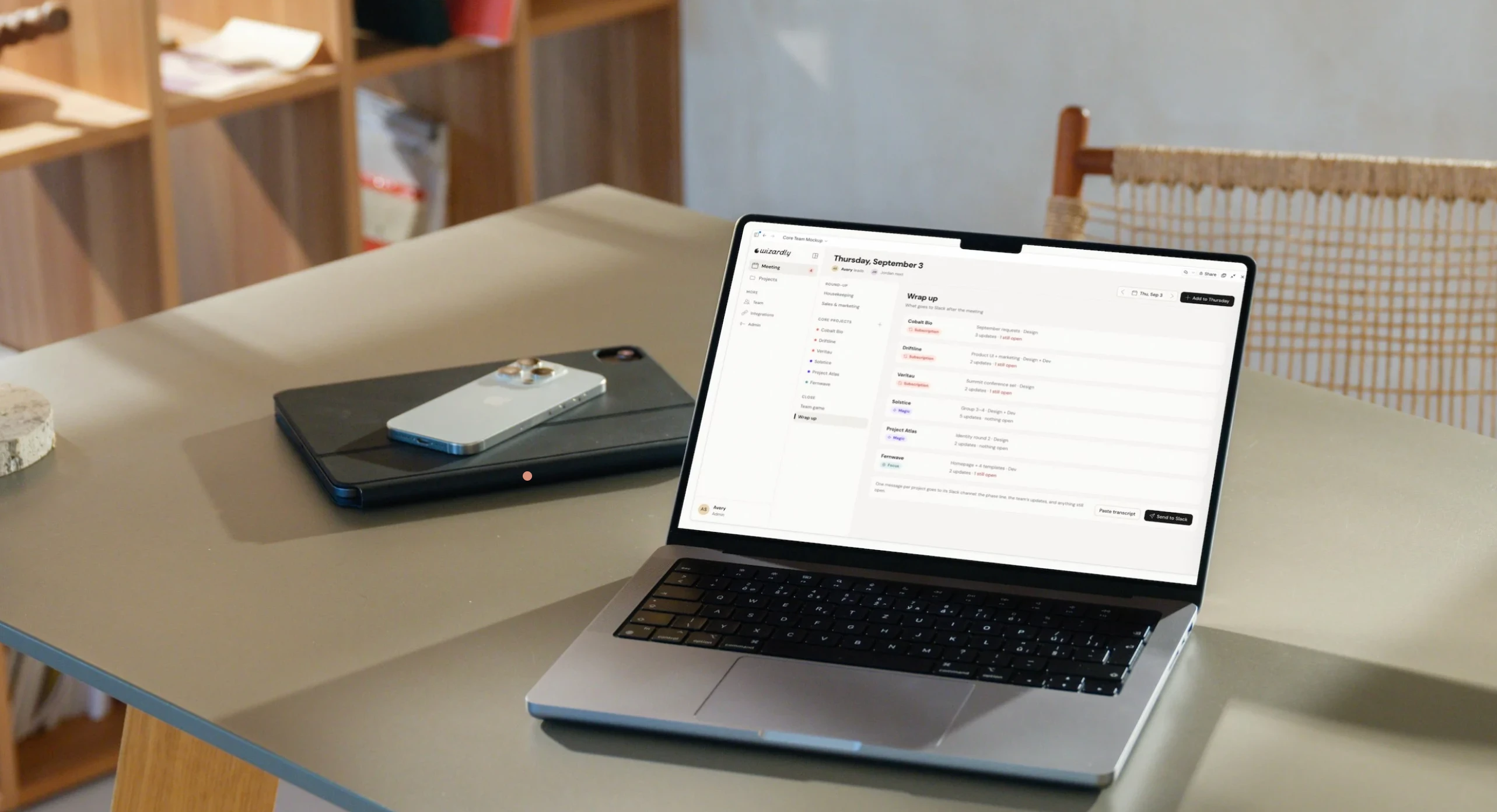
Custom Tool For Internal Use to track meetings and projects
Built an internal tool to evolve around how our team works
Twice a week, our core team meets to share project updates, surface blockers, and keep work moving. We managed those meetings through a Google Doc, but the process depended on everyone manually gathering updates beforehand, and that prep often wasn’t happening.
As I started experimenting with AI-assisted development, this felt like the right problem to test it on. I first prototyped the experience to mirror the meeting structure we already knew, then used Claude Code to build it into an internal app. I connected it to Slack so AI could pull recent project context and give the team a starting point before each meeting.
Since launching it, I’ve continued evolving the app as we uncover new problems. Recent iterations put more emphasis on individual prep and ownership, help us focus meetings on the projects that actually benefit from group discussion, and introduce project hubs where key context, links, team members, and updates can live together.
That’s become one of the biggest advantages of building the tool ourselves. It doesn’t need to anticipate every way we might work from the beginning. As our team and processes change, I can keep adapting the app around what we actually need.
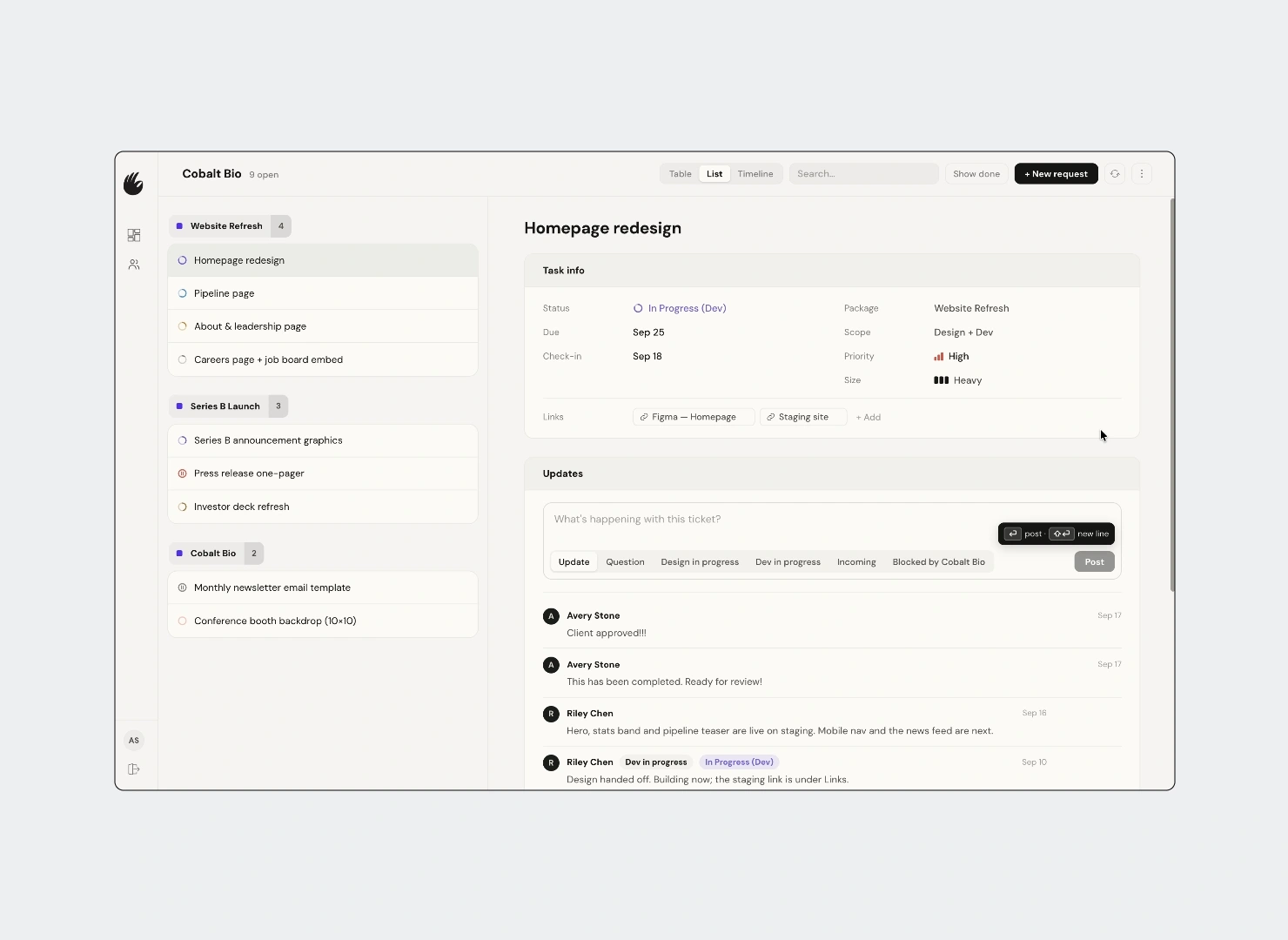
Custom built app for client ticket tracker
Built a client portal connecting meetings, project updates & feedback for the team
Our design subscriptions were spread across three different tools. Monday held our internal project management, Slack held ongoing conversations, and a Google Doc acted as the client-facing agenda. Before and after every meeting, I was manually pulling those pieces together to make sure the client and our internal team were working from the same information.
When one of my clients moved from one meeting a week to two, that process became difficult to maintain. Using what I’d learned from building the Core Team app, I designed a dedicated client portal around the way our design subscriptions actually work.
The biggest challenge was connecting two different sides of the same project. Our team still needed Monday for internal planning, while the client needed something much simpler. I built the portal to connect the two, so updates and status changes can sync back to Monday without exposing the complexity of our internal project management.
I’ve continued expanding it as new needs come up. Both sides can now add their own updates as work moves between our team and the client’s, giving us a shared place to track context that would otherwise get buried in Slack. What started as a way to reduce meeting prep has become the main reference point for the engagement, and I’m continuing to build on it as we learn what the relationship needs.
0 likes · 1 view · Sep 22, 2026
Developed custom tools for team and client workflow efficiency at Wizardly using Claude Code, Github, Vercel and Neon.


