EduPilotPro Mobile — Parent & Student App (iOS + Android)

Taimoor Khan


CASE STUDY · EDTECH MOBILE · APP CORP
A school in every parent's pocket
EduPilotPro's web platform gave schools a cloud-native operating system. The mobile app puts the other half of that system — the parent and student experience — directly on their phones.
Platform: EduPilotPro · edupilotpro.com
Markets: South Asia · MENA · Africa
Type: Cross-platform mobile app · iOS + Android · Expo + React Native
App highlights:
Single app serving all tenants — one download, every school
Family accounts linking father, mother, and siblings under one login
On-device AI model (Google Gemma) for unmetered student assistance
Offline-first architecture — works without connectivity, including AI
Currently in App Store and Play Store approval for closed testing
THE PROBLEM
Parents were stuck outside the system
EduPilotPro's web platform automated school operations for administrators and teachers. But parents — the people most invested in their child's education — were still getting information through WhatsApp messages, printed fee slips, and verbal updates at pickup time.
No visibility into attendance. Parents found out about absences days later, or not at all. There was no way to see attendance patterns over time.
Fee management was manual. Paper vouchers got lost. Payment status was unclear. Parents had to visit the school office to confirm whether a fee was received.
Homework was invisible. Assignments were communicated verbally in class or written on a whiteboard. If a student missed a day, the homework disappeared.
No unified family view. Parents with multiple children in the same school had to track each child's information separately, often through different channels.
Students had no learning support outside the classroom. When a student got stuck on a concept at home, there was no structured help available until the next school day.
OUR APPROACH
One app, every family, every school
Rather than building a simple notification viewer, we designed the EduPilotPro mobile app as a full parent and student portal — with on-device AI that works without internet.
The key design decisions:
Multi-tenant from the start. One published app serves every school on the platform. When a parent logs in, the app loads their school's configuration, branding context, and data environment. The same row-level tenant isolation that protects data on the web platform extends to every API call from the mobile client.
Family accounts, not individual accounts. A single login gives parents access to all their children's profiles. Father, mother, and siblings share one family account. No juggling multiple logins or switching between apps.
On-device AI for students. We integrated Google Gemma E2B (2.58 GB model) that downloads directly to the student's device. Once downloaded, the AI assistant runs entirely on-device — no server calls, no usage costs, no metering. Students can ask for help understanding blocking concepts in any subject, as many times as they need, without the school or family incurring API costs.
Offline-first architecture. The app is designed to work without connectivity. Cached data stays accessible, and the AI model runs on local hardware. When connectivity returns, the app syncs silently. This was a deliberate choice for our markets — South Asia, the Middle East, and Africa — where mobile data can be expensive and connectivity is inconsistent.
THE FEATURES
Everything a family needs in one place
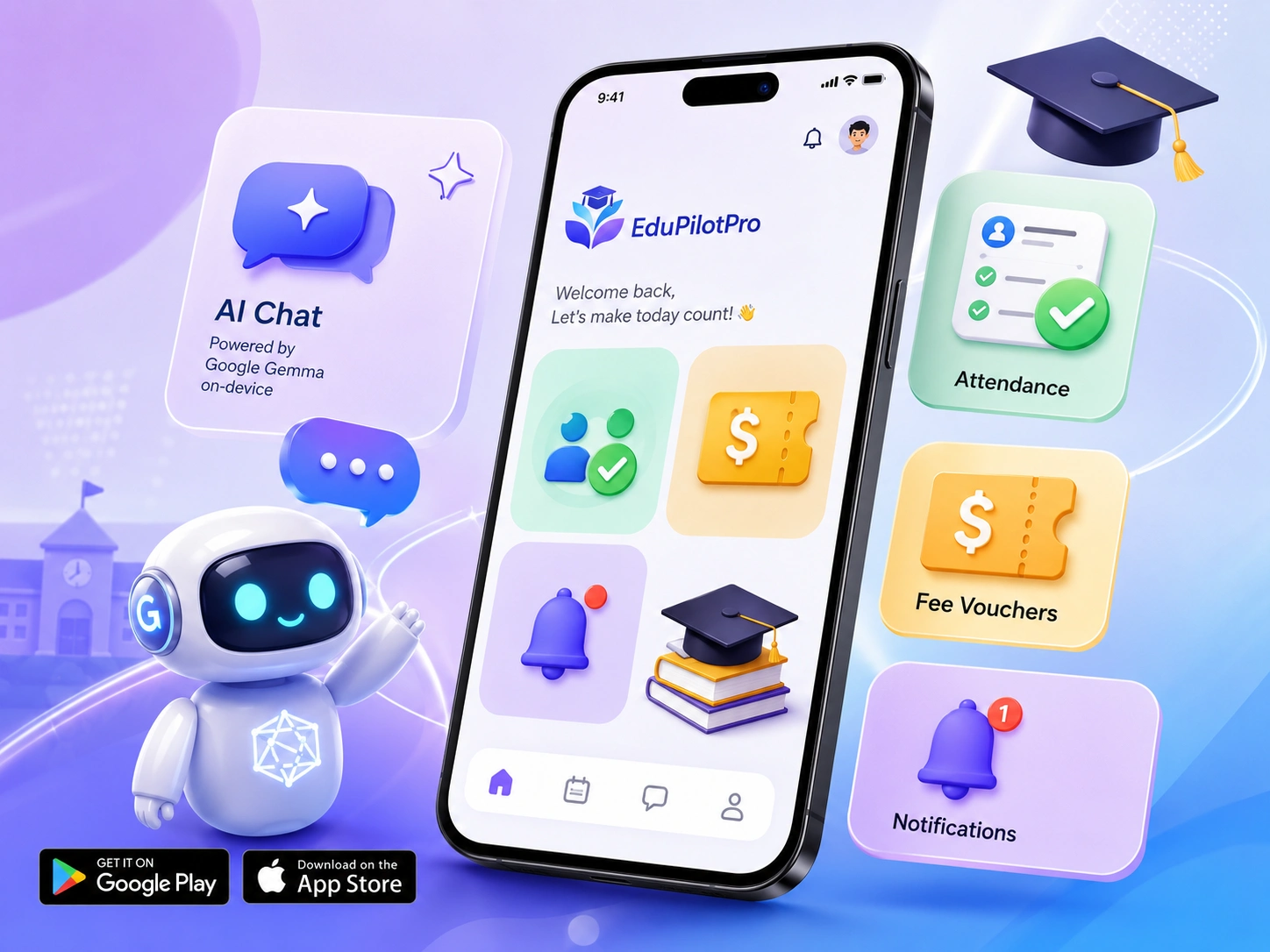
Family dashboard — A unified view across all children enrolled at the school. Switch between siblings without logging out. Parents see each child's attendance, grades, homework, and fee status from one screen.
Profile management — Parents manage profiles for every family member. Update contact details, emergency information, and communication preferences per child.
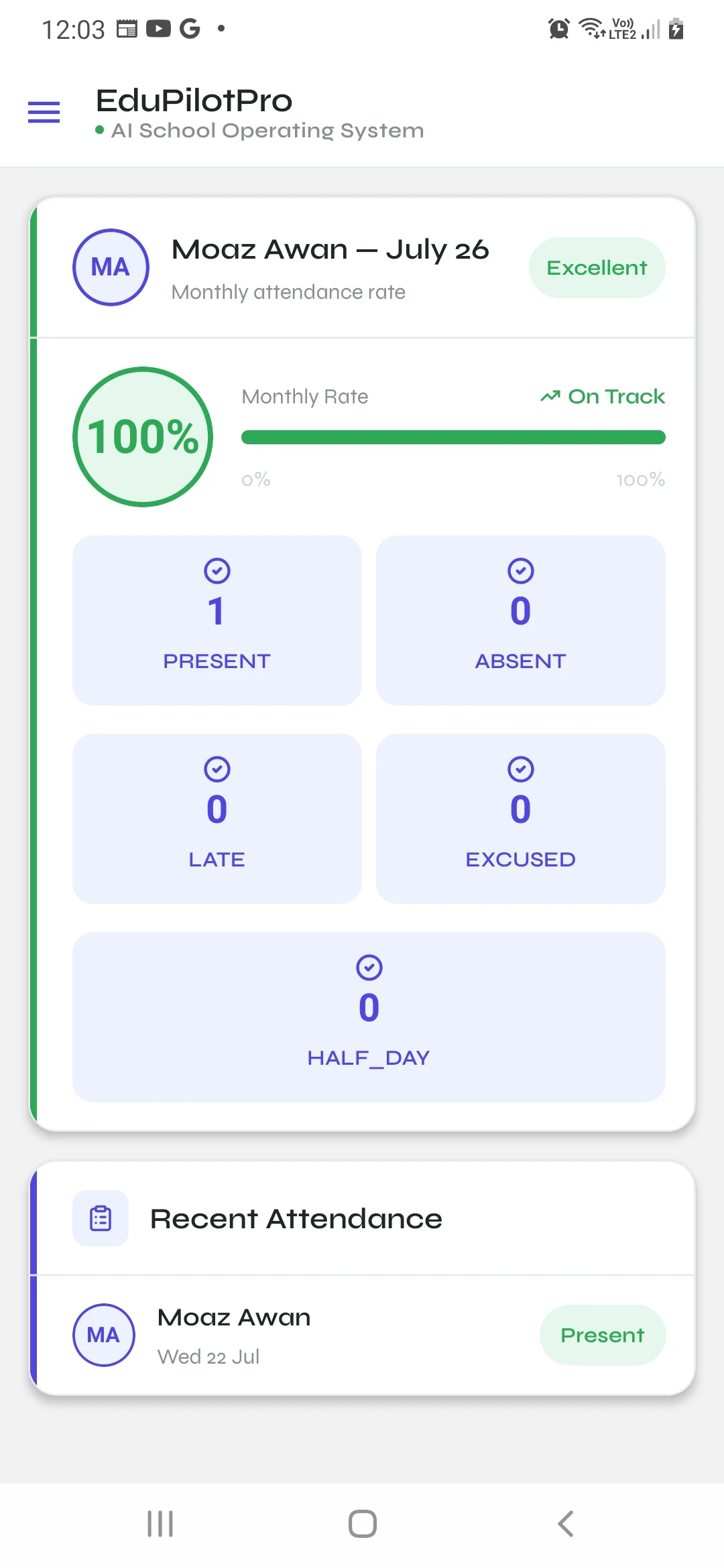
Attendance tracking — Parents can monitor their child's attendance on a daily basis, with monthly and term-level pattern views. If attendance starts dropping below the acceptable threshold, parents see it immediately and can take responsibility before it becomes a problem. Present, absent, and late records update as they happen — not days later through a WhatsApp message.
Fee vouchers — Parents can track pending and paid fee vouchers for each child. When the server automatically generates the entire student list's fee vouchers, parents are notified instantly via remote Expo Push Notifications. The app shows a full breakdown of how fines will incur on the actual fee voucher: since fines accumulate per day, we remind parents exactly how much they'll eventually pay if they delay further. No more lost paper slips or trips to the school office.
Fee payments — Pay fees directly through the app. Payment confirmation is instant and syncs back to the school's admin dashboard in real time.
Homework — View assigned homework per child, per subject, with due dates. Students and parents both have visibility into what's pending and what's been submitted.
Grades — Access academic results as they're published. View grades by subject, by term, and track performance over time.
Notifications — Parents can manage all their notifications in one place: mark as read, archive, or delete. Some notifications are server-driven (attendance alerts, fee reminders, homework assignments, school announcements) delivered through Expo Push Notifications with proper categorisation. Others are generated client-side and surfaced on the same screen, giving parents a single unified notification feed.
AI Chat (on-device) — We embed Google's Gemma 4 edge model, specifically designed for low-end mobile devices, which sits perfectly in our use case. Students can chat as much as they like with the AI module: asking homework questions, working through complex concepts, getting step-by-step explanations. It doesn't cost either party a penny since it's entirely client-side. Download the model once, use it without limits, online or offline.
Free tools for everyone
We also ship a set of free tools available to both paid and non-paid audiences:
Attendance Calculator — Quickly calculate attendance percentages and see where a student stands against thresholds.
School Fee Calculator — Estimate total fees including potential fines and breakdowns before vouchers are generated.
School Year Planner — Plan the academic year with term dates, holidays, and key milestones in one view.
Grade & GPA Calculator — Calculate grades and cumulative GPA across subjects and terms.
Homework Tracker — A lightweight tool to log and track homework assignments and due dates.
Wellbeing Check-in — A simple check-in tool for students to reflect on how they're feeling, supporting early awareness of wellbeing patterns.
TECHNICAL ARCHITECTURE
Built for every device, every network condition
Cross-platform with Expo + React Native + TypeScript. One codebase targeting iOS and Android. Expo handles the build pipeline, OTA updates, and push notification infrastructure. TypeScript enforces type safety across the entire client.
NativeWind for styling. Tailwind CSS utility classes compiled to native styles. Consistent design language across platforms without maintaining separate stylesheets.
Multi-tenant API integration. The mobile app authenticates against the same multi-tenant backend as the web platform. Tenant context is resolved at login and scoped through every subsequent API request. Row-level data isolation is enforced server-side — the mobile client never sees data from another school.
On-device AI with Google Gemma 4 edge model. The model downloads to local storage and runs inference on the device hardware. No server round-trips for AI features. Specifically designed for low-end mobile devices, this was a deliberate architectural choice: in markets where mobile data is metered and expensive, an on-device model means students get unlimited AI assistance without ongoing costs.
Offline-first data layer. Core data (attendance, grades, homework, fee status) is cached locally. The AI model runs without connectivity. When the device reconnects, background sync handles data reconciliation. The app remains functional in low-connectivity and no-connectivity environments.
Push notifications via Expo. Attendance alerts, fee reminders, homework updates, and school announcements delivered through Expo Push Notifications. Notifications are categorised by type so parents can manage their preferences.
CURRENT STATUS
In closed testing — App Store approval in progress
The EduPilotPro mobile app is currently in the closed testing phase on both the Apple App Store and Google Play Store. The app has been submitted for review and is pending approval for distribution to pilot schools.
This case study documents the engineering and design work completed through the development and submission phase.
WHAT THIS DEMONSTRATES
Native mobile + on-device AI for emerging markets
The EduPilotPro mobile app is a specific example of a broader pattern: building mobile experiences for markets where connectivity is unreliable and data costs matter.
The on-device AI approach — downloading a model once and running inference locally — is applicable to any product serving users in bandwidth-constrained environments. Education, healthcare, field operations, logistics — anywhere users need intelligent features without depending on a stable internet connection.
This is the companion project to the EduPilotPro web platform case study, which covers the AI-first school operating system powering the backend.
Want to build something like this?
App Corp partners with founders and companies to design and ship cross-platform mobile apps, on-device AI products, and SaaS companion apps — from concept to App Store submission. Message me today.
Like this project
Posted Jul 25, 2026
Cross-platform mobile app (iOS + Android) for EduPilotPro's school operating system — featuring family accounts, on-device AI with Google Gemma.
Likes
0
Views
11
Clients
AppCorp