OctoPrint for other fruits

Luis D


OctoPrint for other fruits

/
Features
Core (installed and enabled):
Optimized armbian Debian bullseye.
Latest stable octoprint version.
Selection of top octoprint plugins.
HAProxy with self signed keys for ssl access.
Avahi service: Bonjur addvertisement (this enable to acces with host-name.local via ssh or http/s)
SSH console access.
USB OTG console access (if available in the board)
Enabled i2c-dev, spidev, uart (if available on the board)
3D printer related software:
Quick install of Klipper.
PlatformIo core for building 3D printer firmware.
Marlin 1.1.x & Marlin 2.x.x firmware (bugfix versions)
Extras (installed but disabled):
MPGStreamer USB camera support (experimental)
SMB shares to remote edit configuration files from a remote PC.
Usage
Prebuilt images:
Download & extract disk image (*.xz) from releases.
Burn the image in a SD card (>8GB recommended) using usbimager,Etcher, Win32DiskImager, dd or the image burner of your choice.
Plug the SD card on the board and apply power.
First boot tipically require a few minutes. Once booted octoprint will be available to use. If your computer is able to resolve mDns (macos or linux avahi) the name of the board is preconfigured as
citrico-<board>.localAfterboot you can access to octroprint server:
Access to octoprint via https
ssh session
Console on Usb OTG (if the board supports it)
Console on board's serial interface with a USB-TTL
Conecting a keyboard and screen (if the board supports it)
Armbian does not activate WiFi by default. Any initial network access requires ethernet connection if available on the board or configuring wifi access using a keyboard and monitor.
Customizing
For configuring WiFi or customize your instance you need to log into you octocitrico server and configure as you want as in any linux computer. Armbian and octocitrico provides helper scripts to make easy the configuration of the box.
Login with the
pi user:armbian-config: Fullfleged configuraion tool.nmtui: Network configuration.scripts/citrico-config: Enable or disable octocitrico default services and edit octopi camera configuration.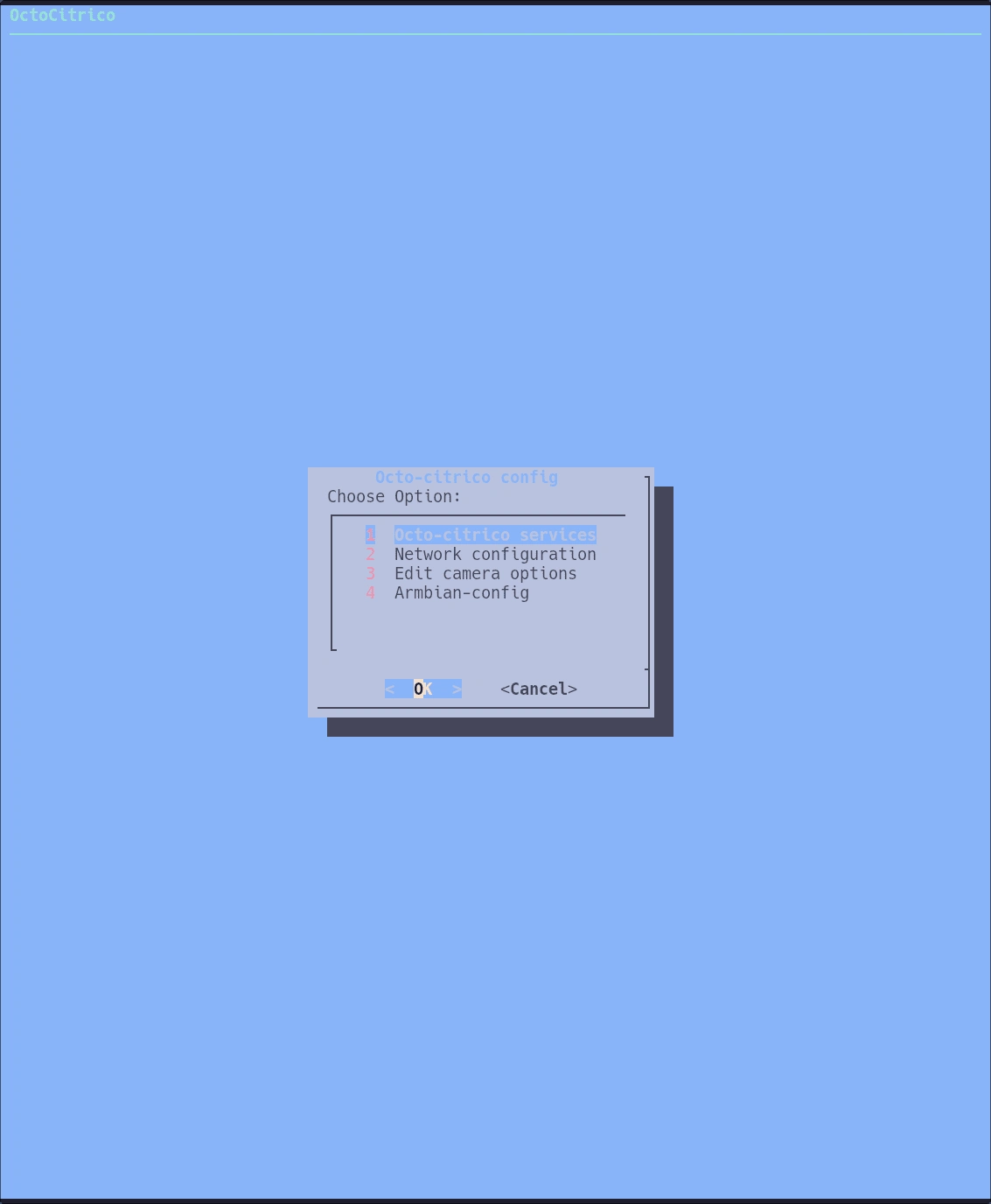
distribution tools
scripts/install-klipper: Install Klipper 3D printer software.For accessing files via SMB(windows shares) you need to enable Samba service (preconfigured) using
scripts/citrico-config. A default share pi-files will be avaible using pi user.Tested boards
Orange Pi Zero 256 Mb (not recommended due to low memory)
Orange Pi Zero 512 Mb
Orange Pi PC
Orange Pi PC+
Rock64
Banana PI M2 Zero
Orange Pi Zero 2 (no wifi support)
Orange Pi 3 LTS
Like this project
Posted Feb 5, 2025
OctoPrint for other fruits. Contribute to ludiazv/octocitrico development by creating an account on GitHub.
Likes
0
Views
20