LifeJourney

Evan Rees
LifeJourney
PROJECT NAME: LifeJourney
ROLE: Service Designer/Researcher
DURATION: 4 Months (Jan 2022-May 2022)
Team Members: Evan Rees, Renee Xu, Shradha Anand, Hsiang-huei You, Humphrey Zhang
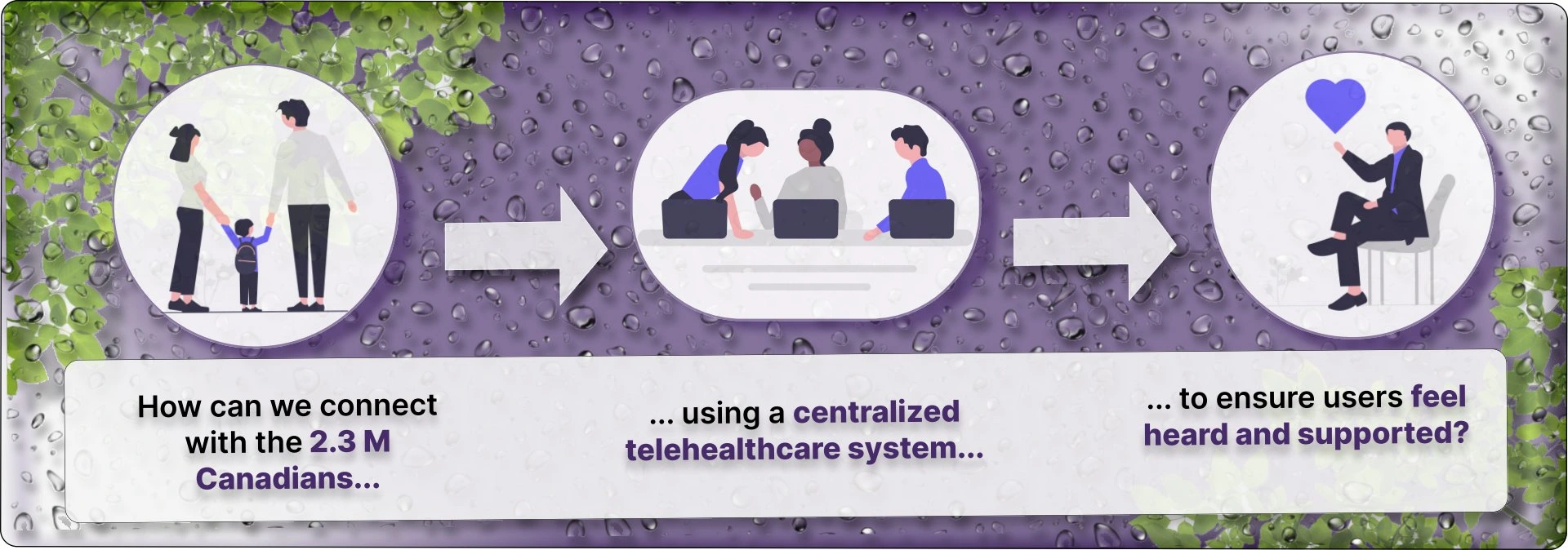
TelusHealth's app based service LifeJourney was showing low activation and retention rates.
Created to provide users with access to remote healthcare and livelihood services that are covered by Employee Assistance Programs (EAP’s).
The Problem
After 1 year, user activation was 35 % (instead of an anticipated 50%), and retention user was 3% (instead of the anticipated 15%).
Research and Insights

Participants
- Students/professionals in their early to late 20's
Students/professionals in their early to late 20's
- Eligible/access to EAP's
Eligible/access to EAP's
- Previous experience using tele-health platforms
Previous experience using tele-health platforms
Procedure
2 rounds of semi-structured interviews, each round with 5 different participants
3 usability tasks using a clickable demo provided to our class by TelusHealth UX Team
6 post-test questions to reflect and summarize findings and overall usability experience
Findings and Analysis
EAP's considered as "middle men" in process of seeking treatment
Top user values
– Ease of scheduling
– full coverage offered
– transparency of what the service offers
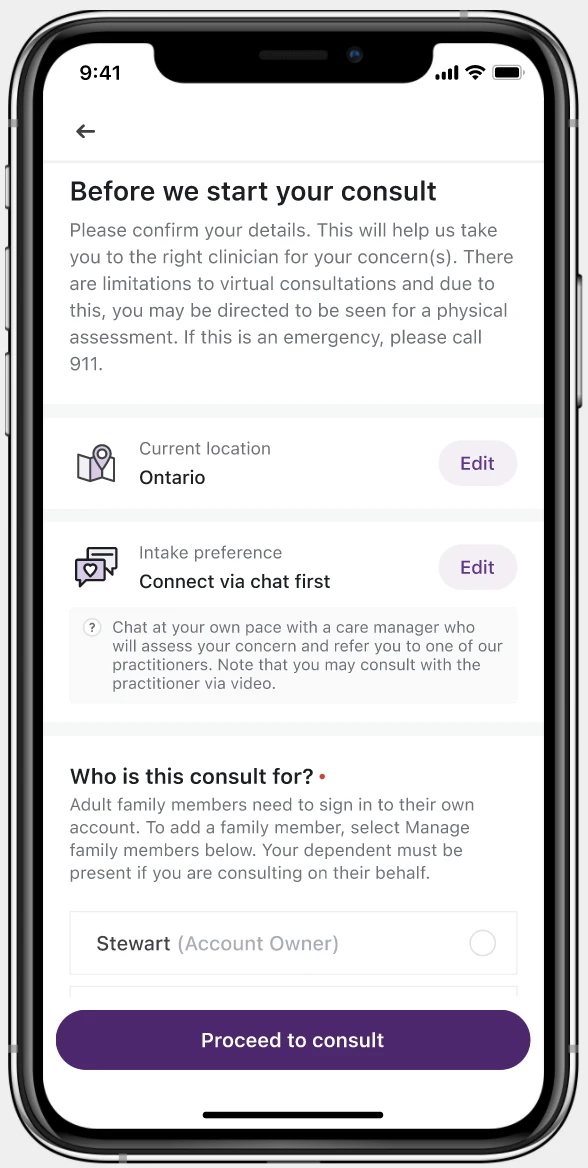
Users were drawn to the initial consultation screens first
Addition of search bar see as high priority to more easily navigate the UI
Ideation and Design Process
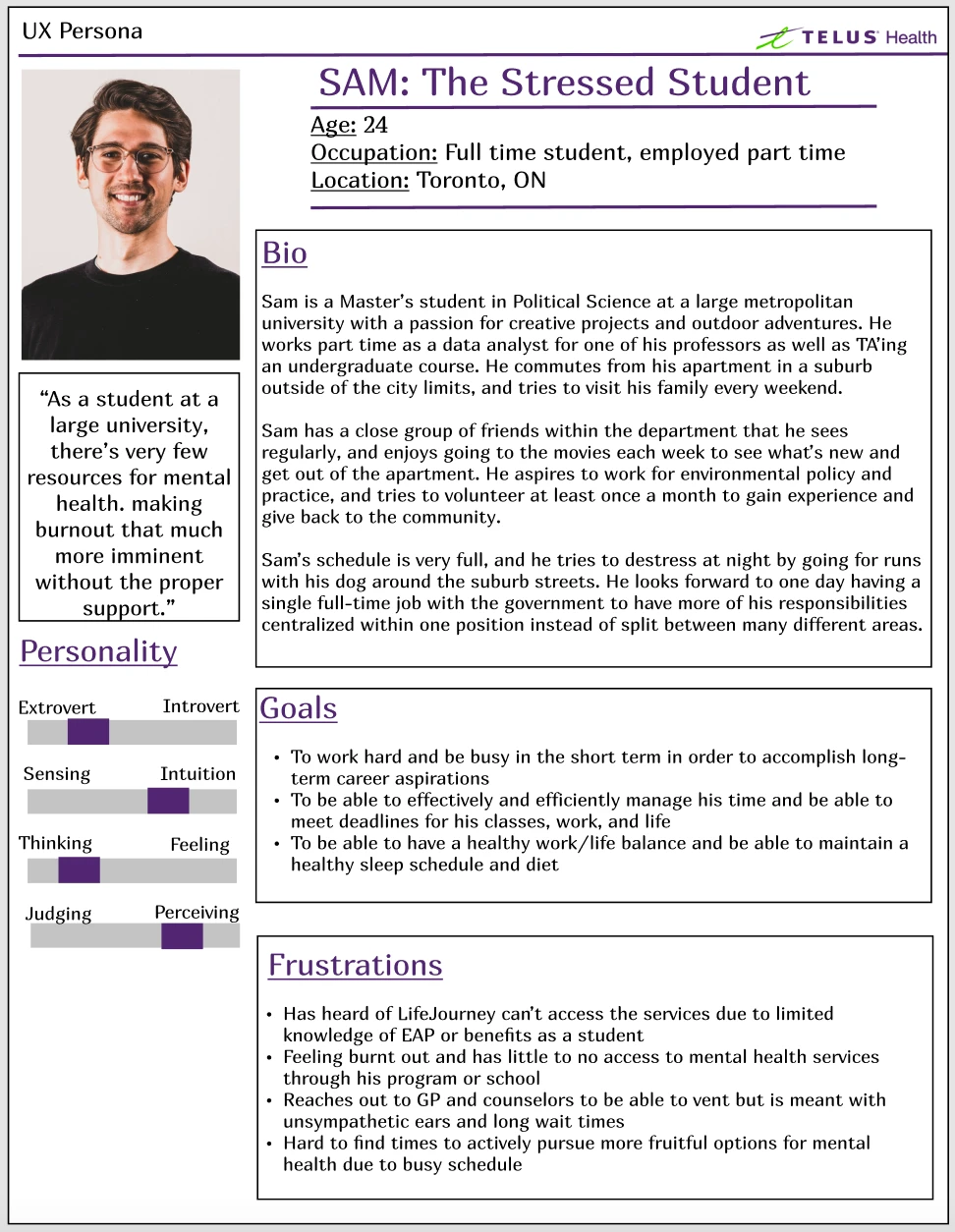
Persona
Based on the pain points that we discovered during our first phase of research, we created a consolidated representation of who our users are and their needs and wants that we can hope to address through LifeJourney.
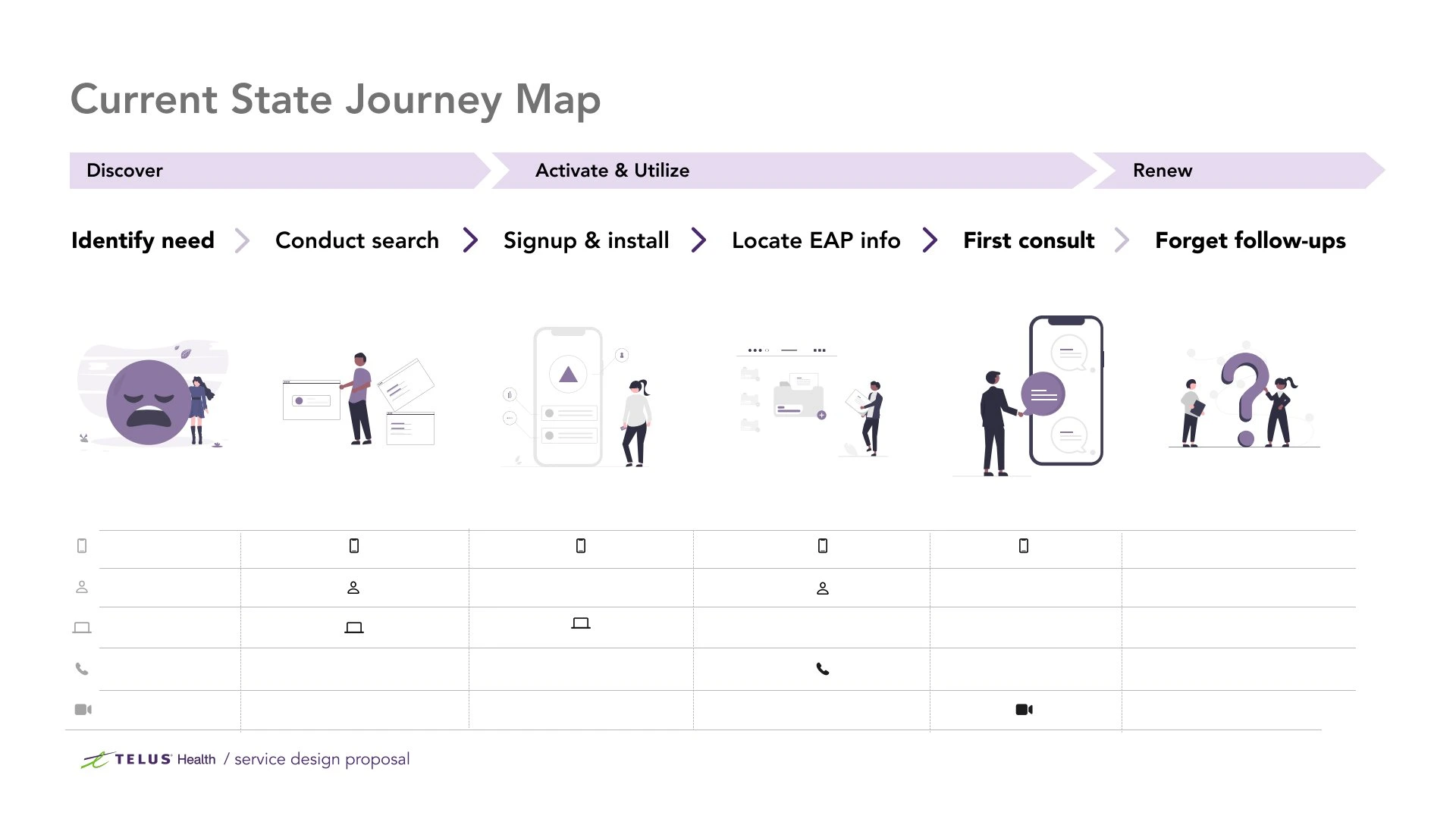
Current State Journey Map
To further visualize and brainstorm how to better understand user needs, our team created a ‘current state’ journey map to show key touchpoints for our users.

Pivotal Moments
Our current state journey highlighted 3 key pivotal moments for users of LifeJourney:
Introduction to the service: What are the factors that influence users’ awareness of LifeJourney?
Initial service experience: What are users’ expectations and existing mental models? What motivates them to sign-up?
Continuation of service: At what points might users be discouraged from continuing to utilize LifeJourney?
Mid-Fi Prototyping
Based on the pivotal moments, our team created mid-fi prototypes that included some new features and others that were improved upon, including:
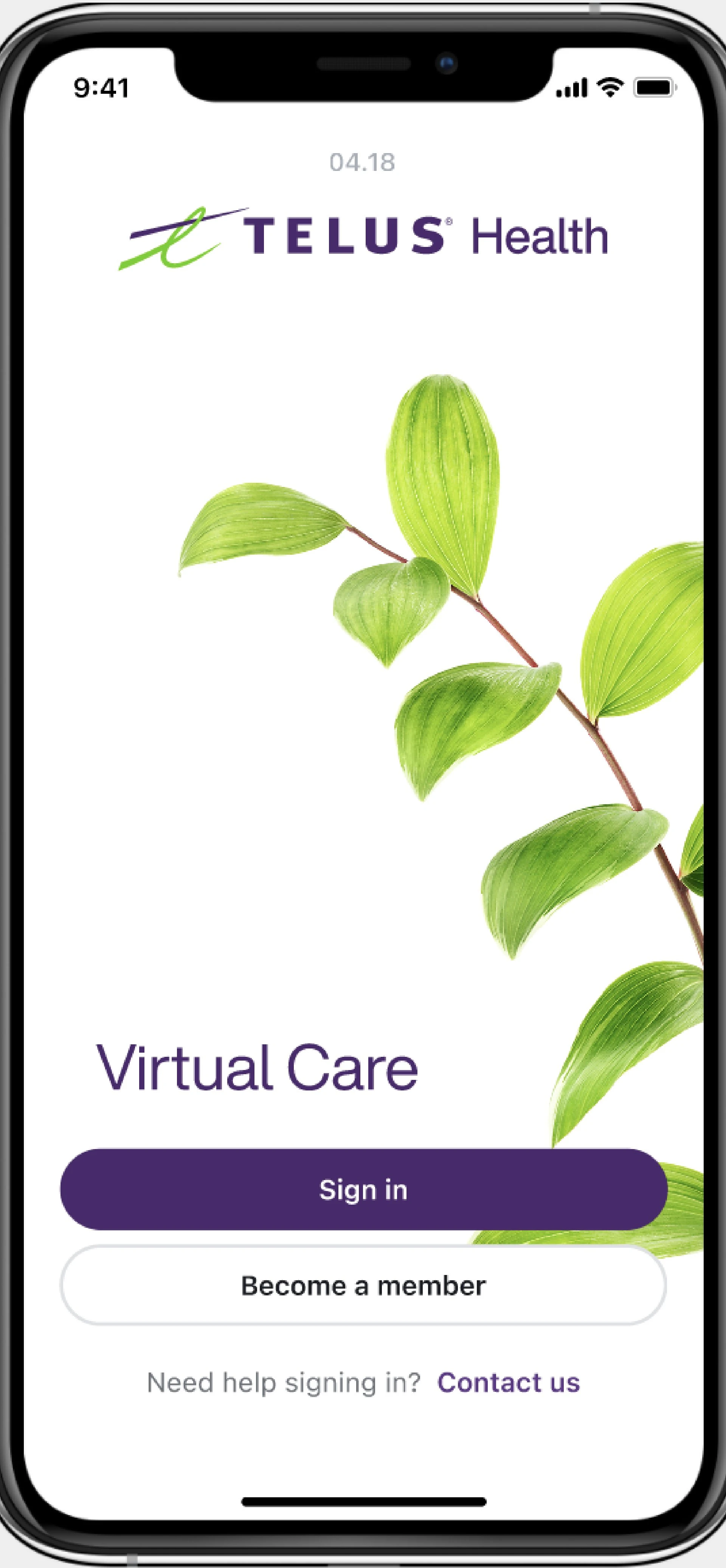
Sign-in Screens and tour: allows users to make an account using an email or social media account, add EAP information later in the process, as well as a beginning tutorial to allow users to view what services are provided without having to sign-up
-Chatbot service (Fig 3): periodic check-ins with users regarding how they are feeling and allow them to find specific parts of the app
Scheduling next consult (Fig 4): to increase user retention by providing transparency of benefits of next session
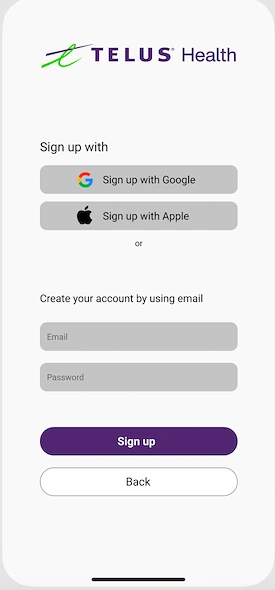
Fig 1: Sign in screen mid fi prototype
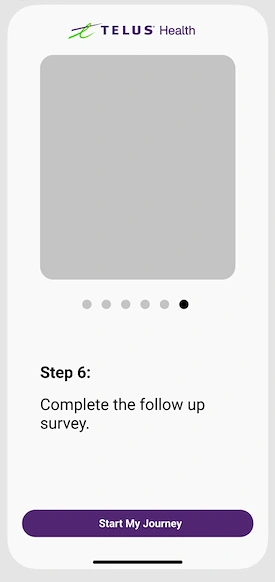
Fig 2: Preview of services offered after sign-up
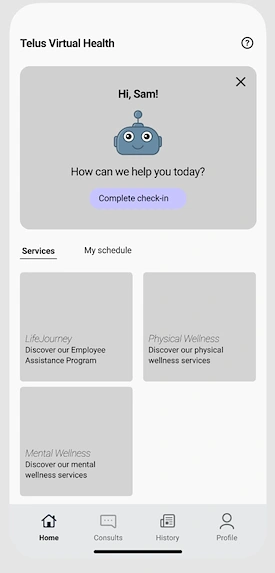
Fig 3: Chat bot assistant mid-fi prototype
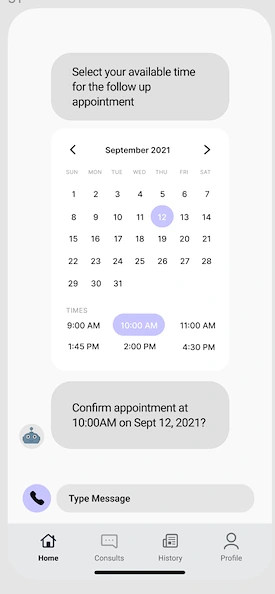
Fig 4: Scheduling follow-up consult

Co-Design User Testing
We conducted a workshop prospective users to test prototype functionality. A scenario was given in which they were asked to complete a consultation with a practitioner (role-played by one of the members of our team). We learned:
to better incorporate quick scanning feature while also clearly guiding them to LifeJourney
participants appreciated an in-app introduction to the service, but more content would be needed to better alleviate user concerns
our welcome screens, which attempted to balance being brief while selling the benefits, left our users wanting to know more about the app before committing to a signup
for the chatbot function, participants were hesitant to open up a conversation with an automated system as opposed to a real person
Final Prototypes and Proposal to Stakeholders
LifeJourney UI Prototype
Based on the feedback collected during the co-design workshop, our team iterated on the mid-fi prototypes and created a clickable hi-fidelity prototype and newsletter.
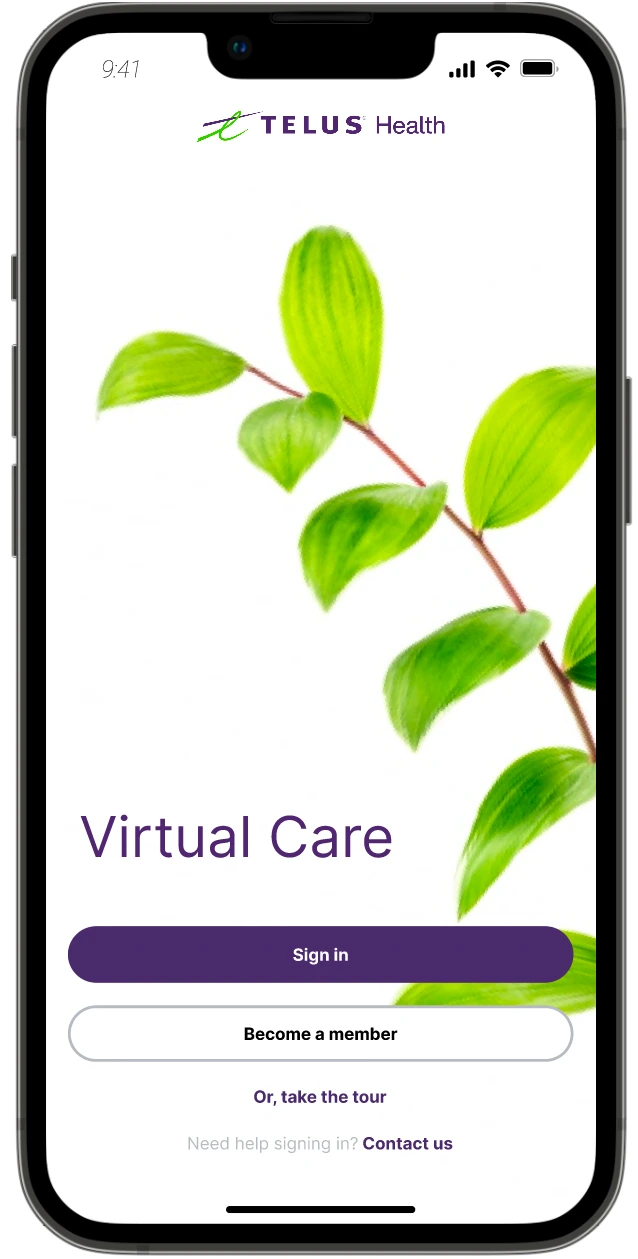
Sign-Up screen
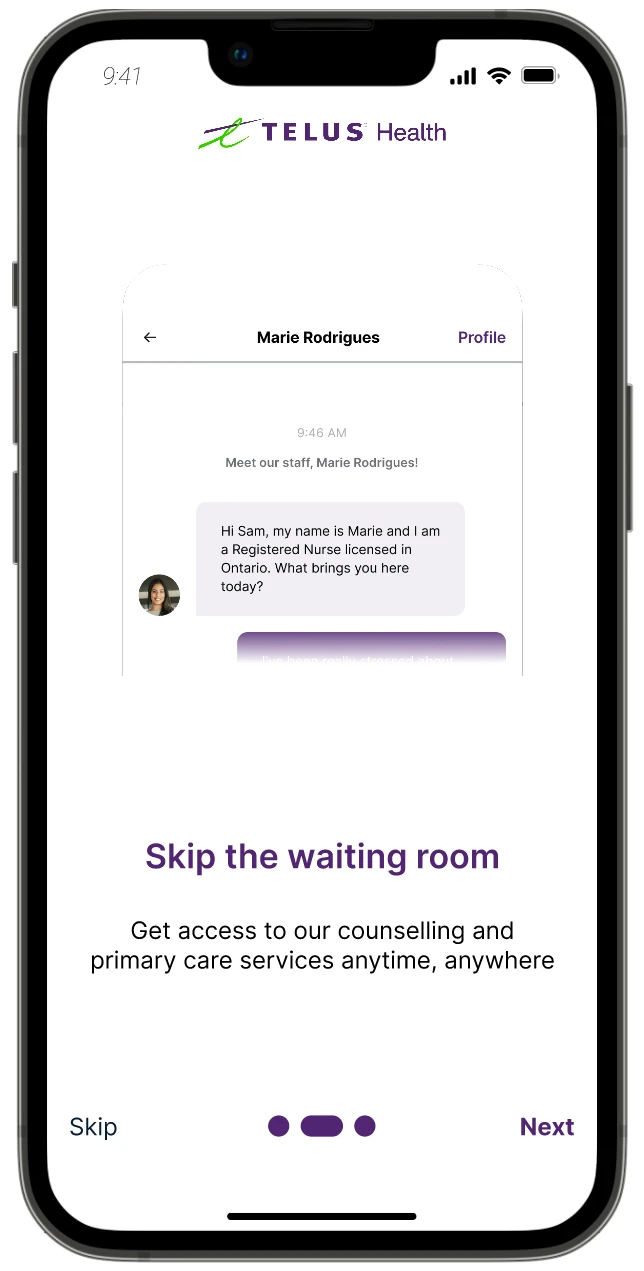
Tutorial screen with skip option to view services that follow or proceed directly into the site
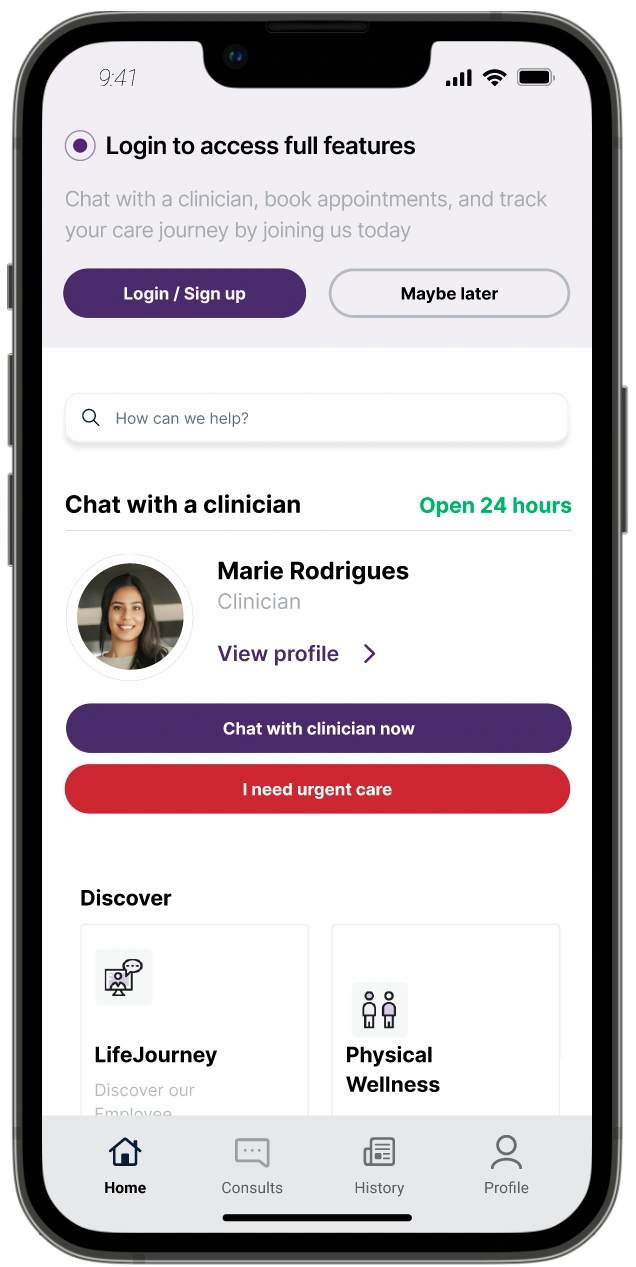
Initial view of service, including practitioner information
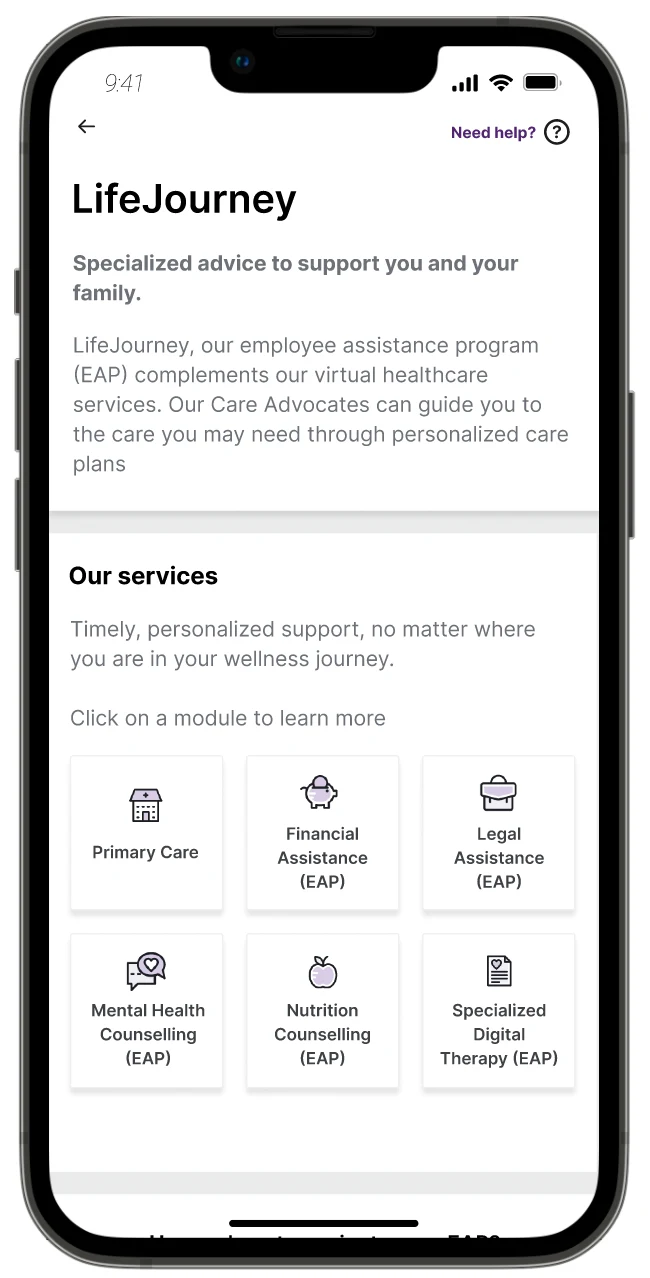
Outline of services offered + onboarding guide
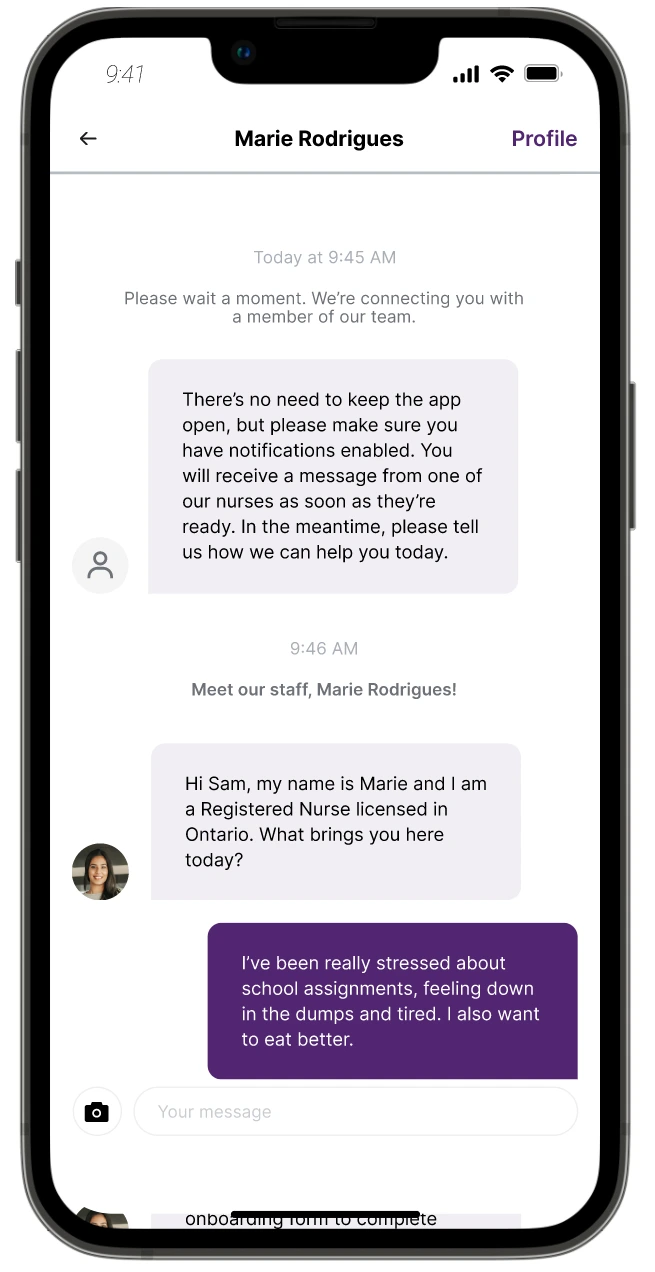
Consultation with care practitioner
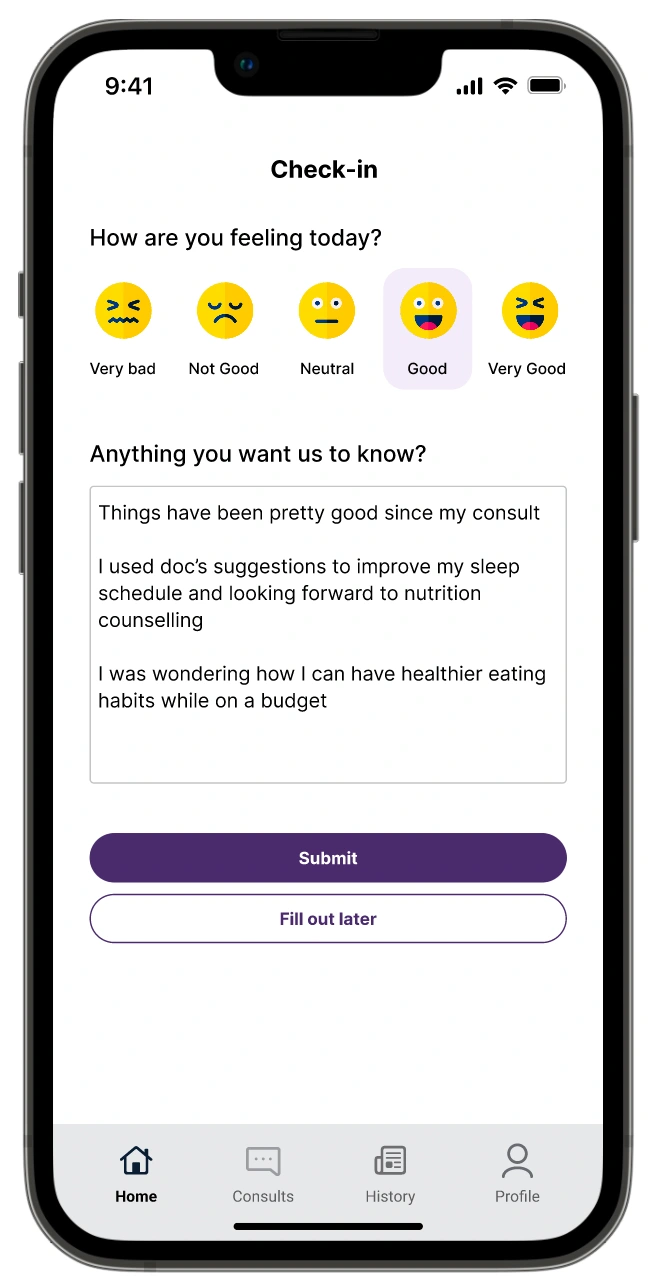
Wellness check-in
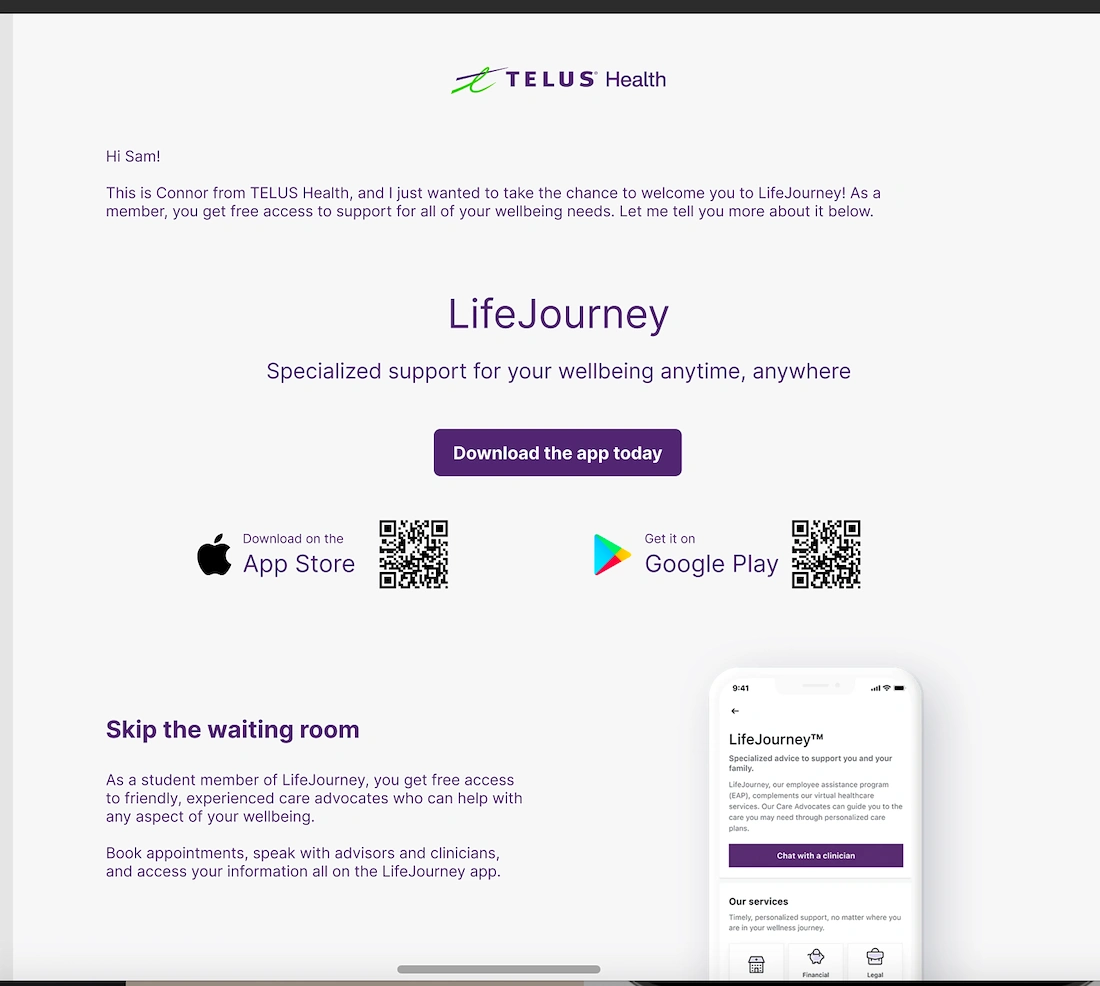
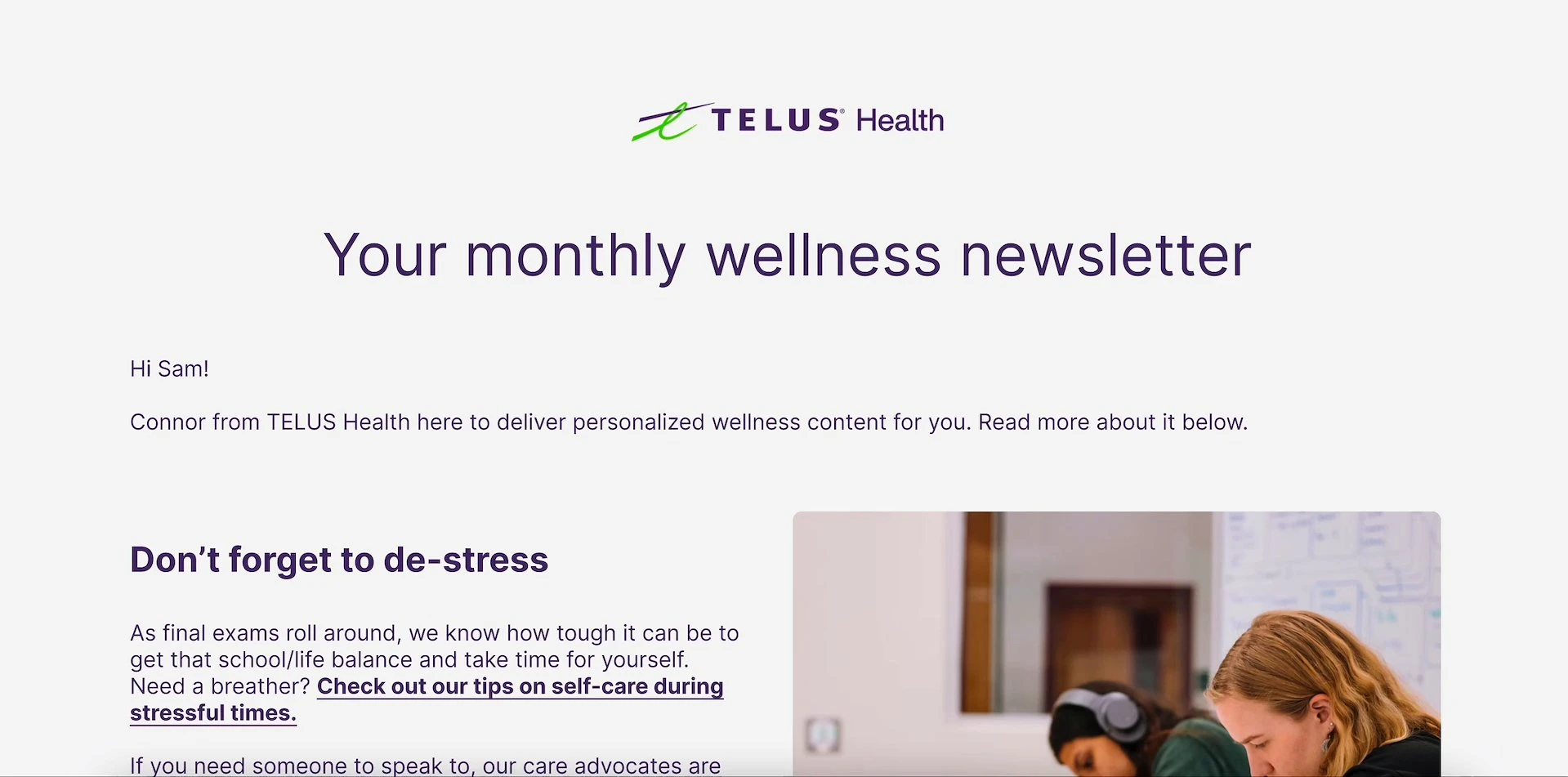
Introductory newsletter
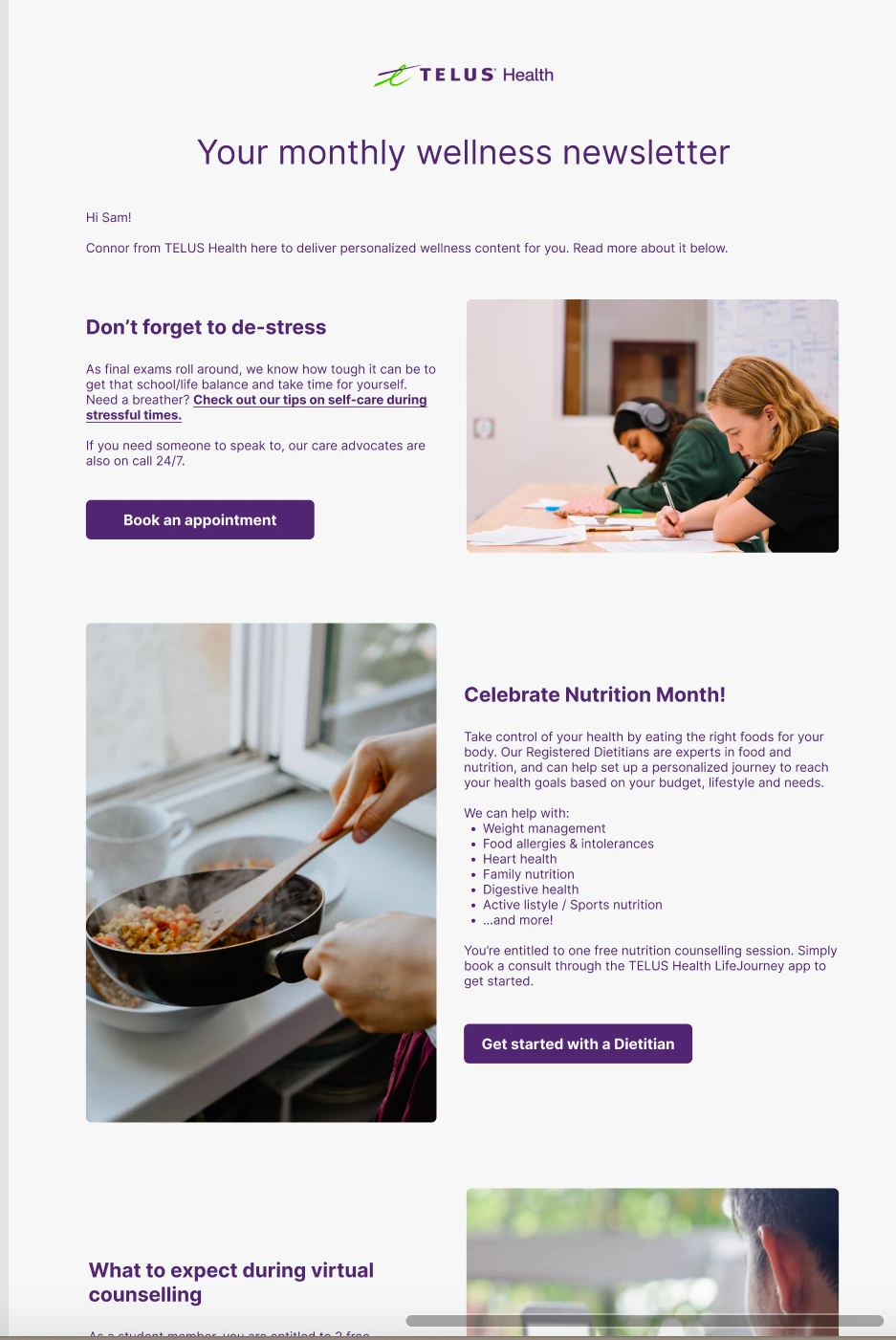
Monthly wellness newsletter circulated to users to keep them engaged in the service
LifeJourney Onboarding/Monthly Newsletter
Onboarding Email
By replacing the welcome packages with email marketing, this provides a more cost-efficient channel that can bring awareness to a large amount of users while providing the client with greater visibility of activation.
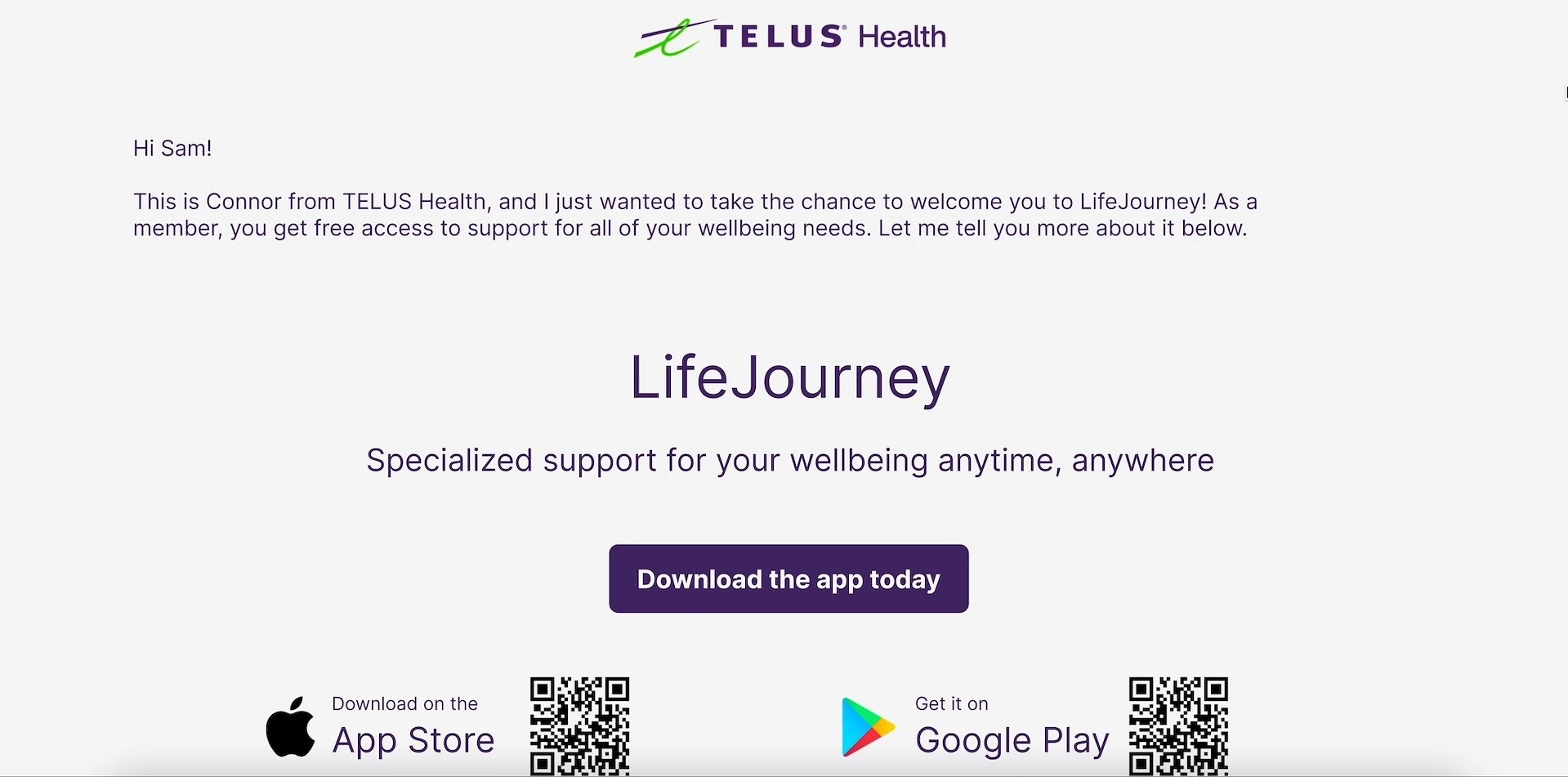
Monthly Wellness Newsletter
Telus Health can also leverage the existing digital infrastructure of email blasts to incorporate targeted e-newsletters for different user groups that can also tailored to users throughout the year.
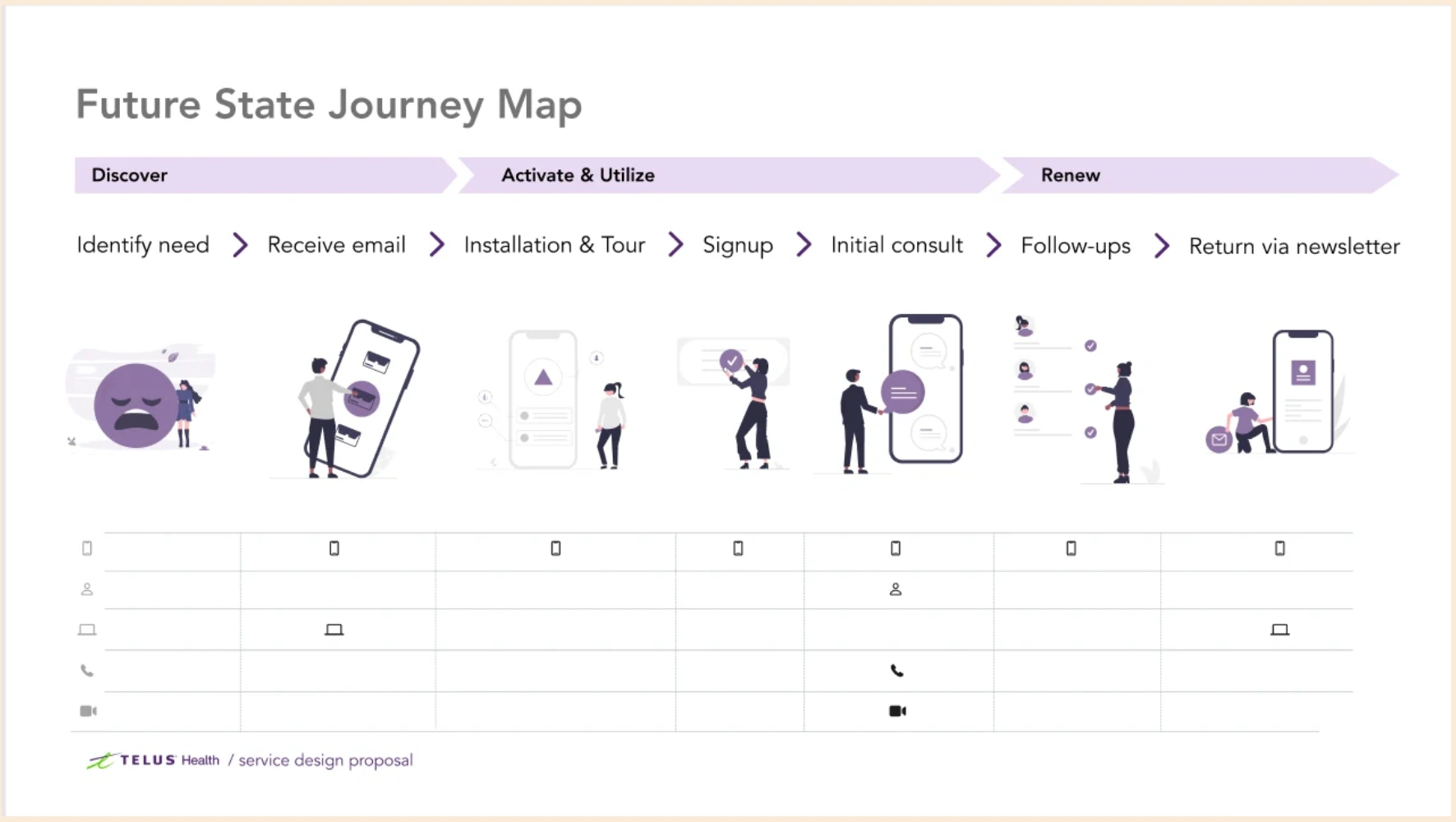
Future State Journey Map
Based on the mid-fi prototype and the new features and touchpoints this included, our team created a 'future state' journey map to highlight to stakeholders how user needs will be better aligned with these functions.
Identify Need/Receive Email: automatically receive an introductory email explaining the service
Installation and Tour: easily download LifeJourney from this email using the QR code
Sign Up: provides Sam a logged out state which allows him to view all the features before signing up
Initial Consult/Follow Ups: Sam receives a follow-up survey from LifeJourney to provide feedback and to set up his next appointment.
Return via Newsletter: Sam receives monthly e-newsletters with tips and quick links that help with his stress
Future State Journey Map
Based on the mid-fi prototype and the new features and touchpoints this included, our team created a 'future state' journey map to highlight to stakeholders how user needs will be better aligned with these functions.
Identify Need/Receive Email: automatically receive an introductory email explaining the service
Installation and Tour: easily download LifeJourney from this email using the QR code
Sign Up: provides Sam a logged out state which allows him to view all the features before signing up
Initial Consult/Follow Ups: Sam receives a follow-up survey from LifeJourney to provide feedback and to set up his next appointment.
Return via Newsletter: Sam receives monthly e-newsletters with tips and quick links that help with his stress
a little bit about the image on the side.
Benefits to Stakeholders and Service Integration
So far, above I've mainly addressed the benefits to the user. However, with any form of service design, all elements of the service must be taken into account, particularly how it will affect stakeholders and fronstage and backstage support:
Automated follow-ups and check-ins to reduce burden on frontline: Benefits Care Service Providers and Front line (clinic)
Redesigned initial experience to allow users to learn and discover on their own, reducing assistance required: Benefits Customer Service/Experience Teams
Logged-out states and email marketing as integral sources of user data to inform future steps: Benefits Marketing, Sales & Operations Teams, Tech & Product

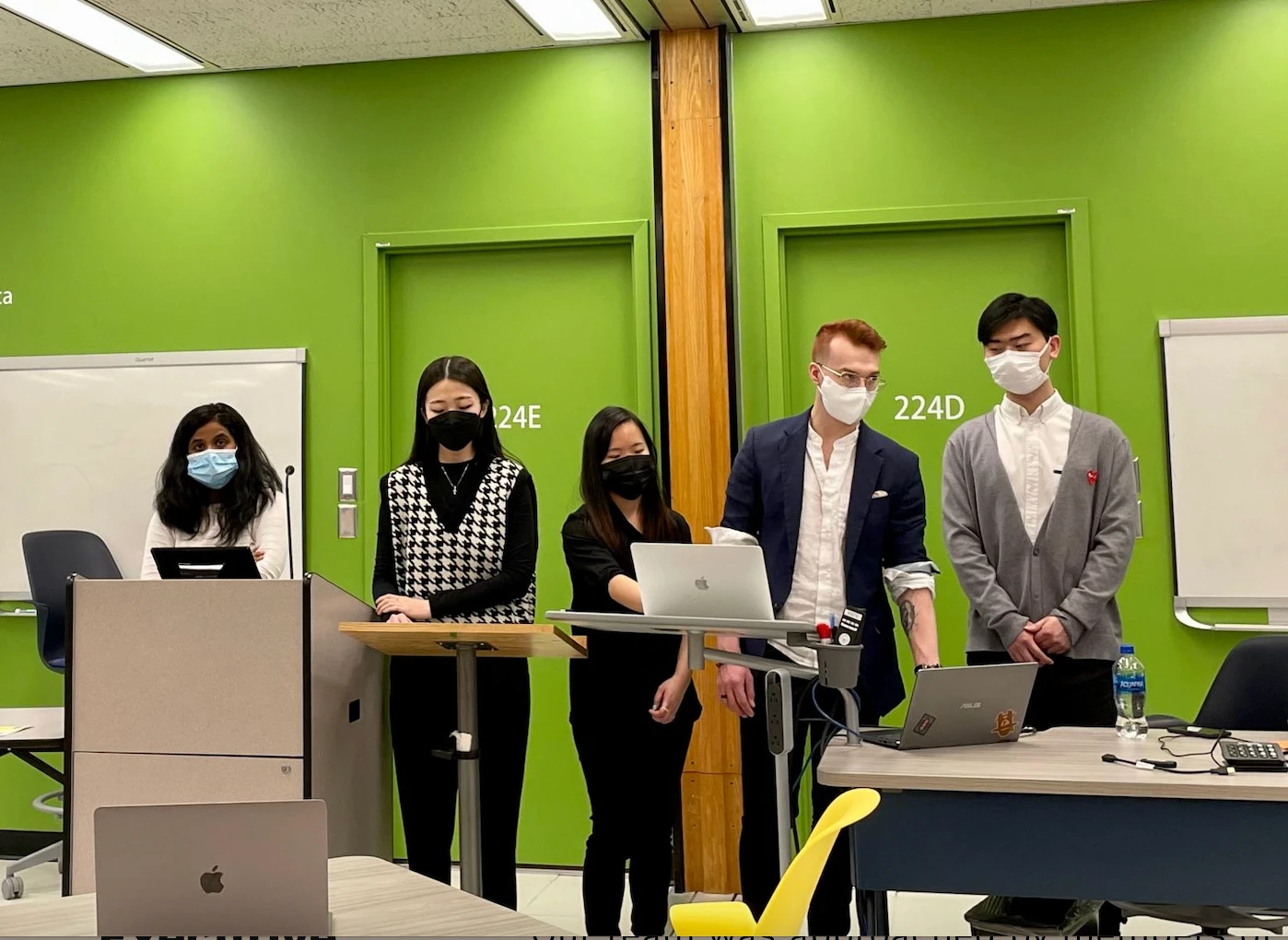
Proposal video submitted by our team for review by TelusHealth design team.
Like this project
Posted Sep 8, 2026
Service design and research for TelusHealth's LifeJourney to improve activation and retention via interviews, prototyping, co-design testing, and onboarding/newsletter proposals.
Likes
0
Views
1