Custom Domain & Routing Fix for Google AI Studio Firebase App

Mina Tamunowari


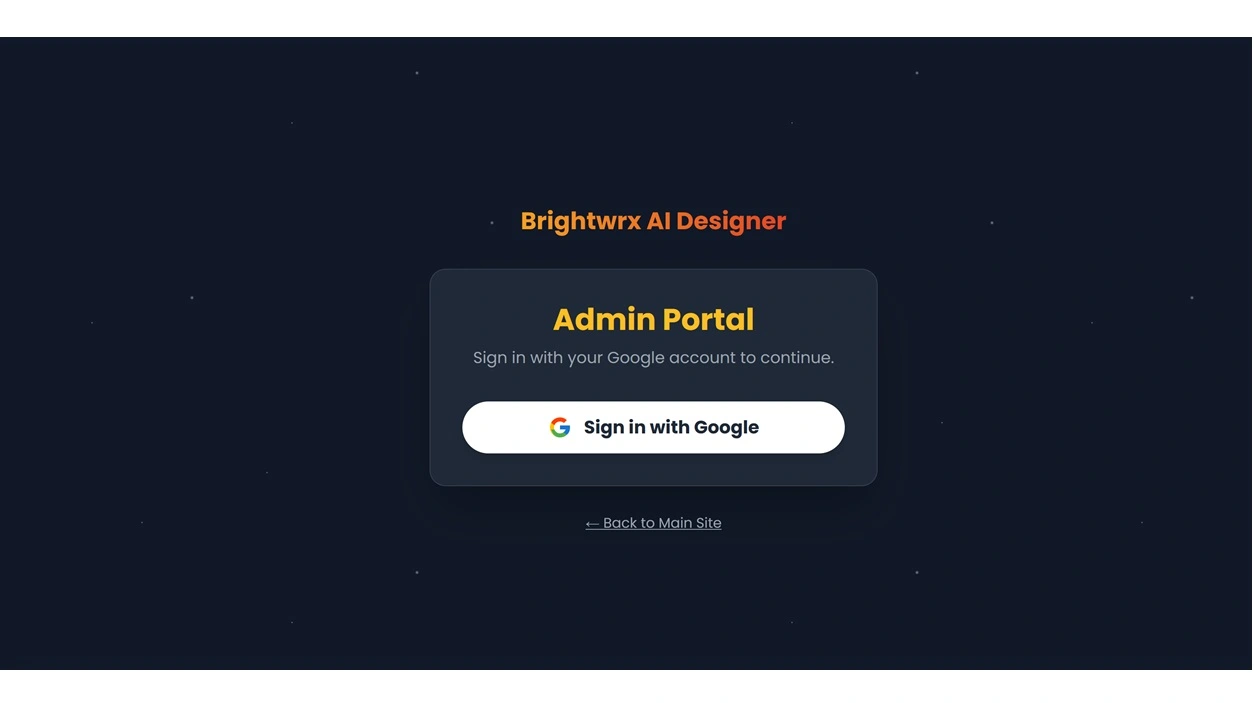
📝 Client Background
The client had built an AI-powered web application using Google AI Studio, leveraging Firebase as the backend. The application worked perfectly on its auto-generated
.run.app URL, but the custom domain (ai.brightwrx.com) stubbornly showed the default “Welcome to Firebase Hosting” page.Like many fast-moving AI projects, the app was deployed quickly, but the routing between Firebase Hosting and Google Cloud Run wasn’t properly configured. This is a common pain point for AI builders who use visual tools and expect hosting to “just work.”
🧩 The Challenge
✅ App worked fine on
.run.app (deployed on Cloud Run)❌ Custom domain + Firebase Hosting showed the default placeholder page
🤔 DNS was already set up correctly, which meant the problem was deeper in the hosting configuration
⚠️ The project was built entirely in Google AI Studio, with no local environment, which made the usual CLI-based fix less straightforward
🧠 Diagnosis Process
Verified DNS & Hosting Status
Confirmed that the custom domain was connected and DNS was resolving correctly to Firebase Hosting.
Identified Hosting vs Cloud Run Split
The working
.run.app URL indicated that the app lived on Cloud Run.The
.web.app and custom domain were never linked to the Cloud Run service via rewrites.Explored Access Levels
Checked Firebase Console → Hosting: no deployment mapped to the domain.
Confirmed that access to Google Cloud Console was required to set rewrite rules.
Found No Local Build
Since the project was built in AI Studio, I didn’t have local files or a standard CI/CD pipeline. This ruled out the usual
firebase.json + firebase deploy route.🛠 The Fix
1. Server File Adjustments
I modified the project’s server file to correctly serve the application when accessed through multiple domain routes. This ensured that whether traffic came from
ai.brightwrx.com, .web.app, or .run.app, the app would behave consistently.2. Vite Config Rewrites
I added a rewrite in
vite.config.js to make sure that all routes correctly resolved back to the application entry point. This is especially important in multi-tenant and SPA setups, where direct URL hits can otherwise result in 404s or mismatched routing.3. Hosting → Cloud Run Rewrite
Since Firebase Hosting wasn’t serving the actual app, I set up a rewrite rule in Google Cloud Console, telling Firebase Hosting to proxy all traffic to the Cloud Run service:
This effectively made Firebase Hosting act as a reverse proxy, so the custom domain served the Cloud Run app seamlessly.
🧪 Testing & Validation
✅
.run.app → Working✅
.web.app → Working (proxied to Cloud Run)✅
ai.brightwrx.com → Working (same UI as .run.app)✅ All subpaths resolved correctly thanks to the Vite rewrite
🚀 Deployed successfully without ever needing to pull the project locally
🏆 Outcome
The client’s app was fully accessible via their custom domain within a few hours.
Routing was stable and production-ready.
No downtime, no unnecessary DNS changes.
Client retained full control of their Google accounts — I only handled configuration and code tweaks.
✨ Key Takeaways
AI builders often rely on “auto-deploy” from AI Studio but hit a wall when adding custom domains.
Hosting and Cloud Run need to be intentionally connected — Firebase doesn’t do it automatically.
Even without local access, you can solve routing problems through a mix of Cloud Console rewrites and framework configuration (Vite, server files).
Understanding both AI no-code tools and developer-level infrastructure is key to untangling these hybrid setups.
👨🔧 My Role
As a freelancer specializing in automation (n8n) and rescuing messy AI-coded projects, I came in to:
Diagnose the real root cause quickly.
Configure Google Cloud & Firebase properly.
Patch framework-level issues without needing full code control.
Get the app working reliably on the client’s custom domain.
🚀 Results at a Glance
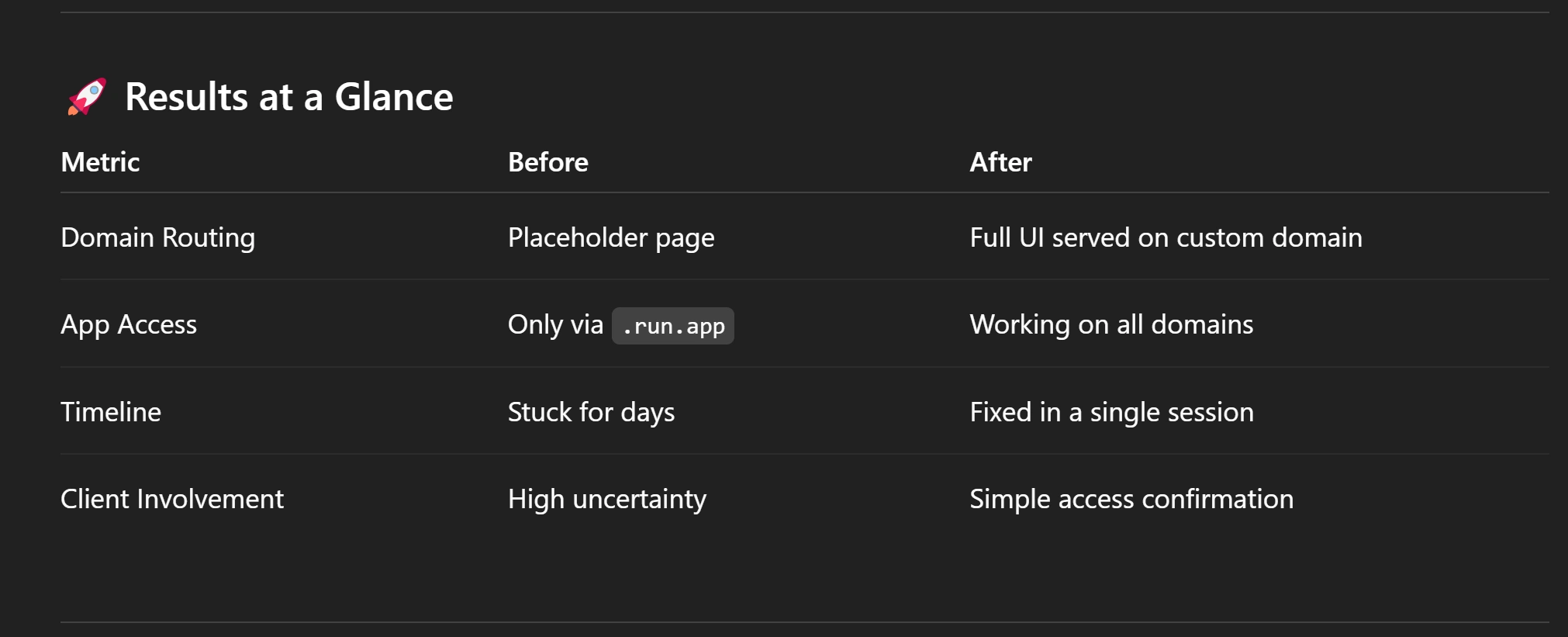
Final result of the project
🧠 Why This Matters
This case is a perfect example of what happens when AI tools meet real-world deployment. It’s easy to get something working in AI Studio — but integrating it into a proper hosting environment requires a mix of debugging, infrastructure knowledge, and adaptability.
If you’ve inherited an AI project that “almost works” but falls apart at deployment, domain setup, or automation — that’s where I step in.
Like this project
Posted Oct 16, 2025
The client’s Google AI Studio app worked perfectly on .run.app but broke completely when connected to their custom domain.