Ruiz Labs AI Video Editor | AI-Powered Video Editing

Diego Ruiz


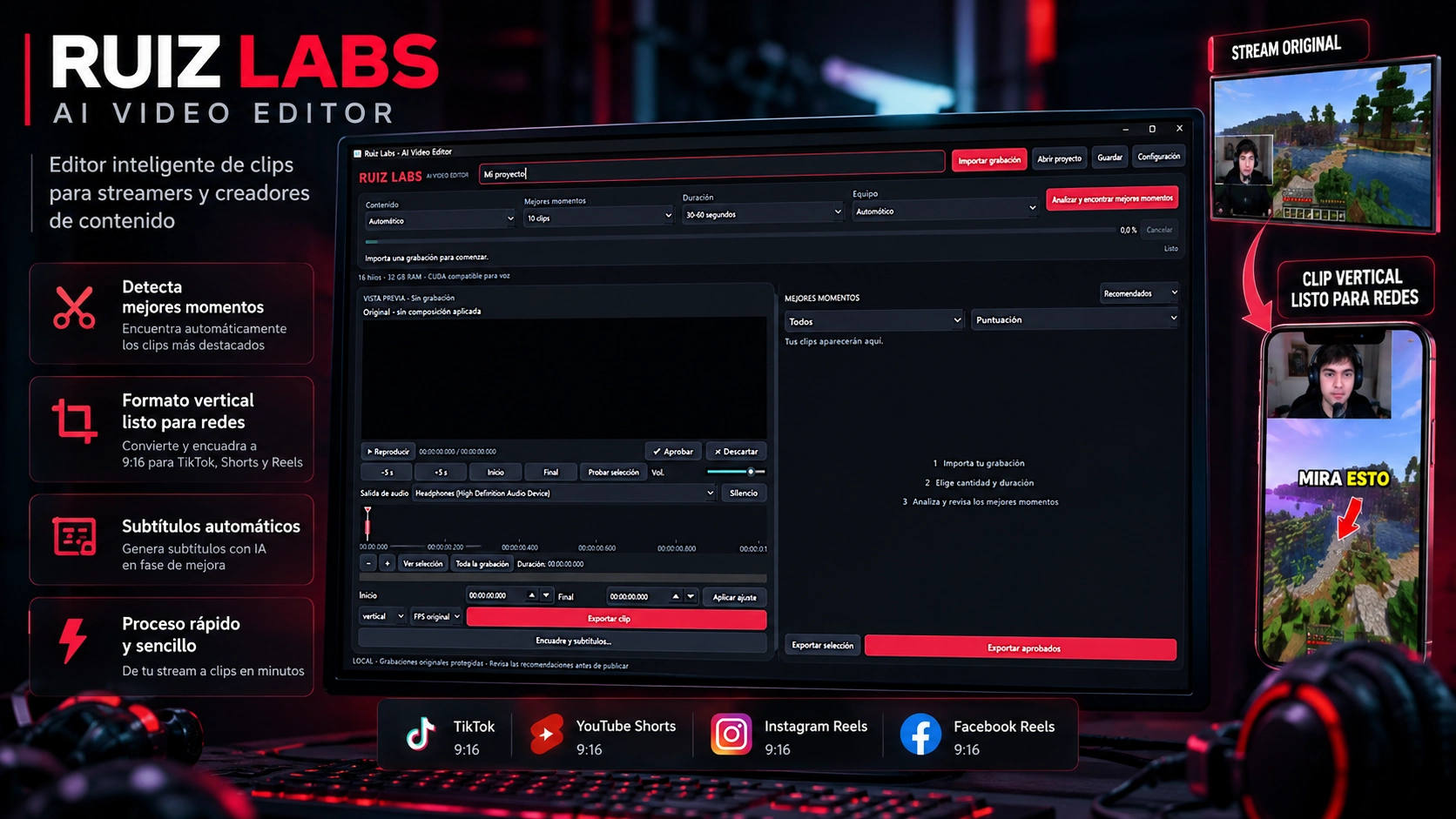
Ruiz Labs AI Video Editor — AI-Assisted Video Editing Software
Project Overview
Ruiz Labs AI Video Editor is a Windows desktop application developed in Python to simplify video editing workflows, particularly for streamers, gaming content creators, and social media professionals.
The project focuses on reducing repetitive editing tasks by combining video analysis, clip selection, review tools, caption editing, and export capabilities within a single interface.
Key Features
Video Import & Preview: Import recordings and review footage directly within the application.
Clip Selection: Select specific moments using timeline controls and adjustable start/end points.
AI-Assisted Analysis: Candidate scoring and review tools designed to help identify promising video segments.
Clip Management: Approve or discard suggested clips before exporting.
Video Reframing: Adjust framing settings for vertical content and social media formats.
Caption Editing: Add and customize captions for video exports.
Batch Export: Export individual clips or multiple approved selections.
Project Management: Save and restore editing projects.
Technologies Used
Python · PySide6 (Qt) · FFmpeg · ffprobe · faster-whisper · CTranslate2 · OpenCV · NumPy · SQLite
Development & Testing
The application has undergone focused functional testing, including 19 successful tests in a previous verification run.
A validated export test produced a 1080 × 1920 MP4 video at 24 FPS with audio, a blurred background, and an embedded caption.
The software is currently in beta development. Advanced face tracking, transcription workflows, and GPU acceleration require further end-to-end validation.
Project Goal
To develop a practical desktop editing solution that helps content creators reduce manual work, organize recordings, and prepare short-form videos more efficiently.
Project Type: Desktop Software Development
Status: Functional Beta — Ongoing Development
My Role: Independent Software Developer
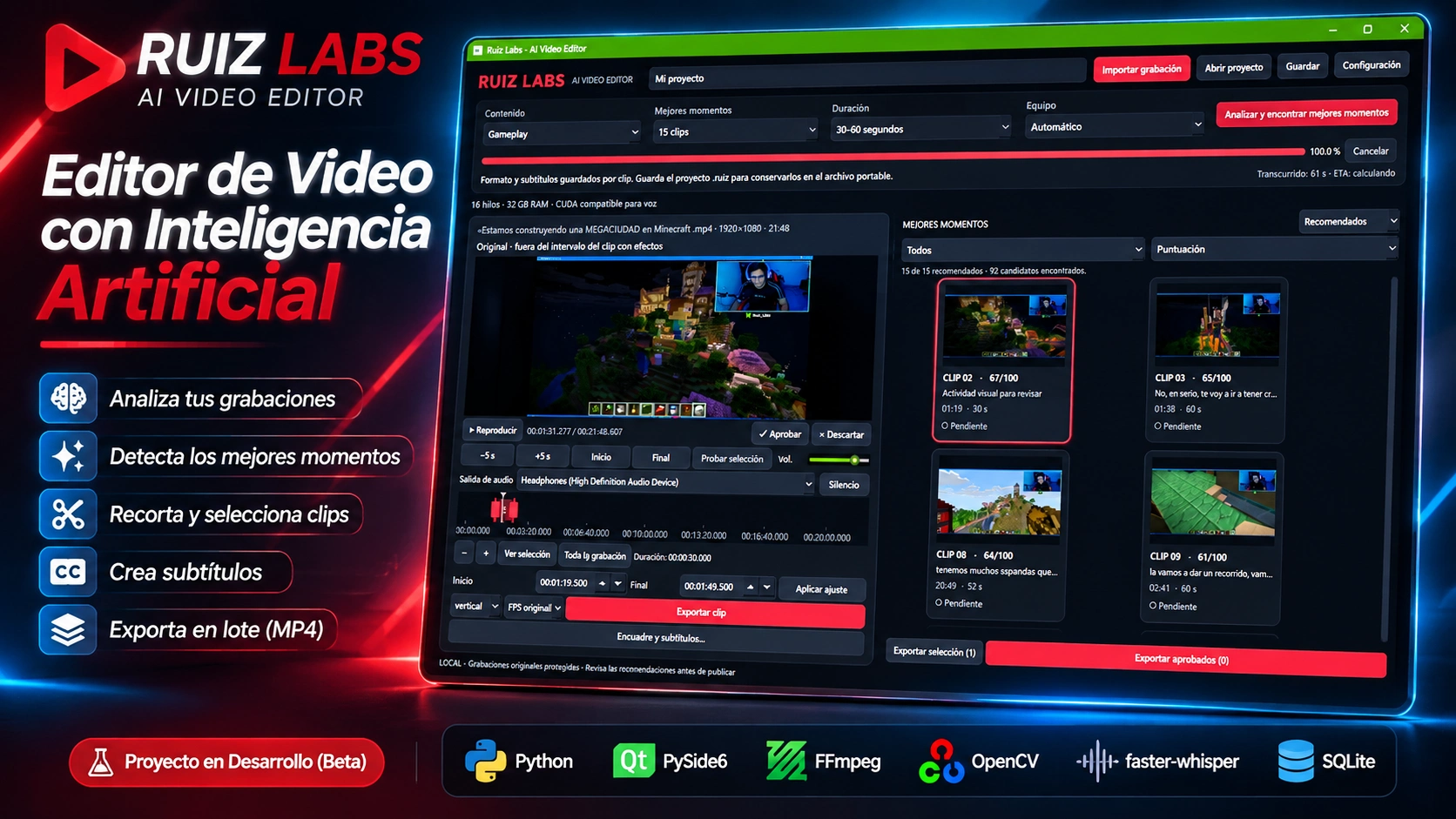
**Ruiz Labs AI Video Editor — Automated Highlight Detection**
A behind-the-scenes look at my AI-assisted video editing application, developed with Python and PySide6.
This screenshot showcases the software analyzing a real Minecraft gameplay recording, identifying 92 potential highlights and recommending 15 clips for review.
The application combines automated clip analysis, highlight scoring, timeline editing, video previews, caption controls, and MP4 export tools in a single desktop interface.
**Technologies:** Python, PySide6, FFmpeg, OpenCV, faster-whisper, and SQLite.
**Current Status:** Functional Beta — Under Active Development.
**Goal:** Help streamers and content creators transform long recordings into short-form content while reducing repetitive editing tasks.
**Ruiz Labs AI Video Editor — Live Software Demonstration**
A real-world demonstration of Ruiz Labs AI Video Editor, a Python-based desktop application designed to simplify video editing and automate repetitive tasks for content creators.
In this video, I showcase the application's interface, editing workflow, and customizable settings, including:
- **Content Types:** Configure editing workflows for different types of recordings, including gameplay.
- **AI-Assisted Highlight Detection:** Analyze long recordings and identify potential clips based on automated scoring.
- **Clip Duration Settings:** Customize the length of selected video segments.
- **Video Preview & Timeline:** Review footage, navigate recordings, and adjust clip boundaries.
- **Framing & Export Options:** Configure vertical video output and prepare clips for social media.
- **Clip Review:** Preview, approve, or discard suggested highlights before exporting.
**Built With:** Python, PySide6, FFmpeg, OpenCV, faster-whisper, and SQLite.
**Development Status:** Functional Beta — Continuous Improvements.
This project demonstrates my experience in desktop application development, multimedia processing, workflow automation, and AI-assisted software solutions.
**My Goal:** Build practical tools that help creators spend less time editing and more time creating.
Like this project
Posted Nov 4, 2026
Alternate draft of the same beta Python video editor. Kept private while selecting a single portfolio case study for publication.
Likes
0
Views
0