ThaiGlow AI Content Studio for Social Sellers

Niko Minadze


ThaiGlow AI Content Studio for Social Sellers
A personal project with a practical brief
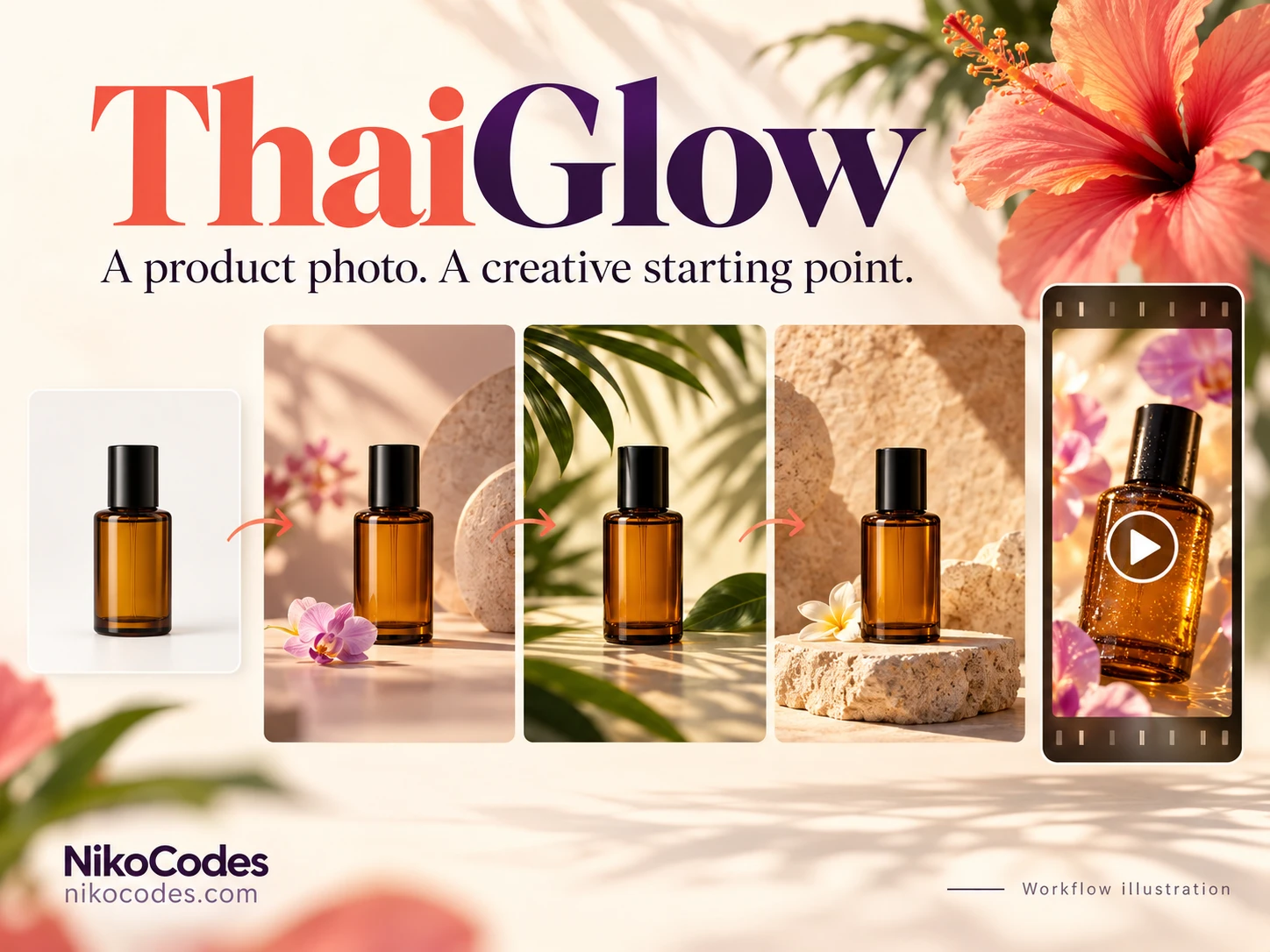
I built ThaiGlow for my girlfriend’s social-selling workflow. The idea was simple: start with a product photo and create styled images, short vertical videos, and Thai sales copy in one place. Aidentika inspired the concept, which I adapted around the way she prepares content for her products.
My work covered the product workflow, frontend, backend, and AI integrations. ThaiGlow is a private, personal-use application. That gave the project a clear focus: make the steps between uploading a photo and preparing a post straightforward enough to use without thinking about the technology underneath.
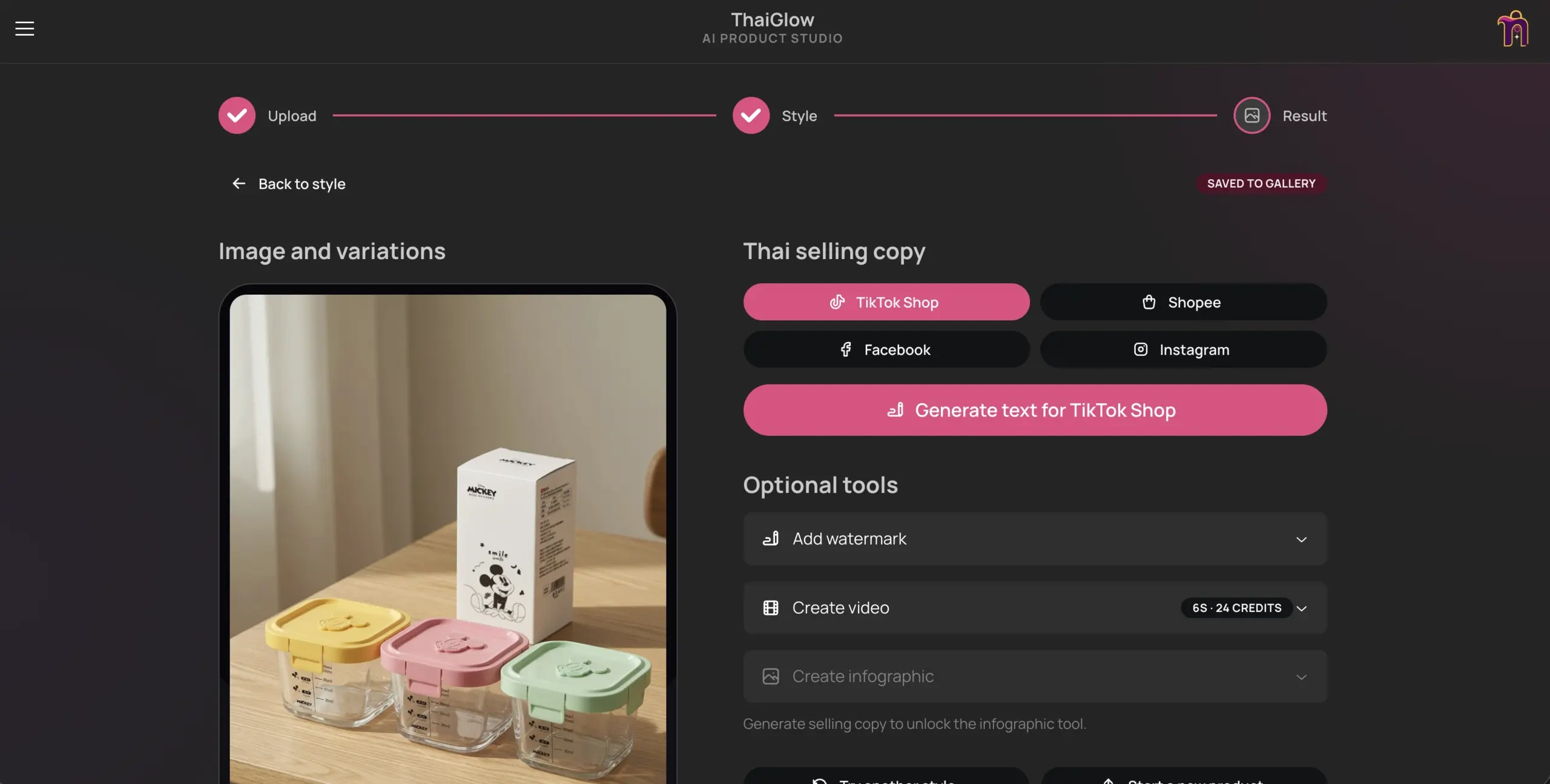
The result screen brings generated product imagery, Thai selling copy, and optional video, watermark, and infographic tools into one workflow.
Turning a photo into a content workflow
The main flow has three stages: Upload, Style, and Result. After adding a product photo, the user chooses from 16 scene styles, selects an image quality, and requests one or several variations. Visual previews make the choice tangible, with options such as Studio White, Cozy Natural, and Luxury Marble.
Optional product details and extra instructions add context without making every generation start with a long form. The interface also shows how quality and image count affect the credit cost and estimated generation time before a job starts.
The result screen brings the next decisions together. A generated image can become the starting point for a short vertical video, receive a watermark, or be used alongside Thai selling copy. Product infographics are part of the same workflow, with the interface asking for selling copy before enabling that tool. Each step builds on work already completed.
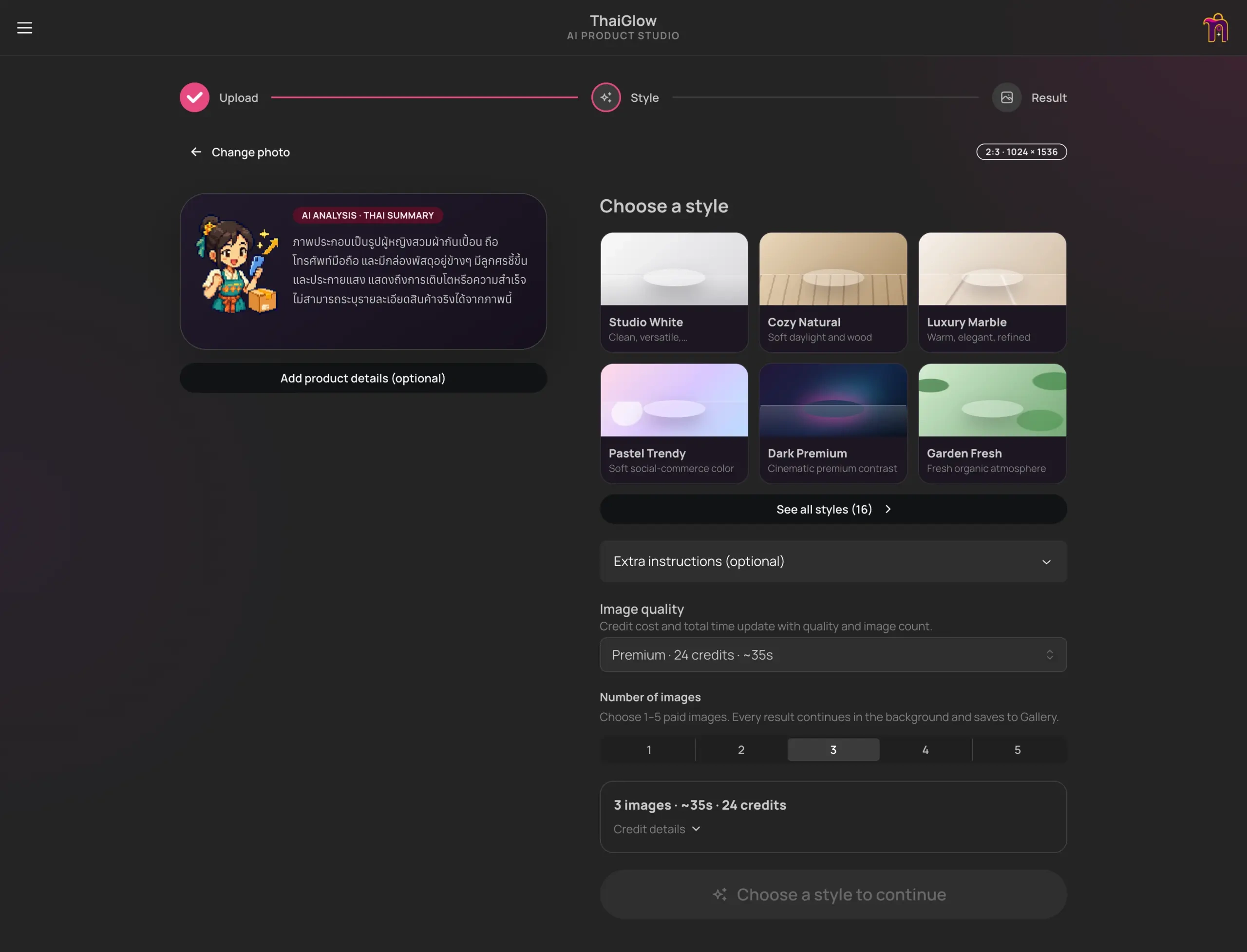
Visual scene previews, optional product details, and upfront credit estimates guide the generation setup.
Keeping the seller in control
ThaiGlow prepares titles, selling points, and post text for TikTok Shop, Shopee, Facebook, and Instagram. Optional product information helps shape the output, and the text remains editable before the user copies or shares it. The seller can review the wording and decide what is ready to publish.
I kept the everyday content tools together while putting model and prompt settings in a separate admin area. That lets me adjust the generation setup without crowding the main flow with backend configuration.
English and Thai interface options, light and dark themes, mobile sharing, and an installable progressive web app support using the tool across desktop and phone. The upload screen also offers a camera option, keeping the starting point close to how product photos are actually captured.
Making long jobs manageable
Image and video generation need a different interaction model from an ordinary form submission. ThaiGlow runs jobs in the background, so the user can close the app and return later. Persistent server-side queues and media storage keep that work independent of an open browser tab.
Generated media is saved to a shared gallery, and history makes earlier results easy to revisit. This matters beyond the first successful generation: trying another style, returning to an older product, and comparing previous outputs are all part of using a content tool repeatedly.
The interface makes the saved state visible, including a “Saved to Gallery” indicator on the result screen. A finished result has somewhere to live after the initial session.
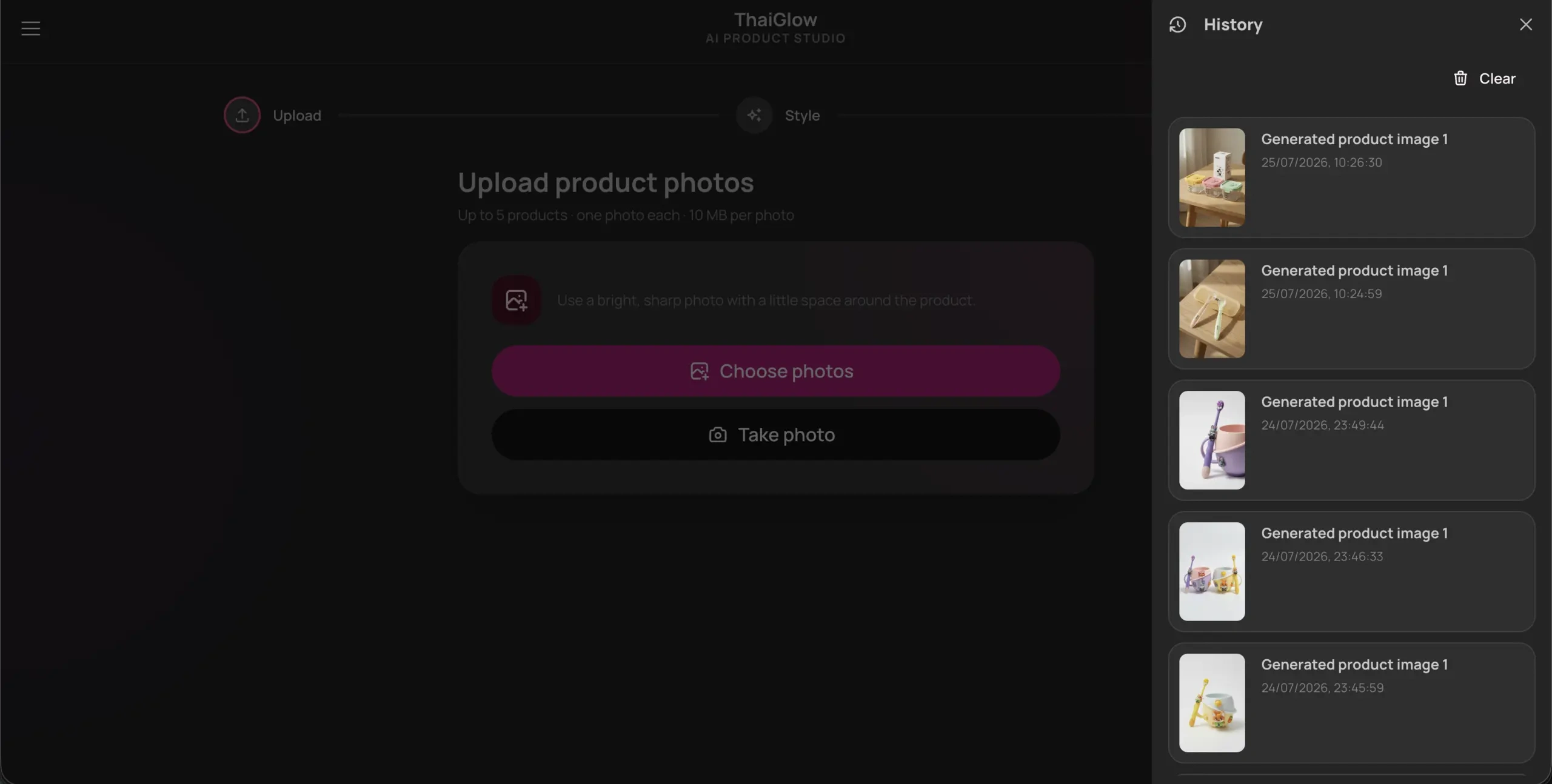
Saved generation history lets the user revisit earlier product images.
Making generation costs understandable
The credit system started as a joke between us and became a useful way to keep generation spending visible. Image and video jobs use fixed credit amounts, with the cost shown as part of the creation flow. I can refill the balance, and unsuccessful jobs receive credit refunds.
I backed this with a SQLite credit ledger. Cost tracking and failure handling belong to the application itself, alongside the creative workflow. The allowance makes it clear how much room is left to experiment before the balance needs a refill.
The technical foundation
ThaiGlow uses TypeScript, React, and Mantine on the frontend, with Express on Node.js behind it. OpenRouter connects the AI workflow, with image options including Grok, Seedream, and FLUX, and Seedance for video. SQLite handles the credit ledger, while persistent storage supports generated media and background queues.
The result
ThaiGlow brings photo styling, video creation, editable Thai copy, and saved media into a working private application built around one person’s needs. The project demonstrates the full scope of that build: a focused interface, multiple AI integrations, asynchronous processing, and clear handling of costs and unsuccessful jobs.
See the project and real application screenshots at https://nikocodes.com/software/thaiglow/.
Like this project
Posted Oct 4, 2026
A private AI content studio that turns product photos into styled images, short videos, and editable Thai sales copy for social selling.