Lie Detector

Mohammad Ali


Lie Detector
A Remote-Control Lie Detector
Lie Detector lets you monitor the heart rate and possible 'tells' of deception from any face, including live video calls or recordings.
Video demo and more info available here!
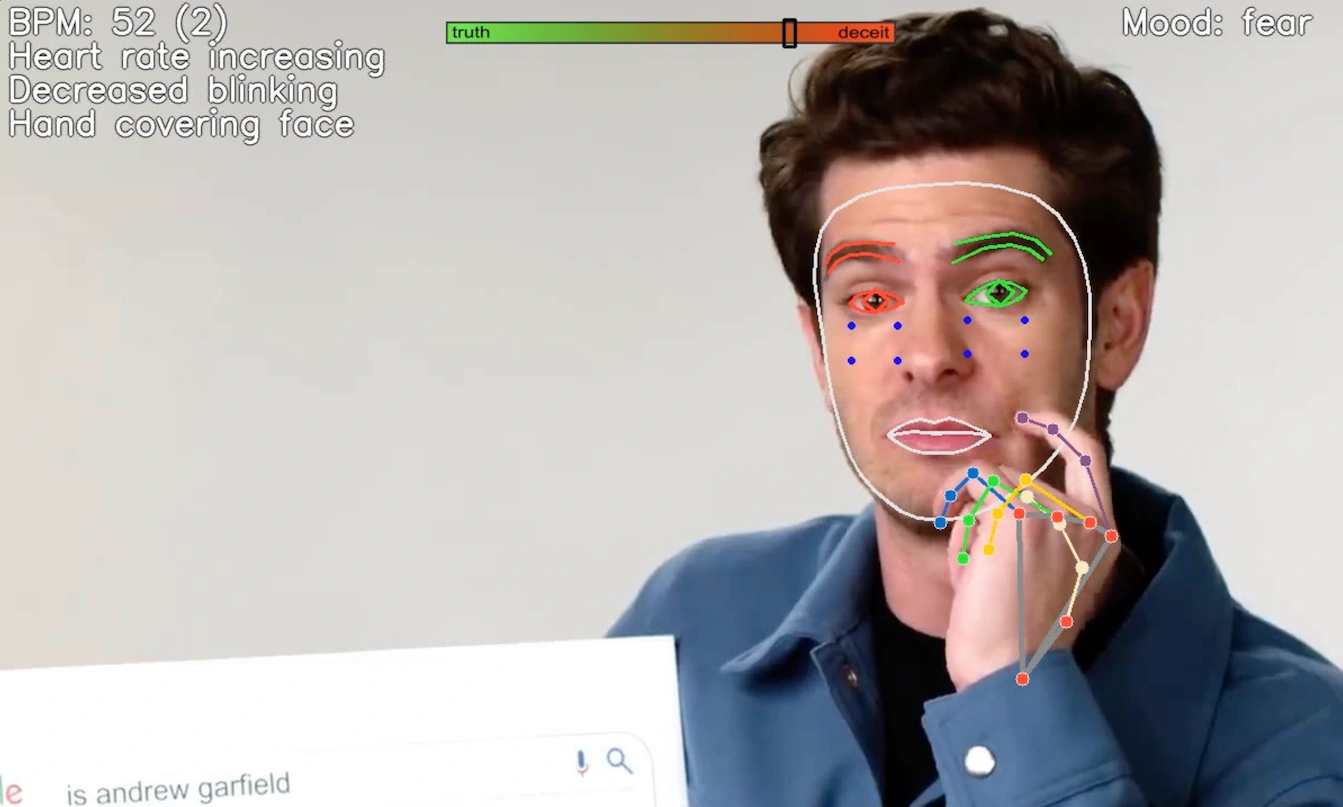
Lie Detector uses OpenCV and MediaPipe's Face Mesh to perform real-time detect of facial landmarks from video input. It also uses FER for mood detection. From there, relative differences are calculated to determine significant changes in specific facial movements from a person's baseline, including their:
Heart rate
Blink rate
Change in gaze
Hand covering face
Lip compression
Lie Detector can optionally include prompts based on a second video feed to better 'mirror' the original input.
Hit
Q on the preview window to exit the resulting display frame, or CTRL+C at the terminal to close the Python process.Lie Detector is built for Python 3 and will not run on 2.x.
Optional flags:
--help - Display the below options--input - Choose a camera, video file path, or screen dimensions in the form x y width height - defaults to device 0--landmarks - Set to any value to draw overlayed facial and hand landmarks--bpm - Set to any value to include a heart rate tracking chart--flip - Set to any value to flip along the y-axis for a selfie view--landmarks - Set to any value to draw detected body landmarks from MediaPipe--record - Set to any value to write the output to a timestamped AVI recording in the current folder--second - Secondary video input device for mirroring prompts (device number or path)--ttl - Number of subsequent frames to display a tell; defaults to 30Example usage:
python intercept.py -h - Show all argument optionspython intercept.py --input 2 --landmarks 1 --flip 1 --record 1 - Camera device 2; overlay landmarks; flip; generate a recordingpython intercept.py -i "/Downloads/shakira.mp4" --second 0 - Use video file as input; use camera device 0 as secondary input for mirroring feedbackLike this project
Posted Dec 13, 2024
This project presents a non-invasive tool designed to improve deception detection through the integration of facial analysis and physiological cues.
Likes
0
Views
16