Built with Anything
Numun.io AI Platform Overview

Keaton Williams


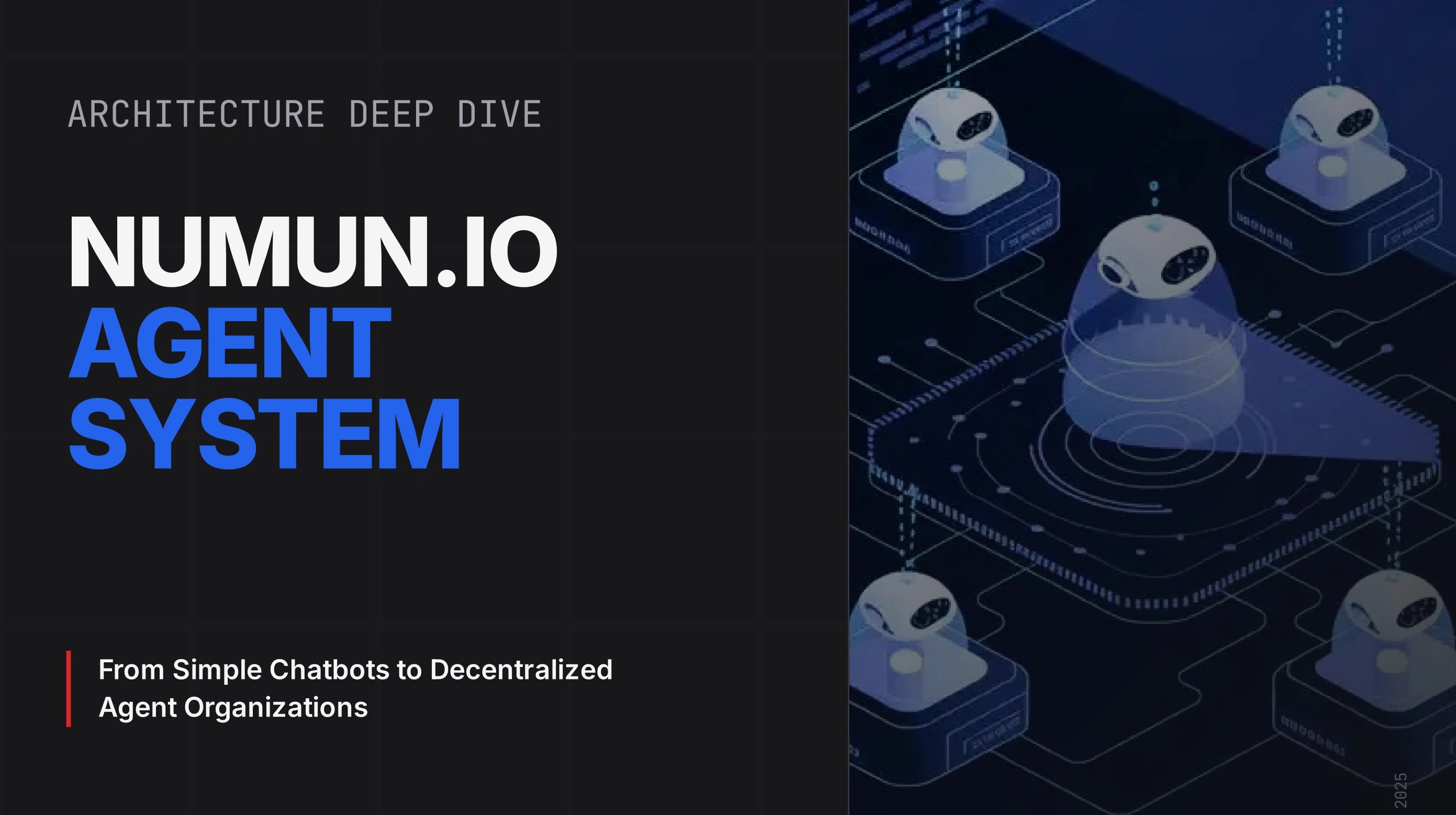
Numun.io Platform Overview
The AI-Powered Agent Building & Execution Platform
Numun.io is a comprehensive AI platform that empowers users to build, deploy, share, and monetize intelligent AI agents and automated workflows. At its core is an advanced AI Chat Interface that serves as the central hub for all interactions—where users can chat with AI models, run installed agents, automate browser tasks, and execute complex multi-step workflows seamlessly.
The platform combines the power of conversational AI with a visual Agent Studio for building custom agents, an AI Builder that can generate agents from natural language descriptions, and an Agent Store marketplace where creators can share and monetize their creations. Whether you're a developer looking to automate complex workflows, a business seeking custom AI solutions, or a creator wanting to build and sell AI agents, Numun.io provides the complete infrastructure.
Live at: numun.io
Table of Contents
1. The AI Chat Interface - Your Central Hub
2. Agent Studio - Visual Agent Builder
3. AI Builder - Natural Language Agent Generation
4. Agent Types & Capabilities
5. Agent Store - The AI Marketplace
6. Tool Integration & MCP Support
7. Browser Automation - AI Web Navigation
8. Architecture & Technology
9. Security & Permissions
10. Use Cases & Applications
11. Getting Started
12. Why Choose Numun.io
The AI Chat Interface - Your Central Hub
The AI Chat Interface is the heart of Numun.io—a unified conversational environment where users interact with AI models, run agents, execute workflows, and automate browser tasks. Think of it as your personal AI command center.
Core Capabilities
Multi-Model AI Chat
- Multiple AI Models: Choose from various AI models including Gemini 2.0 Flash (default), Llama 3.1/3.2, Mistral 7B, and more
- Streaming Responses: Real-time streaming of AI responses for natural conversation flow
- Persistent Memory: The AI remembers facts about you across conversations, creating a personalized experience
- Media Support: Upload images and files for AI analysis with vision-capable models (LLaVA 1.5)
- Conversation History: All chats are saved and organized, with AI-generated titles for easy navigation
Agent+ Mode - Run Agents in Chat
The AI Chat supports Agent+ Mode, allowing you to activate installed agents directly within your conversation:
- Activate Multiple Agents: Select one or more installed agents to handle your messages
- Workflow Execution: Agents with workflows execute step-by-step with real-time progress streaming
- Seamless Integration: Switch between standard AI chat and agent-powered responses effortlessly
- Live Timeline: Watch workflow execution in real-time with step-by-step progress updates
- Control & Approvals: Pause, resume, or provide approvals for workflows that require human intervention
Browser Agent - AI-Powered Web Navigation
Built directly into the chat interface is a powerful Browser Agent that can:
- Navigate the Web Autonomously: Give the AI a goal and watch it browse, click, type, and navigate websites
- 30 FPS Live Streaming: See exactly what the browser is doing in real-time
- Manual Takeover: Take control at any moment to guide or correct the AI's actions
- Smart Recovery: Automatically handles popups, cookie banners, and recovers from stuck states
- DOM-Aware Navigation: Uses intelligent element detection for reliable interactions
MCP Tools Integration
Connect external tools and services via the Model Context Protocol (MCP):
- Install MCP Connectors: Add integrations for Google, Notion, Slack, GitHub, and more
- Auto-Discovery: Tools appear automatically in your AI chat after installation
- Scoped Access: Control which tools are available in which contexts
- Real-Time Execution: Tools execute and return results within your conversation
How It Works
1. Start a Conversation: Open the AI Chat and begin typing your message
2. Choose Your Model: Select from available AI models or activate installed agents
3. Get Intelligent Responses: The AI responds with context-aware answers, executing tools when needed
4. Run Workflows: For agent-powered messages, watch as multi-step workflows execute in real-time
5. Save & Continue: All conversations are saved for future reference
Agent Studio - Visual Agent Builder
The Agent Studio is Numun.io's powerful visual development environment for building AI agents and automated workflows. Using a drag-and-drop interface, you can create sophisticated agents without writing code.
Key Features
Visual Graph Editor
- Drag-and-Drop Nodes: Build workflows by placing and connecting nodes on a canvas
- Real-Time Validation: Instant feedback on graph validity as you build
- Auto-Layout: Automatic graph organization for clean, readable workflows
- Zoom & Pan: Navigate complex workflows with ease
Node Types (24+ Building Blocks)
| Node Type | Purpose |
| INPUT | Entry point for user input |
| OUTPUT | Workflow exit with final response |
| AGENT | Call another AI agent (inline or installed) |
| TOOL | Execute tools (MCP, HTTP, Browser, etc.) |
| ROUTER | Semantic routing to different branches |
| CONDITIONAL | If/else branching logic |
| LOOP | Iterate over collections |
| PARALLEL | Run branches concurrently |
| TRANSFORM | Data transformation (JSONata, JS, templates) |
| APPROVAL | Pause for human approval before continuing |
| WAIT | Add delays between steps |
| NOTIFICATION | Send emails, SMS, or webhooks |
| HUMAN_INPUT | Request input from users mid-workflow |
| BROWSE | Browser automation steps |
| SUBWORKFLOW | Embed other workflows |
| DATABASE | Database operations |
| FILE | File read/write operations |
| CACHE | Caching layer |
| WEBHOOK | Receive external triggers |
| VALIDATE | Input validation |
| ERROR_HANDLER | Error recovery logic |
| MAP | Transform collections |
| MERGE | Combine multiple inputs |
| SPLIT | Divide data into branches |
Payload Mapping
- Data Flow Control: Define how data passes between nodes
- Transform Functions: Apply transformations (to_string, to_number, lowercase, etc.)
- JSONPath Selection: Extract specific fields from complex outputs
- Template Interpolation: Build dynamic strings with variables
Testing & Debugging
- Test Run Mode: Execute workflows in sandbox with live streaming
- Step-by-Step Timeline: See exactly what happens at each step
- Variable Inspector: Examine payload data at any point
- Real-Time Events: SSE streaming of execution events
QA & Validation
- Smart Validate: AI-powered validation that auto-fixes common issues
- QA Review: Comprehensive review with suggested improvements
- Compile Preview: See the compiled workflow before publishing
Building Workflow Example
[INPUT] → [AGENT: Research] → [ROUTER] → [AGENT: Writer] → [APPROVAL] → [OUTPUT] ↓
[AGENT: Analyst]
This example workflow:
1. Receives user input
2. Research agent gathers information
3. Router decides the path based on content
4. Writer or Analyst processes the data
5. Human approval before final output
AI Builder - Natural Language Agent Generation
Don't want to build visually? The AI Builder uses advanced AI (Gemini) to generate complete agents from natural language descriptions.
How It Works
1. Describe Your Agent: Write what you want your agent to do in plain English
2. AI Generates the Draft: The AI Builder creates a complete agent draft with:
- Proper graph structure (nodes and edges)
- System prompts for each agent node
- Tool configurations
- Input/output schemas
3. Review & Refine: Use natural language to request changes
4. Test & Publish: Run tests and publish to the Agent Store
Capabilities
Intelligent Generation
- Type Detection: AI determines if you need a conversational, workflow, or autonomous agent
- Prompt Extraction: Extracts system prompts from your description
- Tool Selection: Automatically suggests appropriate tools based on requirements
- Permission Inference: Identifies required permissions
Refinement Mode
- Iterative Improvement: Keep refining with natural language instructions
- Add Features: "Add an approval step before sending emails"
- Modify Behavior: "Make the researcher agent more thorough"
- Fix Issues: "The output should be in JSON format"
Anti-Simulation Safeguards
The AI Builder includes critical safeguards to ensure generated agents:
- Never simulate or mock tool execution
- Output only real code, not example results
- Follow strict validation rules for proper graph structure
Example Generation Prompt
"Create a content research workflow that:
1. Takes a topic as input
2. Searches the web for relevant articles
3. Summarizes the key points
4. Creates an outline for a blog post
5. Requires my approval before finalizing"
The AI Builder generates a complete, executable workflow with all necessary nodes, connections, and configurations.
Agent Types & Capabilities
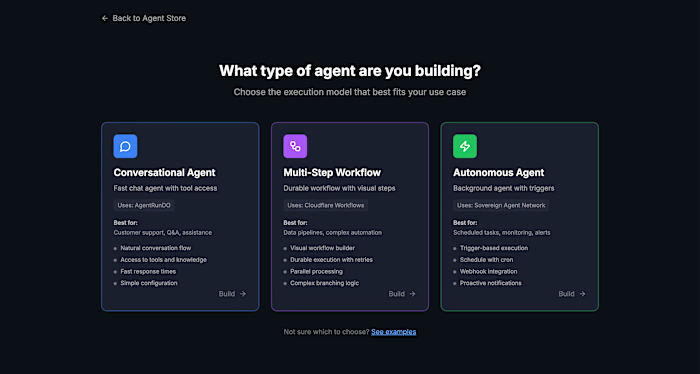
Numun.io supports 6 distinct agent types, each designed for different use cases:
1. Conversational Agents
Simple chat agents with a defined persona
- Use Case: Customer support, onboarding, Q&A bots
- Structure: Optional simple graph (INPUT → AGENT → OUTPUT)
- Features: Persistent memory, persona customization, multi-turn conversations
2. Workflow Agents
Multi-step automated pipelines
- Use Case: ETL processes, content pipelines, data transformations
- Structure: Required graph with INPUT and OUTPUT nodes
- Features: Complex branching, parallel execution, error handling
3. Autonomous Agents
Self-running agents with triggers
- Use Case: Scheduled tasks, monitoring, automated alerts
- Triggers: Cron schedules, webhooks, event-driven
- Features: Execution policies, cost limits, automatic retries
4. Sovereign Agents (SAN)
Long-running goal-oriented agents
- Use Case: Research missions, long-term projects, learning agents
- Features: Goal decomposition, reflection, self-improvement
- Capabilities: Plan execution, progress tracking, adaptive behavior
5. Network Agents
Multi-agent collaborative systems
- Use Case: Research teams, review loops, complex problem-solving
- Structure: Multiple AGENT nodes with coordination
- Features: Agent-to-agent communication, shared context, role-based execution
6. DAO Agents
Governance-enabled agent collectives
- Use Case: Decentralized decision-making, collective AI governance
- Features: Voting mechanisms, proposal systems, collective intelligence
Agent Store - The AI Marketplace
The Agent Store is Numun.io's marketplace where users discover, install, and share AI agents. It's designed to create a thriving ecosystem where creators can monetize their work.
For Users
Discovery
- Browse Categories: Productivity, Creative, Developer, Research, Education, Finance
- Trending Agents: See what's popular in the community
- Featured Agents: Curated selection of high-quality agents
- Search: Find agents by name, description, or capabilities
Agent Cards Display
- Rating & Reviews: Community feedback and ratings
- Install Count: See how many users trust this agent
- Run Count: Understand the agent's usage
- Risk Level: Low, Medium, or High risk indicator
- Creator Info: Who built this agent
Installation
- Try Before Install: Test agents in sandbox mode
- Permission Review: Approve specific capabilities (web search, API calls, etc.)
- Version Control: Track which version you have installed
- Easy Updates: Stay current with agent improvements
For Creators
Publishing
1. Build Your Agent: Use Agent Studio or AI Builder
2. Test Thoroughly: Run test workflows to ensure quality
3. Configure Metadata: Name, description, category, tags
4. Set Pricing: Free, Freemium, or Paid
5. Publish: Make available to the community
Monetization
- Pricing Models:
- Free: Available to everyone at no cost
- Freemium: Free tier with paid upgrades
- Paid: Per-use or subscription pricing
- Revenue Share: Creators earn from their agent usage
- Analytics: Track installs, runs, and revenue
Visibility Options
- Private: Only you can use
- Team: Shared within your organization
- Unlisted: Accessible via direct link
- Public: Discoverable in the store
Agent Store Economics
The Agent Store creates value for everyone:
| Stakeholder | Benefit |
| Creators | Build once, earn continuously from users |
| Users | Access powerful agents without building |
| Community | Growing library of solutions |
| Platform | Thriving ecosystem of AI capabilities |
Tool Integration & MCP Support
Numun.io features robust tool integration through multiple channels:
Model Context Protocol (MCP)
MCP is an open standard for connecting AI to external tools and data sources. Numun.io fully supports MCP:
Available Integrations
- Google Workspace: Drive, Docs, Sheets, Calendar
- Notion: Databases, Pages, Workspace
- Slack: Messages, Channels, Users
- GitHub: Repositories, Issues, Pull Requests
- Custom Servers: Connect any MCP-compatible service
Installation & Management
1. Browse MCP Catalog: Find available integrations
2. Install with OAuth: Secure authentication flow
3. Configure Scopes: Control what tools can access
4. Enable/Disable: Toggle integrations as needed
Built-in Tools
| Tool Category | Capabilities |
| Web Search | Search the internet for information |
| HTTP Requests | Call external APIs |
| Browser Automation | Navigate and interact with websites |
| File Operations | Read/write files and media |
| Database Operations | Query and update data |
| Memory | Store and recall information |
| Notifications | Send emails, SMS, webhooks |
Tool Forge - Universal Executor
The Tool Forge is Numun.io's centralized tool execution engine that ensures:
- Security: Sandboxed execution with permission enforcement
- Reliability: Retry logic and error handling
- Observability: Complete audit trail of all tool calls
- Performance: Optimized execution with caching
7 Invariants Architecture
Tool execution follows Numun.io's 7 Invariants for reliable AI tool use:
1. Single Universal Execution Contract: Standardized tool calling format
2. Capability Registry as Source of Truth: System defines available actions
3. Three-Phase Execution: Intent → Plan → Execute
4. Backend Fails Loud: Structured errors that teach recovery
5. Error-Driven Self-Healing: Automatic retry with learned corrections
6. Mandatory Introspection: All services expose health/capabilities
7. Verification Envelope: All responses include verification proof
---
Browser Automation - AI Web Navigation
Numun.io includes a sophisticated Browser Agent for AI-powered web automation:
Architecture
- Container-Based: Puppeteer + Chromium running in Cloudflare Containers
- AI-Powered: Gemini 2.0 Flash for intelligent decision-making
- DOM-Aware: Full DOM analysis for reliable element targeting
- Real-Time Streaming: 30 FPS WebSocket frame delivery
Capabilities
Autonomous Navigation
- Goal-Based Browsing: Describe what you want, AI figures out how
- Smart Element Selection: Uses semantic understanding to find elements
- Form Handling: Intelligent form filling and submission
- Multi-Page Flows: Navigate complex multi-step processes
Intelligent Recovery
- Cookie Banner Detection: Automatically dismisses consent dialogs
- Popup Handling: Closes modals and overlays
- Stuck Detection: Recognizes when stuck and tries recovery strategies
- Page Type Adaptation: Adjusts strategy based on page type (login, search, form, etc.)
Manual Control
- Live View: Watch the browser in real-time (30 FPS)
- Manual Takeover: Take control at any point
- Guided Actions: Execute specific actions when AI needs help
- Session Persistence: Pick up where you left off
Use Cases
- Data Extraction: Scrape information from websites
- Form Automation: Fill out applications and forms
- Research: Navigate multiple sources and gather information
- Testing: Automated web testing and verification
- E-commerce: Price monitoring, inventory checks
Architecture & Technology
Technology Stack
| Layer | Technology |
| Compute | Cloudflare Workers (14+ active), Containers |
| State Management | Durable Objects (7 classes with SQLite) |
| Database | Cloudflare D1 (25+ tables) |
| Cache | KV Namespaces (5 active) |
| Object Storage | R2 Buckets (media, archives) |
| Vector Search | Vectorize (4 indexes, 768-dim BGE) |
| AI Models | Workers AI + Gemini 2.0 Flash |
| Message Queues | Cloudflare Queues (3 active) |
| Frontend | React 19 + React Router v7 + Zustand + Tailwind |
Core Services
| Service | Purpose |
| numun-api | Main API gateway (Hono.js) |
| ai-brain | Central AI reasoning engine |
| tool-forge | Universal tool executor |
| browser-session-v2 | Container browser automation |
| flow-orchestrator | Workflow coordination |
| event-processor | Event-driven processing |
Durable Objects
| Class | Purpose |
| UserSession | WebSocket connections, session state |
| ChatRoom | Multi-user rooms with SQLite storage |
| AgentRunDO | Agent execution lifecycle |
| RunConsoleDO | SSE streaming, approvals, control |
| UserProfile | AI memory, preferences, facts |
| SemanticMatcher | Intelligent matching coordinator |
Performance Targets
| Metric | Target |
| API Response | <500ms (p95) |
| WebSocket Latency | <100ms |
| AI Response (Gemini Flash) | <3s |
| Vector Search | <200ms |
| Browser Agent Step | <5s |
Security & Permissions
Permission System
Every agent and tool requires explicit permissions:
| Permission | Risk Level | Description |
|
web_search | Low | Search and browse the web ||
file_access | Medium | Read user-provided files ||
data_storage | Medium | Store artifacts and memory ||
api_calls | High | Call external HTTP APIs ||
code_execution | High | Execute code (if enabled) ||
mcp_tools | High | Use MCP integrations ||
side_effects | High | Actions that affect the outside world |Security Features
- JWT Authentication: HS256 tokens with 24h expiry
- WebSocket Tickets: 60-second TTL for connection auth
- Rate Limiting: IP and user-based limits
- Input Validation: Zod schemas for all inputs
- CORS: Strict origin whitelisting
- Domain Allowlists: Restrict HTTP tool targets
- Tool Allowlists: Control which tools agents can use
- Cost Limits: Configurable spending caps
- Approval Gates: Human-in-the-loop for critical actions
Execution Modes
| Mode | Description | Capabilities |
| Try/Public | Sandbox mode | Cloudflare AI only, no external tools |
| Installed | Full mode | All approved permissions enabled |
Use Cases & Applications
For Individuals
- Personal AI Assistant: Chat interface with memory and tools
- Research Automation: Web research with summarization
- Task Automation: Schedule and automate repetitive tasks
- Learning Tools: Educational agents and tutors
For Developers
- Workflow Automation: Complex multi-step processes
- API Integration: Connect and orchestrate services
- Testing Automation: Browser-based test workflows
- Code Assistance: AI-powered development helpers
For Businesses
- Customer Support: Conversational agents with knowledge bases
- Sales Enablement: Lead qualification and follow-up
- Operations: Automated monitoring and reporting
- Content Production: Multi-agent content pipelines
For Creators
- Agent Monetization: Build and sell AI agents
- Workflow Templates: Share reusable automation patterns
- Custom Solutions: Tailored agents for specific industries
- Community Building: Share expertise through agents
Why Choose Numun.io
Unified Platform
Everything in one place—chat, agents, tools, workflows, and marketplace. No need to cobble together multiple services.
No-Code to Pro-Code
Start with AI-generated agents, evolve to visual workflows, and extend with custom tools. Grow at your own pace.
AI-Native Architecture
Built from the ground up for AI workloads with intelligent error handling, self-healing execution, and optimized performance.
Community Ecosystem
Join a growing community of creators and users. Share your work, discover solutions, and earn from your contributions.
Enterprise-Grade Security
Permission-based access control, approval workflows, cost limits, and comprehensive audit trails.
Edge-First Performance
Powered by Cloudflare's global edge network for sub-500ms response times worldwide.
Open Standards
Full MCP support means your integrations work across the AI ecosystem, not just on Numun.io.
Numun.io — Where AI Agents Come to Life
Build. Deploy. Share. Earn.
© 2025 Numun.io. All rights reserved.
Like this project
Posted Jan 14, 2026
Numun.io is a comprehensive AI platform that empowers users to build, deploy, share, and monetize intelligent AI agents and automated workflows.