Instantly get your emails replied to YOUR WAY

Tonia Galloway

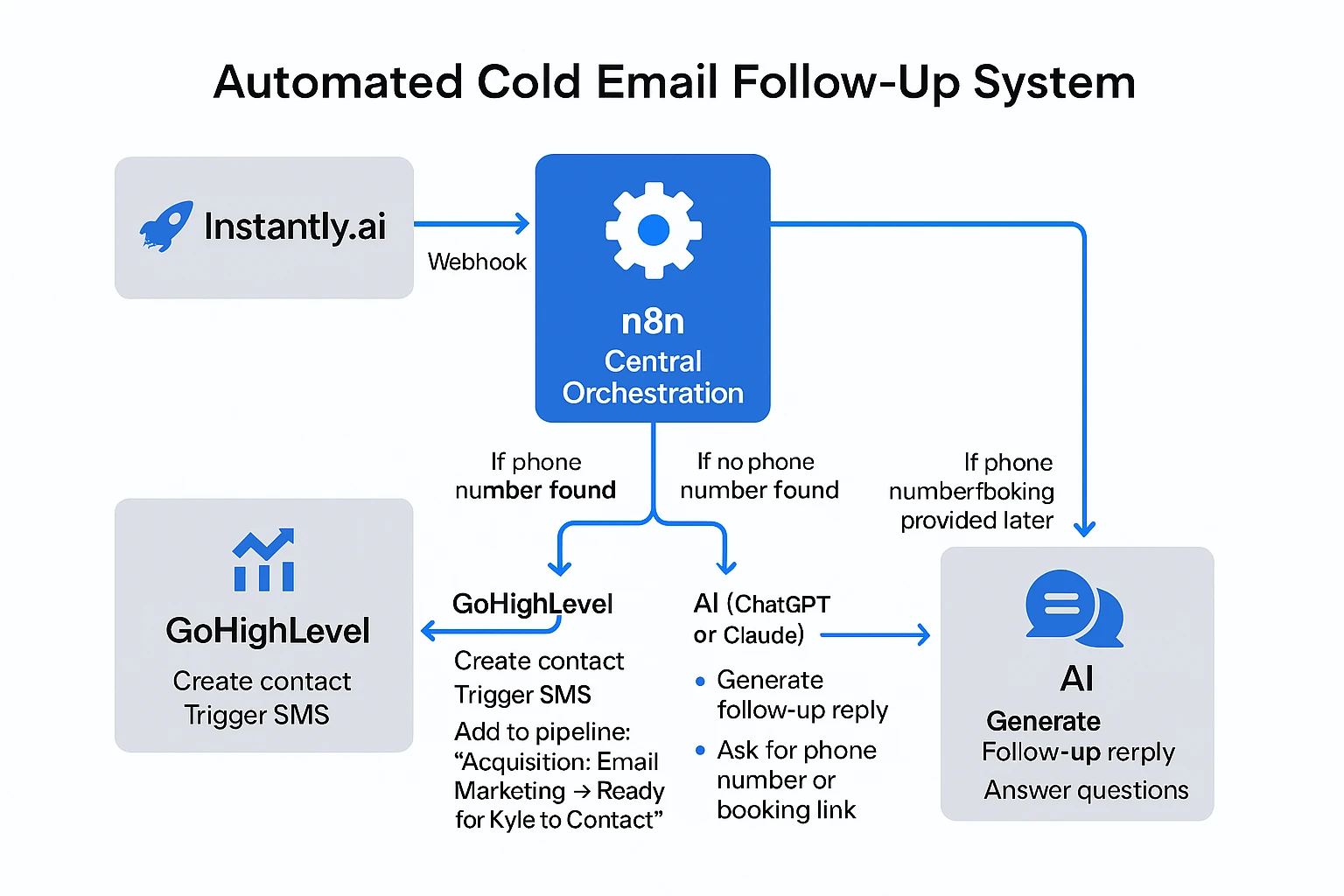
n8n Workflow Logic Steps
Step-by-Step n8n Flow:
Trigger (Webhook)
Trigger: Webhook from Instantly.ai when a new email reply is received.
Extract Email Content
Node: Email Parser
Action: Extract text from the reply (e.g., using regex or natural language analysis).
Detect Phone Number
Node: If/Else (Conditional Check)
Logic: Check if a phone number is present in the parsed email.
If Phone Number Found
→ GoHighLevel API Call
Create Contact
Trigger SMS
Add to pipeline:
"Acquisition: Email Marketing → Ready for Kyle to Contact"If No Phone Number Found
→ ChatGPT/Claude Integration
Use OpenAI or Claude API
Prompt: "Generate a polite follow-up asking for a phone number or a link to book a call, and respond to any question in the original reply."
Send AI Response
→ Email Node
Send the follow-up reply back to the lead.
If Phone Number or Booking Provided in Future Replies
→ Monitor with webhook or IMAP/Inbox Watcher
→ Re-run Steps 2–4
Stop Sequence When Condition Met
→ Stop node
If booking confirmed or phone added, halt all further follow-up for that contact.
Like this project
Posted Jun 10, 2025
Developed n8n workflow for Instantly.ai email replies.
Likes
1
Views
18