File Automation: Sort, Encrypt & Back Up Files

Mojtaba Karimiabdar


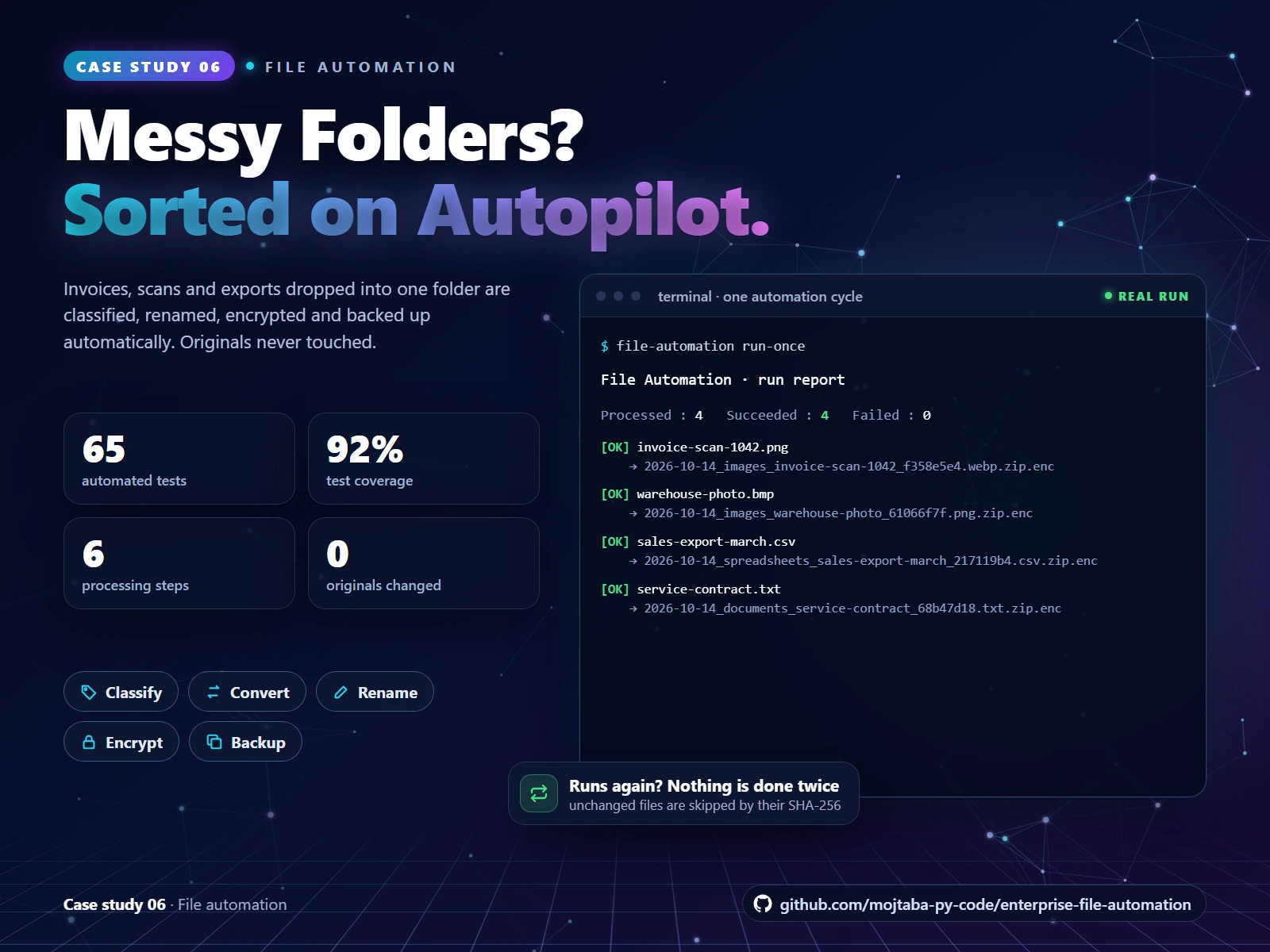
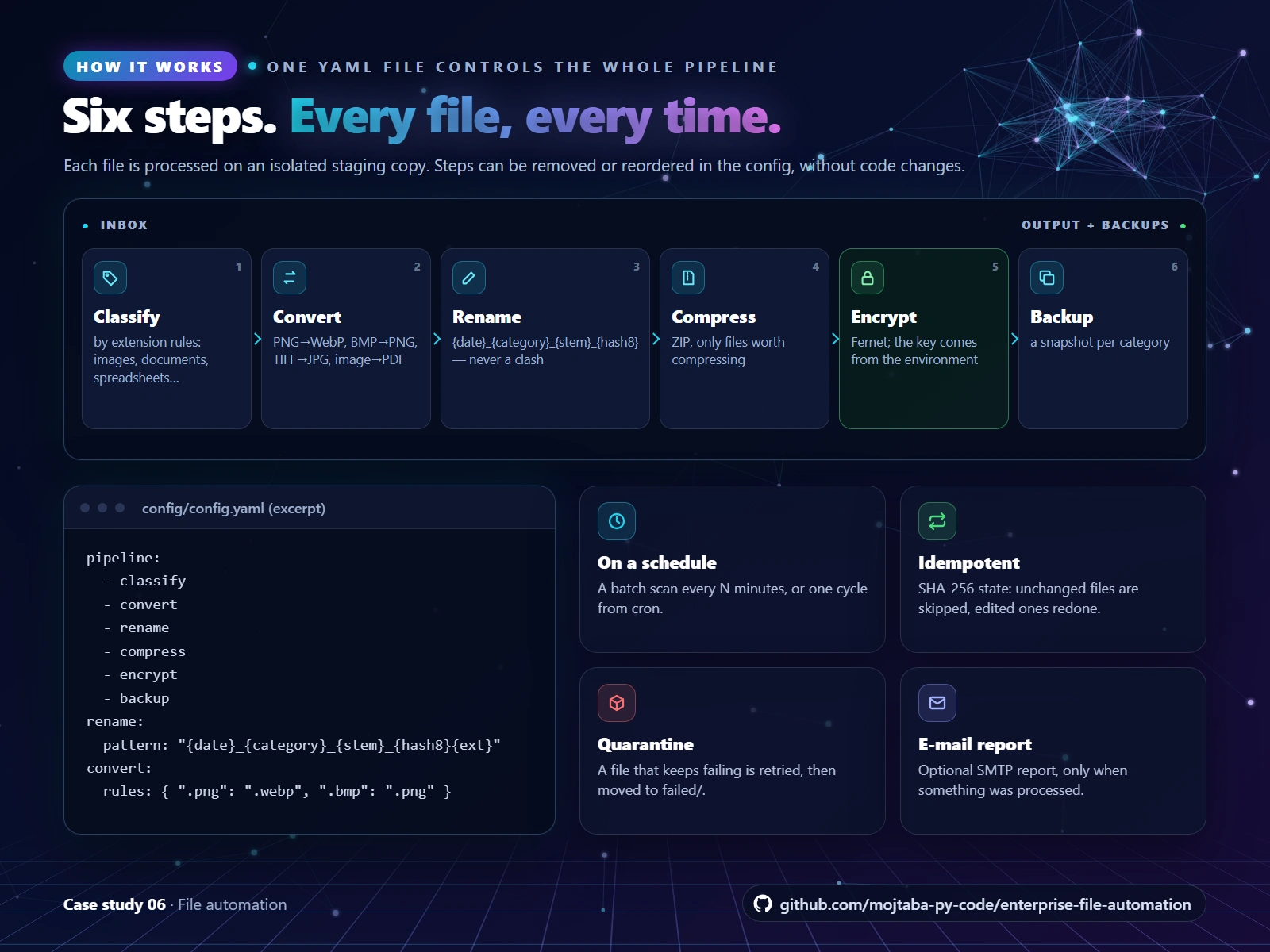
Six steps run on every new file, controlled by one YAML file: classify, convert, rename, compress, encrypt and back up.
The challenge
Shared folders fill up with scans, exports and contracts named “final_v2 (1)”. Files get lost, sensitive documents sit unencrypted, and backups depend on someone remembering.
The solution
I built a config-driven file automation pipeline. Drop files into an inbox and, on a schedule, each one is classified, converted, renamed, compressed, encrypted and backed up, without ever modifying the original.
How it works
Classify by extension rules: images, documents, spreadsheets and more.
Convert images, for example PNG to WebP, BMP to PNG or an image to PDF.
Rename to date_category_name_hash8, so files sort by date and never overwrite each other.
Compress to ZIP, then encrypt with Fernet.
Back up a snapshot per category.
The steps are listed in one YAML file and can be removed or reordered without code changes.
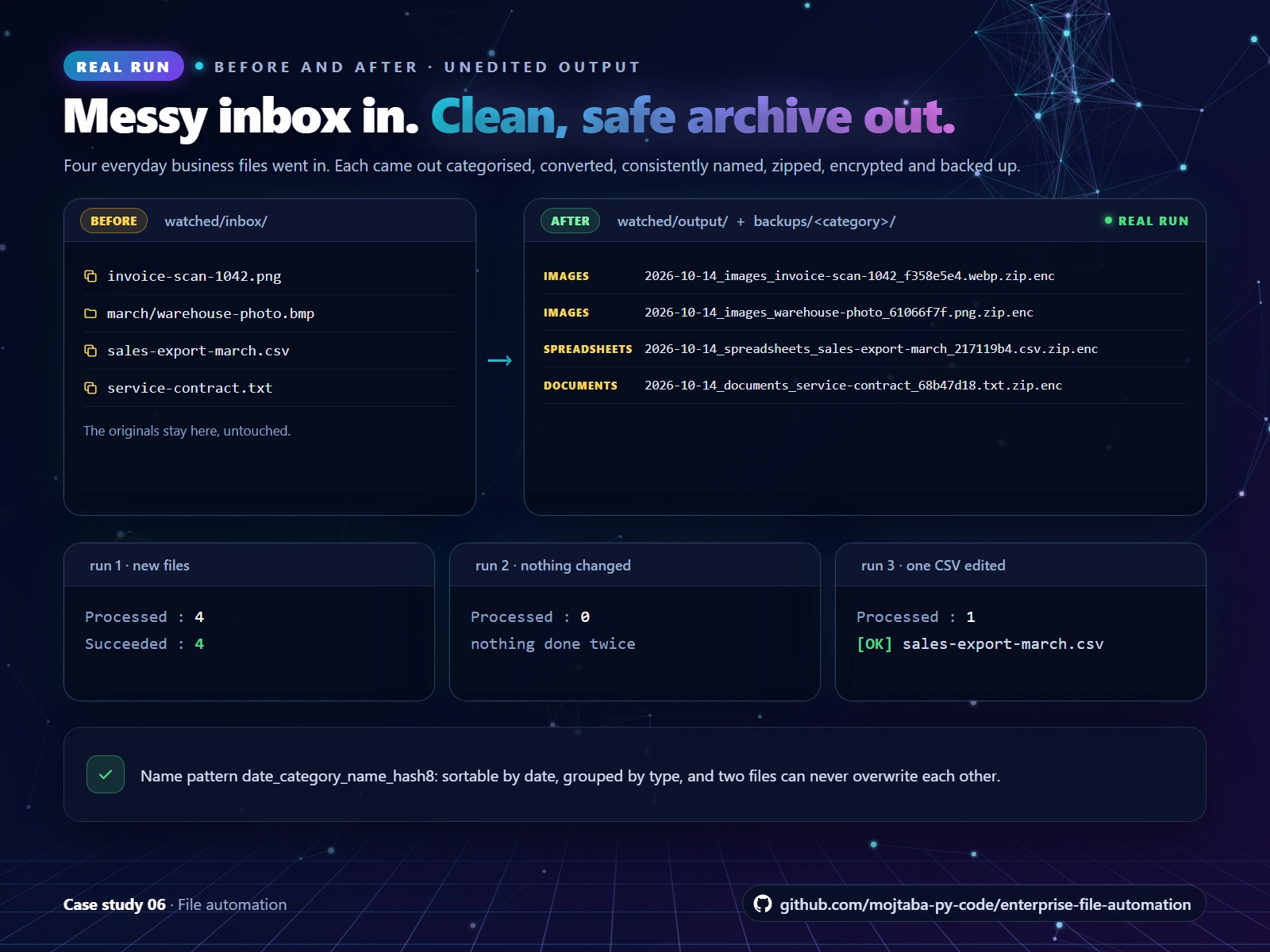
Real before and after: four business files in, four categorised, consistently named, encrypted files out. Re-runs skip unchanged files.
A real run, unedited
Four everyday business files went into the inbox: a scanned invoice, a warehouse photo, a sales export and a service contract.
Run 1: all 4 were processed and stored as categorised, encrypted files, plus a backup per category.
Run 2: nothing had changed, so nothing was processed again.
Run 3: one CSV was edited, so only that file was processed.
The original files stayed in the inbox, untouched.
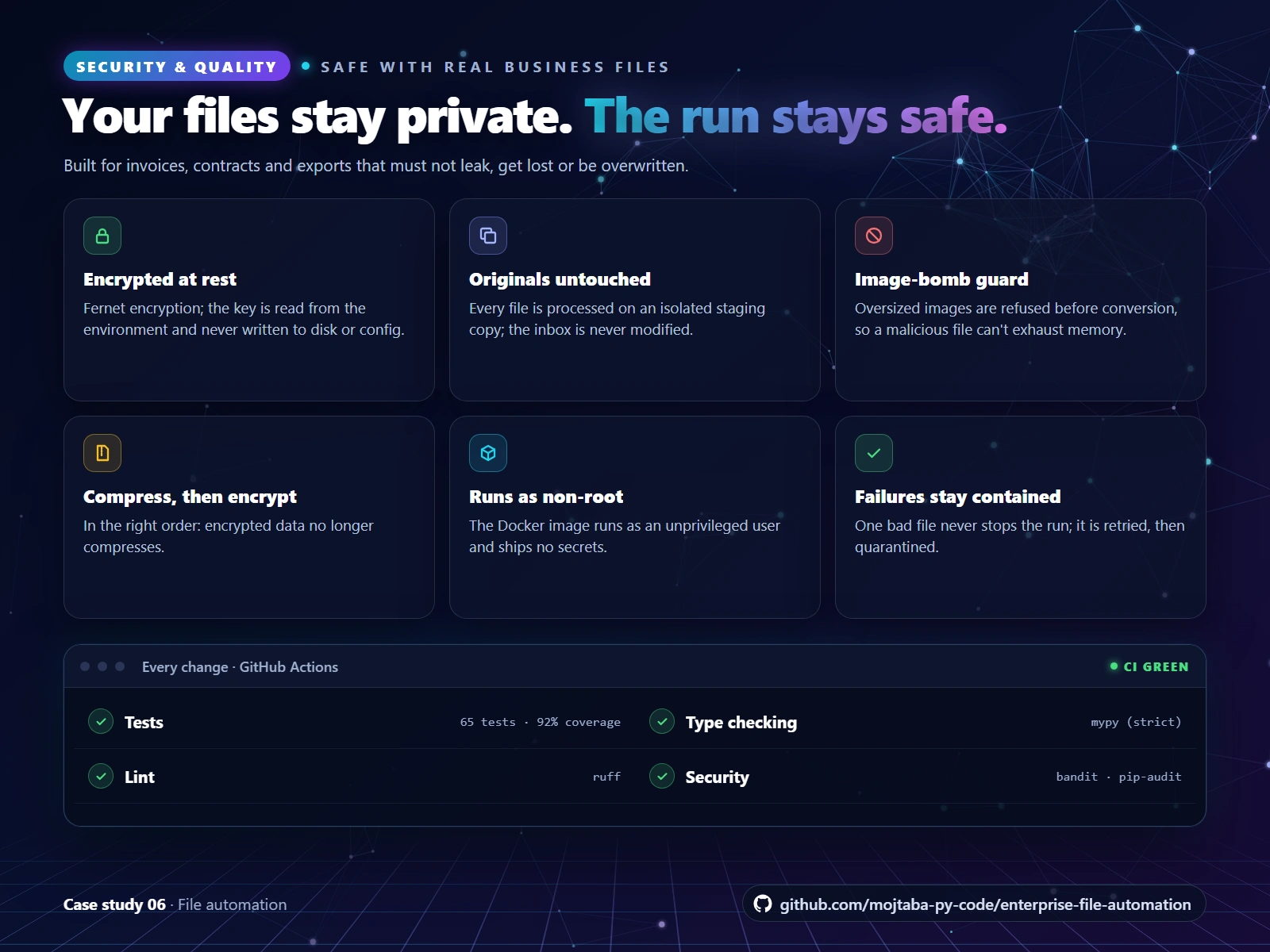
Built for sensitive files: an encryption key from the environment, untouched originals, an image-bomb guard, non-root Docker and 65 tests.
Security and quality
The encryption key is read from the environment, never written to disk or to the config.
Every file is processed on an isolated staging copy. One bad file never stops the run: it is retried, then quarantined.
Oversized images are refused before conversion, protecting against decompression bombs.
The Docker image runs as an unprivileged user and contains no secrets.
65 automated tests at 92% coverage, with ruff, strict mypy, bandit and pip-audit.
Tech stack: Python, Pillow, cryptography (Fernet), a YAML config and Docker.
Drowning in files that need sorting, renaming or protecting? Send me a message with the folder and what should happen to each file.
Like this project
Posted Oct 14, 2026
Files dropped into an inbox are classified, converted, renamed, compressed, encrypted and backed up on a schedule. Originals untouched. 65 tests.